ONEPLUS
How to use Focus mode on a OnePlus (OxygenOS 16)

In short
Go to Settings, Digital Wellbeing & parental controls, Focus. Tick your distracting apps and tap Turn on now. Opening a paused app shows Focus is on, with Use app for 5 minutes. Turn it off from the Focus notification.
6 of 6 steps show a real screenshot from our Nord 5. Each step was checked against the maker's own instructions, linked at the end.
Steps
- 1
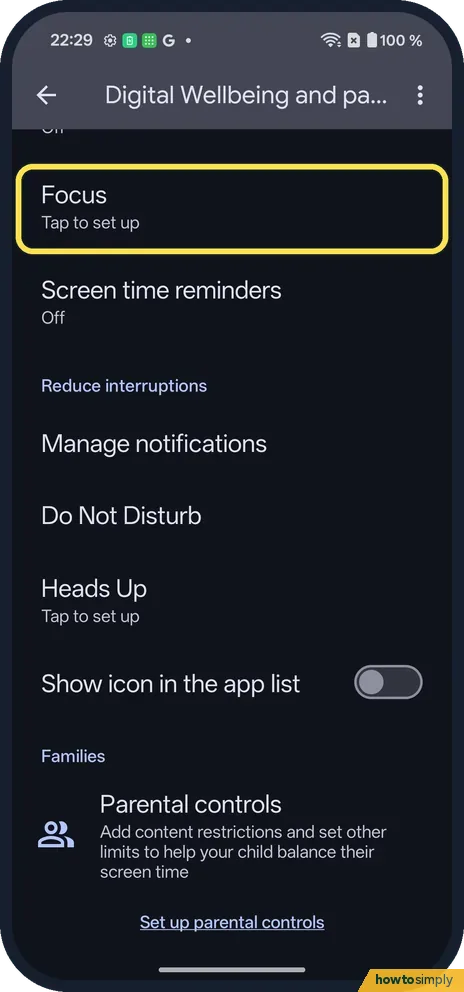
Open Focus
Open Settings, Digital Wellbeing & parental controls. Focus said Tap to set up.
- 2
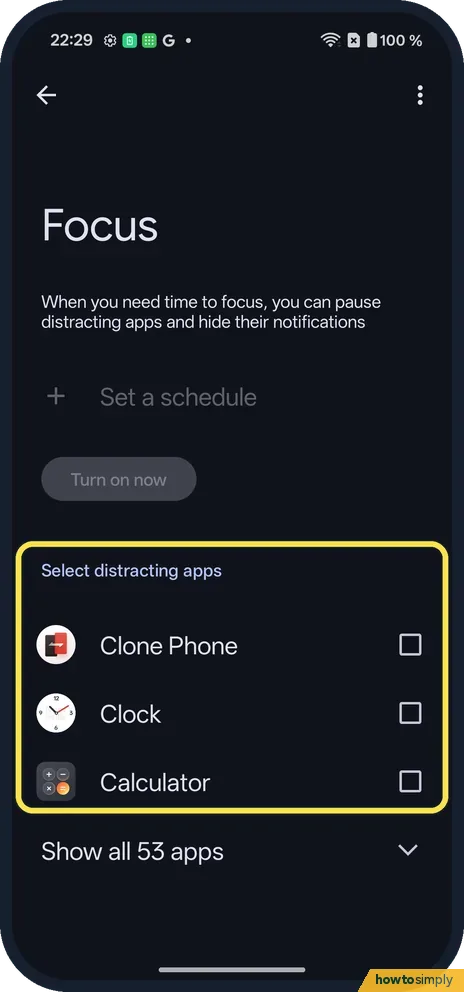
Pick distracting apps
Under Select distracting apps, tick them; Show all 53 apps lists the rest. Turn on now, above, works once one is ticked.
- 3
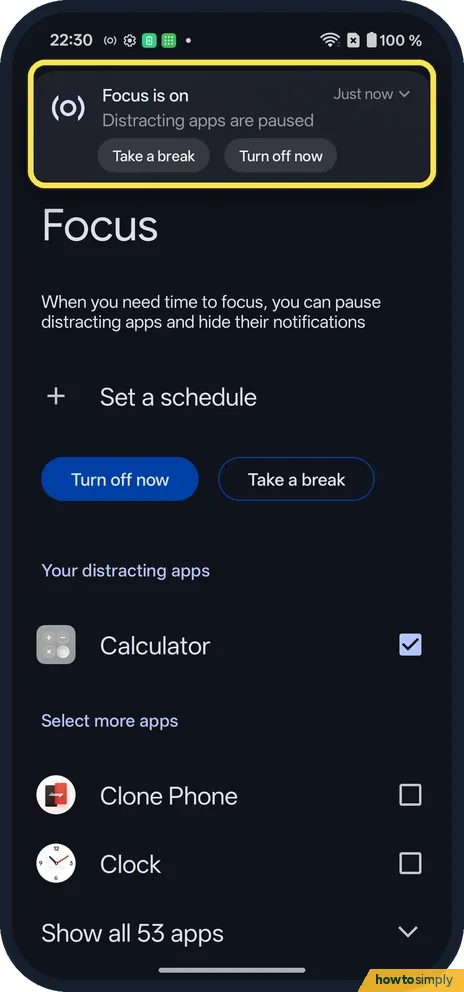
Check the notification
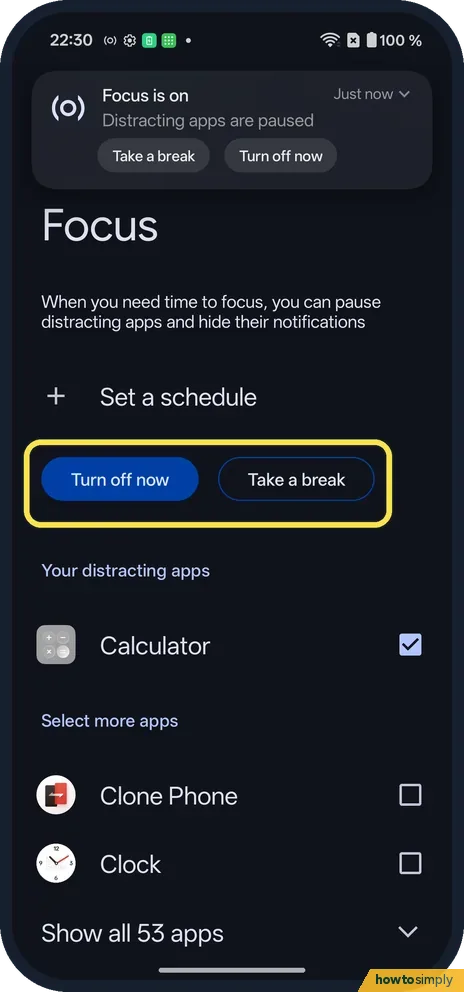
Ours said Focus is on: Distracting apps are paused, with Take a break and Turn off now.
- 4
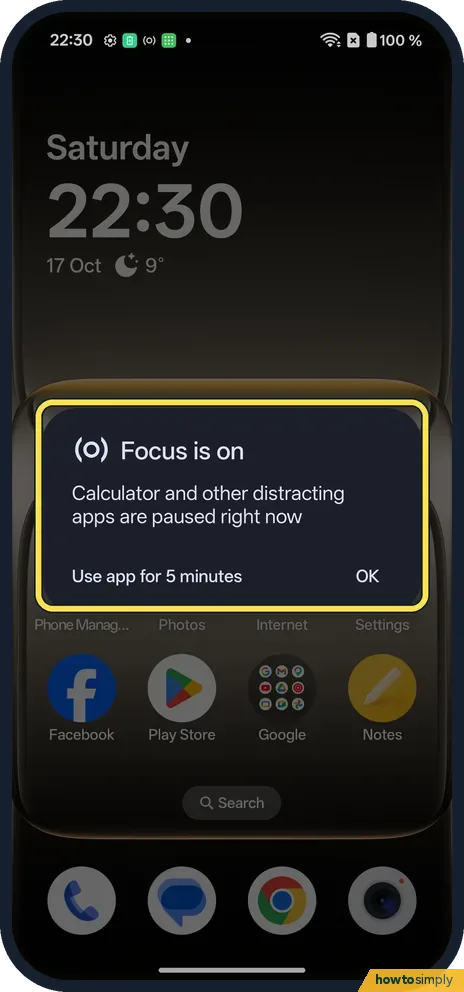
Open a paused app
Ours showed Focus is on: Calculator and other distracting apps are paused right now. Use app for 5 minutes or OK.
- 5
Turn it off
On the Focus page, tap Turn off now. Take a break pauses Focus instead.
- 6
Check it is off
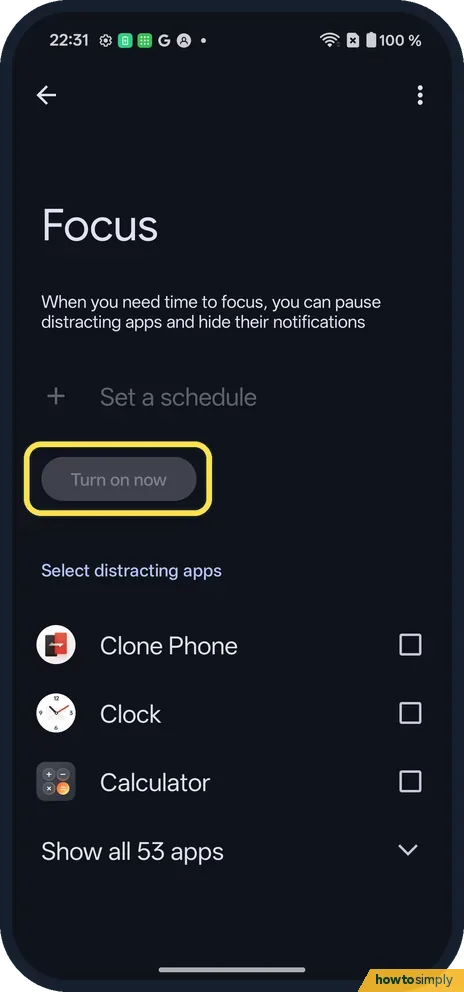
The page shows Turn on now again.
If you do not see this option
- No Focus row? Search Settings for Focus. On ours it is inside Digital Wellbeing & parental controls.
- On OxygenOS 14? The OnePlus manual describes Zen Space instead: Light Zen limits apps, and Deep Zen allows only photos and calls and cannot be exited once started. Source: OxygenOS 14.0 User Manual
- Every evening? Set a schedule, or use Bedtime mode. Source: Manage how you spend time on your Android phone with Digital Wellbeing
If this does not work
- App still opens? Use app for 5 minutes was tapped. It pauses again after.
- Notifications still arrive? Only the ticked apps are paused. Tick the app.
- Focus did not start on time? A schedule only works if you set one. Google says to tap Set a schedule on the Focus page to have it turn on automatically, then check the days and times you picked.
- Need an app for longer than 5 minutes? Google says Take a break unpauses apps for a time limit you choose. Pick a longer break, or untick that app so Focus leaves it alone.
- Paused app's messages missing later? Focus pauses the ticked apps and hides their notifications while it is on. Open the app after Focus ends to see what arrived.
- Want a faster switch? Google says some devices let you add Focus mode to Quick Settings. If yours has the tile, it saves opening Settings each time.
Good to know
See screen time and set app timers on a OnePlus.
While Focus is on, the ticked apps cannot be used and their notifications are hidden, as Google describes. Their icons stay on the home screen and nothing is deleted. Your list of distracting apps is kept, so next time you only need to tap Turn on now. To clear it, untick the apps as we did.
Focus works for a session. For a daily limit on one app, app timers are a better fit: Google says the app closes and its icon dims when time runs out, and timers reset at midnight. For a whole-phone break, see put a OnePlus on silent or vibrate.
About this guide
- Device
- Android
- Shown on
- OnePlus Nord 5 (CPH2709), OxygenOS 16.0.5.1201, Android 16
- App
- Settings
- Path
- Settings › Digital Wellbeing & parental controls › Focus
- Real screenshots
- 6 of 6 steps
- Checked
- October 2026
- Sources
- 2 official, linked below
Sources
Links checked October 2026. Menus and features can change with updates.Spotted a mistake? Menus change with updates, and we want every step to match your screen. Email us about this page or use the contact form. We read every report, and fixes are listed on What changed.
Liked this guide?
Follow us for new guides and short how-to videos.
Did this guide work for you?
Sorry about that. What happened?