
howtosimply.com/guides/how-to-use-focus-mode-on-android-to-pause-distracting-apps/ · Checked October 2026 · build CP3A.261005.005 · Google Pixel 10a, Android 17
In this guide
Search Settings for Focus, or open Digital Wellbeing and tap Focus. Tick the apps that distract you, then tap Turn on now. A notification says Distracting apps are paused, with Take a break and Turn off now.
6 of 6 steps with real screenshots · 1 official source below
- Device
- Android
- Shown on
- Google Pixel 10a, Android 17 (build CP3A.261005.005)
- App
- Settings
- Real screenshots
- 6 of 6 steps
- Checked
- October 2026
- Sources
- 1 official, linked below
Step by step
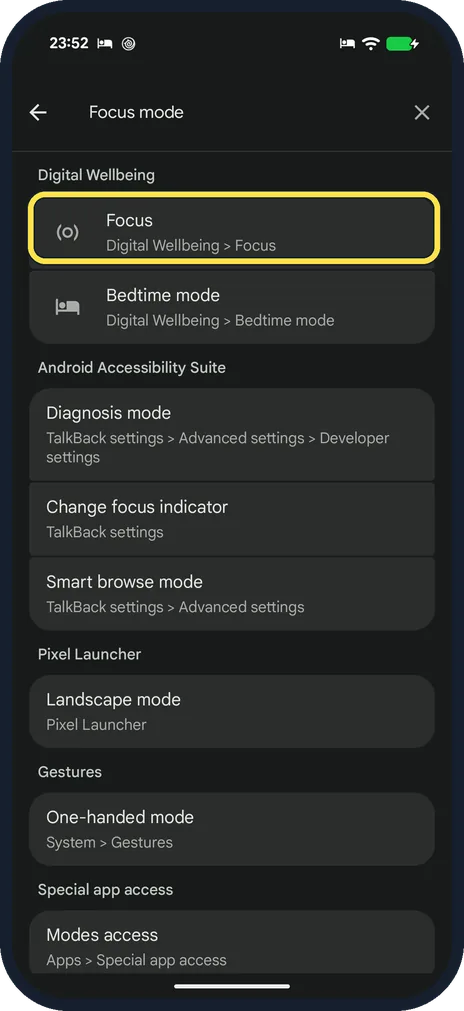
Open Focus
Search Settings for Focus. On our Pixel the result was Focus, under Digital Wellbeing, Focus.
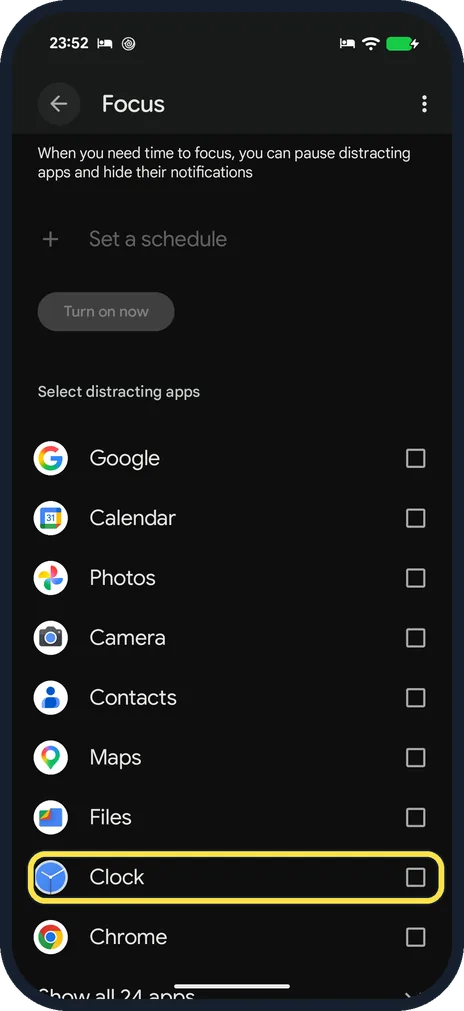
Tick the apps that distract you, then tap Turn on now
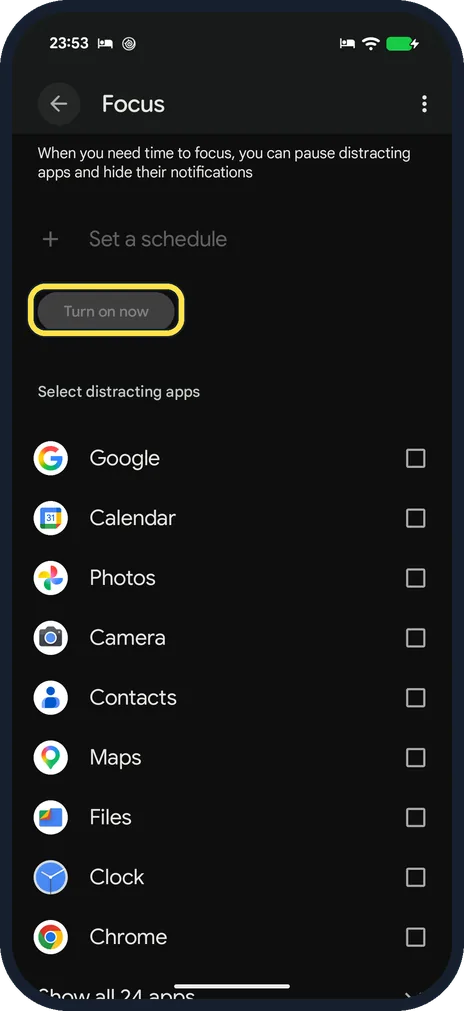
The page lists your apps under Select distracting apps. Tick the box next to each one; we ticked Clock. Turn on now, above the list, stays greyed out until at least one app is ticked. Then tap it.
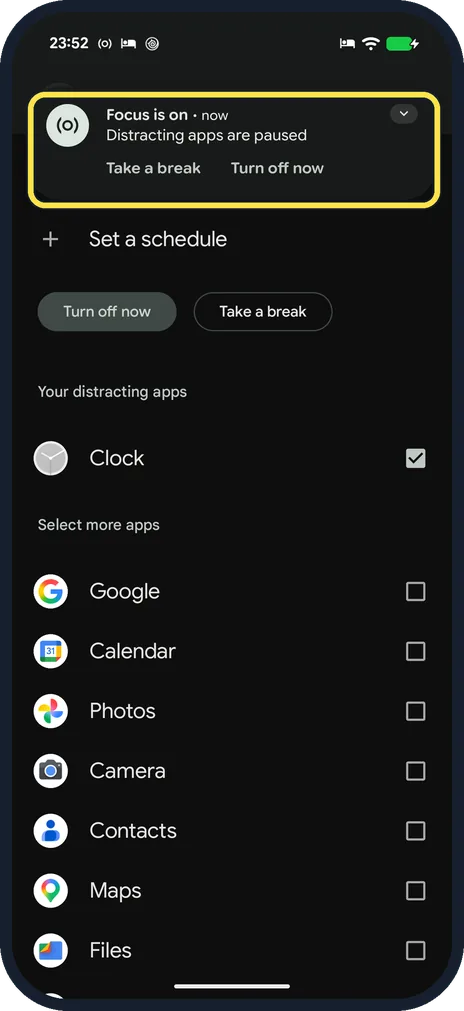
Check that Focus is on
A notification appears at the top: Focus is on, Distracting apps are paused. The ticked apps move to Your distracting apps, and the button now says Turn off now.
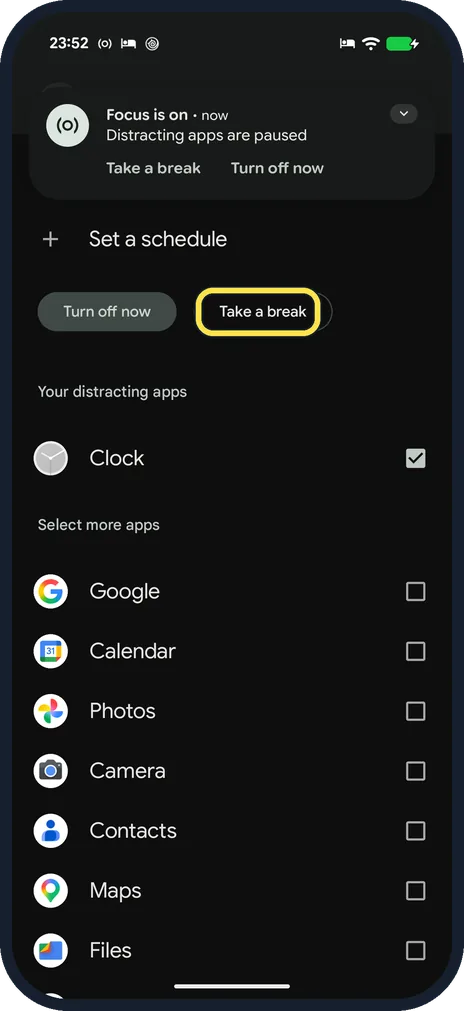
Take a break if you need one
Take a break is in the notification and on the Focus page, next to Turn off now.
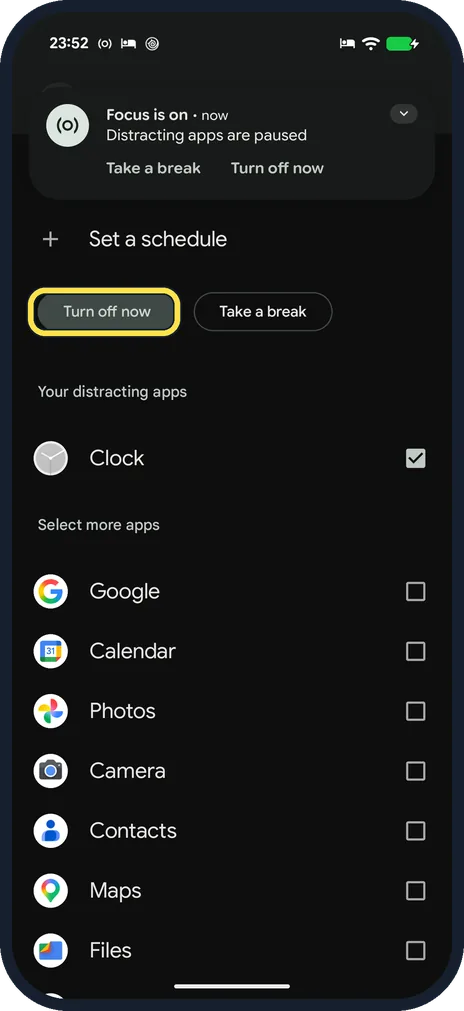
Turn it off
Tap Turn off now, in the notification or on the Focus page. Your apps work normally again.
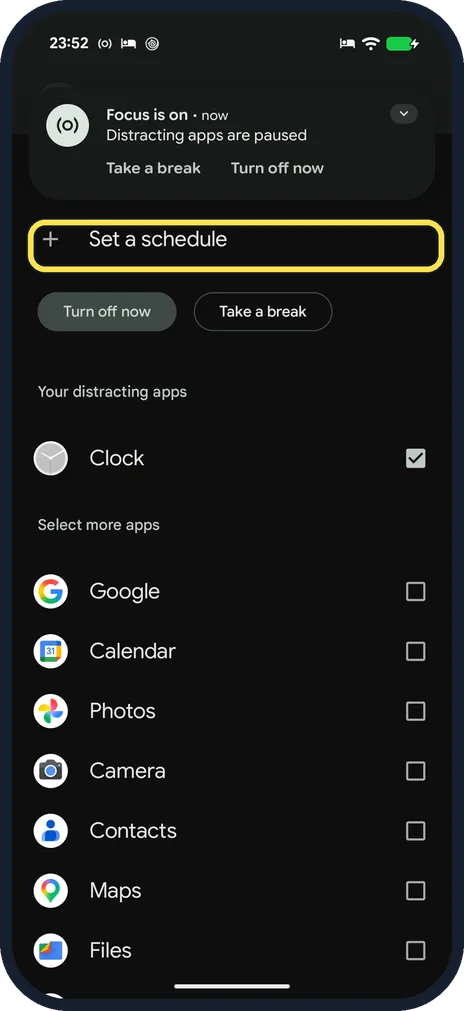
Or set a schedule
Set a schedule at the top of the page lets Focus start and end at set times. It became available once an app was ticked. We did not set one.
If you do not see this option
- No Focus mode in Digital Wellbeing? On our Pixel 10a with Android 17 it is called Focus. A Settings search for Focus mode found it (step 1).
- Turn on now greyed out? Tick at least one app first. With none ticked, ours stayed grey.
If this does not work
- Want an app back during Focus? Untick it on the Focus page, or tap Take a break (step 4). Source: Manage how you spend time on your Android phone with Digital Wellbeing
- Still getting notifications from a paused app? Android Help says that while Focus is on you can't use the paused apps and won't get notifications from them. Check that the notification says Focus is on and that the app is ticked under Your distracting apps.
- Need a paused app for a few minutes? Android Help says Take a break unpauses the apps for a time limit you choose. It is in the notification and next to Turn off now.
About this guide
Focus pauses the apps you choose for a while: they cannot be opened by habit, and their notifications are held back. Everything else on the phone works as usual. On our Pixel the feature is now called Focus, not Focus mode, and it sits in Digital Wellbeing.
The screenshots are from our Google Pixel 10a with Android 17 (build CP3A.261005.005), in dark mode. We paused the Clock app, then turned Focus off and unticked Clock again.
Good to know
App timers set a daily allowance for one app: how to set a daily time limit for apps on Android.
For the night, Bedtime mode dims and silences the phone: how to turn on Bedtime mode on Android.
To silence calls and messages as well: how to turn on Do Not Disturb on Android.
Ideas that do not depend on the phone: how to focus better.
In short: Settings search Focus, tick the apps, Turn on now. Take a break or Turn off now in the notification.
Links checked in October 2026. Menus and features can change after software updates. These steps match the version named at the top.
Did this guide work for you?
Sorry about that. What happened?