
howtosimply.com/guides/how-to-reset-wi-fi-bluetooth-and-mobile-network-settings-on-a-nothing-phone/ · Checked October 2026 · 4a) Pro (A069P, EEA), Nothing OS 4.1, Android 16 (build FroggerPro-B4.1-260424-1447-EEA · Nothing Phone
In this guide
Open Settings, System, Reset options. Tap Reset Bluetooth and Wi-Fi to forget all Wi-Fi networks and Bluetooth pairings, or Reset mobile network settings for mobile data. Confirm with Reset.
4 of 4 steps with real screenshots · 1 official source below
- Device
- Android
- Shown on
- Nothing Phone (4a) Pro (A069P, EEA), Nothing OS 4.1, Android 16 (build FroggerPro-B4.1-260424-1447-EEA), Nothing Phone (4a) Pro (A069P, EEA), Nothing OS 4.1, Android 16 (build FroggerPro-B4.1-260907-1153-EEA)
- App
- Settings
- Path
- Settings › System › Reset options
- Real screenshots
- 4 of 4 steps
- Checked
- October 2026
- Sources
- 1 official, linked below
Step by step
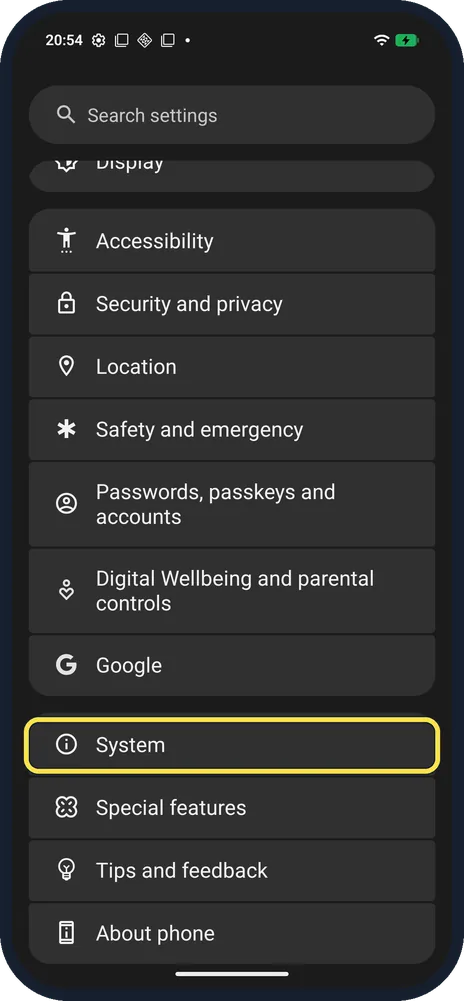
Open System
Open Settings and scroll near the bottom.
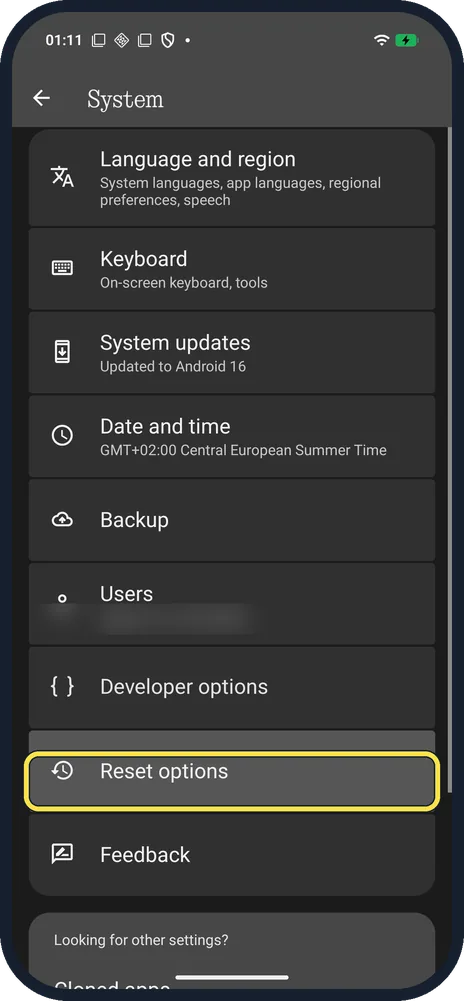
Tap Reset options
Below Developer options.
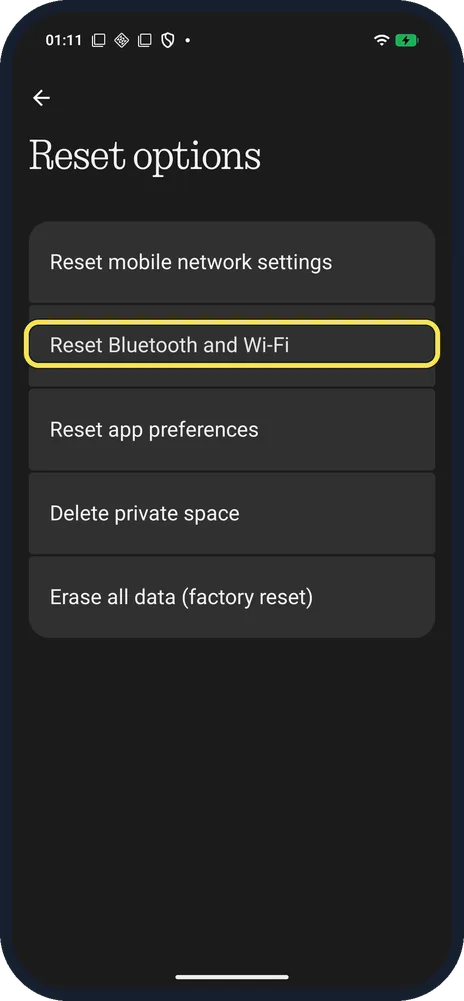
Tap Reset Bluetooth and Wi-Fi
Or Reset mobile network settings, the row above, for mobile data and SIM network settings.
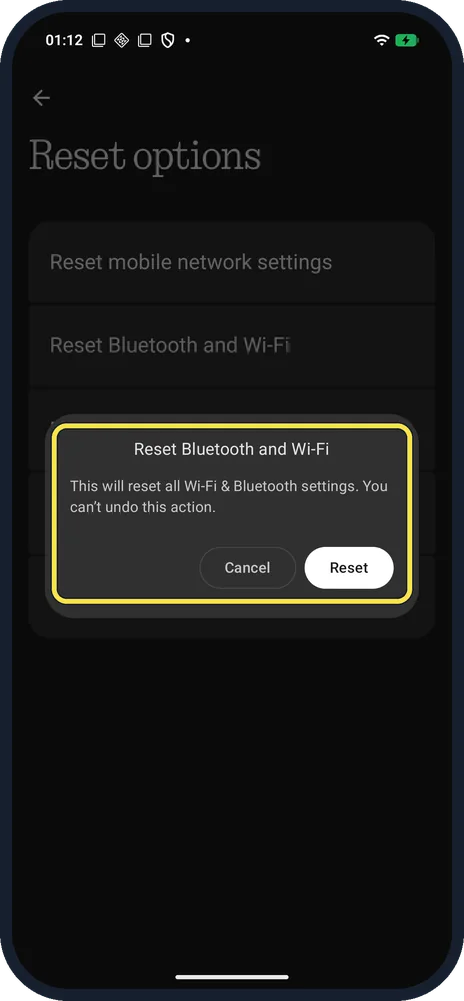
Tap Reset to confirm
The dialog warns: this will reset all Wi-Fi & Bluetooth settings. You can't undo this action. We tapped Cancel.
If you do not see this option
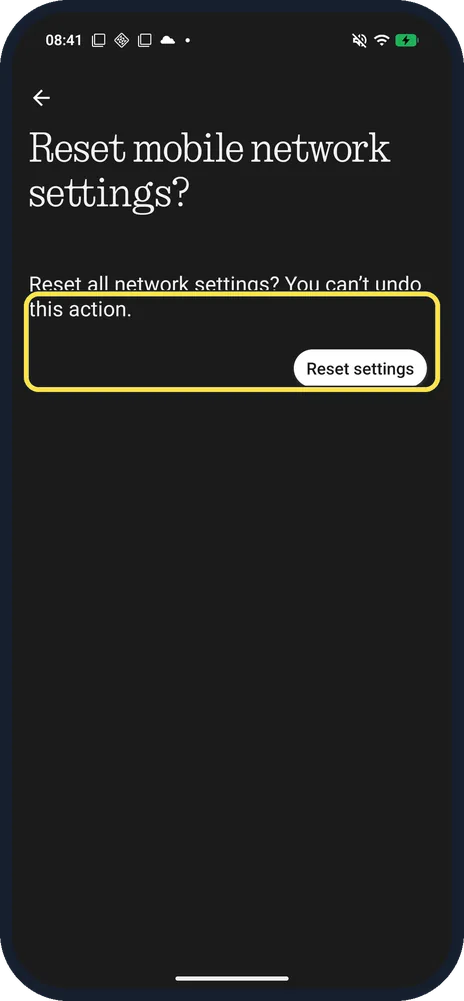
- Only mobile data is the problem? Use Reset mobile network settings instead. Ours asked: Reset all network settings? You can't undo this action, with a Reset settings button.
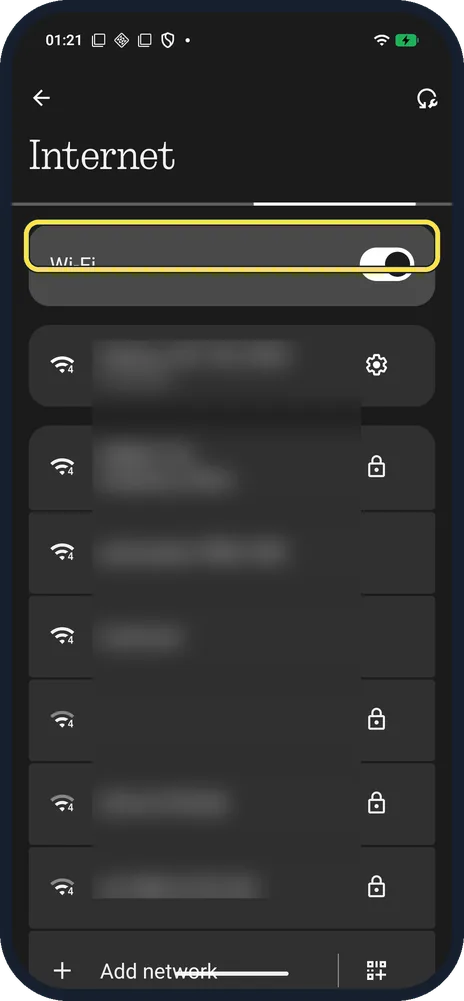
- Only one Wi-Fi network is the problem? Forget just that network on the Internet page instead.
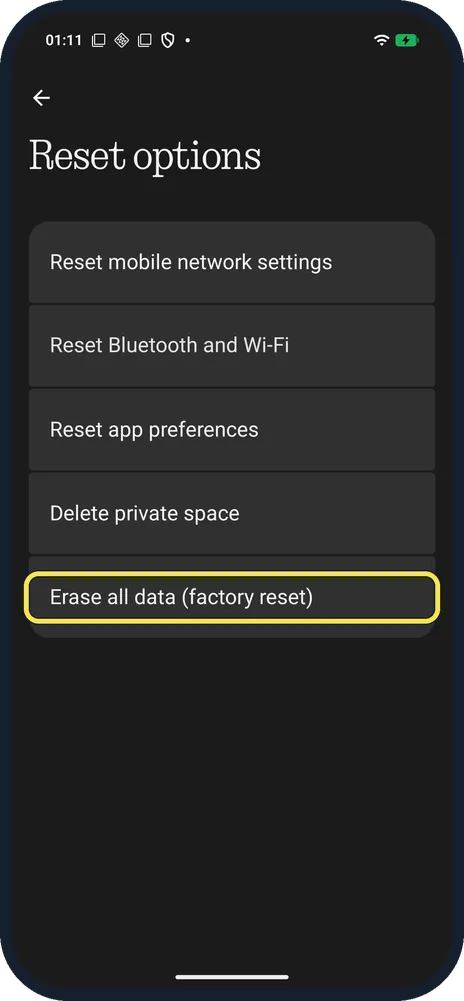
- Need a full wipe instead? Erase all data (factory reset) is the last row on Reset options.
If this does not work
- Wi-Fi passwords are gone? That is expected: the reset forgets saved networks. Reconnect and type each password again.
- Headphones won't connect after the reset? Pair them again; the reset removes all Bluetooth pairings. See the link below.
About this guide
Android 16 on Nothing splits the old Reset network settings into two: Reset mobile network settings, and Reset Bluetooth and Wi-Fi.
The screenshots are from our Nothing Phone (4a) Pro, the European model A069P, with Nothing OS 4.1 and Android 16 (build FroggerPro-B4.1-260907-1153-EEA, security update 1 September 2026), in Dark theme. We opened the confirm dialog and pressed Cancel; nothing was reset.
The step 1 screenshot was taken earlier, on build FroggerPro-B4.1-260424-1447-EEA.
Good to know
To pair headphones again, pair a Bluetooth device.
To share your connection, turn on the hotspot.
In short: Settings, System, Reset options, Reset Bluetooth and Wi-Fi (or mobile network), Reset.
Links checked in October 2026. Back up anything you want to keep before you reset or delete. Menus can change after software updates.
Did this guide work for you?
Sorry about that. What happened?