XIAOMI REDMI
How to remove news and stories from the lock screen on a Xiaomi phone (HyperOS 3)

In short
The headlines and story pictures come from Wallpaper Carousel. Go to Settings, Lock screen, Wallpaper Carousel and turn off Lock screen carousel, then tap Turn off. Your own wallpaper comes back. Swipe right from Lock screen opens a separate story feed.
6 of 6 steps show a real screenshot from our Redmi Note 15 Pro 5G. Each step was checked against the maker's own instructions, linked at the end.
Steps
- 1
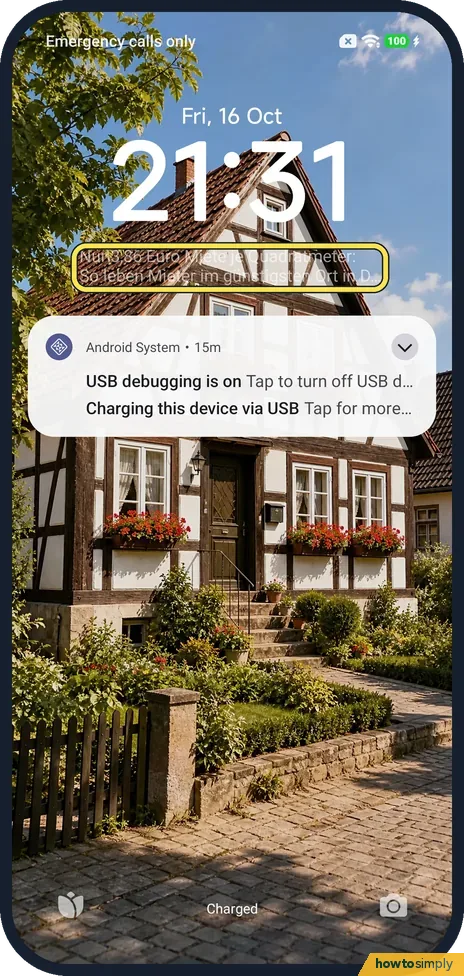
Spot the carousel
A headline under the clock and a small tulip button at the bottom left mean Wallpaper Carousel is on. Ours showed a German headline over a photo.
- 2
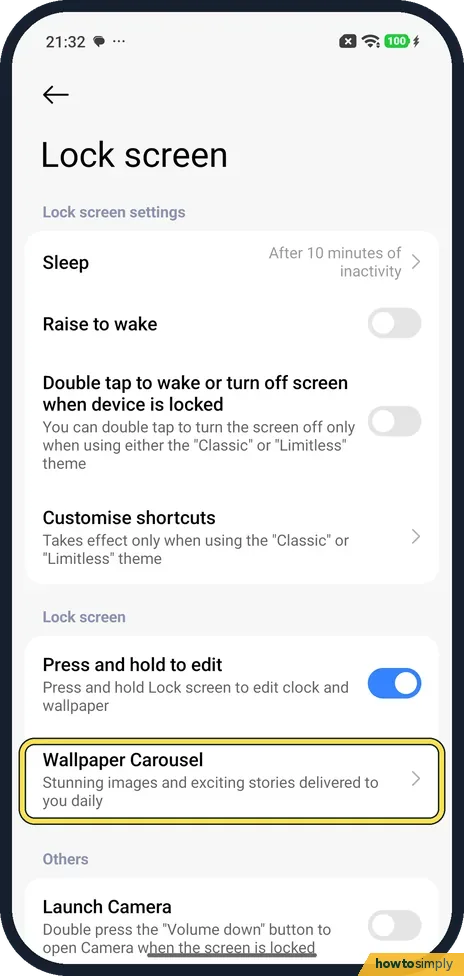
Open Wallpaper Carousel
Open Settings, tap Lock screen, then Wallpaper Carousel. Its line says Stunning images and exciting stories delivered to you daily.
- 3
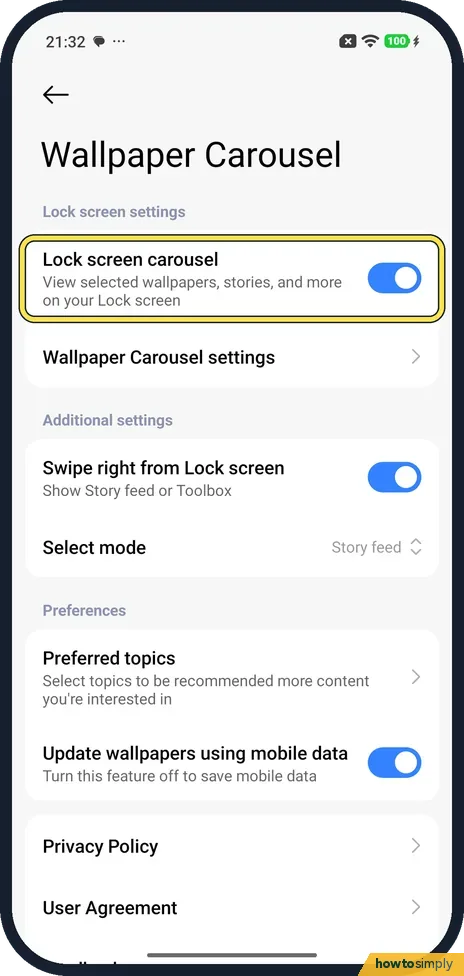
Turn off Lock screen carousel
The first switch, Lock screen carousel, was on. Tap it.
- 4
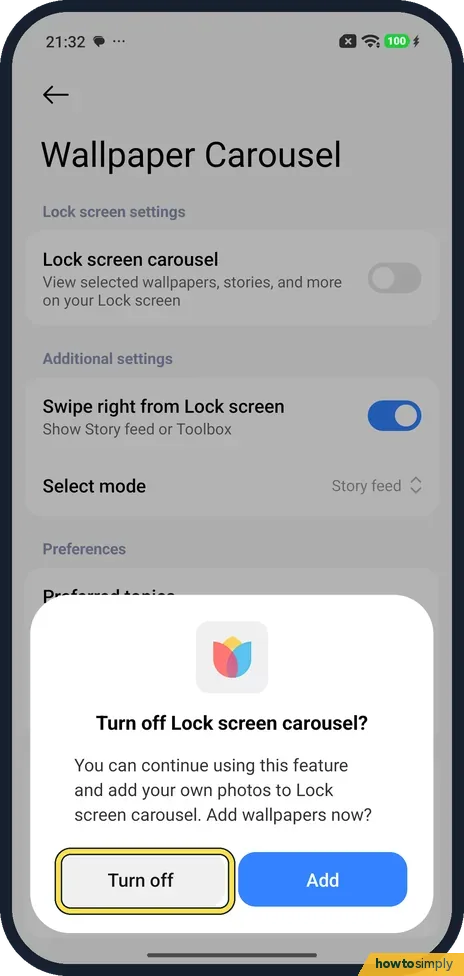
Tap Turn off
The phone asks Turn off Lock screen carousel? and offers to add your own photos instead. Tap Turn off.
- 5
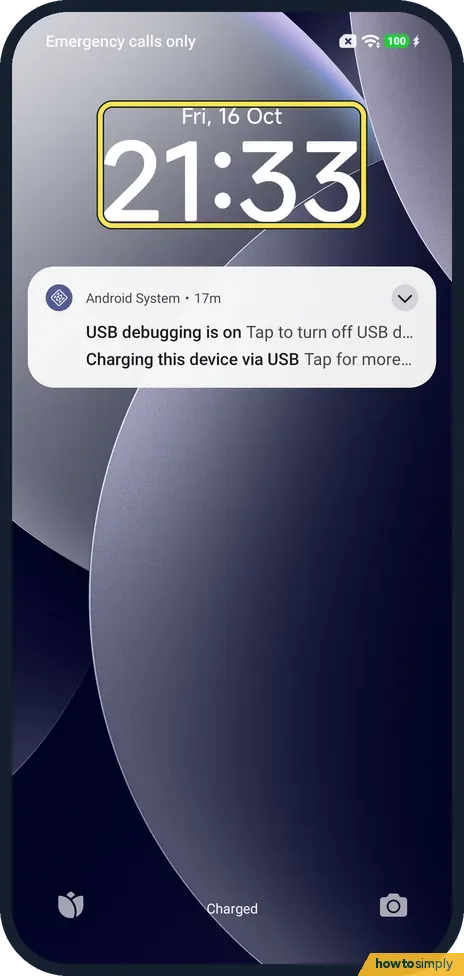
Check the lock screen
Lock the phone and wake it. Ours showed our own wallpaper with no headline under the clock.
- 6
Check the swipe-right feed
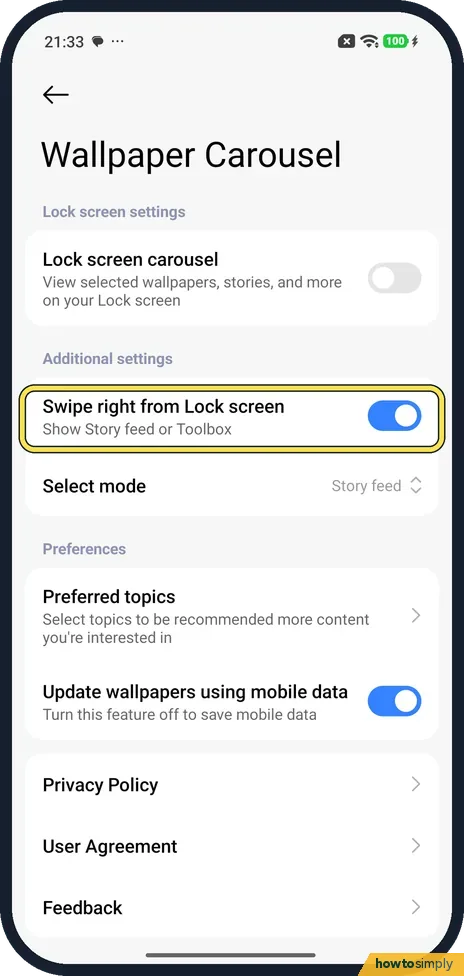
Swipe right from Lock screen stayed on, with Select mode set to Story feed. It shows stories only when you swipe right on the lock screen. Turn it off too if you want no stories at all.
If you do not see this option
- No Wallpaper Carousel row? Search Settings for Wallpaper Carousel. On our phone it was under Lock screen, below Press and hold to edit. Source: Generic User Guide for HyperOS 3.0
- Phone in German? Netzwelt gives the same HyperOS path in German: Sperrbildschirm, then Hintergrundbilderkarussell, and switch it off. Source: Xiaomi: So löscht ihr das Hintergrundbilderkarussell
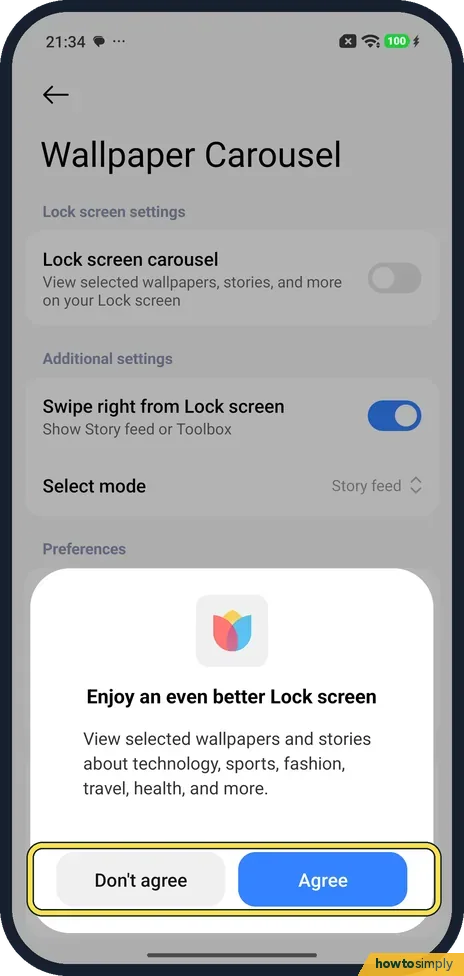
- Want the stories back? Turn Lock screen carousel on again. The first time we did, the phone asked us to Agree before it came back.
- Want it gone for good? Smartprix's HyperOS guide says Wallpaper Carousel is an app you can uninstall from the app list. We only turned it off. Source: How to Clean HyperOS: Remove Ads and Bloatware
If this does not work
- Stories use your mobile data? On the same page, Update wallpapers using mobile data was on. Turn it off to load new pictures on Wi-Fi only.
- Headlines came back later? Open Settings, Lock screen, Wallpaper Carousel again and check that Lock screen carousel is still off. If you agreed to a prompt about the carousel, or set it up again on a new phone, it may be on again.
- Story feed still opens on a swipe? That is the separate Swipe right from Lock screen setting on the same page. Turning off the carousel leaves it on, so switch it off as well.
Good to know
Other lock screen settings: how to customise the lock screen clock and lock screen notifications.
More Xiaomi suggestions to turn off: personalised ads and recommendations.
With the carousel off, the lock screen keeps one fixed picture, and the phone no longer needs to fetch new images and stories for it, which saves a little mobile data. The headline, the small button at the bottom left and the changing photos all go. Notifications, the clock and your lock screen shortcuts are not affected. You can turn the carousel back on at any time from the same page. If you would like a different fixed picture, see how to change the wallpaper.
About this guide
- Device
- Android
- Shown on
- Xiaomi Redmi Note 15 Pro 5G (25080RABDG), HyperOS 3.0.308.0, Android 16
- App
- Settings
- Path
- Settings › Lock screen › Wallpaper Carousel
- Real screenshots
- 6 of 6 steps
- Checked
- October 2026
- Sources
- 1 official, linked below
Sources
Links checked October 2026. Menus and features can change with updates.Spotted a mistake? Menus change with updates, and we want every step to match your screen. Email us about this page or use the contact form. We read every report, and fixes are listed on What changed.
Liked this guide?
Follow us for new guides and short how-to videos.
Did this guide work for you?
Sorry about that. What happened?