
howtosimply.com/guides/how-to-turn-read-receipts-on-or-off-on-an-iphone/ · Checked October 2026 · iPhone 17e · iOS 27.0.1
In this guide
Open Settings, Apps, Messages and turn Send Read Receipts on or off. When it is on, people see when you have read their iMessages. It was off on our iPhone 17e.
- Device
- iPhone
- Shown on
- iOS 27.0.1 (iPhone 17e)
- App
- Settings
- Path
- Settings › Apps › Messages › Send Read Receipts
- Real screenshots
- 4 of 4 steps
- Checked
- October 2026
- Sources
- 1 official, linked below
Step by step
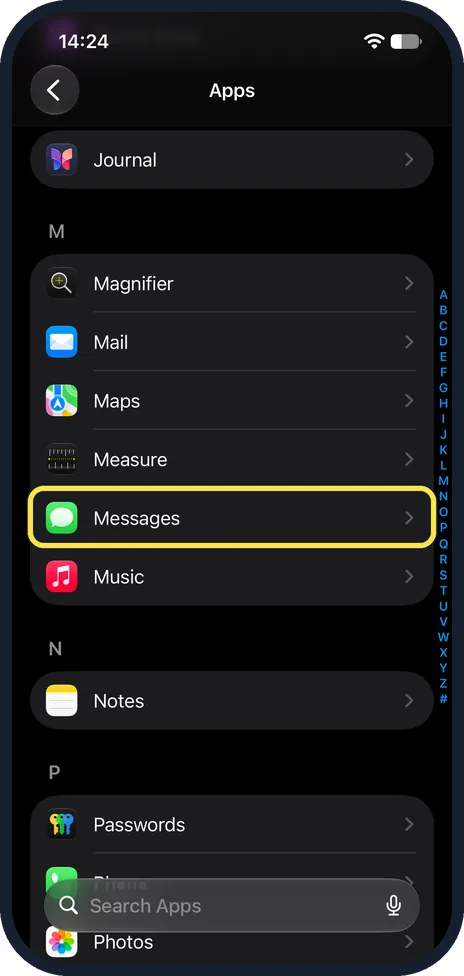
Tap Messages in Apps
Open the Settings app, scroll down and tap Apps. The list is A to Z: Messages is under M.
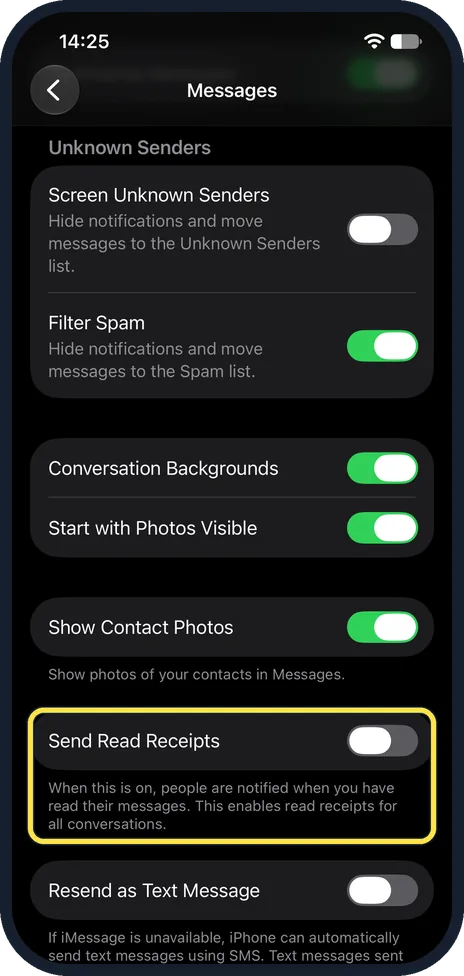
Find Send Read Receipts
Scroll down past Unknown Senders and Show Contact Photos. Send Read Receipts was off on ours.
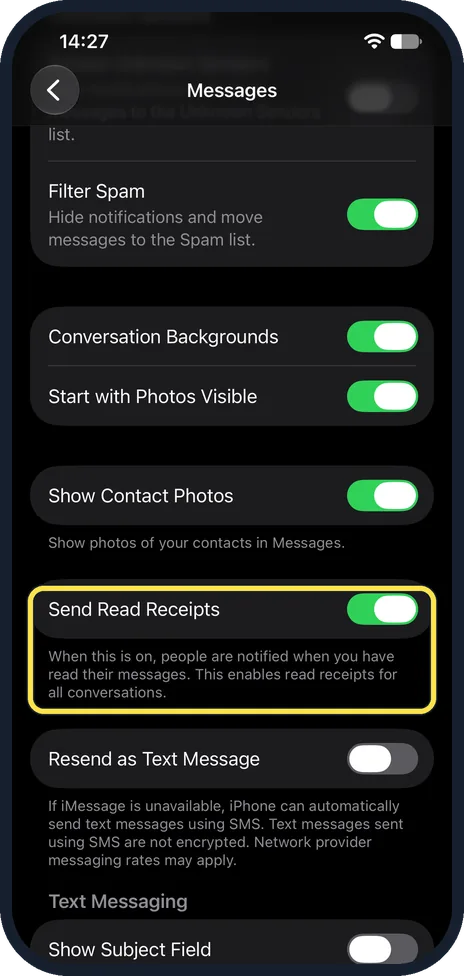
Turn it on
Tap the switch so it turns green. The note under it says people are notified when you have read their messages, and that this enables read receipts for all conversations.
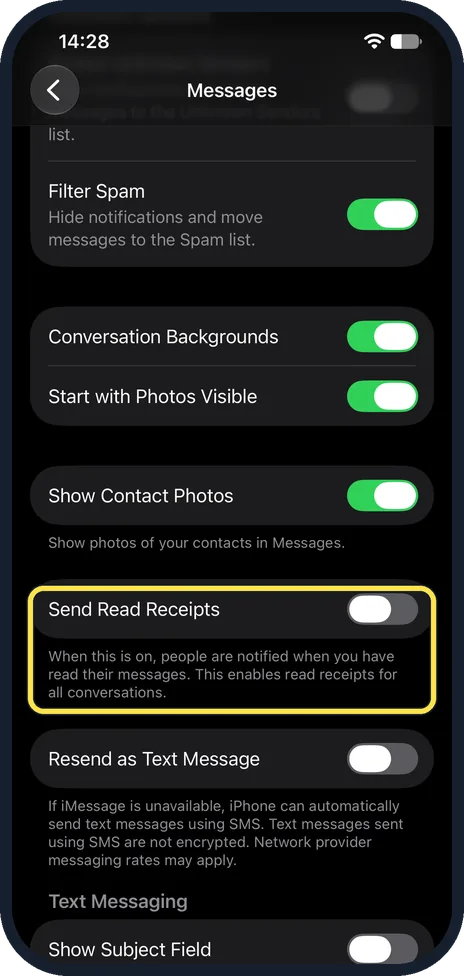
Or turn it off
Tap it again so it turns grey. We set ours back to off.
If you do not see this option
- Want it for one person only? Apple says to open the conversation, tap the contact at the top and turn Send Read Receipts on or off there. That choice wins over the main switch. Source: Turn read receipts on or off in Messages on iPhone
- No read receipt on a text? Apple says read receipts are not supported with SMS messaging or group texts. Source: Turn read receipts on or off in Messages on iPhone
If this does not work
- You never see when others read yours? Apple says you cannot turn on read receipts for anyone but yourself. The other person has to turn them on. Source: Turn read receipts on or off in Messages on iPhone
- Messages are green bubbles? Those are SMS, so no receipts. If iMessage is stuck, see iMessage waiting for activation.
About this guide
Read receipts tell the sender of an iMessage that you have read it. You decide only whether you send them.
The screenshots are from our iPhone 17e with iOS 27.0.1, in Dark mode. Send Read Receipts was off; we turned it on for the picture and off again.
Good to know
To keep unknown senders out of your main list: how to filter unknown senders and spam in Messages.
In short: Settings, Apps, Messages, Send Read Receipts on or off.
Links checked in October 2026. Menus and features can change after software updates. These steps match the version named at the top.
Did this guide work for you?
Sorry about that. What happened?