
howtosimply.com/guides/how-to-see-a-voice-memo-transcript-on-an-iphone/ · Checked October 2026 · iPhone 17e · iOS 27.0.1
In this guide
Open Voice Memos and tap the recording, then the blue waveform icon at its left to open it full screen. Tap the transcript button (a speech bubble) at the bottom left. Our iPhone 17e transcribed a 35-second test memo.
5 of 5 steps with real screenshots · 1 official source below
- Device
- iPhone
- Shown on
- iOS 27.0.1 (iPhone 17e)
- Real screenshots
- 5 of 5 steps
- Checked
- October 2026
- Sources
- 1 official, linked below
Step by step
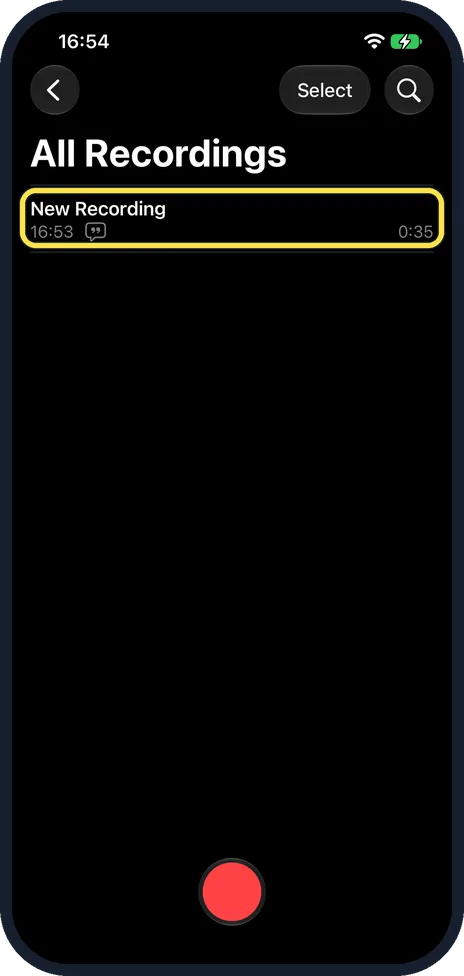
Open Voice Memos and tap the recording
A memo with a transcript shows a small speech bubble next to its time.
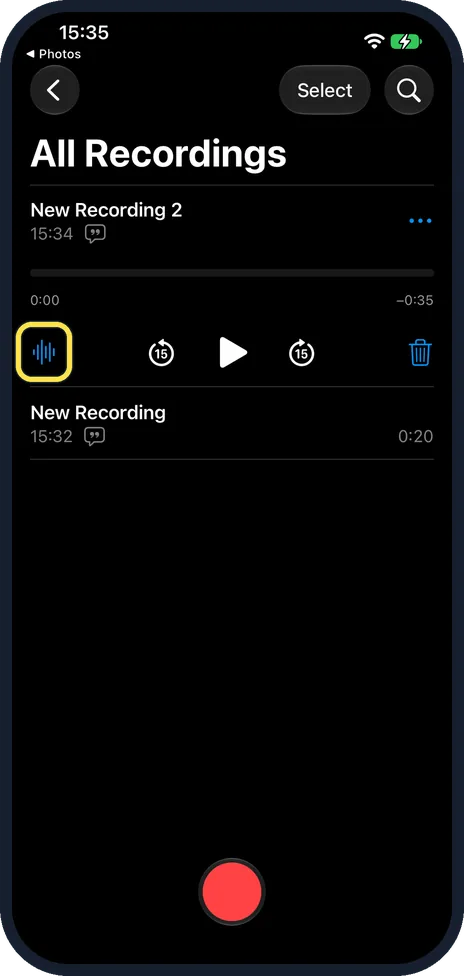
Tap the blue waveform icon
The row opens with play controls. The waveform icon at the left opens the memo full screen.
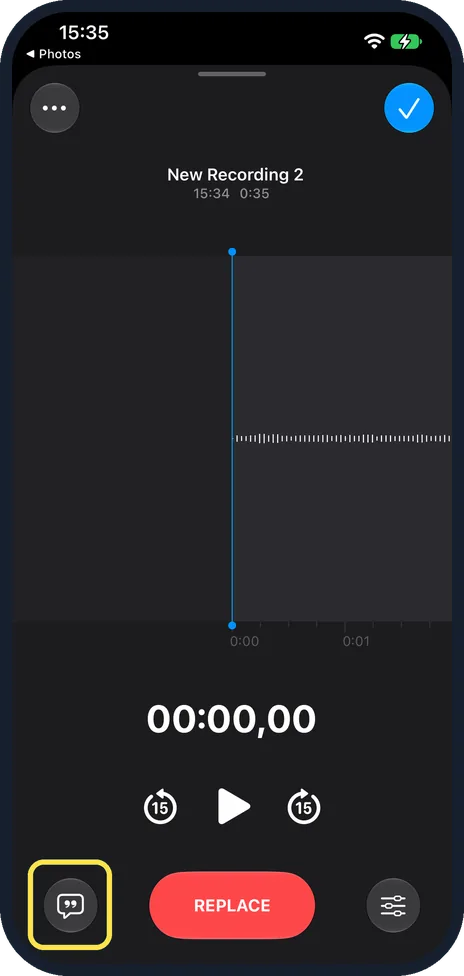
Tap the transcript button
It is the speech bubble at the bottom left, left of REPLACE.
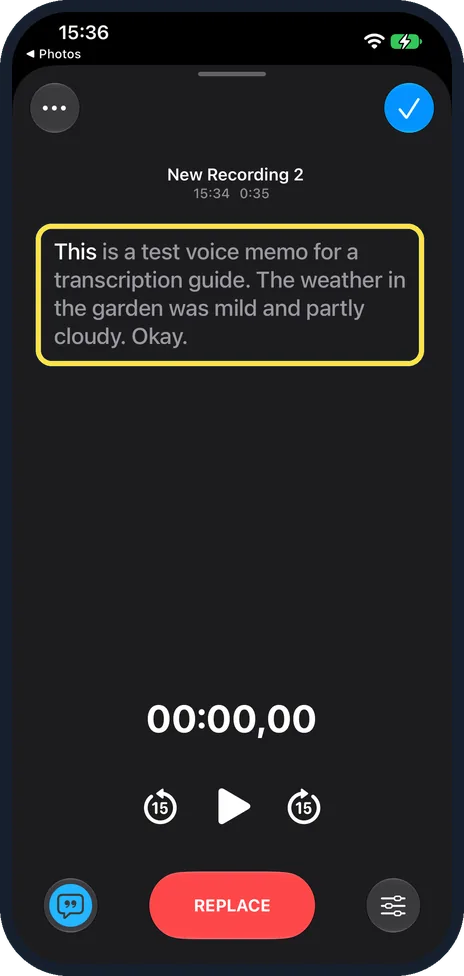
Read the transcript
Ours read: This is a test voice memo for a transcription guide. The weather in the garden was mild and partly cloudy. Okay. The Okay. was stray sound from the room.
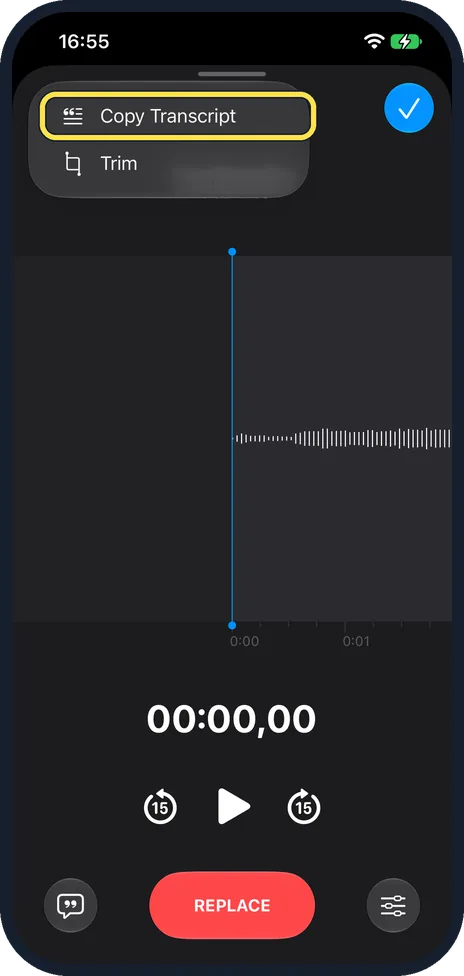
To copy it, tap More, then Copy Transcript
More is the three dots at the top left of the full-screen memo. Ours listed only Copy Transcript and Trim.
If you do not see this option
- No transcript button? Apple says audio transcription needs iPhone 12 or later, a supported language, and is not available in all countries or regions. Source: View a Voice Memos transcription on iPhone
- No View Transcript in the menu? Apple's guide mentions View Transcript, but our iOS 27.0.1 More menu had only Copy Transcript and Trim (step 5). Use the speech bubble button instead (step 3). Source: View a Voice Memos transcription on iPhone
If this does not work
- Old recording has no transcript? Apple says recordings made in iOS 17 or earlier are transcribed automatically when you open them, if they have speech. Source: View a Voice Memos transcription on iPhone
- Looking for one memo? Apple says Search finds words in titles and in transcripts. Source: View a Voice Memos transcription on iPhone
About this guide
Apple says transcription works on iPhone 12 or later in English and several other languages.
The screenshots are from our iPhone 17e with iOS 27.0.1, in Dark mode, taken on 25 October 2026. We played test speech from a Mac and deleted the memos afterwards.
Good to know
Apple says you can also watch the transcript live while recording: swipe up from the top of the waveform, then tap the transcript button.
In short: Voice Memos, recording, waveform icon, speech bubble button.
Links checked in October 2026. Menus and features can change after software updates. These steps match the version named at the top.
📷 See real photos from the iPhone 17e in our Camera Lab, next to 10 other phones.
Did this guide work for you?
Sorry about that. What happened?