
howtosimply.com/guides/how-to-turn-on-gloves-mode-on-an-oppo-phone/ · Checked October 2026 · CPH2689, EEA), ColorOS 16.0.5, Android 16 (build CPH2689_16.0.5.1001(EX01) · OPPO Reno13 5G
In this guide
Open Settings, Accessibility & convenience and turn on Gloves mode. The screen then responds to touches through gloves; swipe on the screen with gloves on to activate it. It does not work in games.
3 of 3 steps with real screenshots · 1 official source below
- Device
- Android
- Shown on
- OPPO Reno13 5G (CPH2689, EEA), ColorOS 16.0.5, Android 16 (build CPH2689_16.0.5.1001(EX01))
- App
- Settings
- Path
- Settings › Accessibility & convenience
- Real screenshots
- 3 of 3 steps
- Checked
- October 2026
- Sources
- 1 official, linked below
Step by step
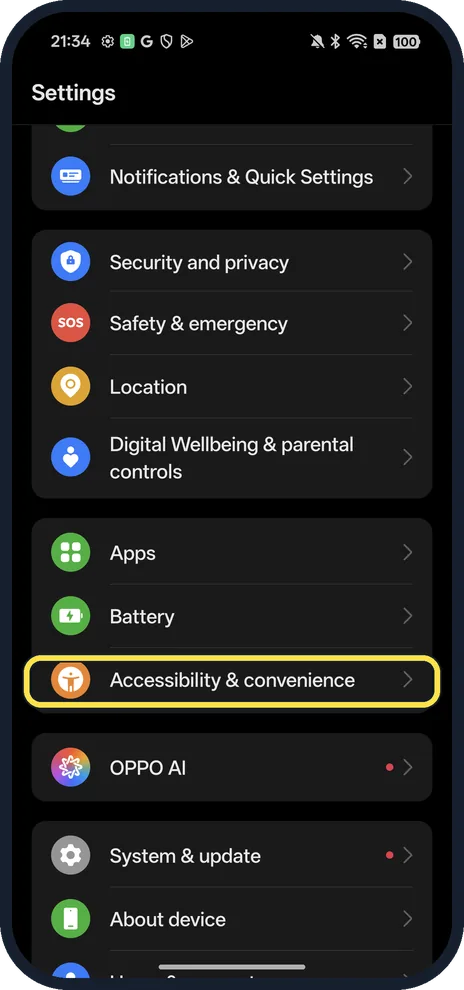
Open Accessibility & convenience
Open Settings and scroll down.
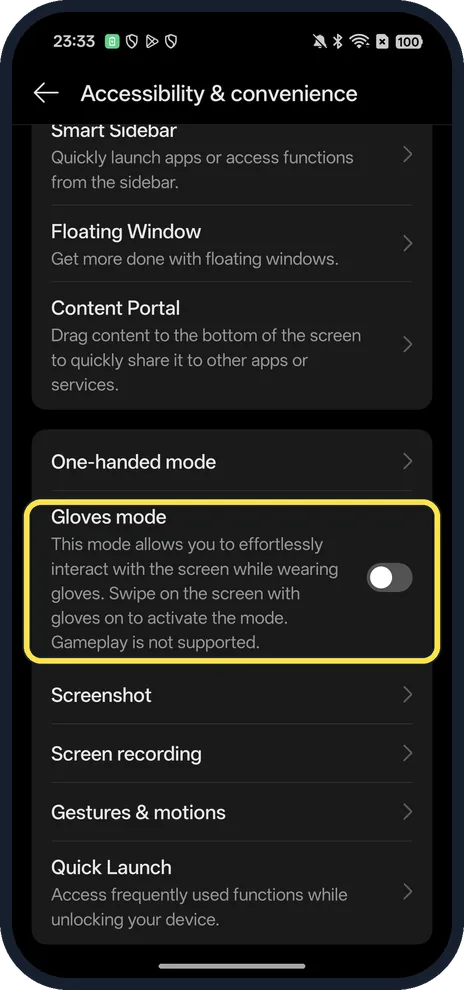
Find Gloves mode
Below One-handed mode.
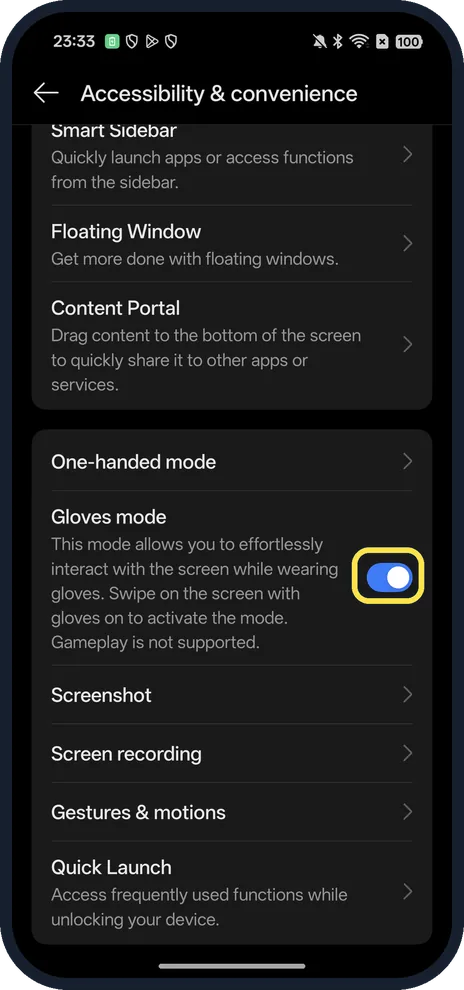
Turn on Gloves mode
The description says: swipe on the screen with gloves on to activate the mode. Gameplay is not supported.
If you do not see this option
- No Gloves mode on your OPPO? OPPO sells it as Glove Touch on particular phones, such as the A5 Pro 5G, so not every model has the row. On our Reno13 it sits under One-handed mode. Source: OPPO A5 Pro 5G
- Wet fingers stop working? OPPO says Splash Touch (for wet hands) is turned off while Glove Touch works. Source: OPPO A5 Pro 5G
If this does not work
- Still no response with gloves? Swipe across the screen first to wake Gloves mode, as the description says. OPPO says Glove Touch supports gloves up to 5 mm thick. Source: OPPO A5 Pro 5G
- Not working in a game? The description says gameplay is not supported.
About this guide
The screenshots are from our OPPO Reno13 5G, the European model CPH2689, with ColorOS 16.0.5 and Android 16 (build CPH2689_16.0.5.1001(EX01)), in Dark mode. We turned it on for the screenshot and off again; we did not try it with gloves.
Good to know
To use the phone with one hand, use One-handed mode.
For a torch without unlocking, turn on the torch with the volume button.
In short: Settings, Accessibility & convenience, Gloves mode on.
Links checked in October 2026. Menus and features can change after software updates. These steps match the version named at the top.
Did this guide work for you?
Sorry about that. What happened?