XIAOMI REDMI
How to turn on 24-hour time on a Xiaomi phone (HyperOS 3)

In short
Go to Settings, Additional settings, Date and time. Under Time format, turn on 24-hour format for 13:00, or turn it off for 1:00 pm. On our Redmi it was one switch, and the Time row changed from 08:36 to 8:36 am when we turned it off.
6 of 6 steps show a real screenshot from our Redmi Note 15 Pro 5G. Each step was checked against the maker's own instructions, linked at the end.
Steps
- 1
Open Date and time
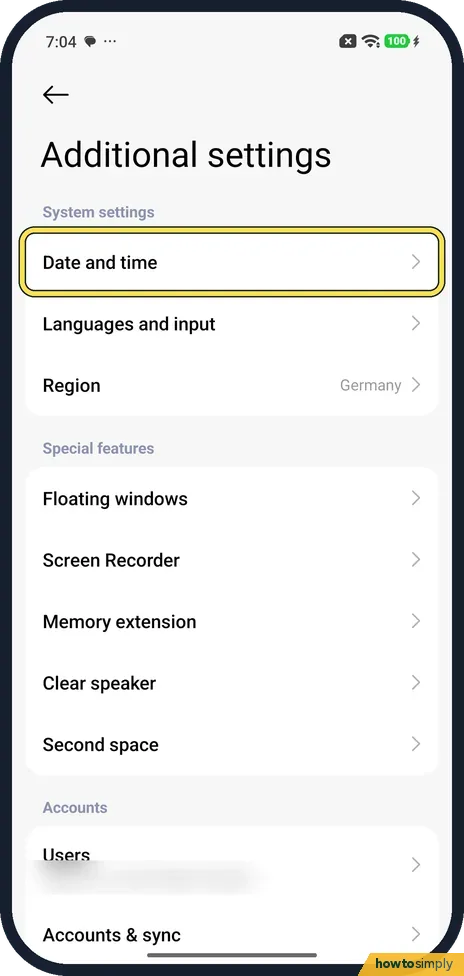
Open Settings and tap Additional settings. Date and time is the first row under System settings.
- 2
Find 24-hour format
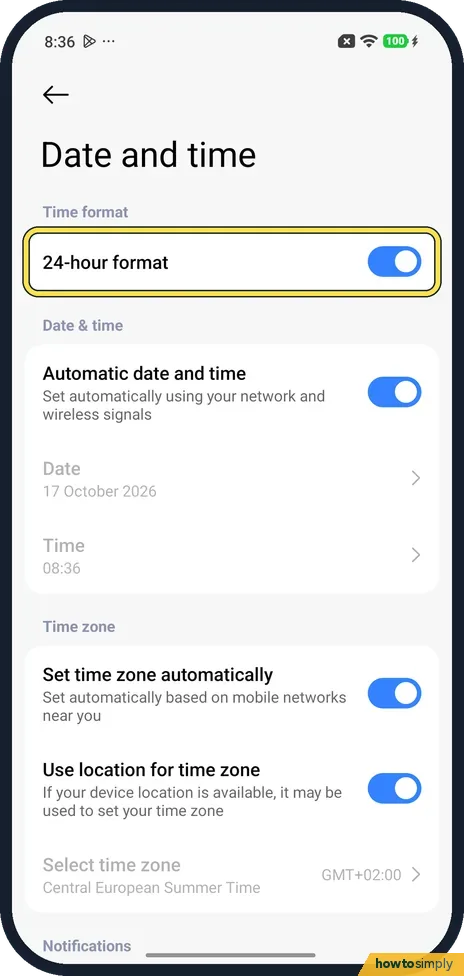
Time format is at the top of the page, with one switch: 24-hour format. It was on on ours, and the Time row below said 08:36.
- 3
Turn the switch off or on
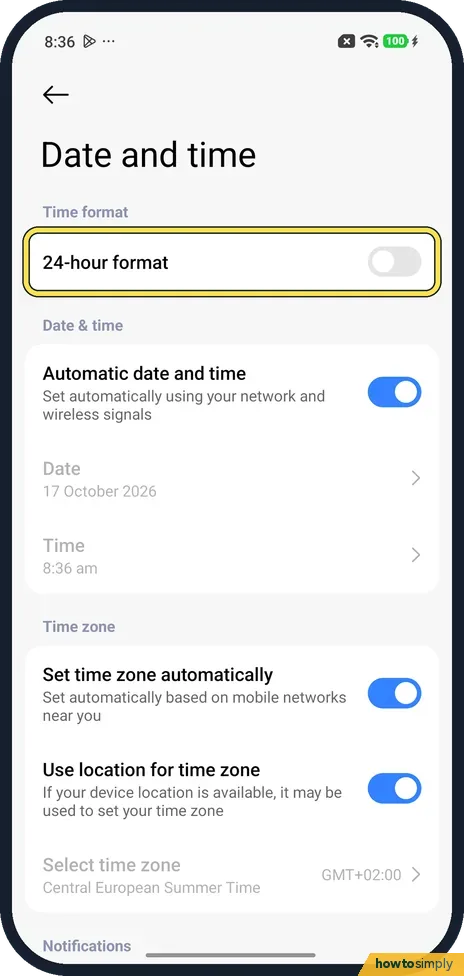
Tap the switch. With it off, ours showed the Time row as 8:36 am. Turn it on again for the 24-hour clock.
- 4
Check the time
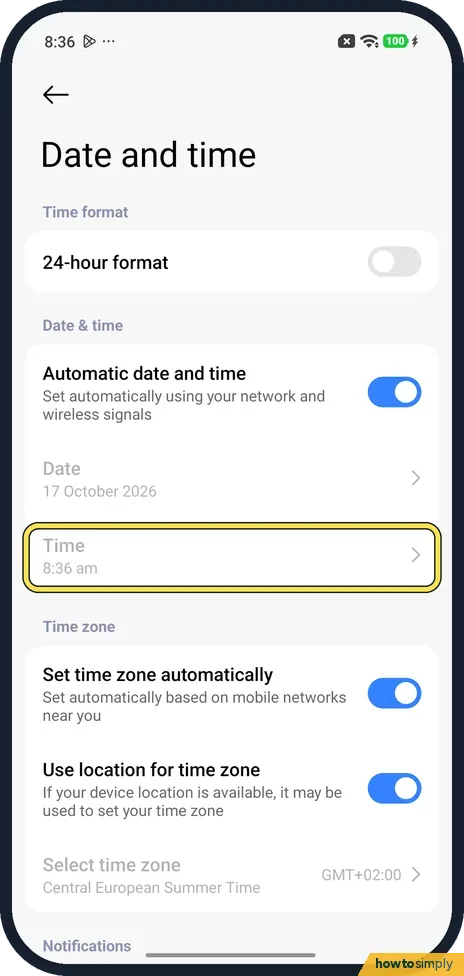
The Time row is the quickest check: 8:36 am with the switch off, 08:36 with it on.
- 5
Check the home screen
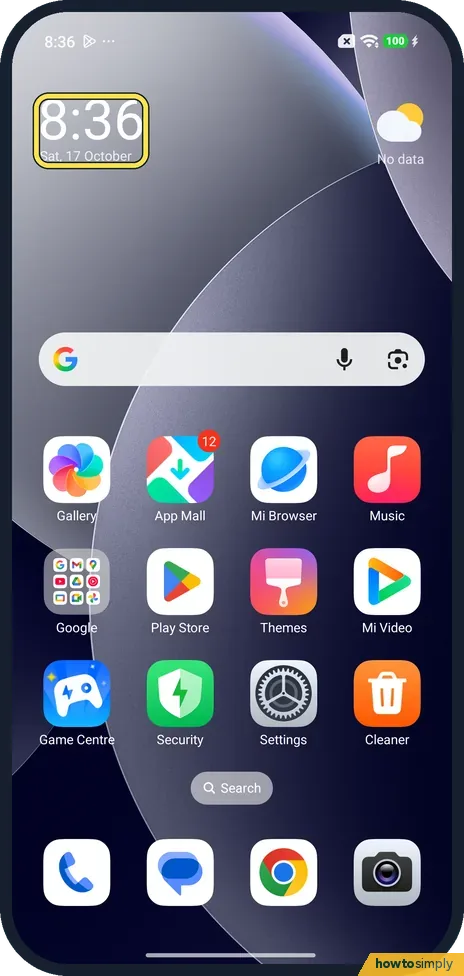
With the switch off, our home screen clock read 8:36.
- 6
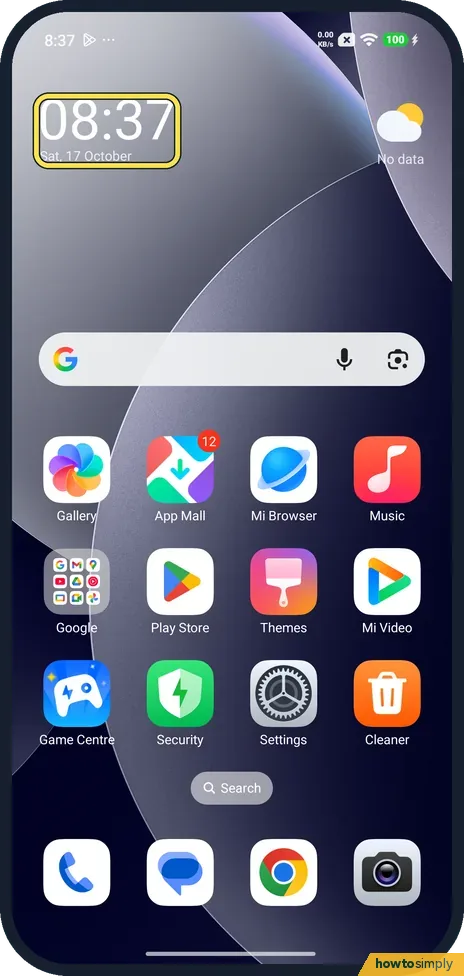
After turning it back on
Back on 24-hour format, the same clock read 08:37.
If you do not see this option
- Three choices instead of a switch? Xiaomi's guide gives Settings, Additional settings, Date & time, Time format, with 12-hour (1:00 PM), 24-hour (13:00) or Auto (based on system language). Its REDMI 13C 5G page also shows three formats. Ours had a single 24-hour format switch. Sources: How to choose time format?, How to set the time format on the REDMI 13C 5G?
- Lock screen clock looks different? The lock screen clock style is a separate setting. For MIUI 14, Xiaomi says it is under Settings, Lock screen, and that you can't change it when Dual clock is on or with third-party themes. See our guide on how to customise the lock screen clock. Source: How to set the Lock screen clock format on a MIUI 14 phone?
If this does not work
- Status bar looks the same? In the morning it may. Ours read 8:36 at the top left with 24-hour format both on and off. Check the Time row or the home screen clock instead, or look again after 1 pm.
- Time is wrong, not just the format? Check Automatic date and time is on. On ours it was, so the Date and Time rows were greyed out.
- Wrong time zone? Check Set time zone automatically and Use location for time zone under Time zone. Both were on on ours, which showed Central European Summer Time GMT+02:00.
- Need to set the time by hand? Xiaomi's HyperOS 3 guide says to turn off Automatic date and time on the same page, then tap Date or Time to change it and tap OK. It notes the switch may be called Set time automatically or Use network-provided time on some models.
Good to know
Alarms use the same clock: how to set and delete an alarm on a Xiaomi phone.
The switch only changes how the time is written. Your alarms keep their times, and reminders and calendar events stay at the same moment. Other apps that follow the phone's setting switch format straight away. To go back, tap the same switch again. When you travel, the format stays as you set it, while the hour follows the new time zone if the automatic options are on.
About this guide
- Device
- Android
- Shown on
- Xiaomi Redmi Note 15 Pro 5G (25080RABDG), HyperOS 3.0.308.0, Android 16
- App
- Settings
- Path
- Settings › Additional settings › Date and time
- Real screenshots
- 6 of 6 steps
- Checked
- October 2026
- Sources
- 4 official, linked below
Sources
Links checked October 2026. Menus and features can change with updates.Spotted a mistake? Menus change with updates, and we want every step to match your screen. Email us about this page or use the contact form. We read every report, and fixes are listed on What changed.
Liked this guide?
Follow us for new guides and short how-to videos.
Did this guide work for you?
Sorry about that. What happened?