
howtosimply.com/guides/how-to-hide-your-phone-number-in-signal-on-android/ · Checked October 2026 · Google Pixel 10a, Android 17, Signal 8.32.3
In this guide
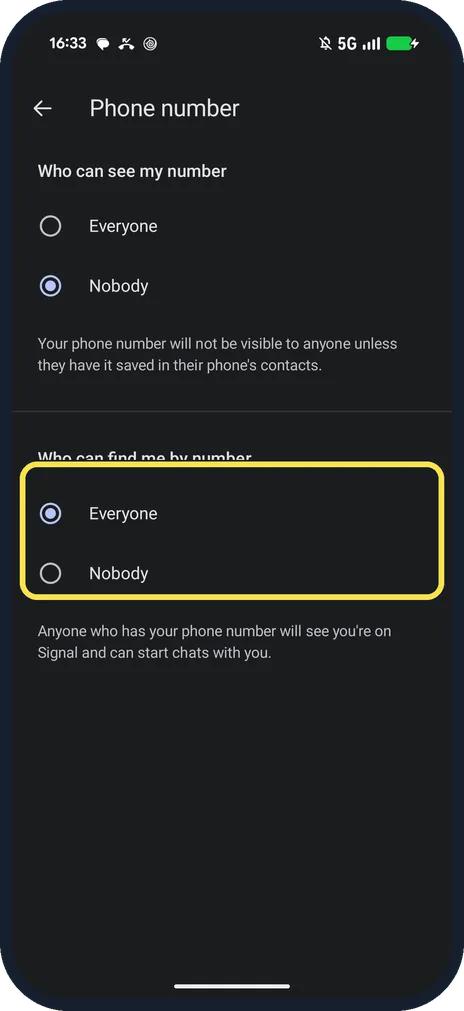
Tap your profile picture in Signal, then Privacy, Phone number. Set Who can see my number to Nobody, and Who can find me by number to Nobody if you only want people with your username to reach you.
6 of 6 steps with real screenshots · 2 official sources below
- Device
- Android
- Shown on
- Google Pixel 10a, Android 17, Signal 8.32.3
- App
- Signal
- Real screenshots
- 6 of 6 steps
- Checked
- October 2026
- Sources
- 2 official, linked below
Step by step
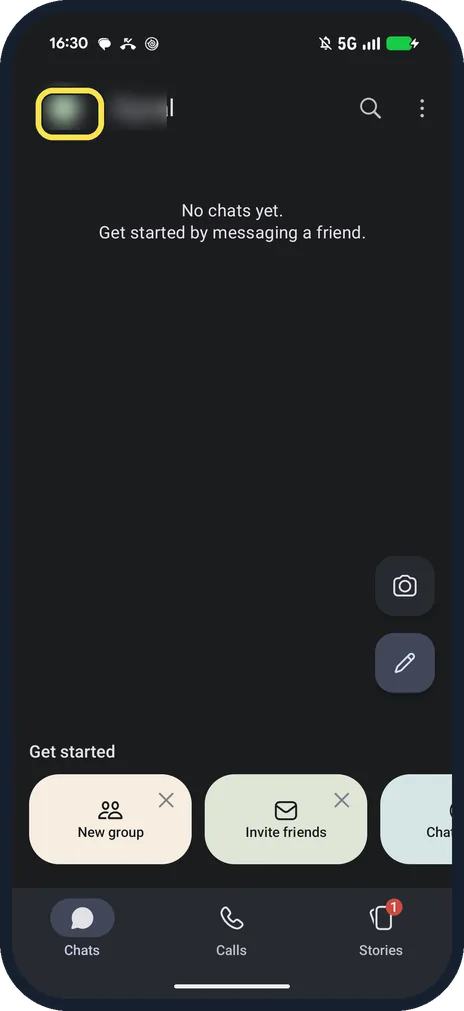
Tap your profile picture
It is at the top left of the Chats screen and opens Signal Settings.
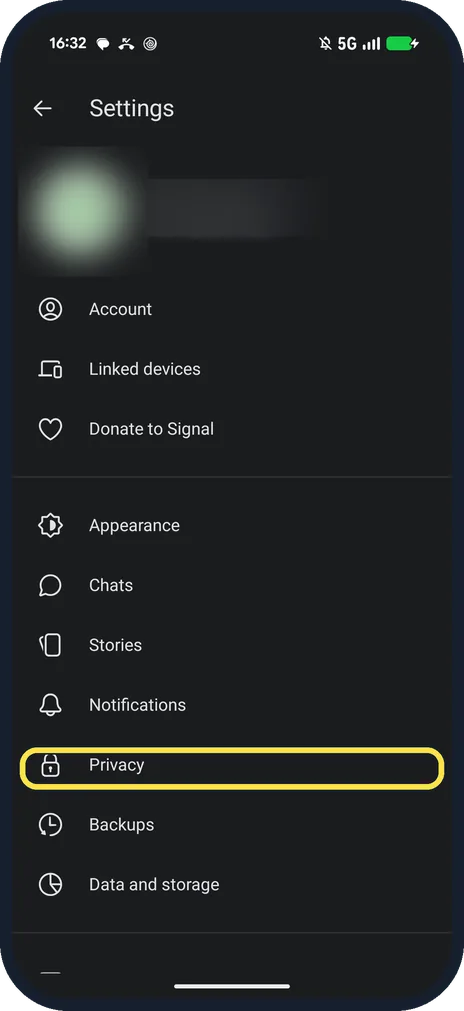
Tap Privacy
It is in Signal Settings, below Notifications.
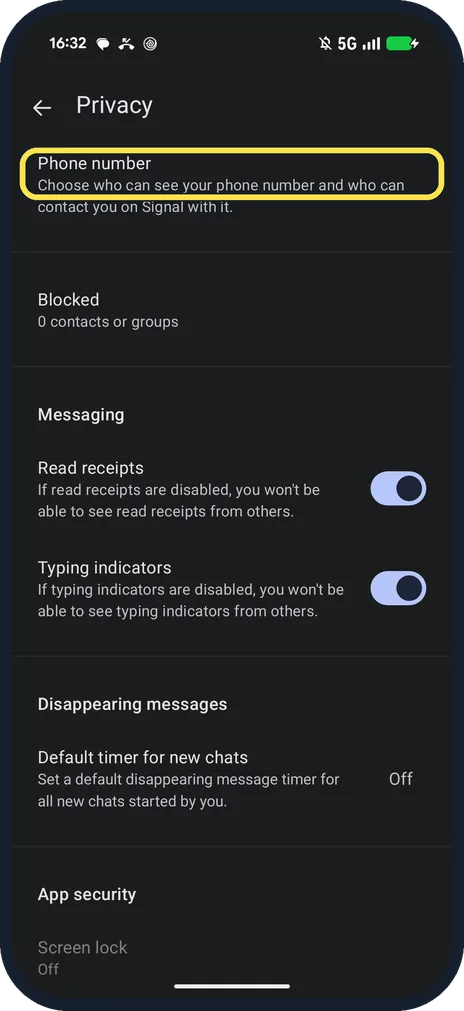
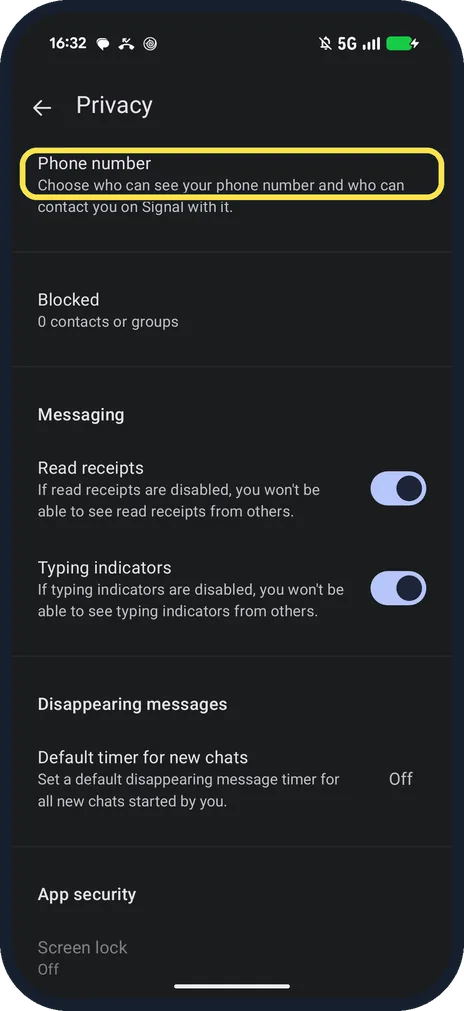
Tap Phone number
It is the first row: Choose who can see your phone number and who can contact you on Signal with it.
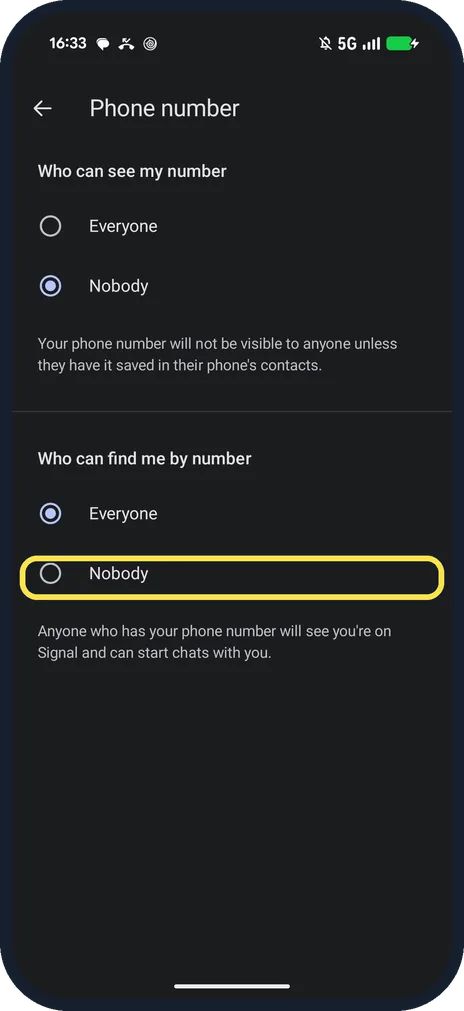
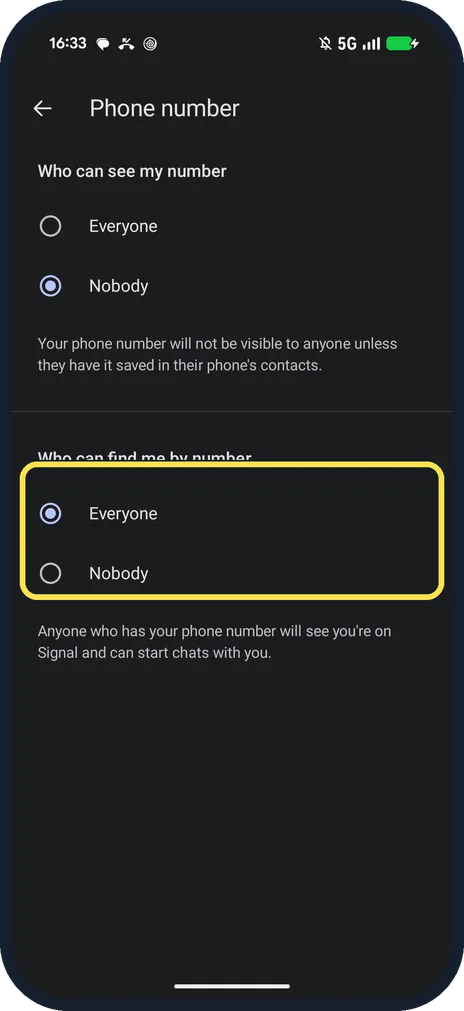
Choose Nobody
Under Who can find me by number, Nobody means people need your username. Who can see my number is above it.
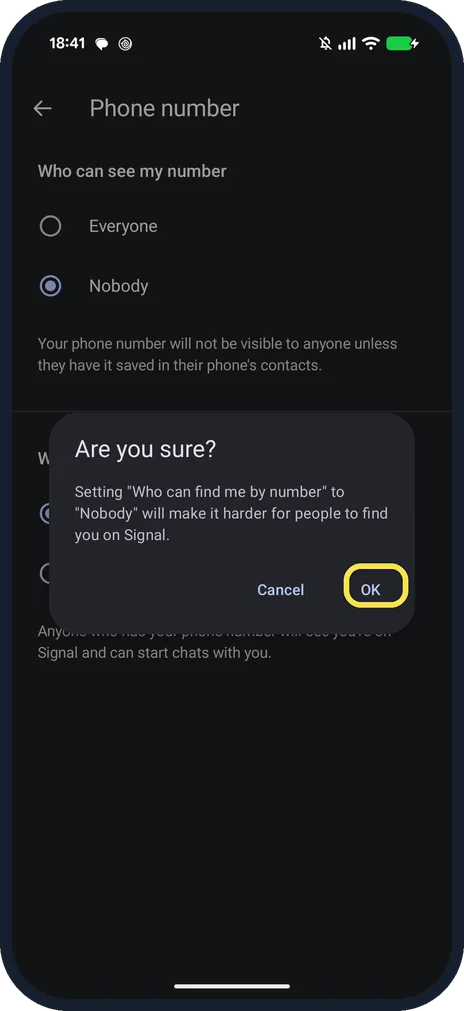
Tap OK
Signal asks: Are you sure? Setting Who can find me by number to Nobody will make it harder for people to find you on Signal. Ours asked for no username.
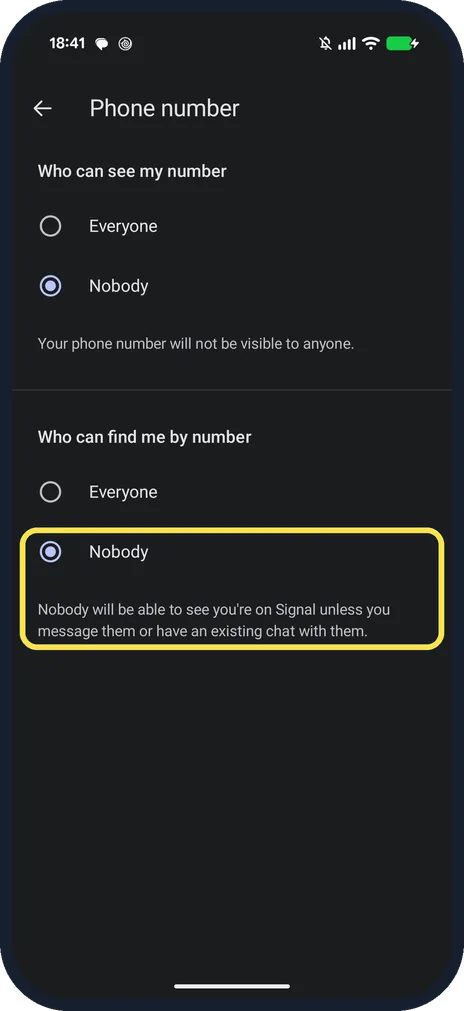
Read the notes
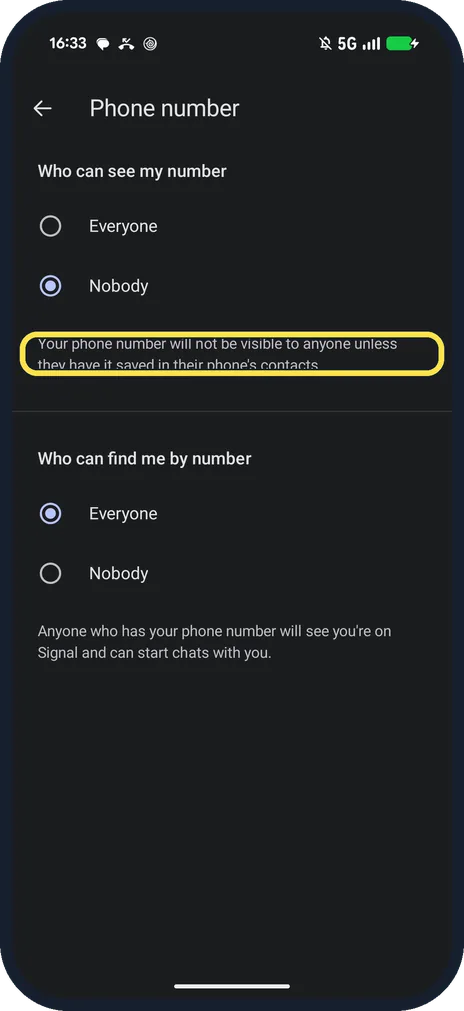
With both on Nobody, ours said: Your phone number will not be visible to anyone, and Nobody will be able to see you're on Signal unless you message them or have an existing chat with them.
If you do not see this option
- No Phone number row in Privacy? Signal says these settings need Signal 7.0 or later. Ours, 8.32.3, had the row at the top of Privacy. Update Signal from Google Play. Source: Phone Number Privacy and Usernames: Deeper Dive
- Labels differ from Signal's help? Signal's help says Who can find me by my number and Everybody. Our Signal 8.32.3 reads Who can find me by number, with Everyone and Nobody only. Source: Phone Number Privacy and Usernames
If this does not work
- Can't pick Nobody for Who can find me by number? Signal says Who can see my number must be set to Nobody first. Ours already was. Source: Phone Number Privacy and Usernames: Deeper Dive
- Someone still sees your number? Signal says on the page: your number won't be visible unless they have it saved in their phone's contacts. Signal also says people who could see it when you blocked them still can. Sources: Phone Number Privacy and Usernames, Phone Number Privacy and Usernames: Deeper Dive
About this guide
Ours had Who can see my number on Nobody and Who can find me by number on Everyone. We set find me to Nobody for the screenshots, then back to Everyone.
The screenshots are from Signal 8.32.3 on our Google Pixel 10a with Android 17, in Dark mode, taken on 25 October 2026.
Good to know
On Telegram, see hide your phone number on Telegram.
To turn off read receipts, see turn off read receipts in Signal.
In short: Profile picture, Privacy, Phone number, Nobody.
- Signal Support: Phone Number Privacy and Usernames
- Signal Support: Phone Number Privacy and Usernames: Deeper Dive
Links checked in October 2026. Menus and features can change after software updates. These steps match the version named at the top.
📷 See real photos from the Pixel 10a in our Camera Lab, next to 10 other phones.
Did this guide work for you?
Sorry about that. What happened?