GOOGLE PIXEL
How to turn on NFC on a Google Pixel (Android 17)
Go to Settings, Connected devices, Connection preferences, NFC and turn on Use NFC. Contactless payments, on the same page, picks the payment app. Require device unlock decides whether you must unlock the phone to pay.

4 of 4 steps show a real screenshot from our Pixel 10a. Each step was checked against the maker's own instructions, linked at the end.
Steps
- 1
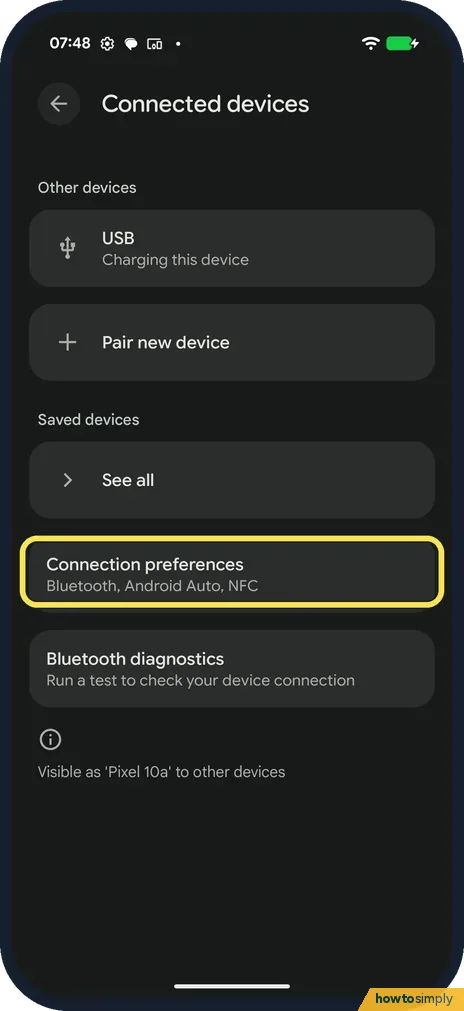
Open Connection preferences
Go to Settings, Connected devices, and tap Connection preferences.
- 2
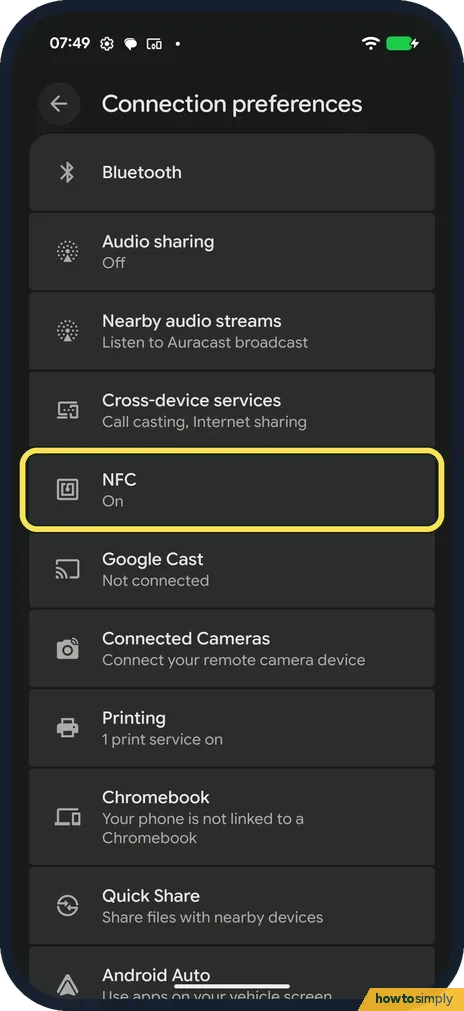
Tap NFC
NFC said On.
- 3
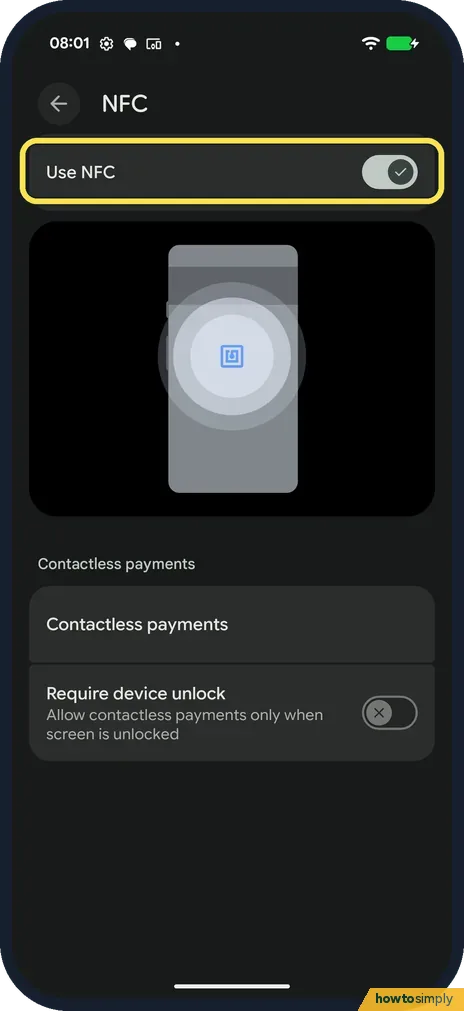
Turn on Use NFC
Use NFC was on. Below it are Contactless payments and Require device unlock.
- 4
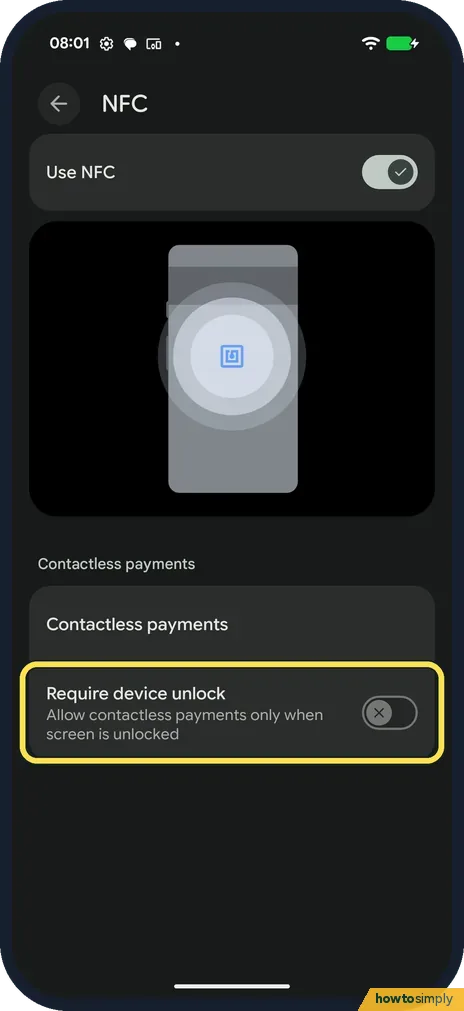
Check Require device unlock
Require device unlock was off: Allow contactless payments only when screen is unlocked. Turn it on if you want to unlock for every payment.
If you do not see this option
- No NFC setting? Google says that if you don't see the NFC setting, your phone doesn't have NFC. Source: Turn on NFC for contactless payments
- Contactless payments empty? Our phone had no Google Wallet app installed, and the Contactless payments page did not open for us. Install Wallet and add a card first.
If this does not work
- Payment fails? Google says NFC must be on and the phone near the reader; with Require device unlock on, unlock first.
- Wrong payment app? Default apps, Wallet app, decides it: how to change default apps.
- Reader doesn't react to the phone? Google Wallet's help says the NFC antenna may be near the top or bottom of the phone. Try different positions, bring the phone closer and keep it on the reader for a few extra seconds.
- Battery drains and payments fail? Google says to check whether a bank card or another item with an NFC chip sits near the sensor, for example in a wallet-style case. Take the phone out of the case to test.
- Wallet says Turn on NFC to pay with Wallet? Google says the phone either has no NFC or has it switched off. Turn on Use NFC as in the steps.
- Payment declined at the till? Google says to confirm the shop accepts mobile payments and to contact your bank. A declined payment is not charged.
Good to know
Pair headphones: how to pair a Bluetooth device.
With Use NFC on, the phone can talk to card readers and other NFC devices held a few centimetres away. Nothing is sent unless you hold it to a reader and a payment app is set up. Google Wallet's help says you can pay with the phone unlocked even when Wallet isn't open, and a blue tick on screen means the payment went through.
If you return something you paid for by phone, Google says to hold the back of the phone to the terminal if asked to swipe. Some shops need the last four digits of the virtual card, which Wallet shows under More on that card.
To share files with a nearby phone, see how to receive files with Quick Share on a Google Pixel.
About this guide
- Device
- Android
- Shown on
- Google Pixel 10a, Android 17 (build CP3A.260905.009)
- App
- Settings
- Path
- Settings › Connected devices › Connection preferences › NFC › Use NFC
- Real screenshots
- 4 of 4 steps
- What we did
- Observed: looked at each screen, changed nothing
- Checked
- October 2026
- Sources
- 1 official, linked below
Sources
Links checked October 2026. Menus and features can change with updates.Spotted a mistake? Menus change with updates, and we want every step to match your screen. Email us about this page or use the contact form. We read every report, and fixes are listed on What changed.
Liked this guide?
Follow us for new guides and short how-to videos.
Did this guide work for you?
Sorry about that. What happened?