
howtosimply.com/guides/how-to-turn-off-google-discover-on-a-oneplus/ · Checked October 2026 · OnePlus Nord 5 (CPH2709), OxygenOS 16.0.5.1201, Android 16
In this guide
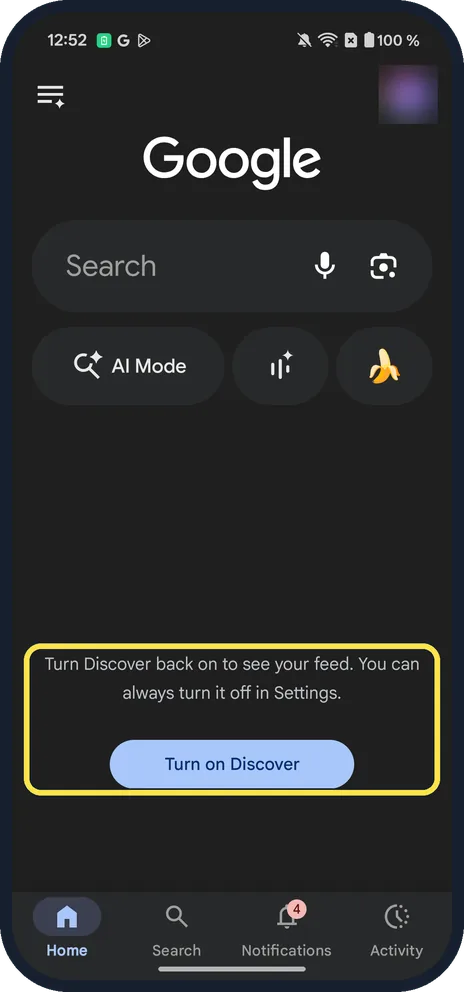
Open the Google app, tap your profile picture, then Settings, Other settings, and switch off Discover. The Home tab then shows only search, with a Turn on Discover button to bring the feed back.
4 of 4 steps with real screenshots · 1 official source below
- Device
- Android
- Shown on
- OnePlus Nord 5 (CPH2709), OxygenOS 16.0.5.1201, Android 16
- App
- Settings
- Real screenshots
- 4 of 4 steps
- Checked
- October 2026
- Sources
- 1 official, linked below
Step by step
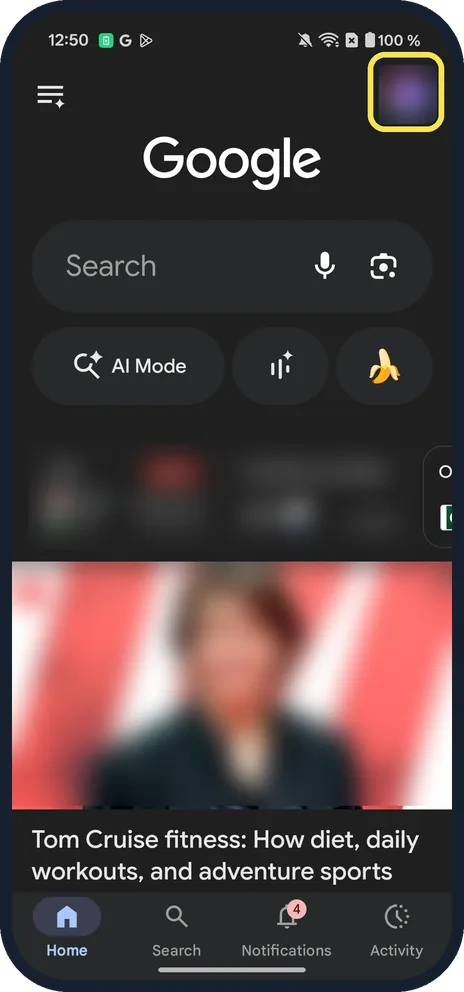
Open the Google app and tap your profile picture
It is at the top right of the Home tab, above the Discover feed.
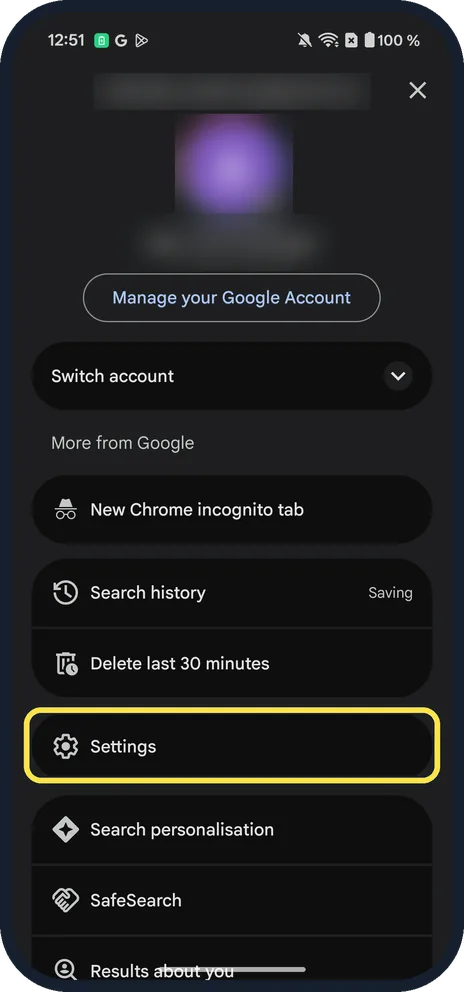
Tap Settings
It is below Search history and Delete last 30 minutes.
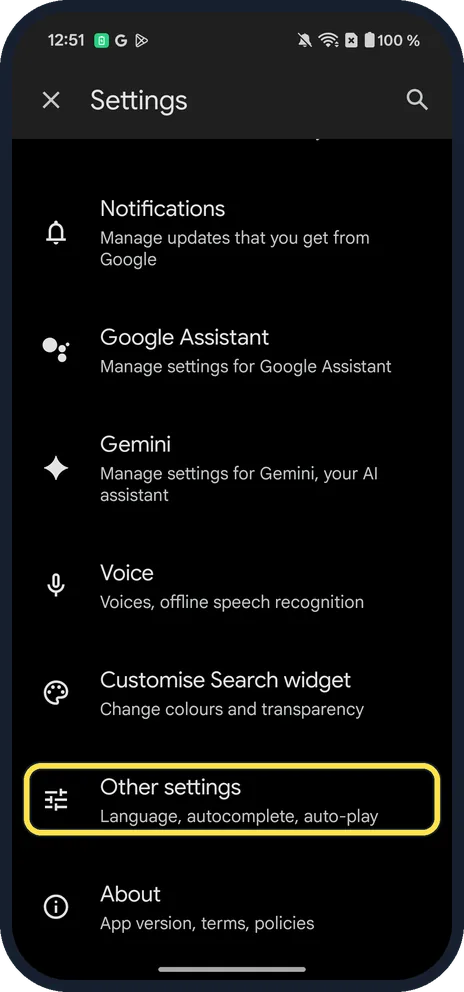
Tap Other settings
Scroll down; it is the row for Language, autocomplete and auto-play.
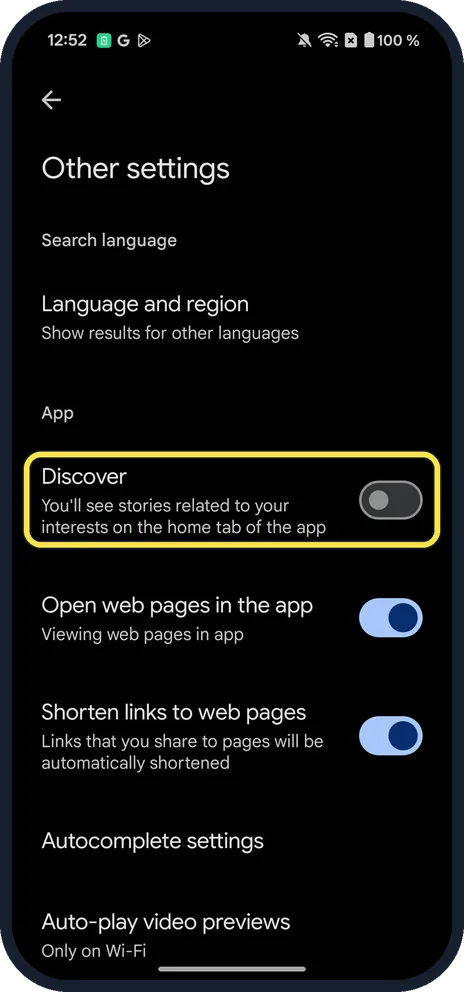
Switch off Discover
Under App: Discover, You'll see stories related to your interests on the home tab of the app. Tap the switch to turn it off; ours shows it off.
If you do not see this option
- No Other settings? Google gives profile picture, Settings, General, then Discover. Look under General if your Google app has no Other settings. Source: Turn off Discover
- Want the feed back? The Home tab says: Turn Discover back on to see your feed. You can always turn it off in Settings. Tap Turn on Discover.
If this does not work
- No Discover switch at all? Google says Discover is not available in all countries and languages. Source: Turn off Discover
- Searching phone Settings for "discover"? On ours it found only Quick Connect: the switch is in the Google app, not in the phone's Settings.
About this guide
Discover is the news feed in the Google app. On our OnePlus the switch was under Other settings, not General as Google's help page says.
The screenshots are from our OnePlus Nord 5 (CPH2709) with OxygenOS 16.0.5.1201 and Android 16, in Dark mode. We switched Discover off for the screenshots, then on again.
Good to know
On a Samsung Galaxy the Discover page is a Home screen setting: see turn off the Google Discover page on a Galaxy.
In short: Google app, profile picture, Settings, Other settings, Discover off.
Links checked in October 2026. Menus and features can change after software updates. These steps match the version named at the top.
📷 See real photos from the OnePlus Nord 5 in our Camera Lab, next to 10 other phones.
Did this guide work for you?
Sorry about that. What happened?