ONEPLUS
How to clone an app with App Cloner on a OnePlus (OxygenOS 16)

In short
Go to Settings, Apps, App Cloner and agree to the Statement of Use. Tap a supported app, or Other apps, and turn on Create app clone. A second copy with a badge appears on the home screen. Turn the switch off to delete the clone and its data.
7 of 7 steps show a real screenshot from our Nord 5. Each step was checked against the maker's own instructions, linked at the end.
Steps
- 1
Agree to the Statement of Use
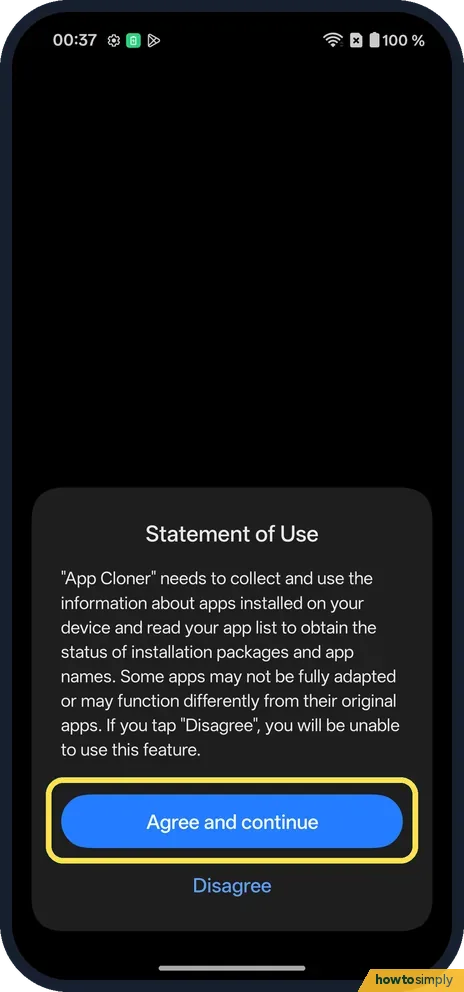
Go to Settings, Apps, App Cloner. The first time, a Statement of Use says it reads your app list and that some apps may not be fully adapted. Tap Agree and continue.
- 2
Pick an app
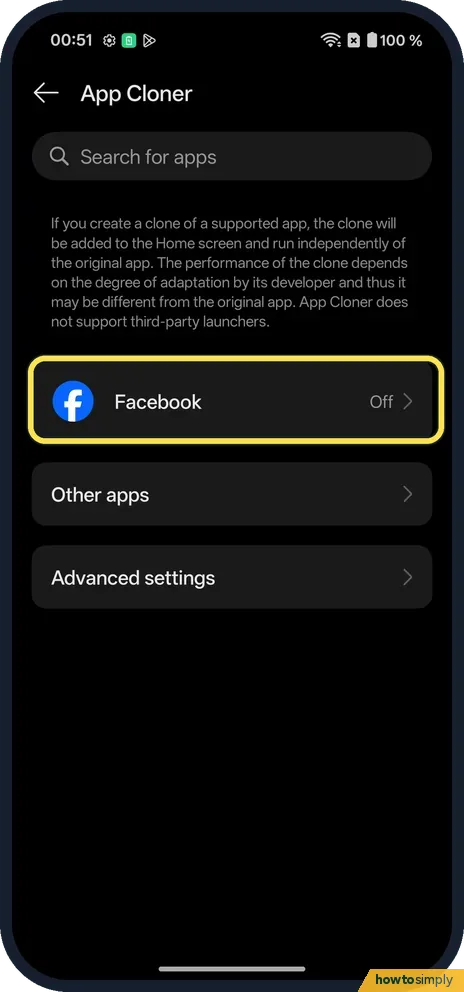
Supported apps are listed first: only Facebook on ours. The page says the clone is added to the Home screen and runs independently, and App Cloner does not support third-party launchers.
- 3
Or use Other apps
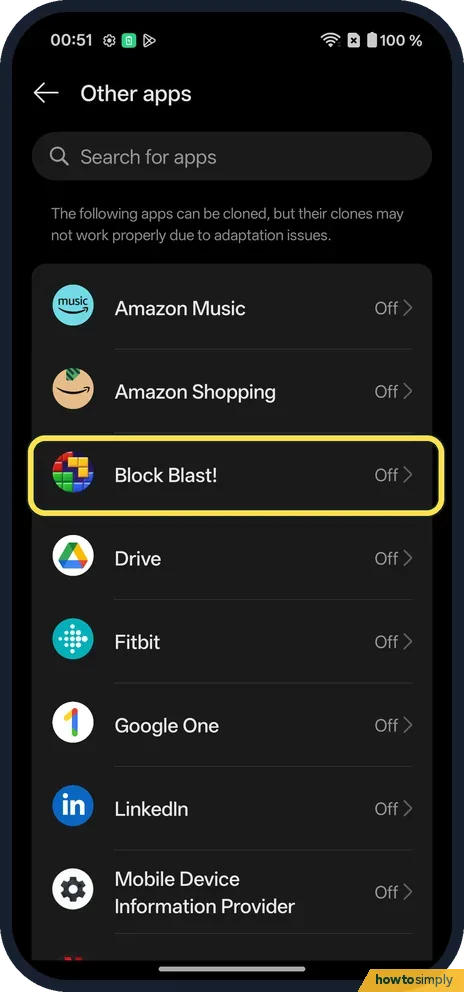
Tap Other apps. It says these apps can be cloned, but their clones may not work properly. We chose Block Blast!.
- 4
Create the clone
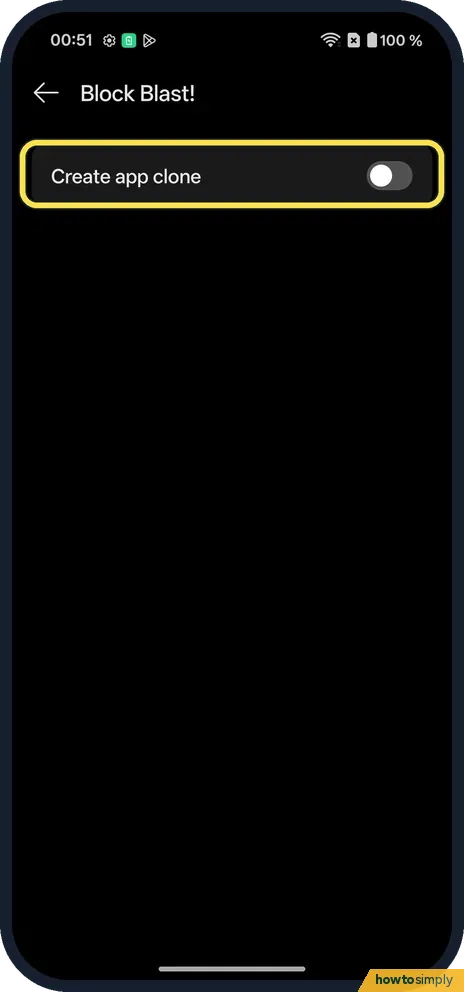
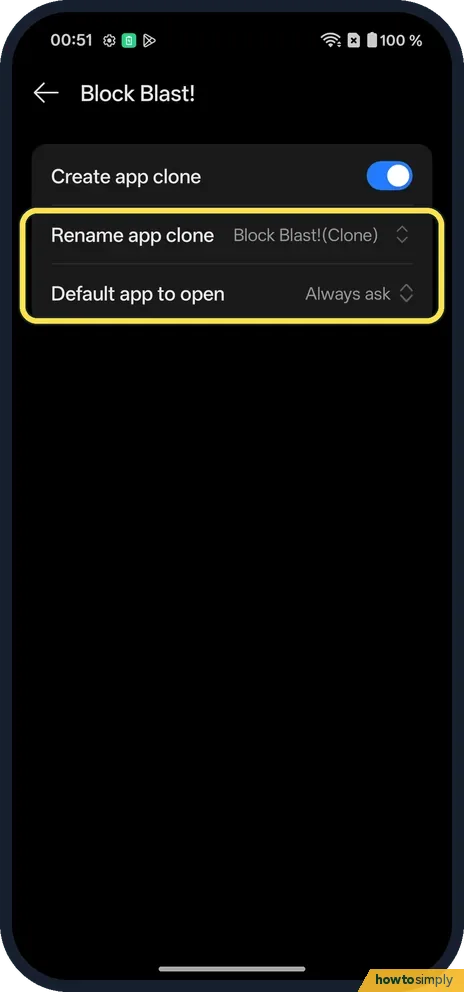
Turn on Create app clone.
- 5
Check the options
Rename app clone said Block Blast!(Clone). Default app to open said Always ask.
- 6
Find the clone
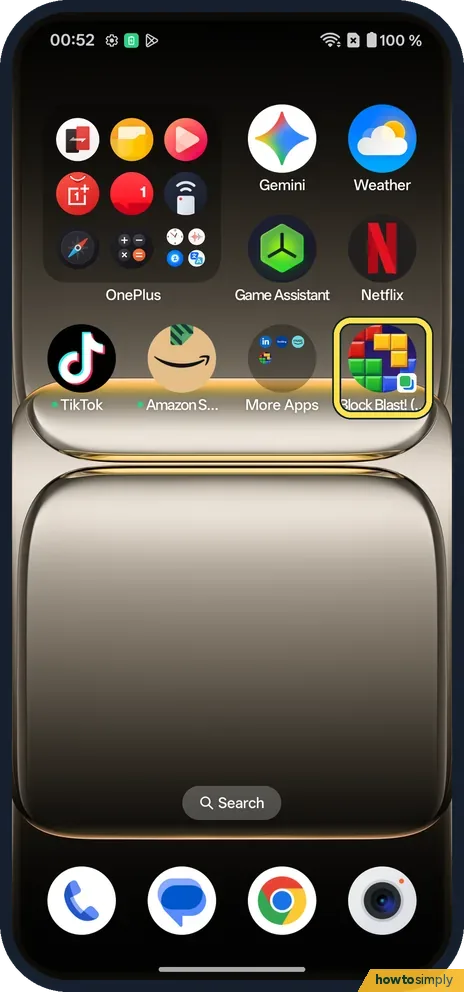
The clone appears on the home screen with a small badge on its icon.
- 7
Delete the clone
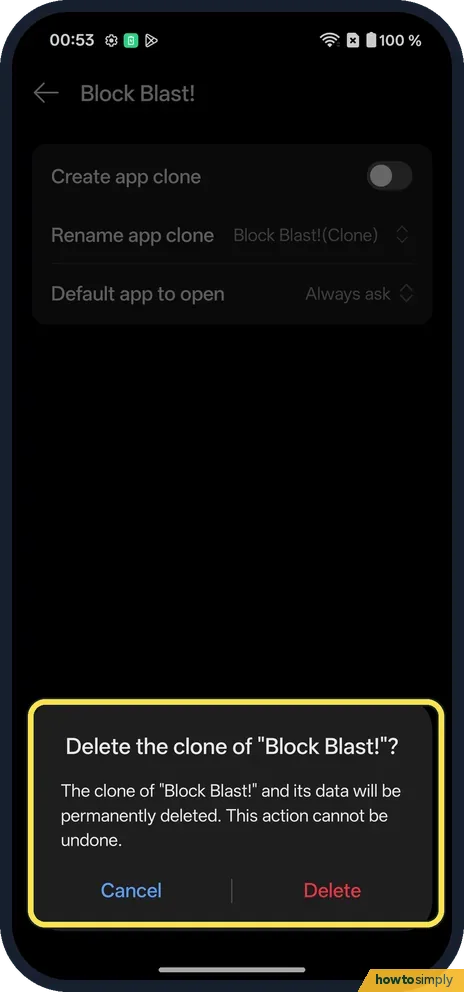
Turn off Create app clone. The phone warns the clone and its data will be permanently deleted. Tap Delete.
If you do not see this option
- App not listed? OnePlus's manual says some apps or phone models do not support App Cloner. Ours listed Facebook as supported and others under Other apps. Source: OxygenOS 14.0 User Manual
- Older OxygenOS? The OxygenOS 14 manual has the same path: Settings, Apps, App Cloner. Source: OxygenOS 14.0 User Manual
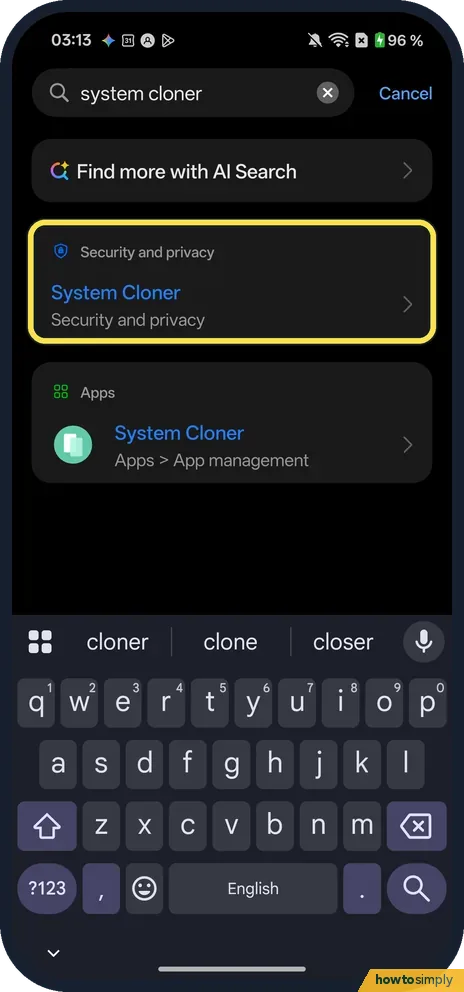
- Looking for System Cloner? It is a separate feature from App Cloner. A Settings search on our Nord 5 found System Cloner under Security and privacy, and under Apps, App management.
If this does not work
- Clone doesn't work properly? Other apps says their clones may not work properly due to adaptation issues. Use a supported app.
- No clone icon? The App Cloner page says it does not support third-party launchers. Use the phone's own home screen.
- Tapped Disagree? The Statement of Use says you then can't use the feature. Open App Cloner again to see it.
- Links open in the wrong copy? Default app to open, in the clone's options, decides which copy handles links. Ours said Always ask, which lets you choose each time; pick the original or the clone if you prefer.
- Clone missing after switching launcher? The App Cloner page says it does not support third-party launchers. Set the phone's own home screen back as the default: change default apps on a OnePlus.
Good to know
Moving from an iPhone? Clone Phone.
The clone is a separate copy with its own sign-in and its own data, so it also takes up its own storage. The original app is not affected and keeps its data even if you delete the clone. OnePlus's OxygenOS 14 manual describes the purpose as using two accounts of one app on one phone, one in the original and one in the clone.
About this guide
- Device
- Android
- Shown on
- OnePlus Nord 5 (CPH2709), OxygenOS 16.0.5.1201, Android 16
- App
- Settings
- Path
- Settings › Apps › App Cloner
- Real screenshots
- 7 of 7 steps
- Checked
- October 2026
- Sources
- 1 official, linked below
Sources
Links checked October 2026. Menus and features can change with updates.Spotted a mistake? Menus change with updates, and we want every step to match your screen. Email us about this page or use the contact form. We read every report, and fixes are listed on What changed.
Liked this guide?
Follow us for new guides and short how-to videos.
Did this guide work for you?
Sorry about that. What happened?