In this guide
Open the app's App info and tap Open by default. Under Choose how to open web links for this app, tap In your browser. Links then open in your browser instead of the app.
- Device
- Android
- Shown on
- OnePlus Nord 5 (CPH2709), OxygenOS 16.0.5.1201, Android 16
- App
- Settings
- Path
- Settings › Apps › App info › Open by default
- Real screenshots
- 5 of 5 steps
- Checked
- October 2026
- Sources
- 1 official, linked below
Step by step
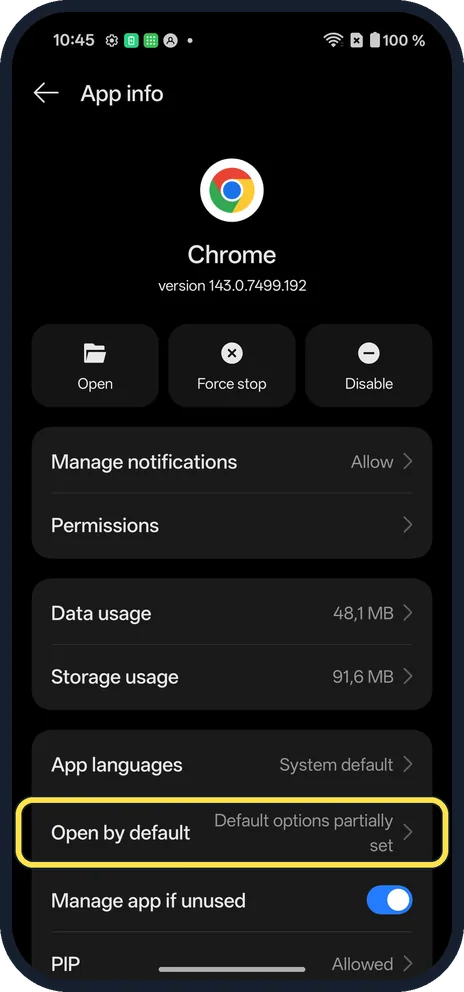
Open App info
In Settings, Apps, open the app and tap Open by default. Chrome's row said Default options partially set.
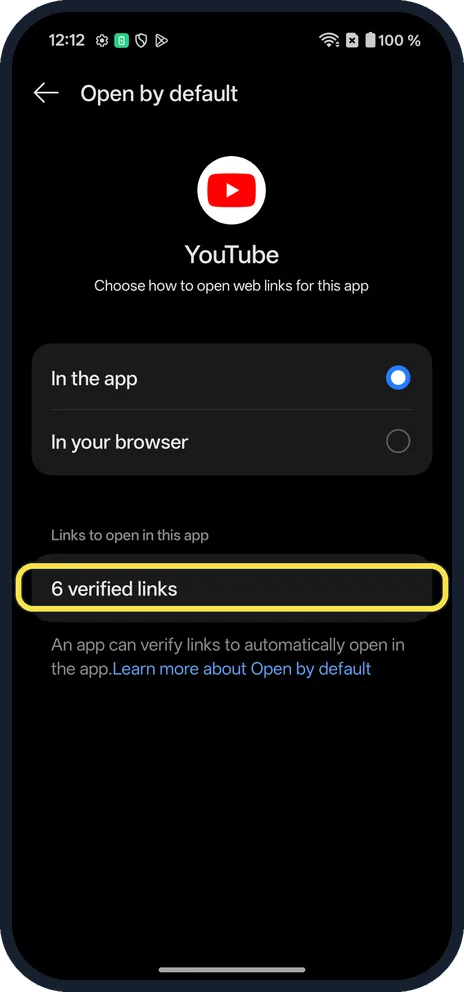
Check the links
YouTube had In the app selected and 6 verified links.
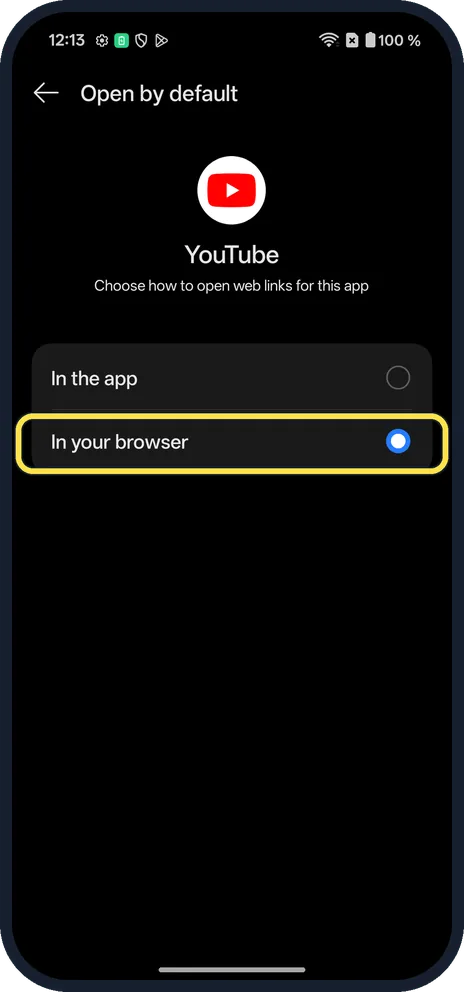
Tap In your browser
The verified links list disappears. YouTube links now open in the browser.
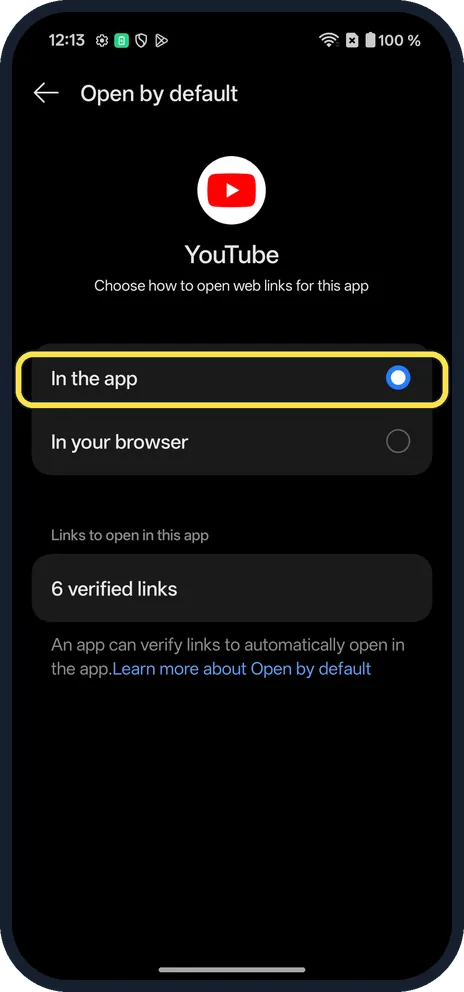
To undo, tap In the app
The verified links came back on ours.
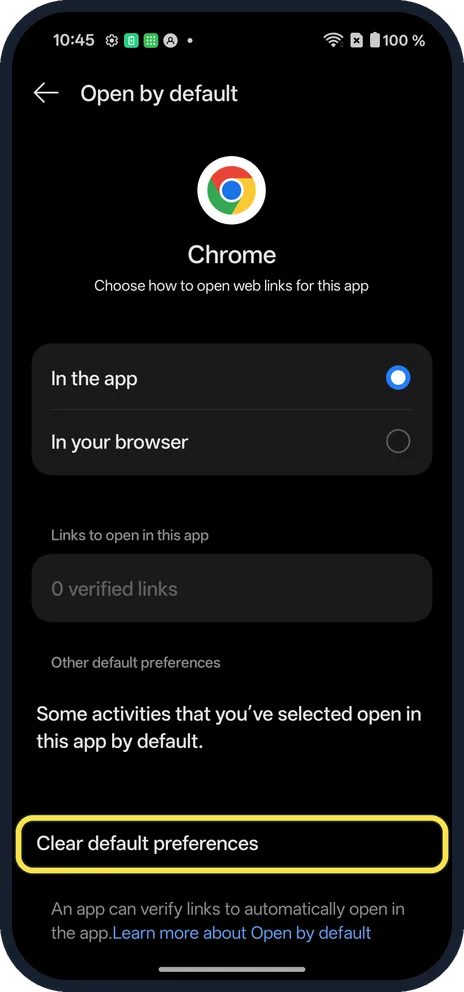
Or clear its defaults
Further down, Clear default preferences resets the app's other defaults. Chrome's page on ours had it.
If you do not see this option
- Default options partially set? That was Chrome's App info on ours: some activities open in it by default. Clear default preferences resets them.
- Browser apps? Chrome's own page had 0 verified links, so there is nothing to stop.
If this does not work
- Still opens in the app? Check the app itself has no link setting.
- Wrong browser opens? Change default apps. Source: OxygenOS 14.0 User Manual
About this guide
Apps such as YouTube open their own links instead of your browser.
The screenshots are from our OnePlus Nord 5 with OxygenOS 16.0.5.1201 and Android 16, in Dark mode. We set YouTube to In your browser, then back to In the app. Some screenshots were retaken after the 18 October 2026 patch (version CPH2709_16.0.5.1201(EX01C10P02)).
Good to know
Change default apps on a OnePlus.
In short: App info, Open by default, In your browser.
Links checked in October 2026. Menus and features can change after software updates. These steps match the version named at the top.
Did this guide work for you?
Sorry about that. What happened?