
howtosimply.com/guides/how-to-set-up-emergency-sos-on-an-honor-phone/ · Checked October 2026 · BRP-NX1M, EEA), MagicOS 10.0, Android 16 (build 10.0.0.169(C430E7R2P1) · HONOR Magic7 Lite
In this guide
Open Settings, Safety & emergency, Emergency SOS. Add Emergency information and Emergency contacts, and turn on Send SOS message automatically if you want. Pressing the power button 5 times in rapid succession makes an emergency call.
3 of 3 steps with real screenshots · 2 official sources below
- Device
- Android
- Shown on
- HONOR Magic7 Lite (BRP-NX1M, EEA), MagicOS 10.0, Android 16 (build 10.0.0.169(C430E7R2P1))
- App
- Settings
- Path
- Settings › Safety & emergency › Emergency SOS
- Real screenshots
- 3 of 3 steps
- Checked
- October 2026
- Sources
- 2 official, linked below
Step by step
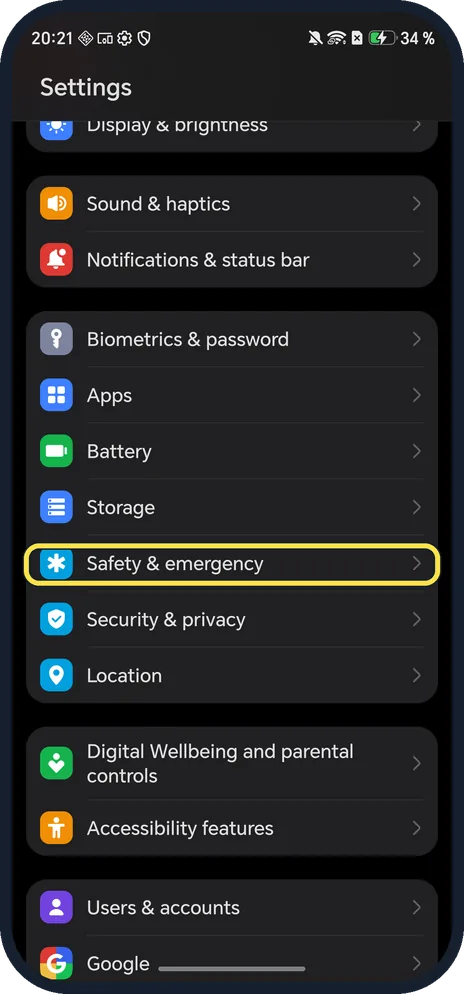
Open Safety & emergency
Open Settings and scroll down.
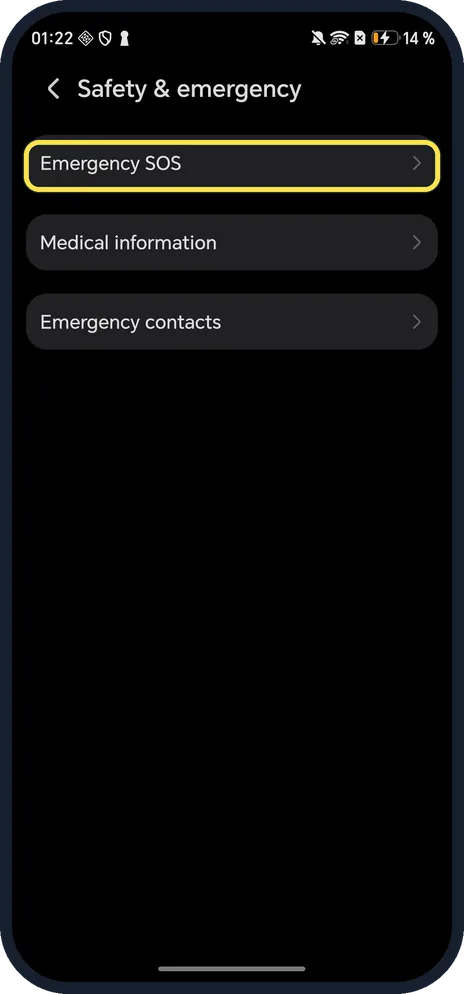
Tap Emergency SOS
First row.
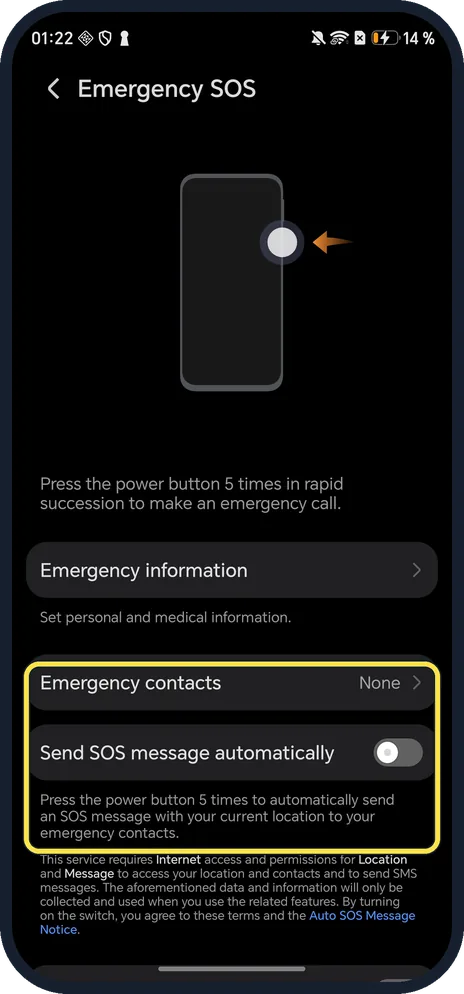
Add contacts and choose the SOS message
Add Emergency contacts (ours: None). Send SOS message automatically texts your location to them after 5 presses; it needs Internet, Location and Message permissions.
If you do not see this option
- No Safety & emergency menu? HONOR's page for earlier MagicOS versions puts it under Settings, Security, Emergency SOS, with switches called Also send SOS message and Auto-SOS call. Source: Emergency SOS and Calls
- Want responders to see medical details? Tap Emergency information: set personal and medical information.
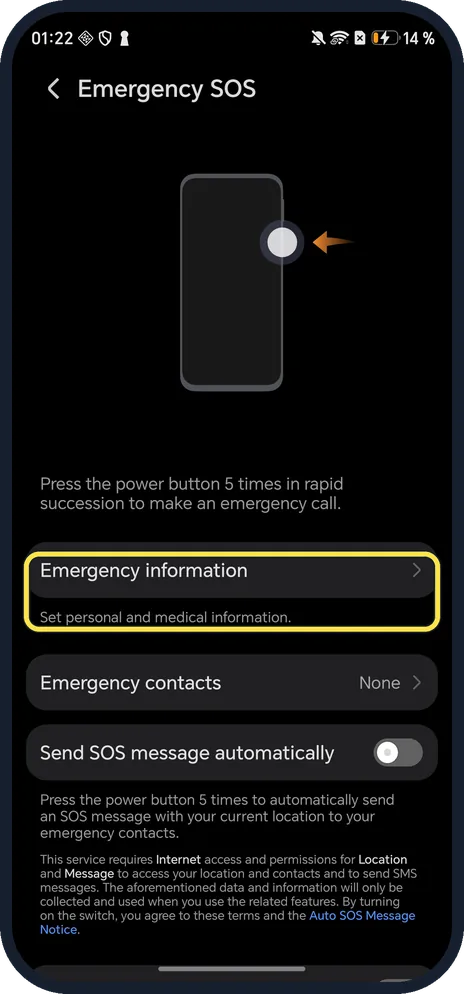
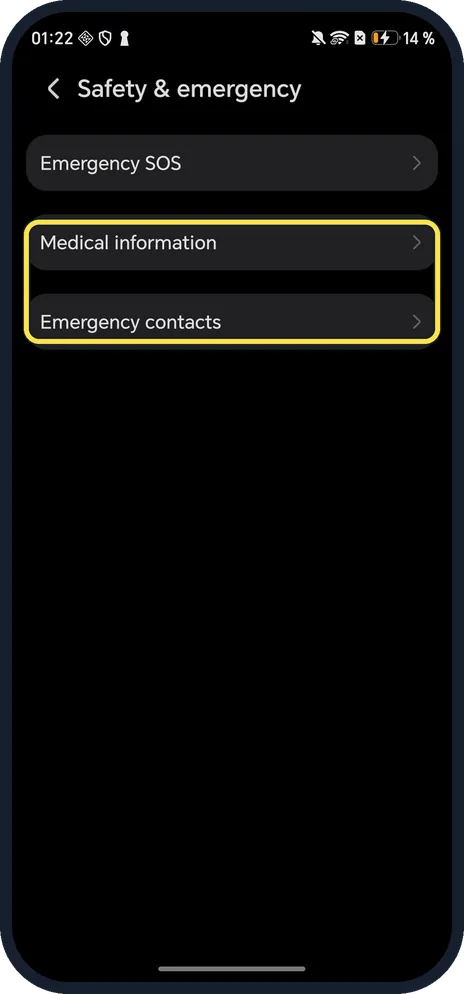
- Looking for medical info on the main page? Medical information and Emergency contacts are also rows on Safety & emergency.
If this does not work
- Emergency call did not connect? HONOR says the emergency call feature depends on local regulations and your carrier, and network problems can stop it working. Source: Emergency SOS and Calls
- No automatic call to contacts? HONOR says that with Auto-SOS call off, the phone shows the emergency call screen after sending the message, so you pick who to call. Source: Emergency SOS and Calls
- Called emergency services by accident? Stay on the line and tell the operator it was a mistake.
About this guide
The screenshots are from our HONOR Magic7 Lite, the European model BRP-NX1M, with MagicOS 10.0 and Android 16 (build 10.0.0.169(C430E7R2P1)), in Dark mode. We opened the pages and changed nothing. Don't test it: it calls emergency services.
Good to know
To change what the power button does, change the power button.
To find your IMEI, find the IMEI.
In short: Settings, Safety & emergency, Emergency SOS.
- HONOR Support (UK): Emergency SOS and Calls
- Google Android Help: Get help in an emergency using your Android phone
Links checked in October 2026. Menus and features can change after software updates. These steps match the version named at the top.
Did this guide work for you?
Sorry about that. What happened?