
howtosimply.com/guides/how-to-find-the-imei-on-an-honor-phone/ · Checked October 2026 · BRP-NX1M, EEA), MagicOS 10.0, Android 16 (build 10.0.0.169(C430E7R2P1) · HONOR Magic7 Lite
In this guide
Open Settings, About phone and scroll down to IMEI. Tap Status for IMEI SV, IP address and Serial number.
3 of 3 steps with real screenshots · 2 official sources below
- Device
- Android
- Shown on
- HONOR Magic7 Lite (BRP-NX1M, EEA), MagicOS 10.0, Android 16 (build 10.0.0.169(C430E7R2P1))
- App
- Settings
- Path
- Settings › About phone
- Real screenshots
- 3 of 3 steps
- Checked
- October 2026
- Sources
- 2 official, linked below
Step by step
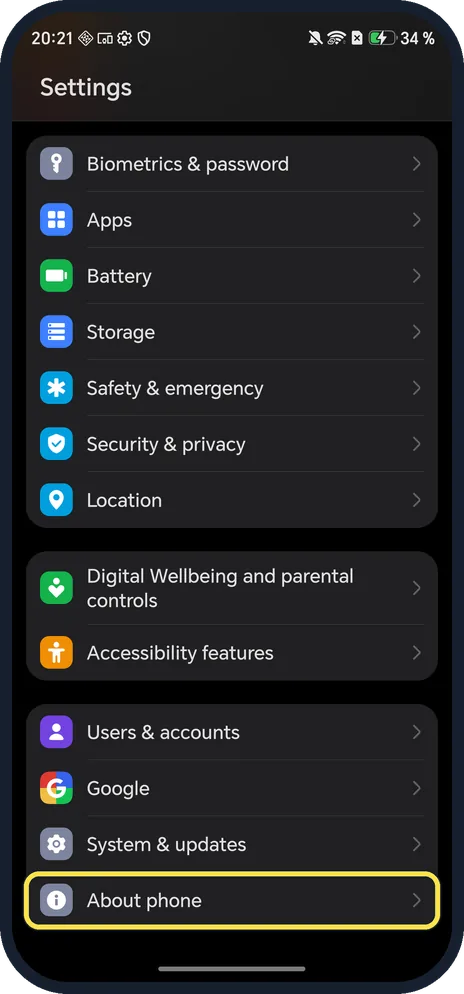
Open About phone
Open Settings and scroll to the bottom.
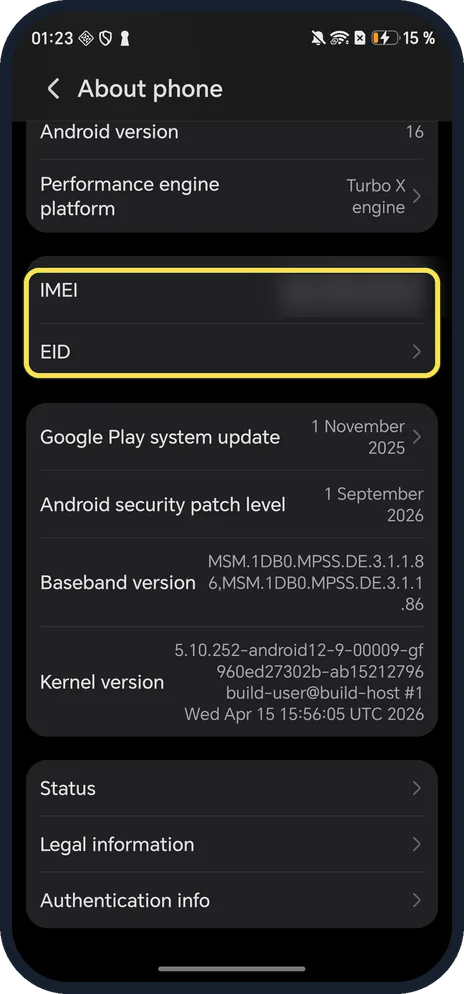
Scroll down to IMEI
It is below Performance engine platform; EID is just below.
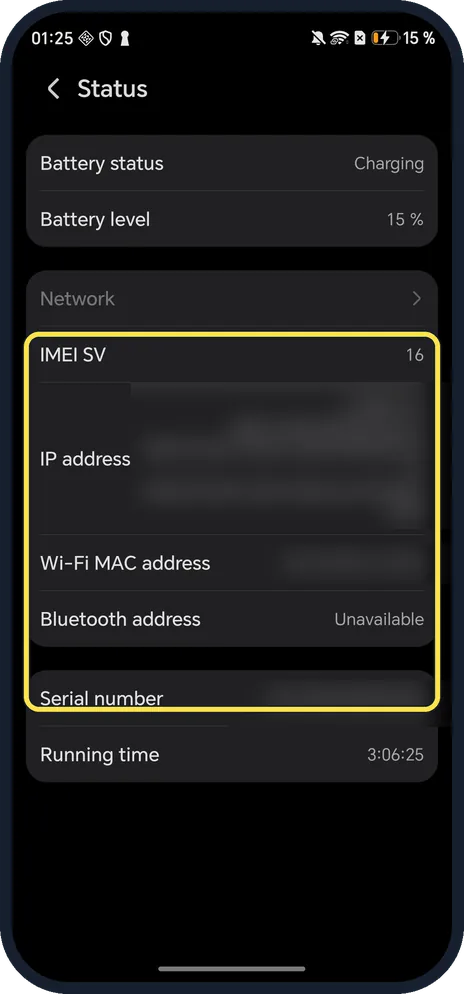
Tap Status for more
Status is lower on About phone. It lists IMEI SV, IP address, Wi-Fi MAC address and Serial number.
If you do not see this option
- Only one IMEI? Ours showed a single IMEI row. HONOR says *#06# shows the IMEI on phones with a SIM slot, so dual-SIM models can list two there. Source: What are IMEI, MEID, and SN, and how to check them?
- HONOR tablet with no IMEI? HONOR says tablets that support Wi-Fi only have no IMEI or MEID; only devices that take CDMA cards have an MEID. Source: What are IMEI, MEID, and SN, and how to check them?
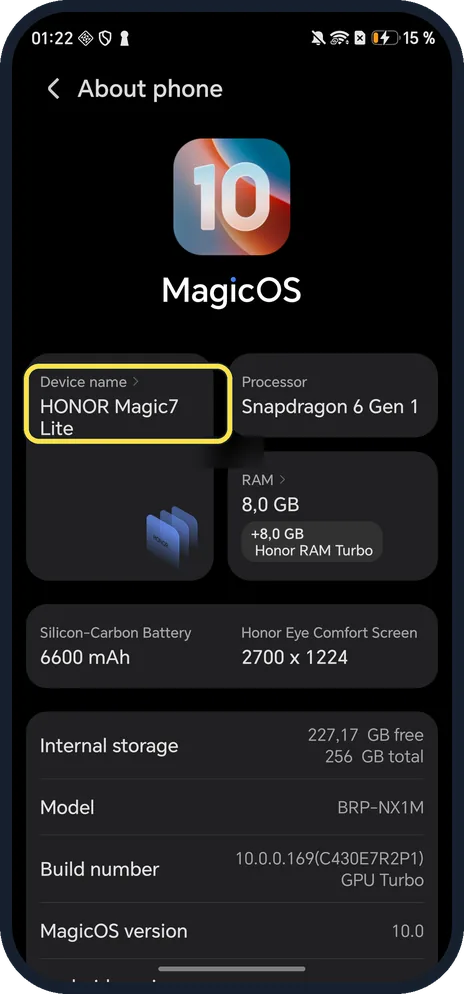
- Need the model too? The top of About phone shows the Device name, ours HONOR Magic7 Lite; see the model guide below for the model number.
If this does not work
- Can't open Settings? HONOR gives dial codes: enter *#06# (or *#*#0000#*#* or *#0000#) in the Phone keypad. Source: What are IMEI, MEID, and SN, and how to check them?
- Phone not with you? HONOR says the IMEI is also on the original box. The serial number is in the My HONOR app under Services, My device, Device information. Source: What are IMEI, MEID, and SN, and how to check them?
- Asked for the IMEI SV? It is the software version number, on the Status page. Ours was 16.
About this guide
The screenshots are from our HONOR Magic7 Lite, the European model BRP-NX1M, with MagicOS 10.0 and Android 16 (build 10.0.0.169(C430E7R2P1)), in Dark mode. The IMEI, EID, IP address, Wi-Fi MAC address and serial number are blurred.
Good to know
To find the model and MagicOS version, find your model and MagicOS version.
To get the latest software, update an HONOR phone.
In short: Settings, About phone, IMEI; Status for more.
- HONOR Support: What are IMEI, MEID, and SN, and how to check them?
- Pixel Phone Help: Find your IMEI and other Pixel phone ID numbers
Links checked in October 2026. Menus and features can change after software updates. These steps match the version named at the top.
Did this guide work for you?
Sorry about that. What happened?