ONEPLUS
How to see screen time and set app timers on a OnePlus

In short
Go to Settings, Digital Wellbeing & parental controls. The circle shows today's screen time; tap it for App activity details. Tap the hourglass next to an app to set a daily App timer and tap OK.
3 of 3 steps show a real screenshot from our Nord 5. Each step was checked against the maker's own instructions, linked at the end.
Steps
- 1
Open Digital Wellbeing
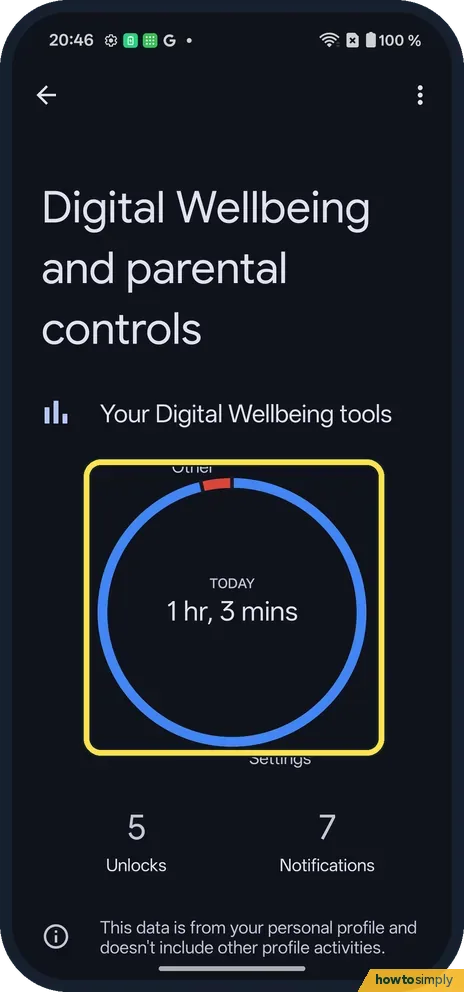
Open Settings and tap Digital Wellbeing & parental controls (search wellbeing if you can't see it). The circle shows screen time today, with Unlocks and Notifications below.
- 2
See each app
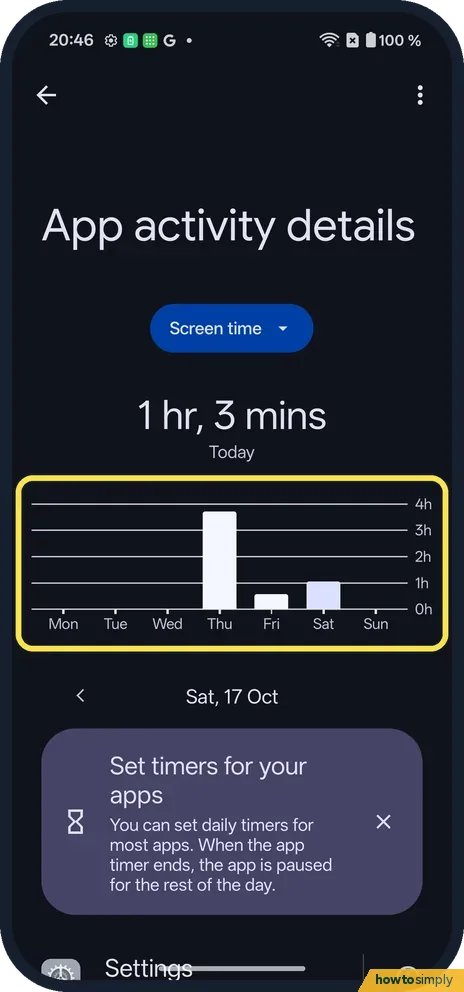
Tap the circle. App activity details shows a chart by day, Mon to Sun, and the apps used.
- 3
Set an App timer
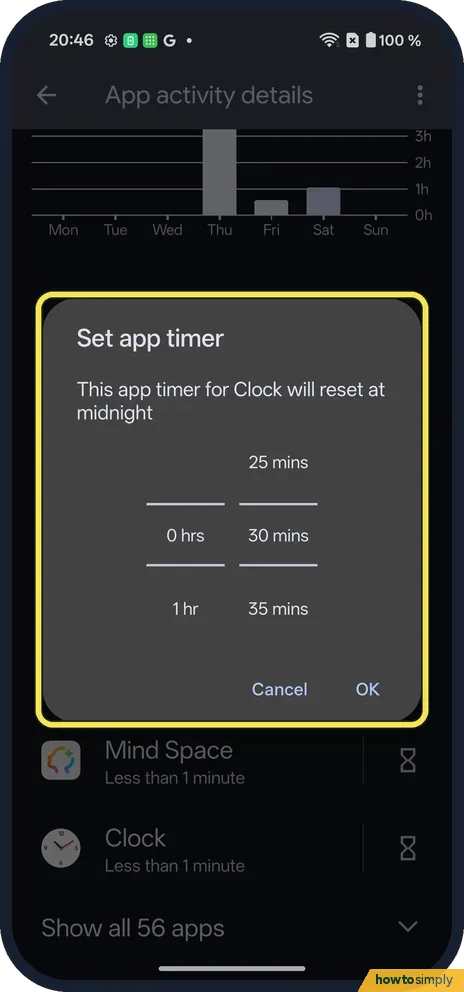
Tap the hourglass next to an app. Pick hours and minutes; it resets at midnight. Tap OK.
If you do not see this option
- Other tools? Ways to disconnect lists App timers, Bedtime mode, Focus and Screen time reminders. Source: Manage how you spend time on your Android phone with Digital Wellbeing
- Child's phone? OnePlus's OxygenOS 14 manual puts Kids mode and screen time limits for children on the same Digital Wellbeing & parental controls page. Source: OxygenOS 14.0 User Manual
If this does not work
- App paused? The timer was reached. Change or delete the timer.
- Numbers look low? It counts only your profile, per the page.
- No timer option for a work app? Google notes that some work and school accounts might not work with app timers. Apps in a work profile follow your organisation's rules.
- Need the app before midnight? Google says app timers reset at midnight. To open a paused app sooner, delete its timer, or raise the limit, from the same hourglass.
- Today's figure looks too high? Screen time counts any time the app was on screen, including video left playing or a map open while you drive. Tap the circle and check the app list to see where it went.
Good to know
Set up Bedtime mode on a OnePlus.
Looking at the dashboard changes nothing. Once a timer is set, the app works normally until you reach the limit; then it closes and its icon dims until midnight, when the timer resets. Your data in the app is kept. If a fixed daily limit is too strict, Focus mode is a softer option: Google says you choose apps to pause while it is on, can schedule it, and can tap Take a break to unpause them for a while. See use Focus mode on a OnePlus.
About this guide
- Device
- Android
- Shown on
- OnePlus Nord 5 (CPH2709), OxygenOS 16.0.5.1201, Android 16
- App
- Settings
- Path
- Settings › Digital Wellbeing and parental controls
- Real screenshots
- 3 of 3 steps
- Checked
- October 2026
- Sources
- 2 official, linked below
Sources
Links checked October 2026. Menus and features can change with updates.Spotted a mistake? Menus change with updates, and we want every step to match your screen. Email us about this page or use the contact form. We read every report, and fixes are listed on What changed.
Liked this guide?
Follow us for new guides and short how-to videos.
Did this guide work for you?
Sorry about that. What happened?