
howtosimply.com/guides/pop-up-ads-on-a-samsung-galaxy-how-to-stop-them/ · Checked October 2026 · Samsung Galaxy A57 5G (One UI 8.5, Android 16) and Samsung Galaxy A57 (One UI 9, Android 17 (build A576BXXU6BZIE))
In this guide
Pop-ups inside Chrome: Chrome, three dots, Settings, Site settings, Pop-ups and redirects, choose Don't allow. Ads over other apps: Settings, Apps, Appear on top, switch off apps you do not trust, then scan with Play Protect.
6 of 6 steps with real screenshots · 1 official source below
- Device
- Android
- Shown on
- Samsung Galaxy A57 5G (SM-A576B), One UI 8.5, Android 16, Samsung Galaxy A57 (SM-A576B), One UI 9, Android 17 (build A576BXXU6BZIE)
- App
- Settings
- Path
- Settings › Apps
- Real screenshots
- 6 of 6 steps
- What we did
- Observed: looked at each screen, changed nothing
- Our phone
- Shown on Galaxy A57, One UI 8.5
- Checked
- October 2026
- Sources
- 1 official, linked below
Step by step
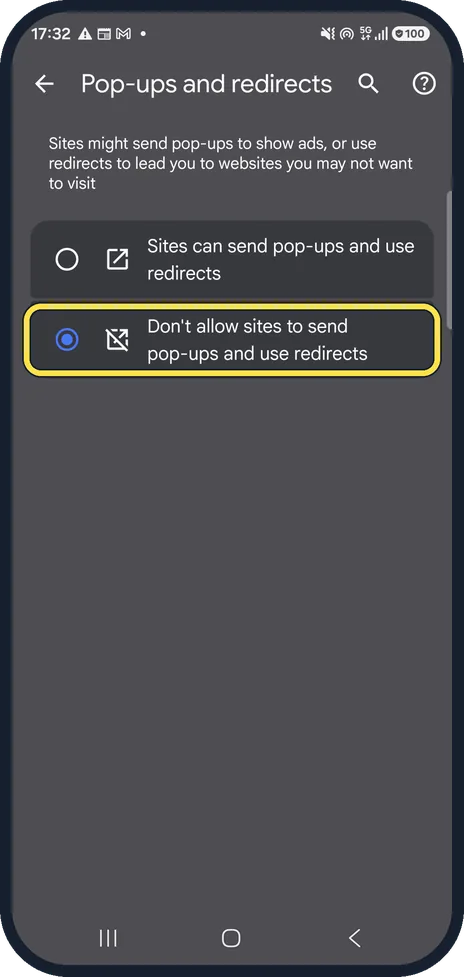
Block pop-ups in Chrome
In Chrome tap the three dots, Settings, Site settings, Pop-ups and redirects. Choose Don't allow sites to send pop-ups and use redirects. Ours was already set like that.
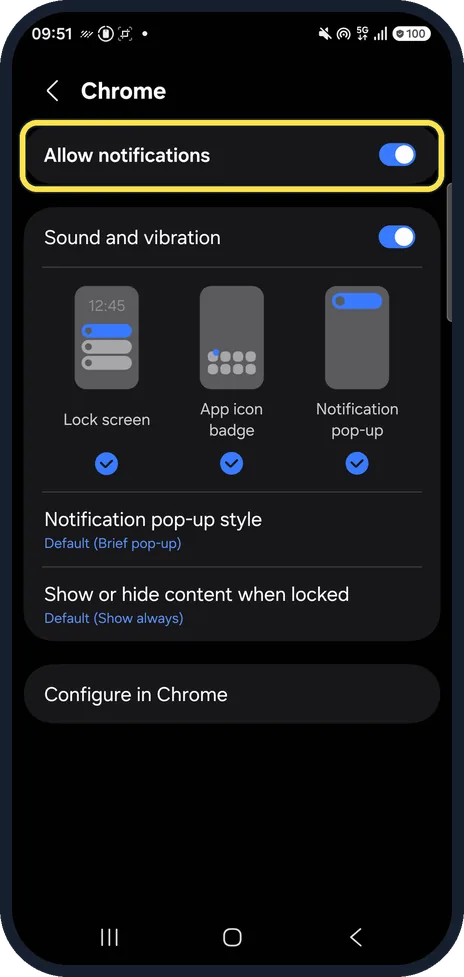
Stop site notifications
Ads that appear as notifications come from a website you allowed. In Chrome, Settings, Notifications, switch off sites you do not know.
To stop all of them, switch off Allow notifications on Chrome's page in the phone's Settings, Apps, Chrome, Notifications. Ours was on.
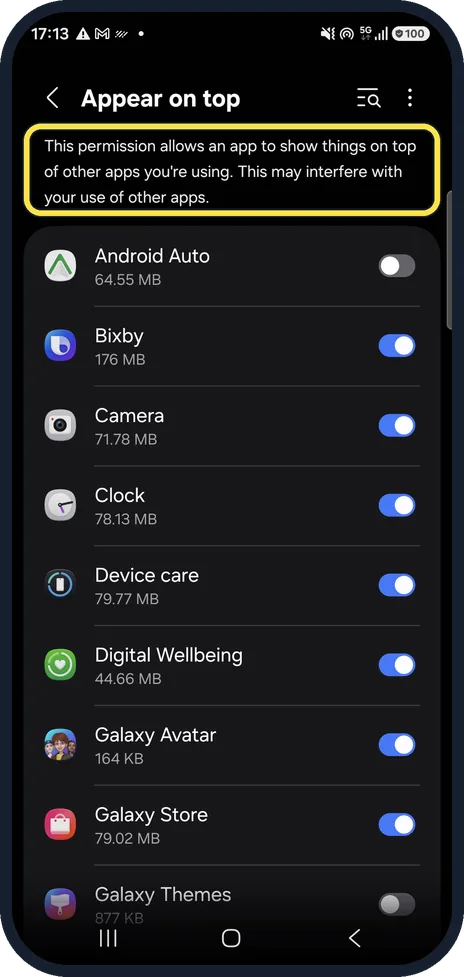
Find apps that draw over others
Open Settings, Apps, then the three dots and Special access, Appear on top. This lists apps allowed to show things on top of other apps.
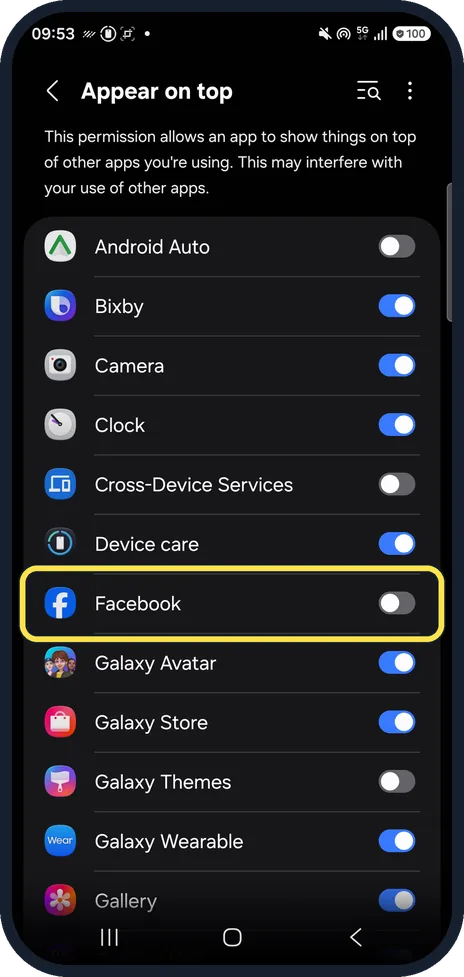
Switch off unknown apps
Switch off any app there you do not recognise or did not install yourself. If ads continue, uninstall the newest app installed before they started.
On ours Android Auto, Cross-Device Services, Facebook and Galaxy Themes were off; the others were on.
Scan with Play Protect
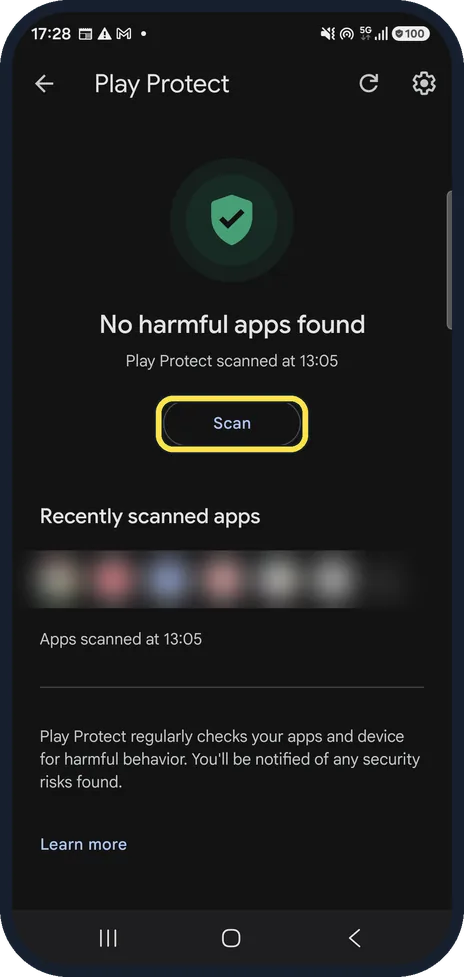
Open Settings, Security and privacy, App security, Google Play Protect and tap Scan.
Clear Chrome site data
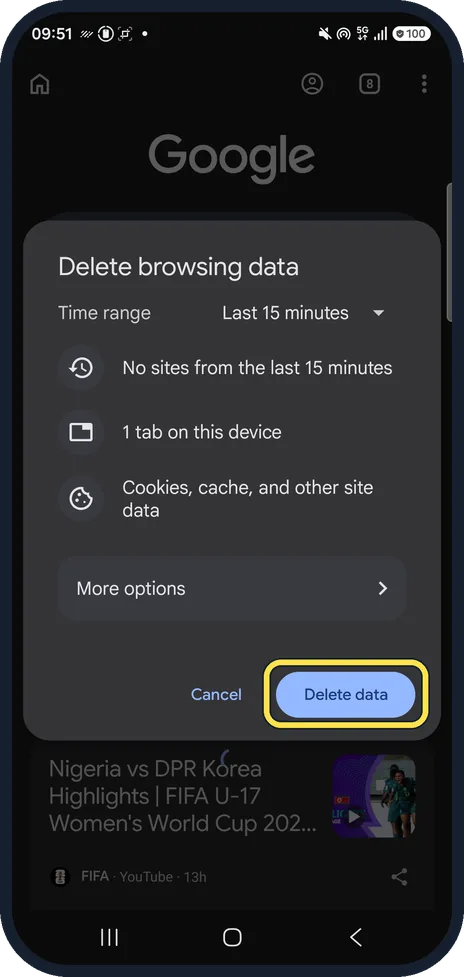
If one site keeps opening, remove its data in Chrome under three dots, Delete browsing data.
Pick a time range and tap Delete data. We tapped Cancel.
If you do not see this option
- A site has no Permissions in Page info Google says that if you do not find Permissions after tapping Page info next to the address, that site does not have notifications turned on, so the ads are coming from somewhere else. Source: Remove unwanted ads, pop-ups & malware
If this does not work
- Ads keep coming after you switch apps off Google's fix is Safe mode: press and hold the power button, touch and hold Power off and confirm. Then remove recently installed apps one at a time, restarting normally after each, until the ads stop. Source: Remove unwanted ads, pop-ups & malware
- Play Protect finds nothing Google says to make sure Scan apps with Play Protect is on in the Play Store, under your profile picture, Play Protect, Settings. Source: Remove unwanted ads, pop-ups & malware
About this guide
Pop-up ads on a phone come from one of three places: a website in the browser, site notifications you allowed, or an app that may draw over other apps. Each has its own switch.
Steps 2, 4 and 6 are from the same phone after its One UI 9 update (Android 17).
Good to know
Google explains how to remove unwanted ads, pop-ups and malware in Chrome on its help page.
Full check of your apps: how to check a Samsung Galaxy for harmful apps with Play Protect.
In short: Chrome: Site settings, Pop-ups and redirects, Don't allow. Chrome notifications off for unknown sites. Settings, Apps, Appear on top: switch off unknown apps. Play Protect scan.
Links checked in October 2026. Menus and features can change after software updates. These steps match the version named at the top.
📷 See real photos from the Galaxy A57 in our Camera Lab, next to 10 other phones.
Did this guide work for you?
Sorry about that. What happened?