
howtosimply.com/guides/how-to-save-a-video-frame-as-a-photo-on-an-iphone/ · Checked October 2026 · iPhone 14 Pro · iOS 27.0.1
In this guide
On iOS 27, open the video in Photos, pause it on the moment you want, tap the three dots at the top right and choose Save Video Frame as Photo. A short Saved Video Frame message confirms it, and the still is added to your library.
4 of 4 steps with real screenshots · 1 official source below
- Device
- iPhone
- Shown on
- iOS 27.0.1 (iPhone 14 Pro)
- App
- Photos
- Real screenshots
- 4 of 4 steps
- Checked
- October 2026
- Sources
- 1 official, linked below
Step by step
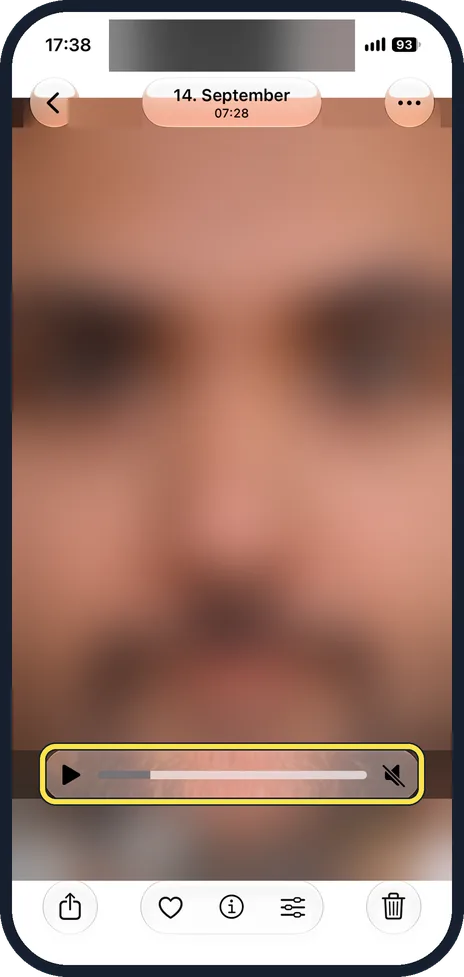
Open the video and pause it
Open the video in Photos. Play it and pause, or drag through the play bar until you see the moment you want.

Tap the three dots
The More button is at the top right, next to the date of the video.

Tap Save Video Frame as Photo
It is the last item in the menu, below Don't Feature This Person.

Look for Saved Video Frame
A small message above the photo strip confirms it. The still is saved as a new photo in your library; the video stays as it was.
If you do not see this option
- You opened the video outside Photos. Apple's steps start in the Photos app: open the video there, play it and pause on the frame. Source: Save a video frame as a photo on iPhone
If this does not work
- You cannot find the saved still. Apple says that if the library is sorted by Added, the new photo is at the bottom; if it is sorted by Captured, it is next to the original video. Source: Save a video frame as a photo on iPhone
- The wrong moment was saved. Apple says to pause the video on the frame you want before you tap More. Delete the still and try again. Source: Save a video frame as a photo on iPhone
About this guide
Until iOS 27 the only way to keep a single moment from a video was a screenshot, with the play controls in the way. iOS 27 adds Save Video Frame as Photo to the Photos menu.
The screenshots are our own, taken on an iPhone 14 Pro running iOS 27.0.1. They were recorded over USB in QuickTime. We blurred the video itself in the pictures; only the Photos controls are shown.
Good to know
No Save Video Frame as Photo in the menu? The iPhone is on iOS 26 or earlier. Take a screenshot of the paused video instead, then crop the controls away: how to update an iPhone.
Photos you keep from Messages land in the library too; to stop that: how to stop photos taken in Messages being saved to your library.
In short: iOS 27 Photos: pause the video, three dots, Save Video Frame as Photo.
Links checked in October 2026. Menus and features can change after software updates. These steps match the version named at the top.
📷 See real photos from the iPhone 14 Pro in our Camera Lab, next to 10 other phones.
Did this guide work for you?
Sorry about that. What happened?