
howtosimply.com/guides/how-to-reset-network-settings-on-an-oppo-phone/ · Checked October 2026 · CPH2689, EEA), ColorOS 16.0.5, Android 16 (build CPH2689_16.0.5.1001(EX01) · OPPO Reno13 5G
In this guide
Open Settings, System & update, Back up & reset, Reset phone, then Reset network and Bluetooth settings and confirm with Reset. Wi-Fi, Bluetooth and mobile network settings are reset; your apps and files stay.
5 of 5 steps with real screenshots · 1 official source below
- Device
- Android
- Shown on
- OPPO Reno13 5G (CPH2689, EEA), ColorOS 16.0.5, Android 16 (build CPH2689_16.0.5.1001(EX01))
- App
- Settings
- Path
- Settings › System & update › Back up & reset › Reset phone
- Real screenshots
- 5 of 5 steps
- Checked
- October 2026
- Sources
- 1 official, linked below
Step by step
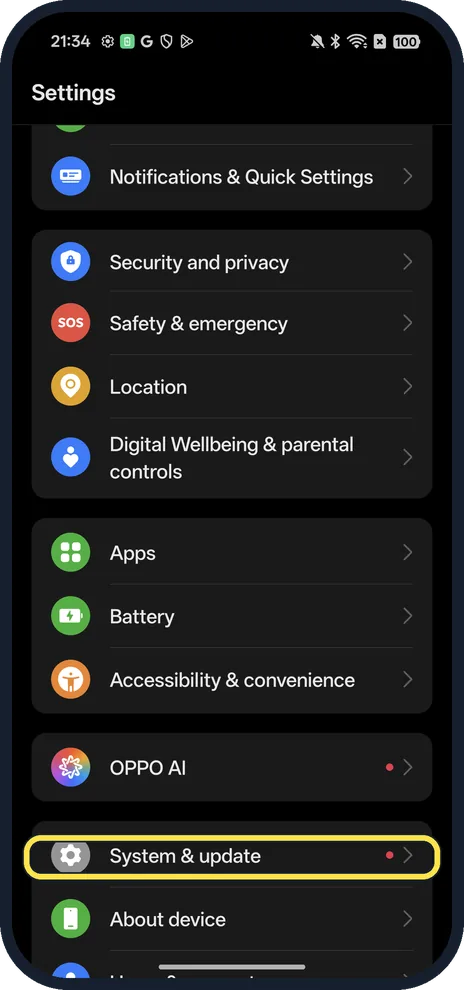
Open System & update
Open Settings; it is near the bottom.
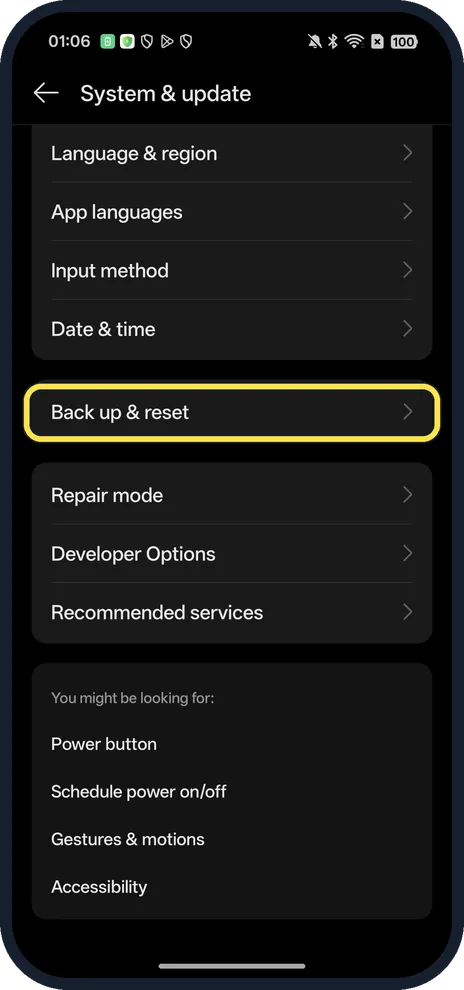
Tap Back up & reset
On ColorOS 16 it is Back up & reset, not Backup and reset.
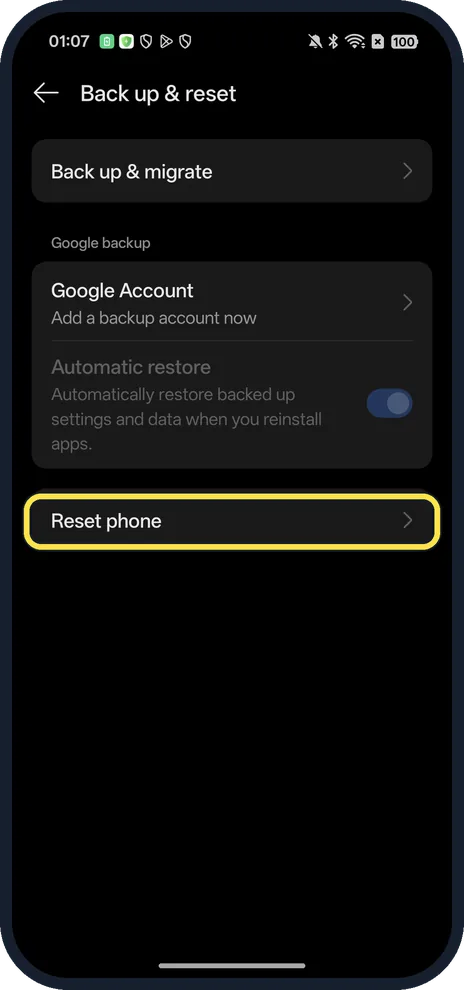
Tap Reset phone
At the bottom of the page.
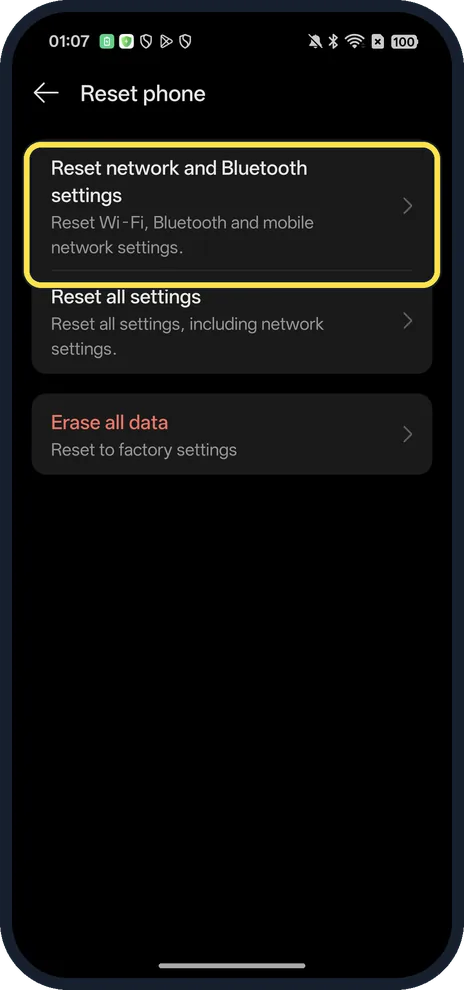
Tap Reset network and Bluetooth settings
The first option. It resets Wi-Fi, Bluetooth and mobile network settings.
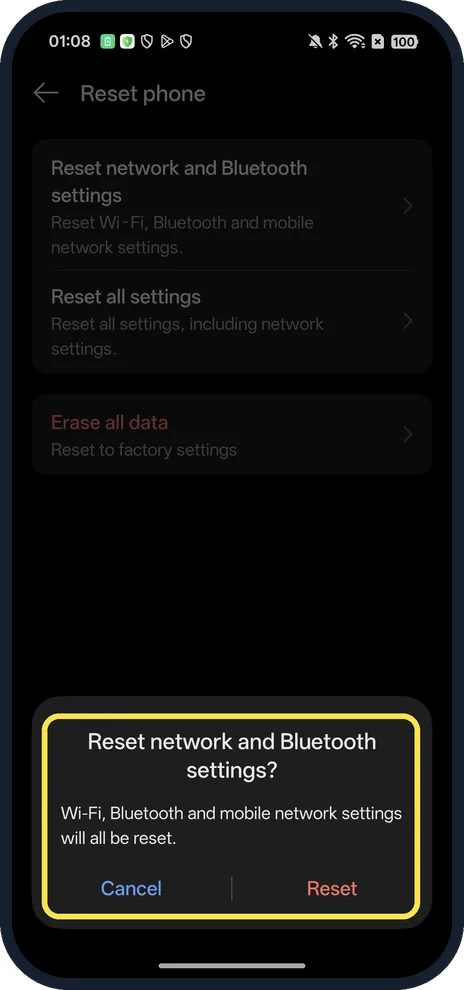
Tap Reset
The dialog says Wi-Fi, Bluetooth and mobile network settings will all be reset.
If you do not see this option
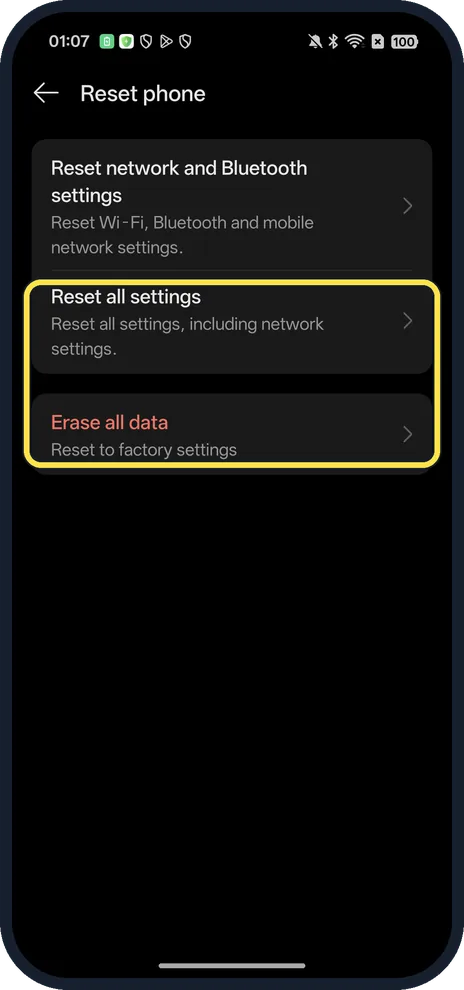
- Want every setting back to default? Reset all settings is the next option; it also resets network settings. Erase all data is a full factory reset.
- No Reset phone? Search Settings for reset.
If this does not work
- Wi-Fi password gone afterwards? The dialog says Wi-Fi and Bluetooth settings are reset, so expect to join your Wi-Fi again and re-pair Bluetooth devices.
- Still no connection? Restart the phone and try another network to rule out the router.
About this guide
The screenshots are from our OPPO Reno13 5G, the European model CPH2689, with ColorOS 16.0.5 and Android 16 (build CPH2689_16.0.5.1001(EX01)), in Dark mode. We opened the confirmation and tapped Cancel.
Good to know
To erase everything, factory reset an OPPO phone.
To share your data, turn on the personal hotspot.
In short: Settings, System & update, Back up & reset, Reset phone.
Links checked in October 2026. Back up anything you want to keep before you reset or delete. Menus can change after software updates.
Did this guide work for you?
Sorry about that. What happened?