XIAOMI REDMI
How to use Second space and Dual apps on a Xiaomi phone (HyperOS 3)
Dual apps makes a second copy of an app for another account: go to Settings, Apps, Dual apps and pick an app. Second space is a separate phone space with its own screen lock: on ours it was in Settings, Additional settings, Second space.

5 of 5 steps show a real screenshot from our Redmi Note 15 Pro 5G. Each step was checked against the maker's own instructions, linked at the end.
Steps
- 1
Open Dual apps
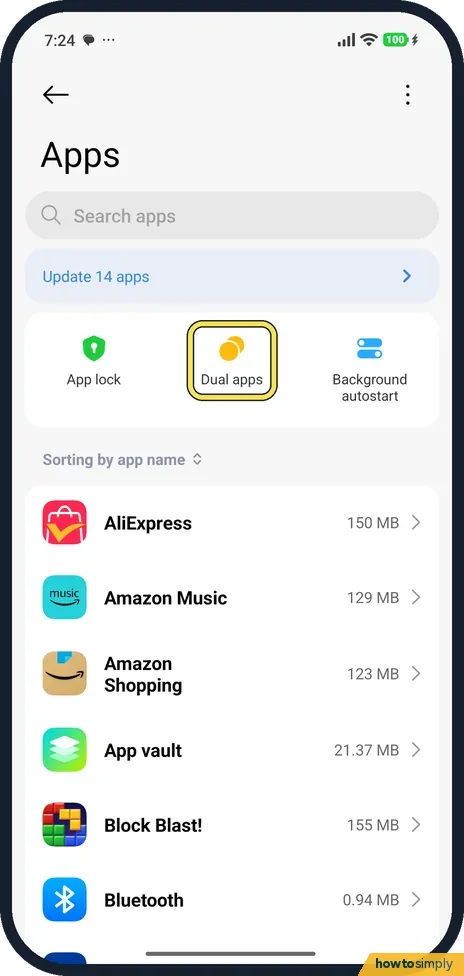
Go to Settings, Apps, and tap Dual apps near the top.
- 2
Tap Create
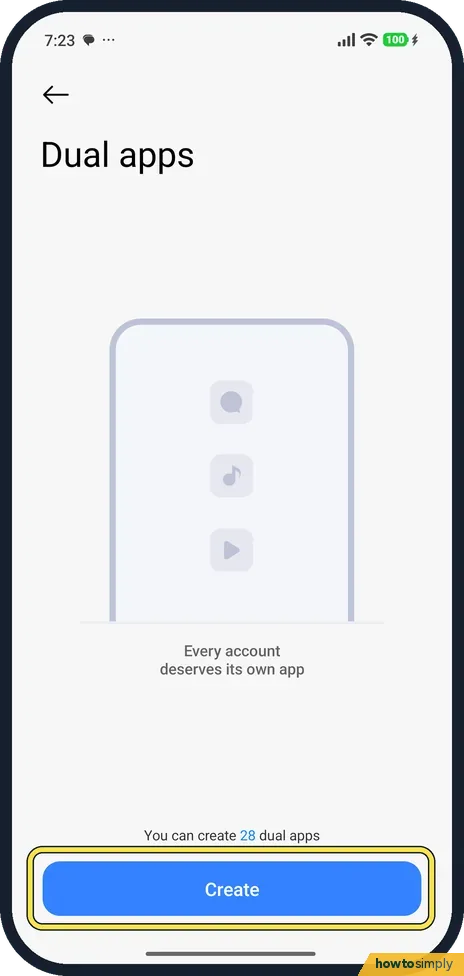
The page says Every account deserves its own app and You can create 28 dual apps. Tap Create.
- 3
Pick the app
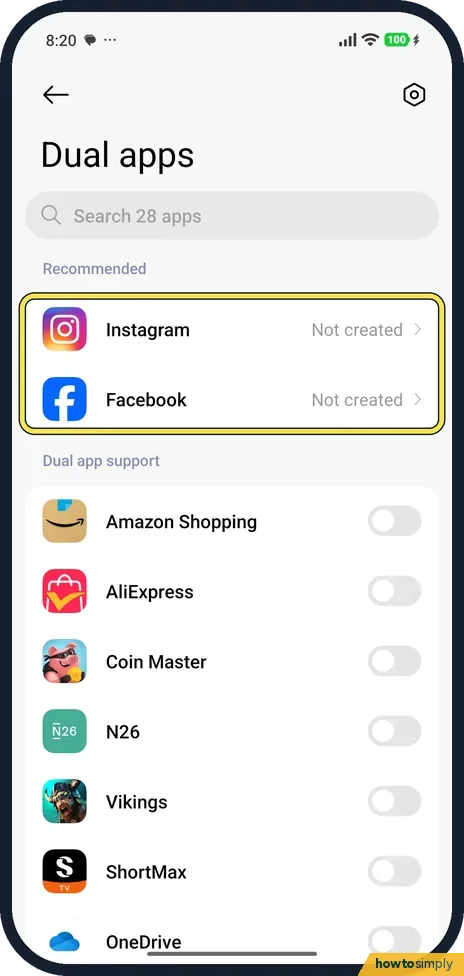
Recommended apps (Instagram and Facebook on ours) said Not created. Below, Dual app support lists the other apps with a switch each. Tap the app you want a copy of. We created none.
- 4
Find Second space
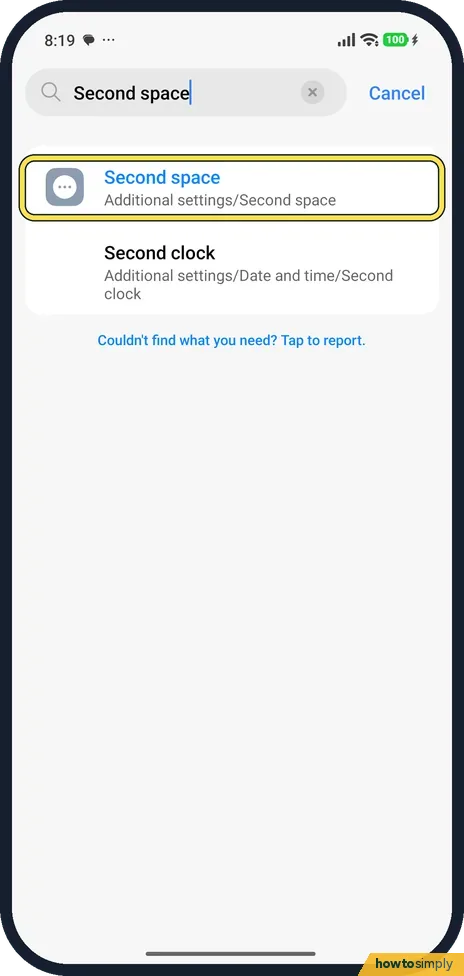
Search Settings for Second space. On ours it was in Additional settings.
- 5
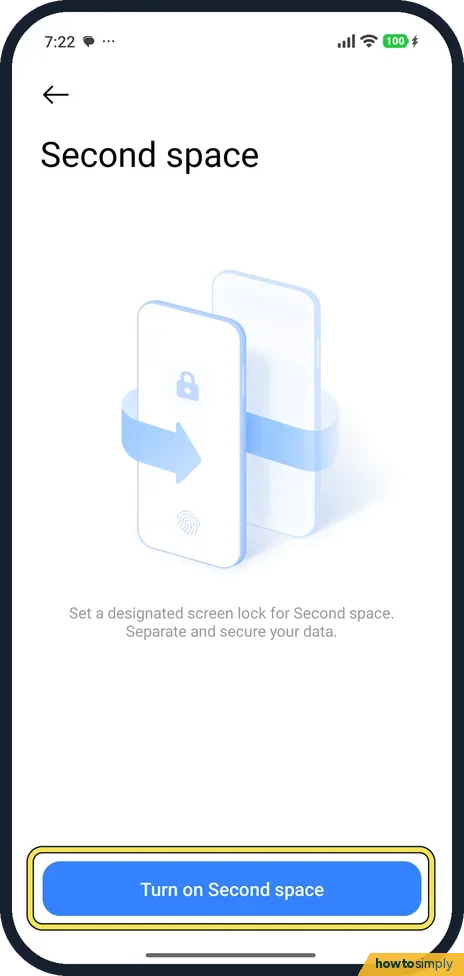
Turn on Second space
Second space says Set a designated screen lock for Second space. Separate and secure your data. Tap Turn on Second space and follow the steps to set its lock.
If you do not see this option
- Second space not in Additional settings? Xiaomi's guide opens it from the Security app instead: Security, Second space. Source: Generic User Guide for HyperOS 3.0
- App not in the Dual apps list? Only some apps can be cloned. Our phone said it could create 28.
If this does not work
- Turn on Second space asks for a lock? The page says Second space needs its own screen lock. Set one that is different from your main lock.
- Two app icons that look the same? The dual app is the copy. Xiaomi says it runs independently with a different account.
- Phone keeps asking which copy to use? That is expected with Dual apps. Xiaomi's user guide says that whenever the system needs an action from an app that has a dual app, such as sharing a photo or opening a link, it asks which of the two to use. Pick the copy signed in to the account you want.
- Second account needs a second number? Messaging apps such as WhatsApp tie each account to one phone number. The dual copy needs a different number that can receive the verification code, for example the second SIM.
Good to know
Lock an app instead: App lock is next to Dual apps in Settings, Apps.
A dual app is a full copy: it has its own sign-in, its own data and its own notifications, and it uses storage like any other app. Removing it deletes only the copy and its data, not the original, so back up anything in the copy first. Second space works like a second phone on the same device. Its screen lock keeps the second space's data apart from yours. Both take storage, and apps running in both spaces can use more battery. For apps you simply want private, rather than doubled, see how to hide apps on a Xiaomi phone.
About this guide
- Device
- Android
- Shown on
- Xiaomi Redmi Note 15 Pro 5G (25080RABDG), HyperOS 3.0.308.0, Android 16
- App
- Settings
- Path
- Settings › Apps › Dual apps › Create
- Real screenshots
- 5 of 5 steps
- Checked
- October 2026
- Sources
- 1 official, linked below
Sources
Links checked October 2026. Menus and features can change with updates.Spotted a mistake? Menus change with updates, and we want every step to match your screen. Email us about this page or use the contact form. We read every report, and fixes are listed on What changed.
Liked this guide?
Follow us for new guides and short how-to videos.
Did this guide work for you?
Sorry about that. What happened?