XIAOMI REDMI
How to recover deleted photos on a Xiaomi phone (HyperOS 3)

In short
Open Gallery, tap the three dots at the top right and tap Recently deleted items. Touch and hold a photo, tap any others you want back, then tap Restore. Our Redmi keeps deleted items for up to 30 days, or up to 60 days in the cloud if they were backed up.
5 of 5 steps show a real screenshot from our Redmi Note 15 Pro 5G. Each step was checked against the maker's own instructions, linked at the end.
Steps
- 1
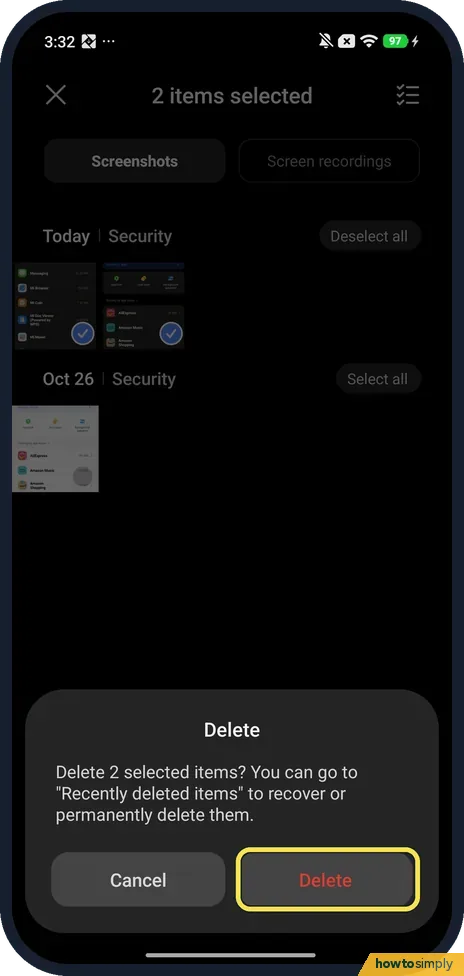
See what Delete says
When you delete photos, Gallery asks first. Ours said: Delete 2 selected items? You can go to "Recently deleted items" to recover or permanently delete them.
- 2
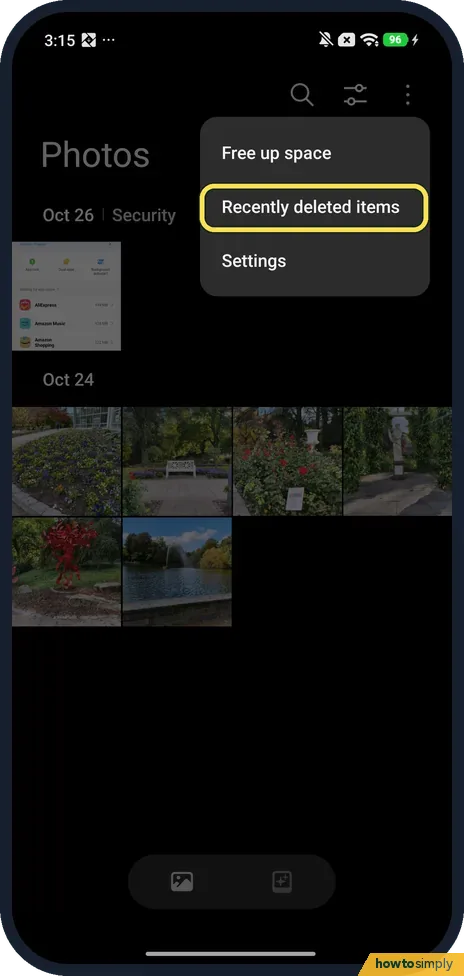
Open Recently deleted items
In Gallery, tap the three dots at the top right, then Recently deleted items. The menu also has Free up space and Settings.
- 3
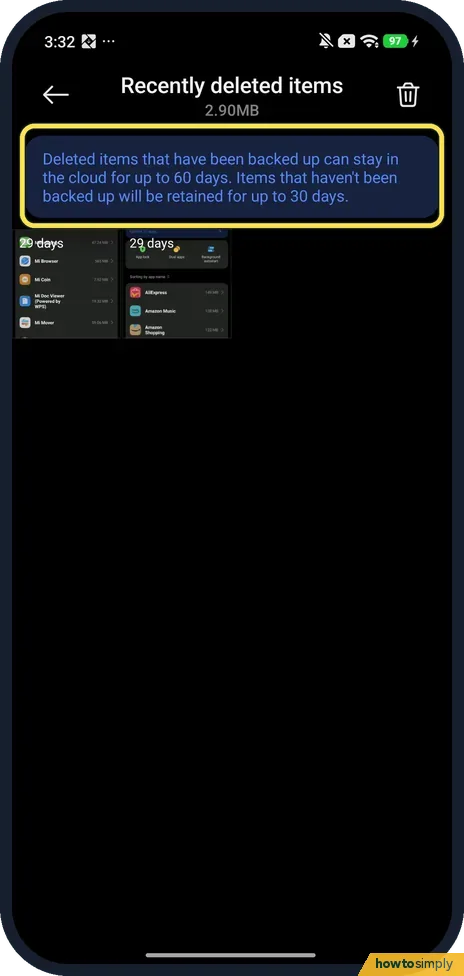
Check the days left
Each item shows the days it has left; both of ours said 29 days. The note says deleted items that have been backed up can stay in the cloud for up to 60 days, and items that haven't been backed up for up to 30 days.
- 4
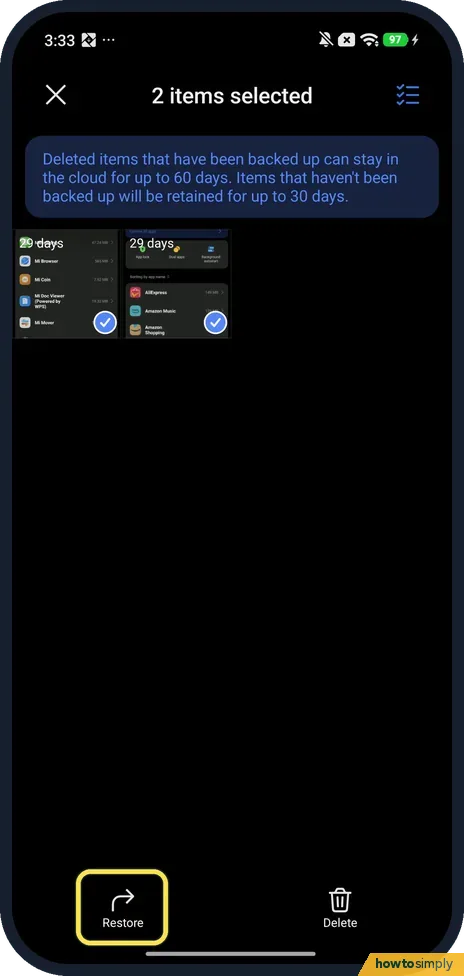
Select the photos and tap Restore
Touch and hold one item, then tap the circle on each of the others. Ours said 2 items selected, with Restore and Delete at the bottom. Tap Restore; Delete would remove them for good.
- 5
Check they are back
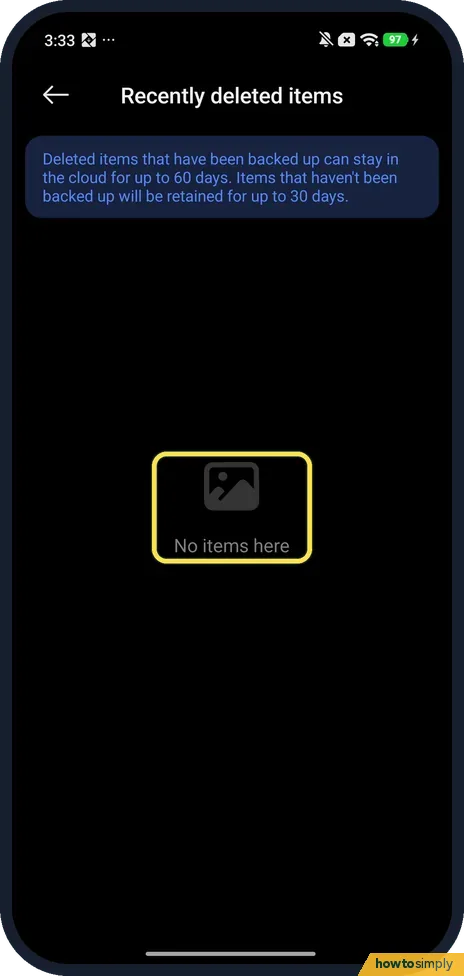
Recently deleted items then said No items here: both screenshots had been restored, so nothing was left in the bin.
If you do not see this option
- No Recently deleted items in the menu? Gallery may first ask to Allow access to your photos. Ours did in October: Set opened the app info, then Permissions, Photos and videos, Always allow all. The menu showed Recently deleted items after that.
- Deleted it in Google Photos instead? Google Photos has its own bin. Google says photos deleted there stay in the bin for 30 days; restore them from Google Photos, not from Xiaomi Gallery. Source: Delete or restore your photos and videos
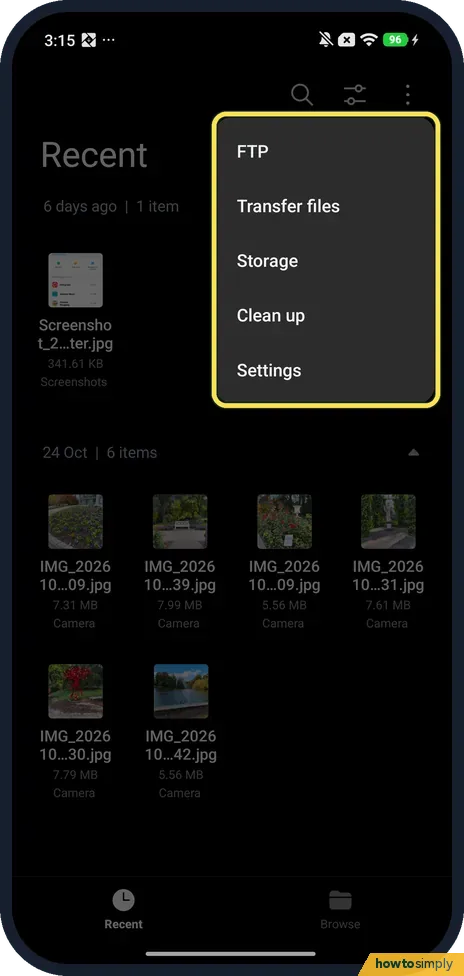
- Looking for a bin in File Manager? We found none. On ours, the File Manager menu had FTP, Transfer files, Storage, Clean up and Settings.
If this does not work
- Not in Recently deleted? It may be older than the days shown, or deleted for good from there. If you back up to Google Photos, check its Bin too.
- Deleted from Recently deleted? Then they are gone from the phone, and only a backup can bring them back: how to back up a Xiaomi phone.
- Photo vanished from Gallery after deleting it in Google Photos? Google says deleting in Google Photos also deletes the same item from the device, and backed-up items go from every device with backup on. Look in the Google Photos bin, not only in Gallery.
- Can't find a photo that was never deleted? It may be in a hidden album. Xiaomi's user guide says hidden albums are viewed from Gallery, Albums, the menu at the top right, Settings, View hidden albums.
- Photo was on a memory card? Google notes that deleted items may remain on a removable memory card and that the device's own gallery app handles them. Check Gallery's Recently deleted items first.
Good to know
Emptying Recently deleted items frees the space they still use: Xiaomi storage full.
A restored photo returns to its original place in Photos, sorted by the date it was taken, not the date you restored it. Its details stay the same. If you use Google Photos backup as well, check it shows up there too; it may need a moment to sync again.
Google says permanently deleted content cannot be recovered, not even with an export of your account. The only safeguard is a backup made beforehand. If you have not set one up, see back up a Xiaomi phone today.
About this guide
- Device
- Android
- Shown on
- Xiaomi Redmi Note 15 Pro 5G (25080RABDG), HyperOS 3.0.309.0, Android 16
- App
- Settings
- Real screenshots
- 5 of 5 steps
- Checked
- October 2026
- Sources
- 2 official, linked below
Sources
Links checked October 2026. Menus and features can change with updates.Spotted a mistake? Menus change with updates, and we want every step to match your screen. Email us about this page or use the contact form. We read every report, and fixes are listed on What changed.
Liked this guide?
Follow us for new guides and short how-to videos.
Did this guide work for you?
Sorry about that. What happened?