
howtosimply.com/guides/how-to-recover-deleted-notes-on-an-iphone/ · Checked October 2026 · iPhone 17e · iOS 27.0.1
In this guide
In Notes, go back to Folders and tap Recently Deleted. Touch and hold the note, tap Move and pick a folder, such as Notes. iOS 27 has no Recover button. Deleted notes are removed after 30 days.
- Device
- iPhone
- Shown on
- iOS 27.0.1 (iPhone 17e)
- App
- Notes
- Path
- Notes › Folders › Recently Deleted › Move
- Real screenshots
- 6 of 6 steps
- Checked
- October 2026
- Sources
- 1 official, linked below
Step by step

A note deleted by mistake
Swiping left on a note shows Share, Move and Delete. Delete sends it to Recently Deleted.
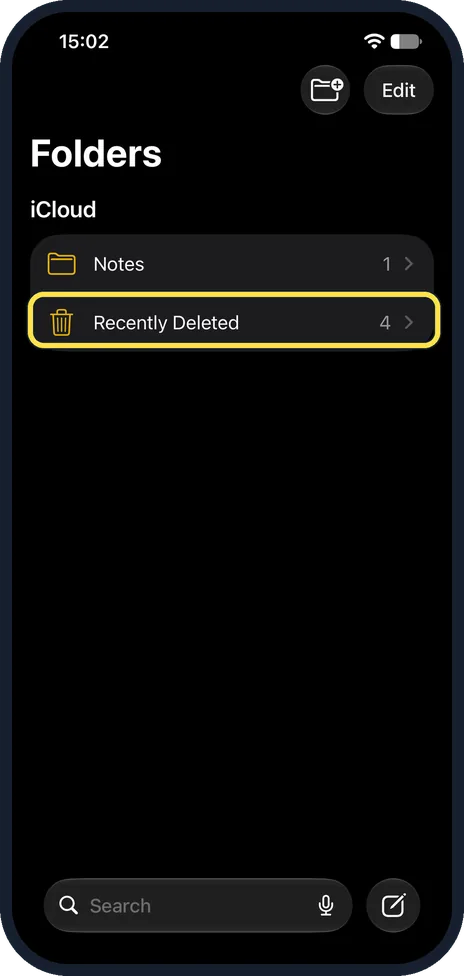
Tap Recently Deleted
Tap the back arrow until you see Folders. Recently Deleted is below Notes, with the number of notes in it.
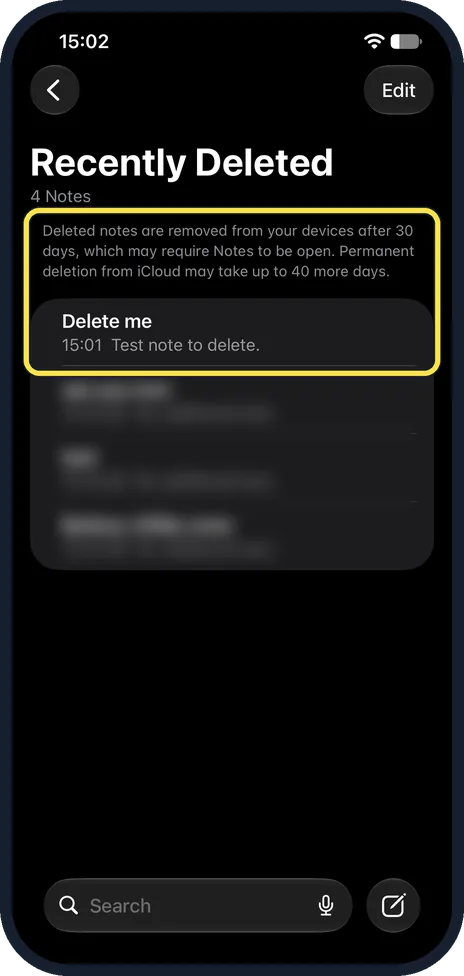
Find the note
The page says deleted notes are removed from your devices after 30 days, which may require Notes to be open, and that deletion from iCloud may take up to 40 more days. Our note had no days-left label.
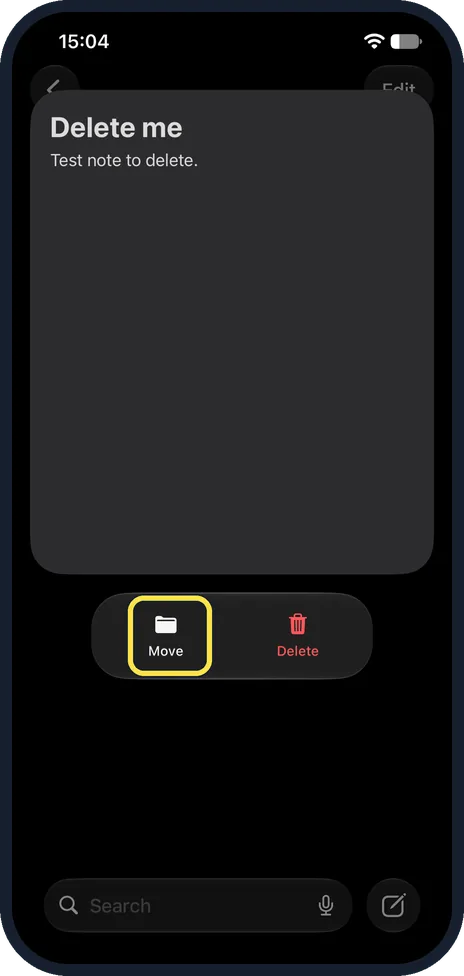
Touch and hold, then tap Move
Touch and hold the note. Ours showed only Move and Delete: there is no Recover button.

Pick a folder
Select a Folder lists your folders under iCloud. We tapped Notes.
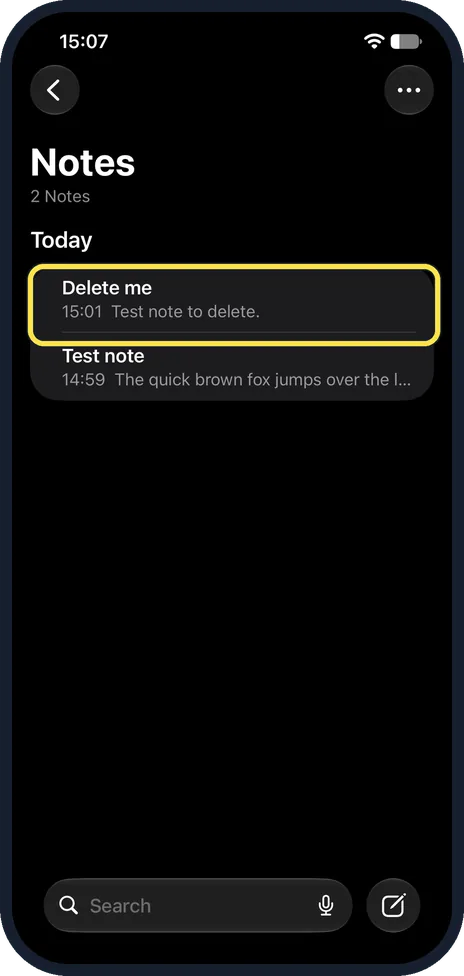
The note is back
It left Recently Deleted and is back in Notes, under Today.
If you do not see this option
- No Recently Deleted folder? Apple says it only shows when there are deleted notes in it, so there is nothing to recover. Source: Delete and recover notes in Notes on iPhone
- Note deleted more than 30 days ago? Apple says notes are permanently removed after 30 days. Only a backup made before that can bring it back. Source: Delete and recover notes in Notes on iPhone
If this does not work
- A shared note is not there? Apple says a shared note you do not own is removed from your list only and does not go to Recently Deleted. Open it again from the shared link. Source: Delete and recover notes in Notes on iPhone
- Want to delete it for good now? In Recently Deleted, swipe left on it and tap Delete. Ours warned that this cannot be undone. Source: Delete and recover notes in Notes on iPhone
About this guide
A deleted note stays in Recently Deleted for 30 days, so it can come back.
The screenshots are from our iPhone 17e with iOS 27.0.1, in Dark mode. We deleted a test note and moved it back. We hid the titles of other deleted notes in our pictures.
Good to know
Notes can also hold recordings: how to record and transcribe audio in Notes.
In short: Notes, Folders, Recently Deleted, touch and hold the note, Move, pick a folder.
Links checked in October 2026. Back up anything you want to keep before you reset or delete. Menus can change after software updates.
Did this guide work for you?
Sorry about that. What happened?