
howtosimply.com/guides/how-to-recover-deleted-messages-on-an-iphone/ · Checked October 2026 · iPhone 17e · iOS 27.0.1
In this guide
In Messages, tap the filter button at the top right and choose Recently Deleted. Tap the conversation, tap Recover, then Recover Messages. Ours said 30 Days, with a note that deletion may take up to 40 days.
- Device
- iPhone
- Shown on
- iOS 27.0.1 (iPhone 17e)
- App
- Messages
- Path
- Messages › Filter › Recently Deleted › Recover
- Real screenshots
- 6 of 6 steps
- Checked
- October 2026
- Sources
- 1 official, linked below
Step by step
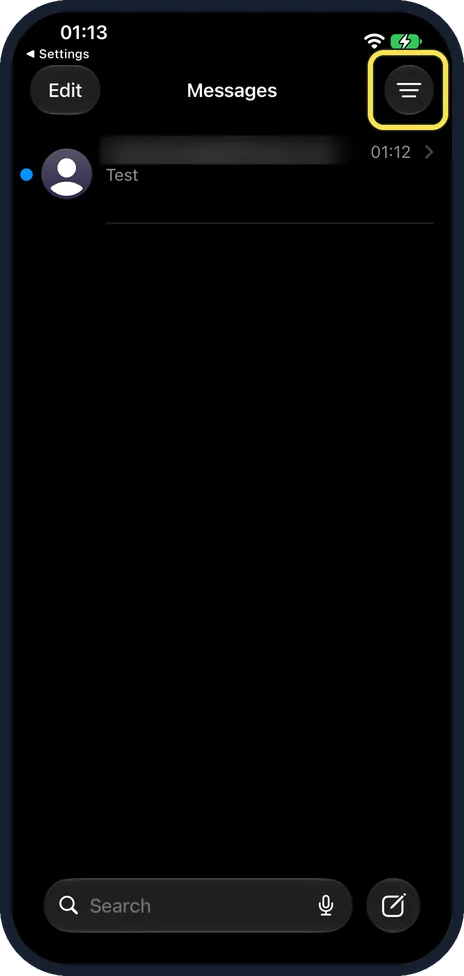
Tap the filter button
The filter button is at the top right of the Messages list.
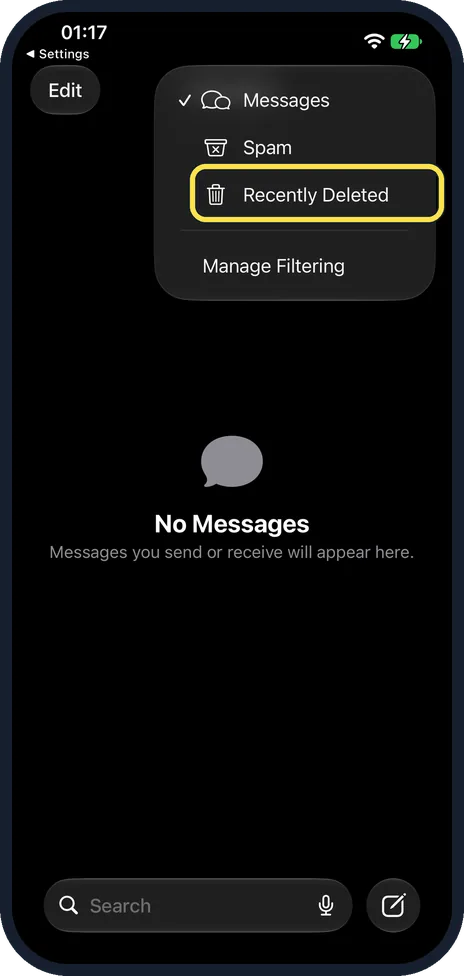
Tap Recently Deleted
Recently Deleted is under Messages and Spam, above Manage Filtering.
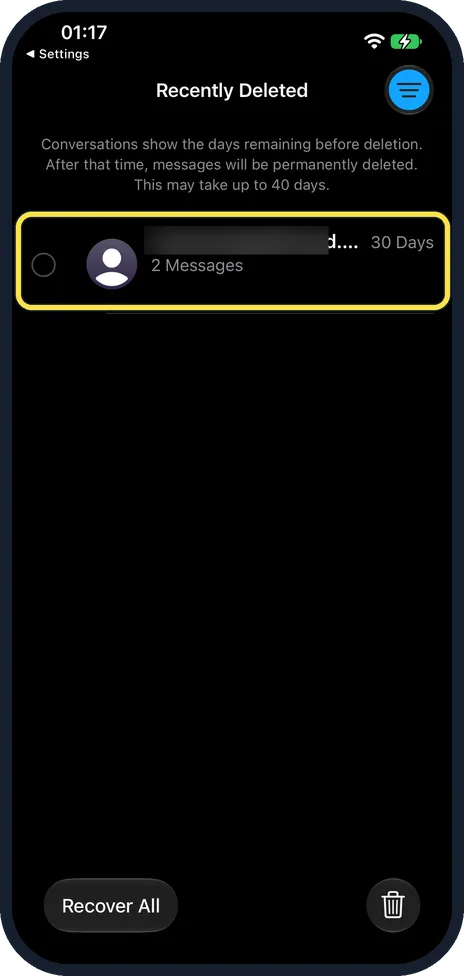
Find the conversation
Each shows the days left: ours said 30 Days and 2 Messages. The note says deletion may take up to 40 days.
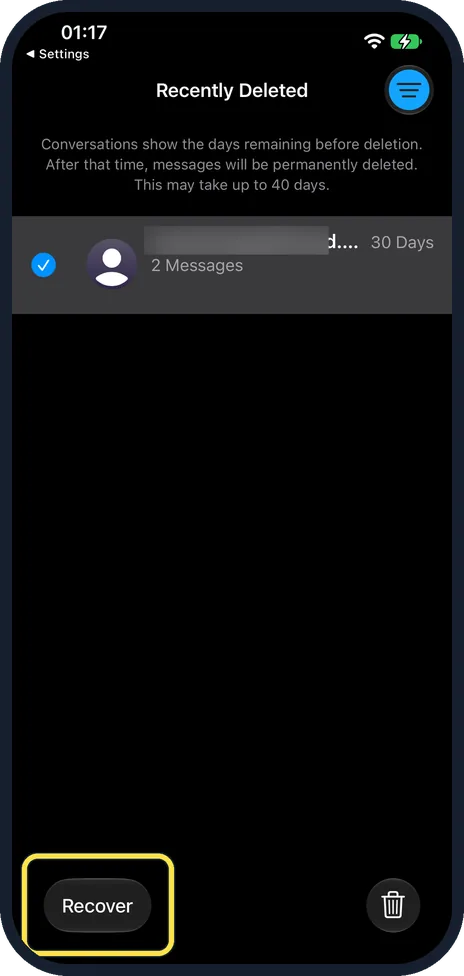
Select it and tap Recover
Tap the conversation so it has a tick, then tap Recover at the bottom left. Recover All does every one.
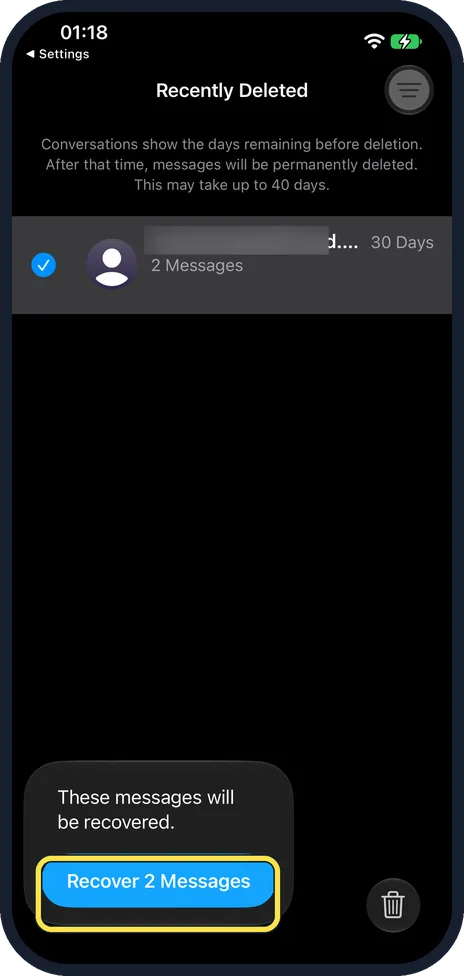
Tap Recover Messages
Ours said These messages will be recovered, with Recover 2 Messages.
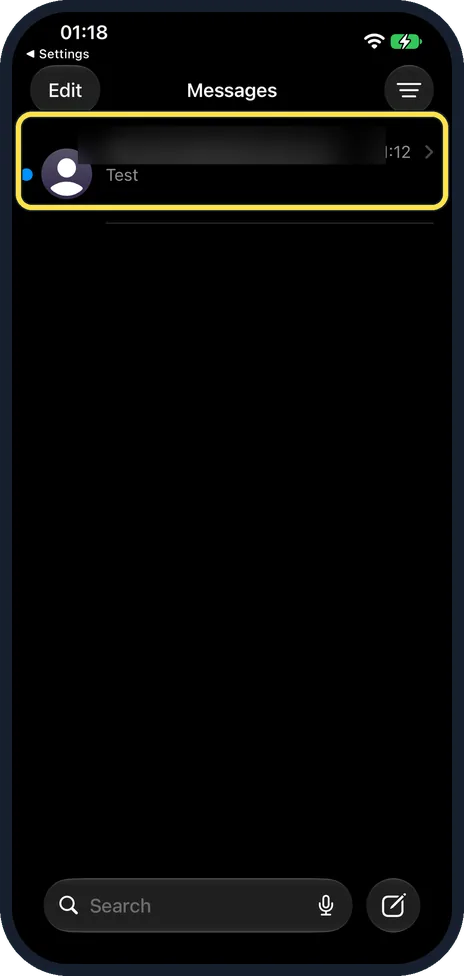
Find it back in Messages
The conversation is back in the main list.
If you do not see this option
- Deleted it just now? Ours confirmed: This conversation will be deleted from all your devices, then said deleted messages are moved to Recently Deleted.
- Older than 30 days? Apple says you can recover messages for up to 30 days. Source: Recover deleted messages in Messages on iPhone
If this does not work
- No Recently Deleted in the menu? Tap the filter button at the top right of the main list, not inside a chat.
- Gone from your other devices too? Apple says with Messages in iCloud, recovering on the iPhone recovers it on all your devices. Source: Recover deleted messages in Messages on iPhone
About this guide
Deleted conversations wait in Recently Deleted for about 30 days before they go for good.
The screenshots are from our iPhone 17e with iOS 27.0.1, in Dark mode. We deleted and recovered a test chat sent to our own account; its name is blurred.
Good to know
To stop unwanted senders, see how to block someone in Messages on an iPhone.
In short: Messages, filter button, Recently Deleted, tap the chat, Recover, Recover Messages.
Links checked in October 2026. Back up anything you want to keep before you reset or delete. Menus can change after software updates.
Did this guide work for you?
Sorry about that. What happened?