
howtosimply.com/guides/how-to-import-contacts-from-a-vcf-file-on-an-iphone/ · Checked October 2026 · iPhone 17e · iOS 27.0.1
In this guide
Open the .vcf file in Files, tap the share button at the top right and choose Contacts. A card opens: tap Save, or Create New Contact. The preview itself has no Add button. Import SIM Contacts in Settings, Apps, Contacts did nothing on our iPhone 17e, which has no SIM.
- Device
- iPhone
- Shown on
- iOS 27.0.1 (iPhone 17e)
- App
- Files
- Path
- Files › .vcf file › Share › Contacts › Save
- Real screenshots
- 5 of 5 steps
- Checked
- October 2026
- Sources
- 1 official, linked below
Step by step
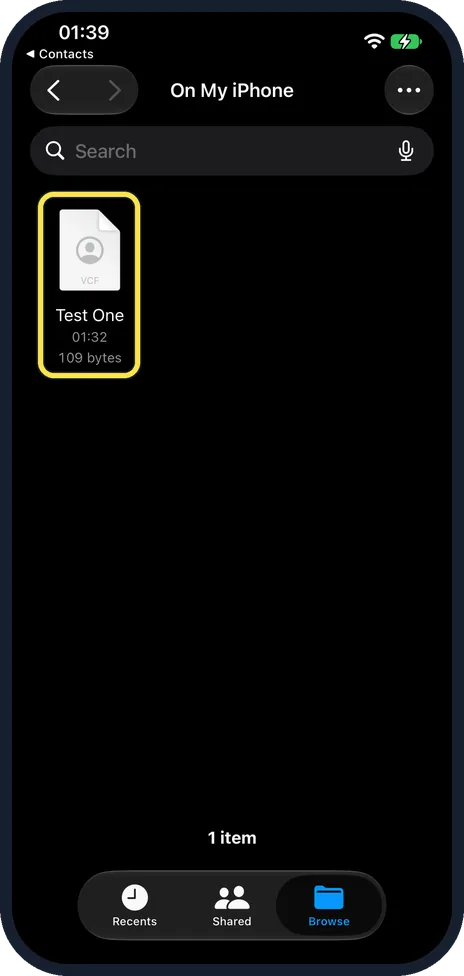
Tap the .vcf file
Ours, Test One, 109 bytes, was in Files, On My iPhone.
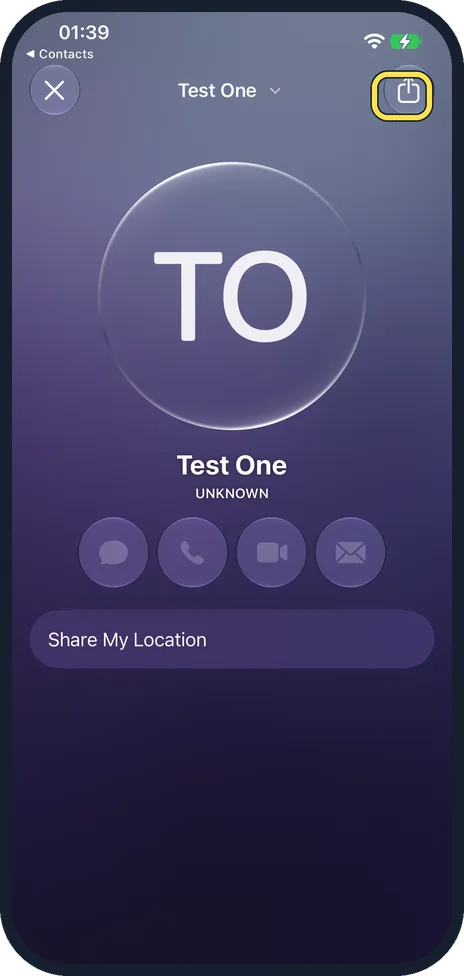
Tap the share button
The preview shows the card with no Add button. Tap the share button at the top right.
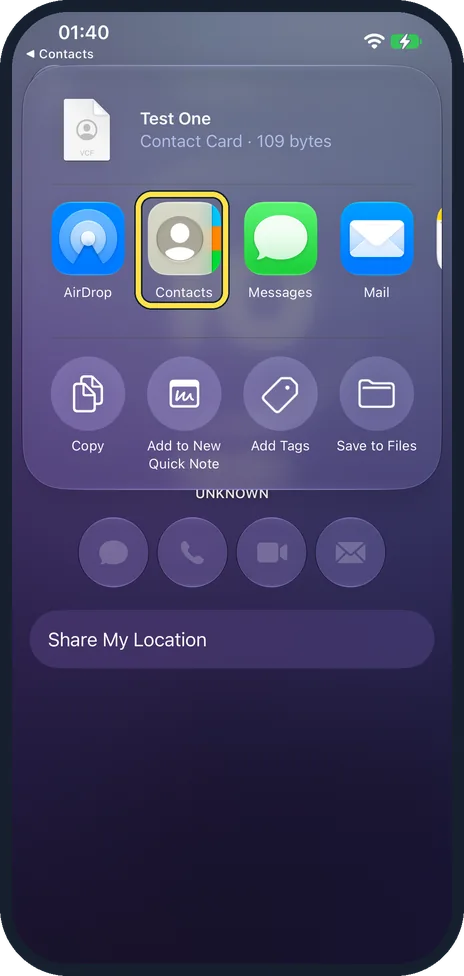
Tap Contacts
Contacts is in the row of apps, after AirDrop.
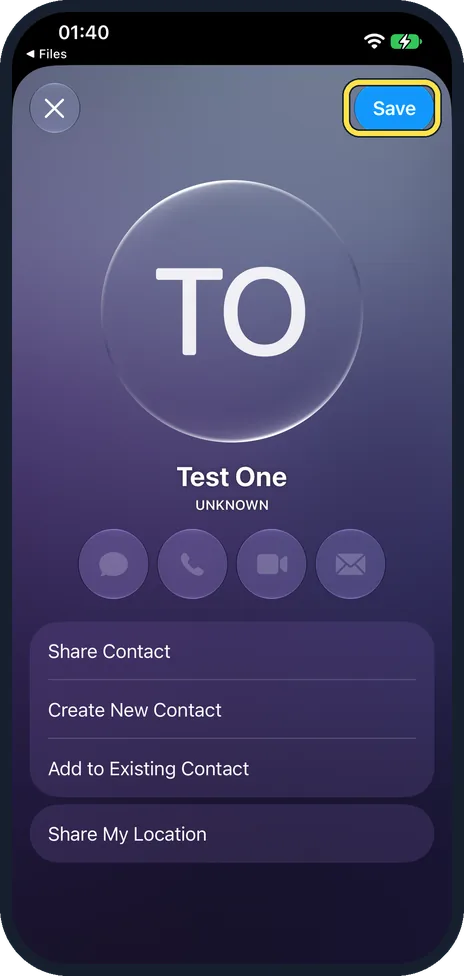
Tap Save
The card has Save at the top right, plus Create New Contact and Add to Existing Contact further down.
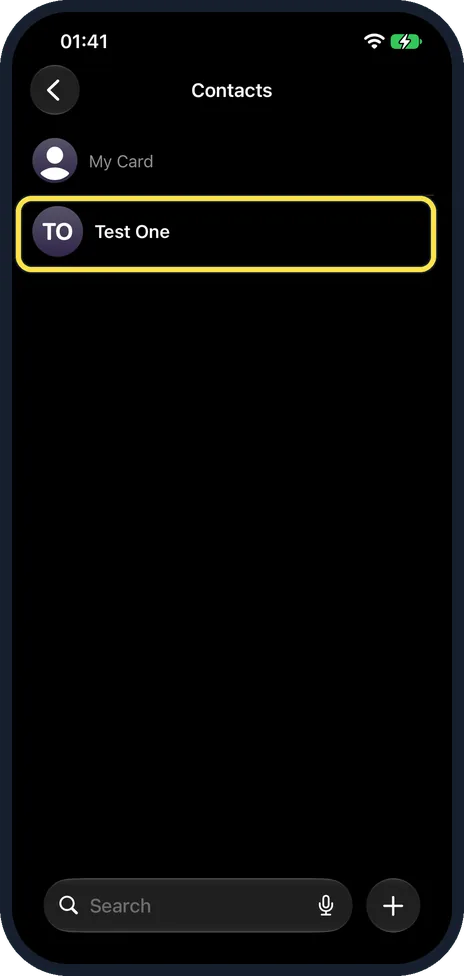
Check Contacts
Test One is now in the list.
If you do not see this option
- From an email or message? Apple says to tap the .vcf attachment. Source: Import contacts on iPhone
- From a SIM card? Apple says Settings, Apps, Contacts, Import SIM Contacts. Ours had no SIM and nothing happened when we tapped it. Source: Import contacts on iPhone
If this does not work
- Only one contact saved? If the file holds several, scroll the card for an add-all choice, or import them on a computer at iCloud.com.
- Duplicates? Use Add to Existing Contact instead of Save.
About this guide
A .vcf file (vCard) holds one or more contacts, often sent from another phone or exported from a computer.
The screenshots are from our iPhone 17e with iOS 27.0.1, in Dark mode. We imported a test contact, Test One, and deleted it afterwards.
Good to know
To make a .vcf file, see how to export contacts from an iPhone.
In short: Files, tap the .vcf, share button, Contacts, Save.
Links checked in October 2026. Menus and features can change after software updates. These steps match the version named at the top.
Did this guide work for you?
Sorry about that. What happened?