XIAOMI REDMI
How to open the privacy dashboard on a Xiaomi phone (HyperOS 3)

In short
We found no menu row for it on ours: search Settings for dashboard, tap Privacy dashboard, then Privacy dashboard again on the Privacy page. It shows which apps used Location, Camera and Microphone in the past 24 hours. Settings, Privacy protection lists apps by permission.
7 of 7 steps show a real screenshot from our Redmi Note 15 Pro 5G. Each step was checked against the maker's own instructions, linked at the end.
Steps
- 1
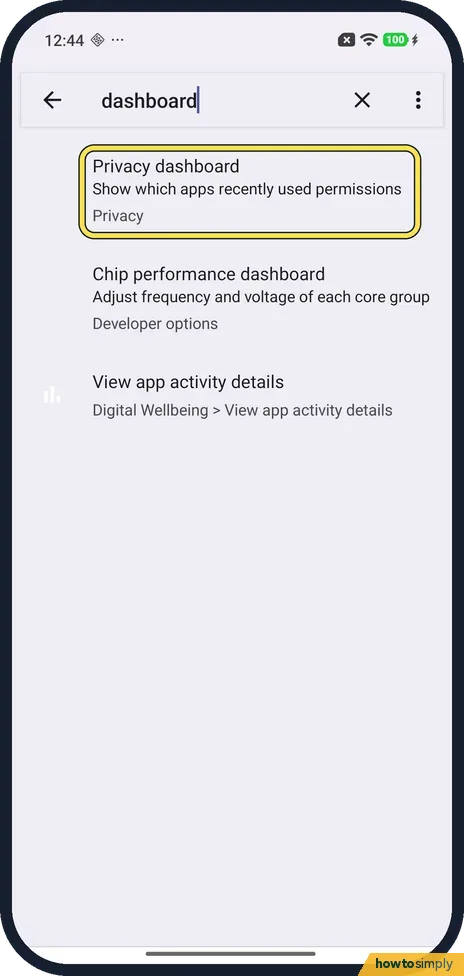
Search Settings for dashboard
Open Settings and type dashboard in the search box. We found no row in the main Settings list that leads to it. Tap the Privacy dashboard result: Show which apps recently used permissions, under Privacy.
- 2
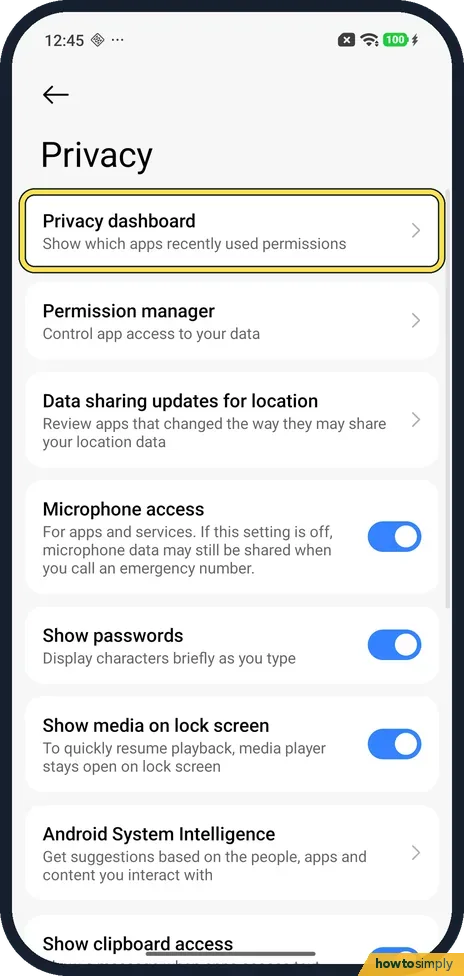
Tap Privacy dashboard
A page called Privacy opens. Privacy dashboard is the first row; tap it. The same page has Permission manager and a Microphone access switch.
- 3
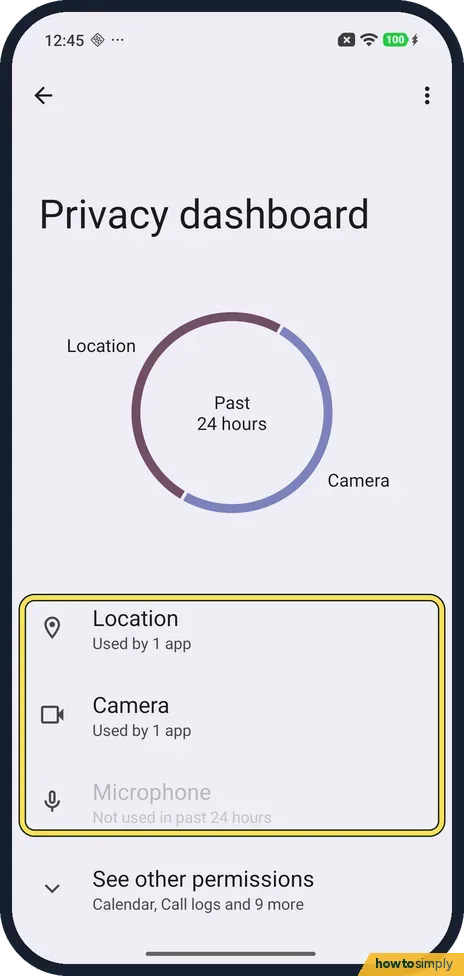
Check the past 24 hours
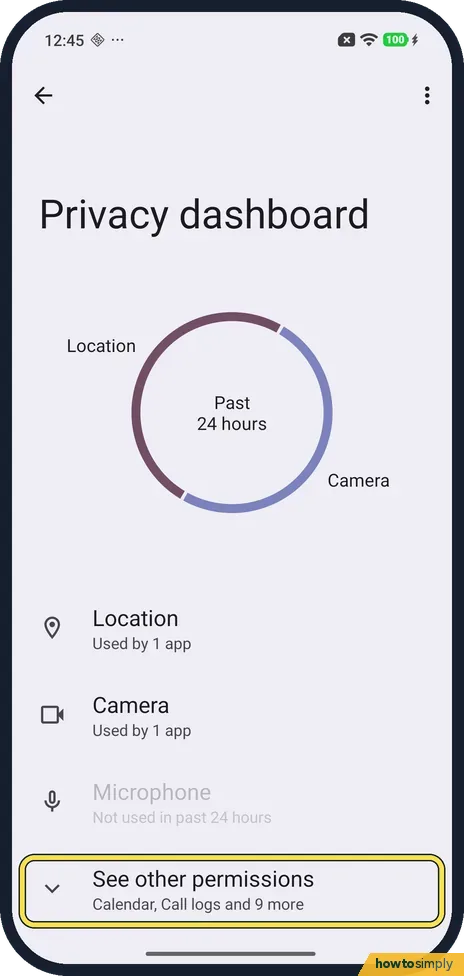
A ring at the top says Past 24 hours. Below it, ours showed Location: Used by 1 app, Camera: Used by 1 app, and Microphone: Not used in past 24 hours, in grey.
- 4
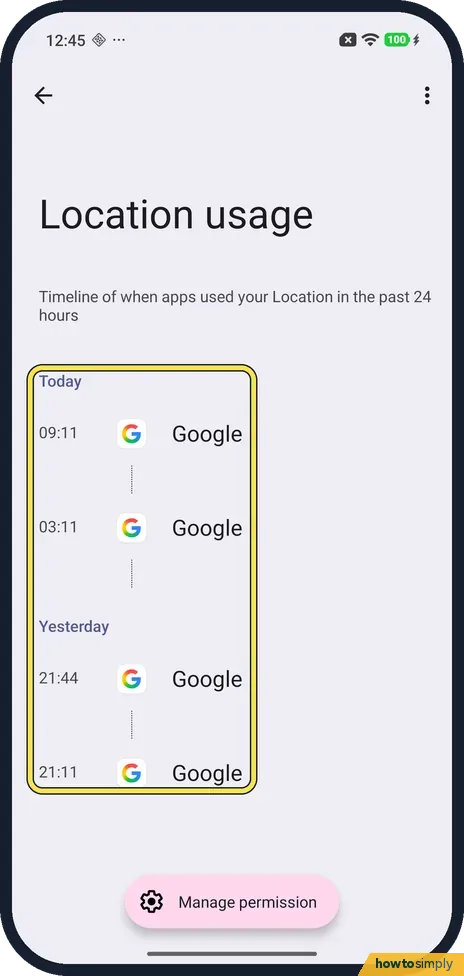
Tap Location for the timeline
Tap Location. Location usage is a timeline of when apps used your Location in the past 24 hours. Ours listed Google at 09:11 and 03:11 today, and at 21:44 and 21:11 yesterday. A Manage permission button floats at the bottom; we did not tap it.
- 5
See other permissions
Go back to the dashboard. See other permissions at the bottom names the rest: Calendar, Call logs and 9 more on ours. We did not open it.
- 6
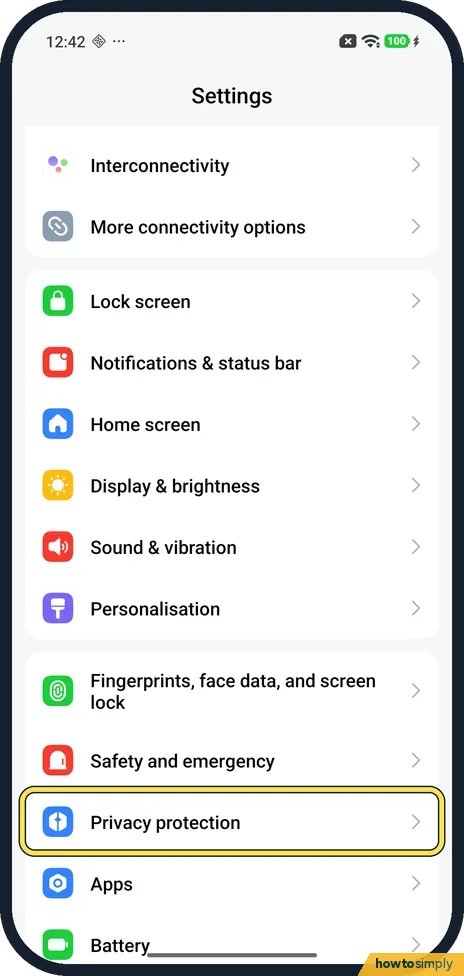
Or open Privacy protection
For apps listed by permission instead, go back to the main Settings list and tap Privacy protection.
- 7
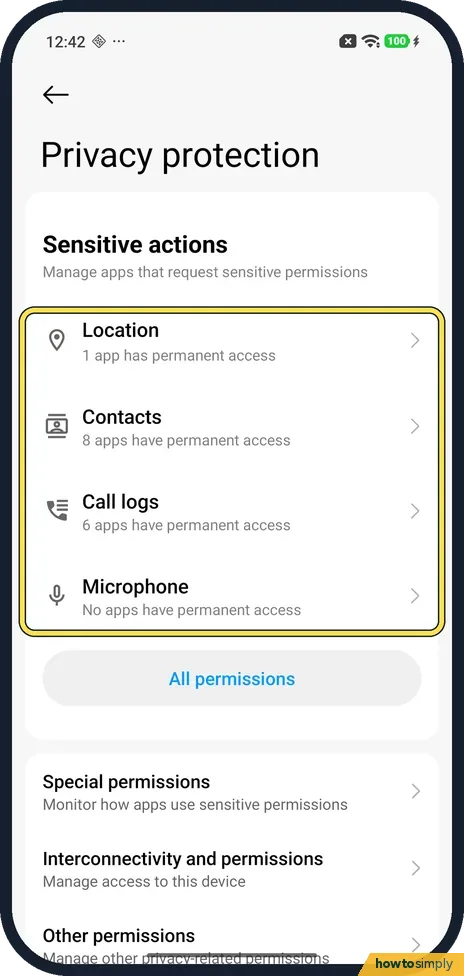
Check Sensitive actions
Sensitive actions lists Location, Contacts, Call logs and Microphone, with how many apps have permanent access: 1 app, 8 apps, 6 apps and no apps on ours. All permissions below opens the full list. This page has no usage history.
If you do not see this option
- No Security & privacy row? Xiaomi's guide says Settings, Security & privacy, then Privacy dashboard in Privacy, and that it may not be on some models. Ours has Privacy protection instead, and we found no row leading to the dashboard: search for dashboard. Source: Generic User Guide for HyperOS 3.0
- Searched for permission history? Ours found No results. Search for dashboard instead.
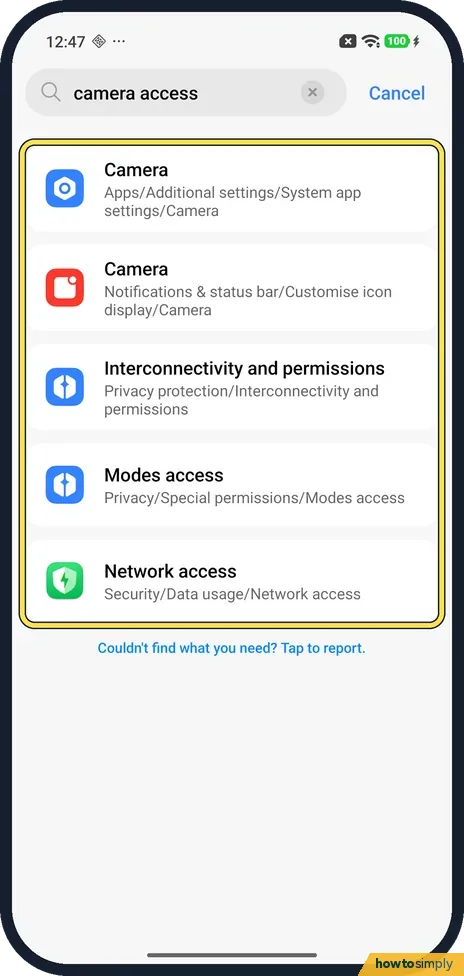
- No Camera access switch? We searched Settings for camera access. Ours found two Camera rows (the Camera app's settings and its status bar icon), Interconnectivity and permissions, Modes access and Network access, but no Camera access switch.
If this does not work
- Want to block the camera for every app? Our Redmi with HyperOS 3.0.308 has no Camera access switch in Settings: not in search, and not on the Privacy page, which has Microphone access only. Set the camera app by app instead: change app permissions on a Xiaomi phone.
- Want to stop an app using a permission? Xiaomi's guide says to tap a permission to see the timeline. To change an app's access, use All permissions on Privacy protection: change app permissions.
- Lost the Privacy page? We found no row in the main Settings list that opens it. Search Settings for dashboard again and tap the Privacy dashboard result.
Good to know
Turn location off, or see which apps have it: change location settings on a Xiaomi phone. Change one app's camera or mic: change app permissions.
On a Pixel the dashboard has its own row, and there is a Camera access switch too: use the privacy dashboard on a Pixel, turn off camera and microphone access on a Pixel.
About this guide
- Device
- Android
- Shown on
- Xiaomi Redmi Note 15 Pro 5G (25080RABDG), HyperOS 3.0.308.0, Android 16
- App
- Settings
- Path
- Settings › Search: dashboard › Privacy dashboard
- Real screenshots
- 7 of 7 steps
- What we did
- Observed: looked at each screen, changed nothing
- Checked
- October 2026
- Sources
- 2 official, linked below
Sources
Links checked October 2026. Menus and features can change with updates.Spotted a mistake? Menus change with updates, and we want every step to match your screen. Email us about this page or use the contact form. We read every report, and fixes are listed on What changed.
Liked this guide?
Follow us for new guides and short how-to videos.
Did this guide work for you?
Sorry about that. What happened?