In this guide
In Finder, Control-click the file or folder in iCloud Drive and choose Keep Downloaded. To keep everything, open System Settings, your name, iCloud, Drive and turn off Optimize Mac Storage.
- Device
- Mac
- Shown on
- macOS 27.0.1 (MacBook Neo)
- App
- Finder
- Path
- Finder › iCloud Drive › Keep Downloaded
- Real screenshots
- 4 of 4 steps
- Checked
- October 2026
- Sources
- 2 official, linked below
Step by step
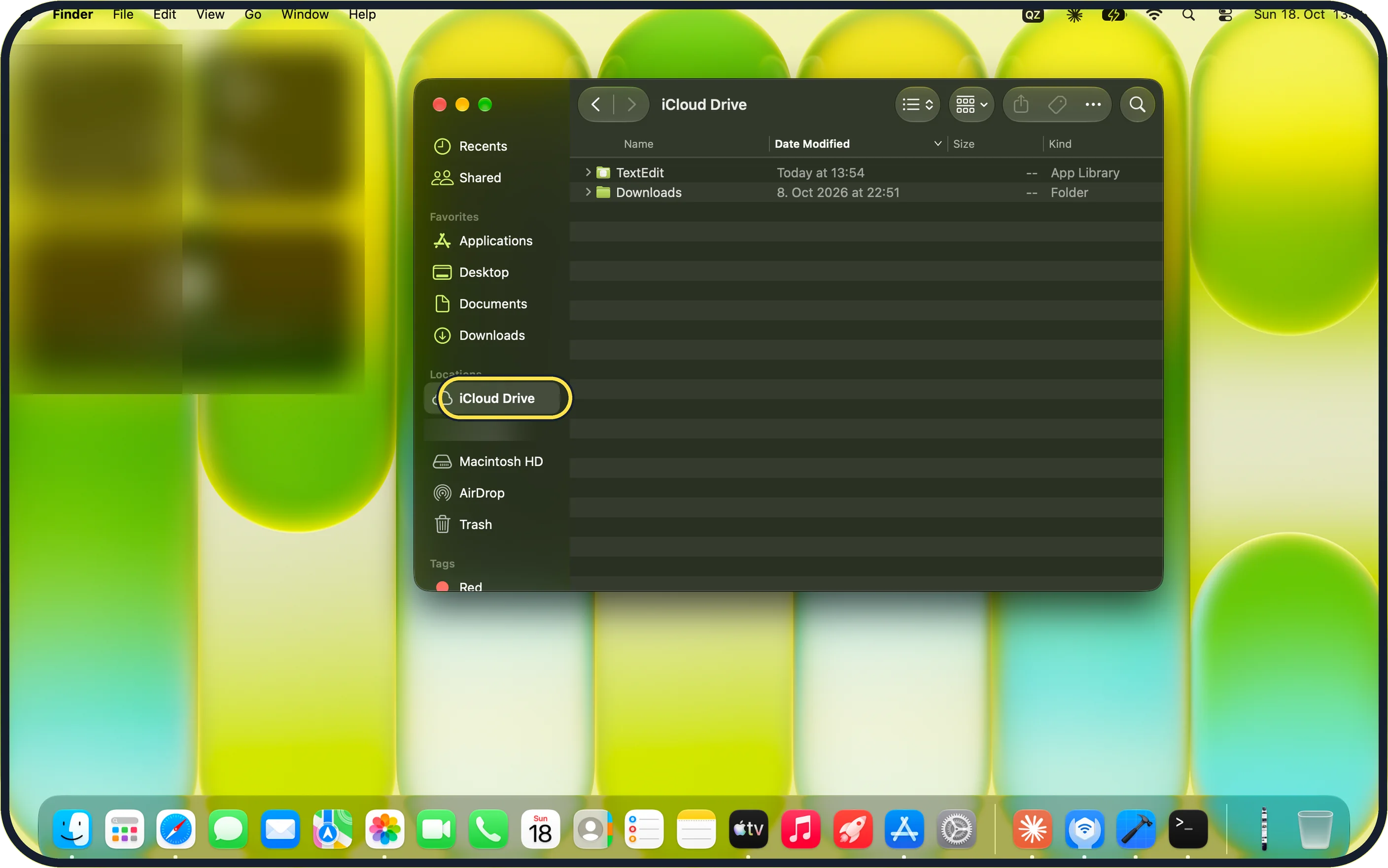
Tap the picture to see it full size Open iCloud Drive in Finder
It is under Locations in the Finder sidebar.
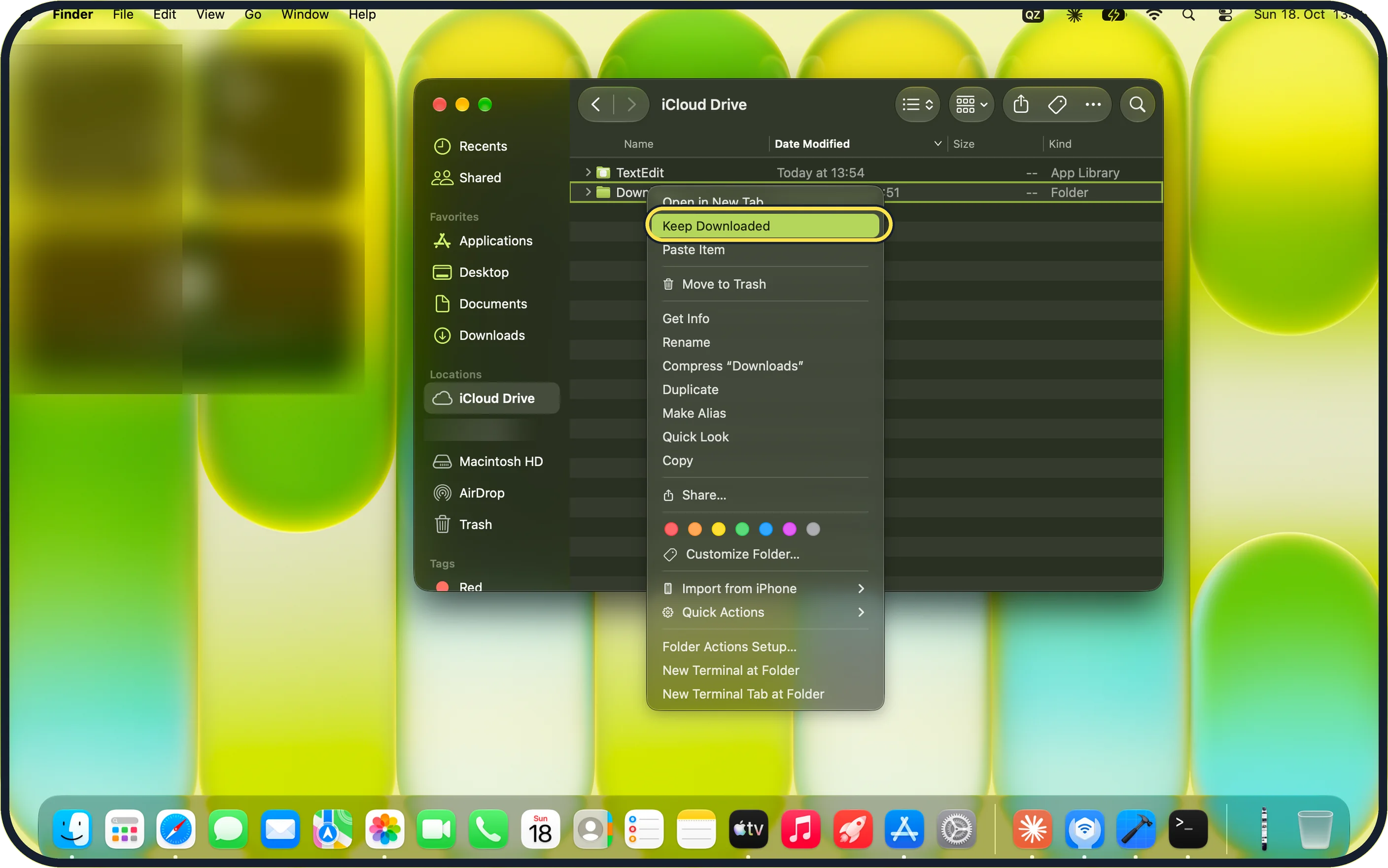
Tap the picture to see it full size Choose Keep Downloaded
Control-click the file or folder. Keep Downloaded is near the top of the menu.
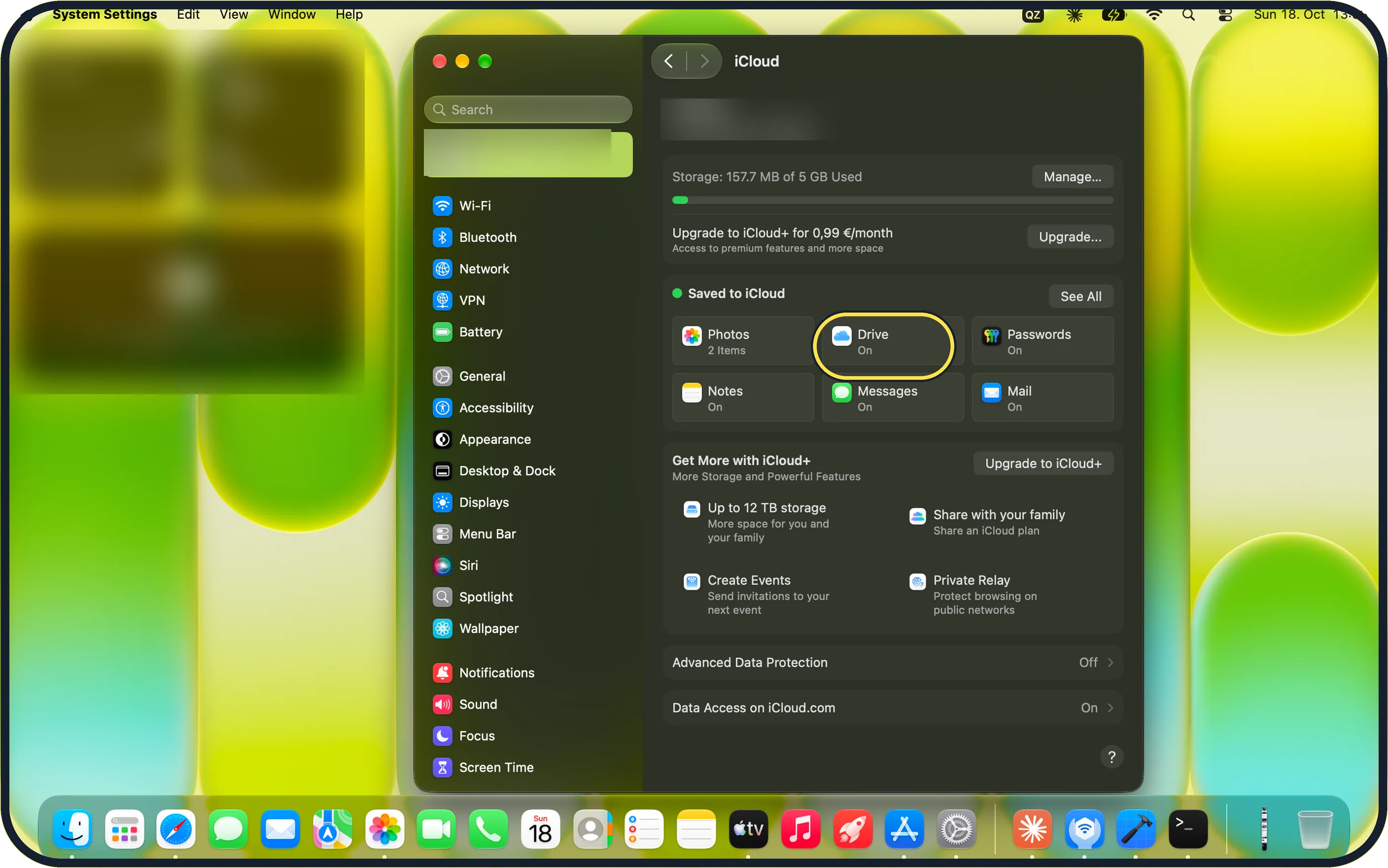
Tap the picture to see it full size Open iCloud settings
For all files: System Settings, your name, iCloud, then Drive.
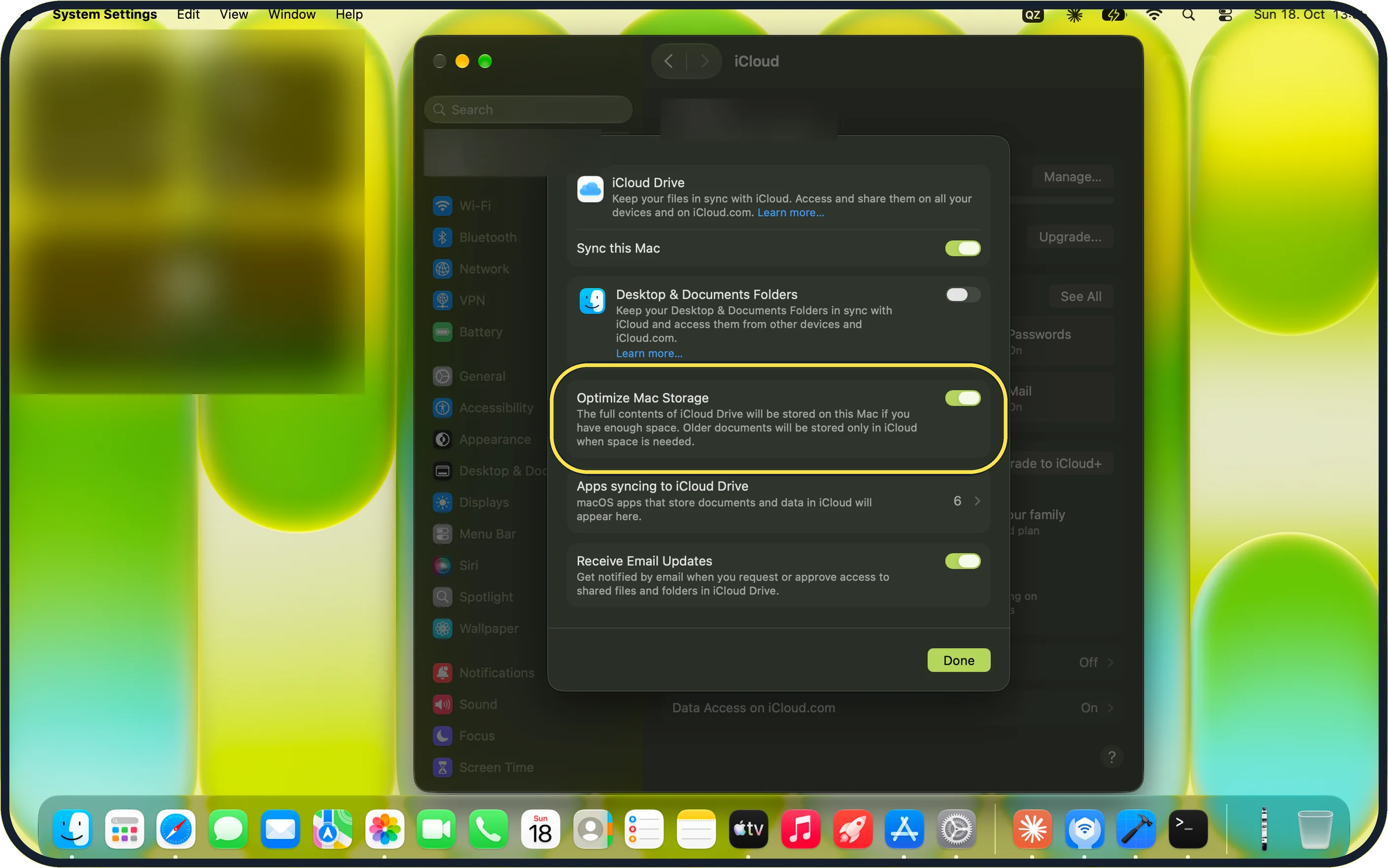
Tap the picture to see it full size Turn off Optimize Mac Storage
Ours was on, with Sync this Mac on and Desktop & Documents Folders off. Off keeps the full contents of iCloud Drive on the Mac, if there is space.
If you do not see this option
- No Keep Downloaded? It is only for items in iCloud Drive. Files on the Mac itself are already local.
- No iCloud Drive in Finder? Turn on Sync this Mac in System Settings, your name, iCloud, Drive (the page in step 4).
- Still not in the sidebar? In Finder, choose Finder, Settings, Sidebar and tick iCloud Drive.
If this does not work
- Cloud icon will not download? Check the internet connection first.
- iCloud storage full? Apple says to upgrade your storage or remove items you do not need from iCloud. Source: Manage iCloud storage on Mac
- Mac storage full? With Optimize Mac Storage off, every file needs room on the Mac. Check Storage first.
About this guide
With Optimize Mac Storage on, old files can turn into cloud icons that need the internet to open.
The screenshots are from our MacBook Neo with macOS 27.0.1, taken on 18 October 2026. We blurred names.
Good to know
Check and free up storage on a Mac.
In short: Finder, iCloud Drive, Control-click, Keep Downloaded. All files: Optimize Mac Storage off.
Links checked in October 2026. Menus and features can change after software updates. These steps match the version named at the top.
Did this guide work for you?
Sorry about that. What happened?