
howtosimply.com/guides/how-to-play-mkv-files-on-a-mac/ · Checked October 2026 · MacBook Neo · macOS 27.0.1
In this guide
QuickTime Player can't open MKV files: ours said The file isn't compatible with QuickTime Player. Install the free VLC from videolan.org, then right-click the file and choose Open With, VLC. IINA works too.
6 of 6 steps with real screenshots · 2 official sources below
- Device
- Mac
- Shown on
- macOS 27.0.1 (MacBook Neo)
- App
- VLC
- Real screenshots
- 6 of 6 steps
- Checked
- October 2026
- Sources
- 2 official, linked below
Step by step
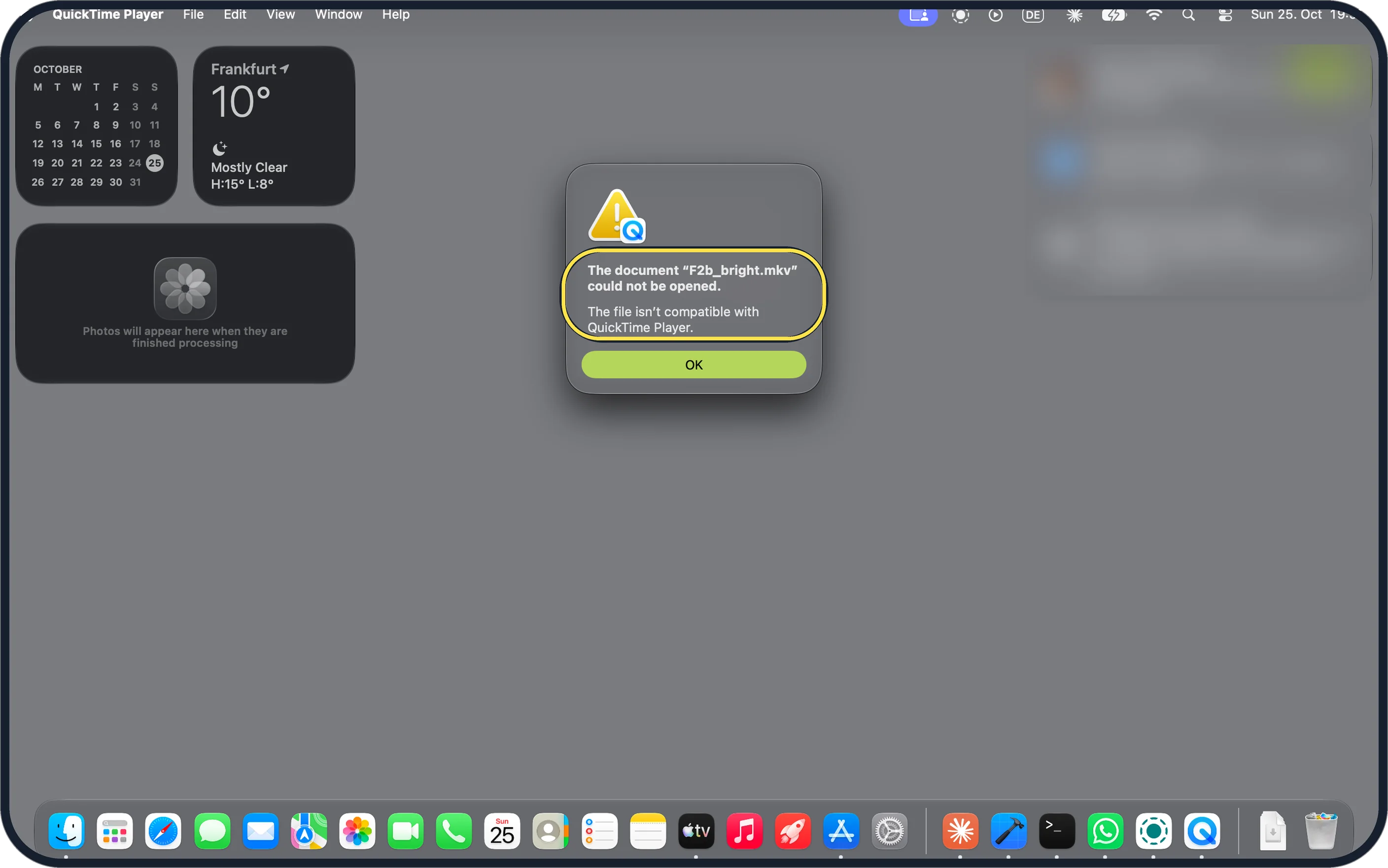
Zoomed in on the setting. Tap to see the whole screenTap the picture to see it full size See why QuickTime won't open it
Double-click the MKV. Ours said: The document "F2b_bright.mkv" could not be opened. The file isn't compatible with QuickTime Player. Click OK.
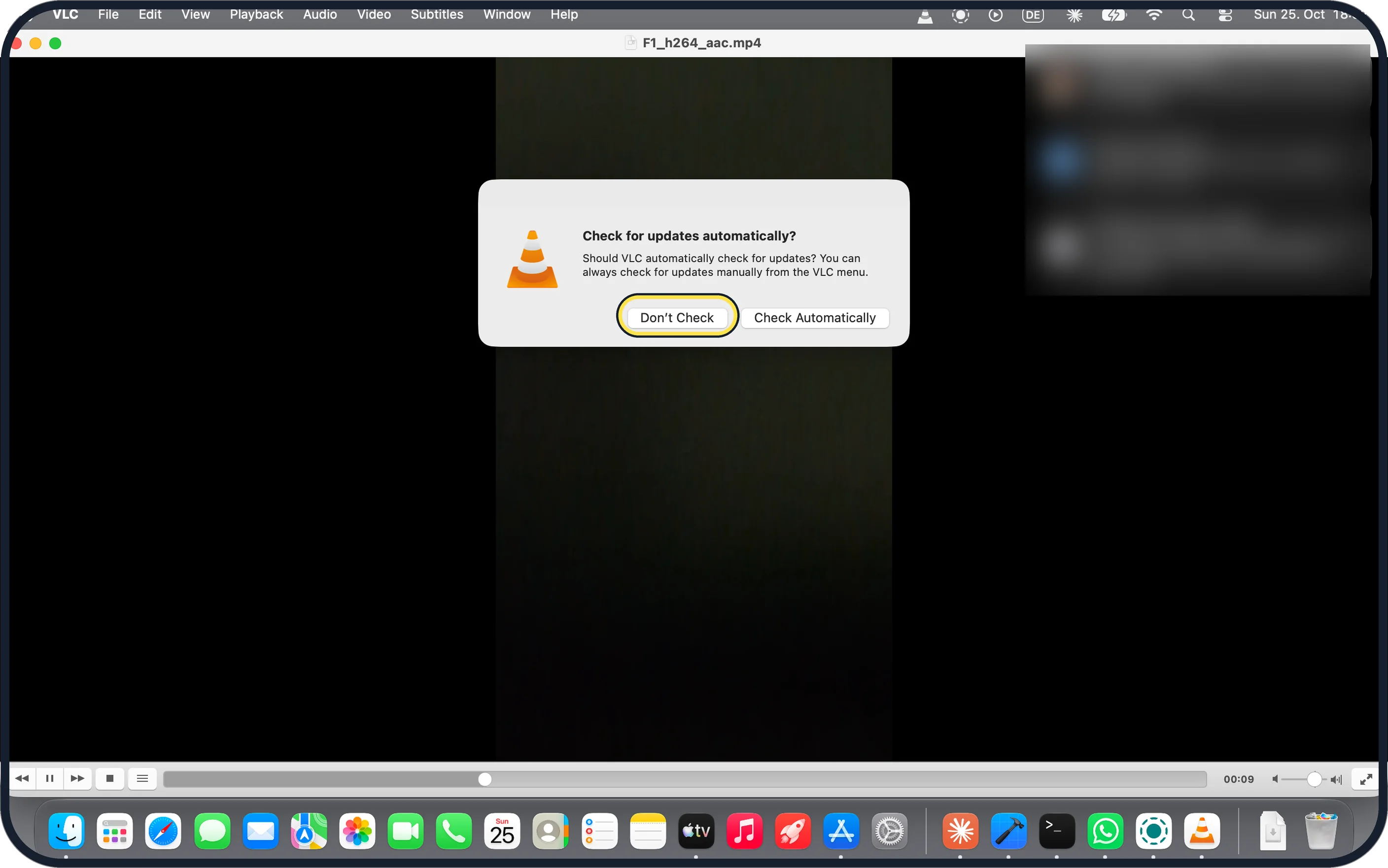
Zoomed in on the setting. Tap to see the whole screenTap the picture to see it full size Install VLC and open it once
Download VLC from videolan.org and drag it to Applications. On first launch ours asked Check for updates automatically?: either answer is fine.
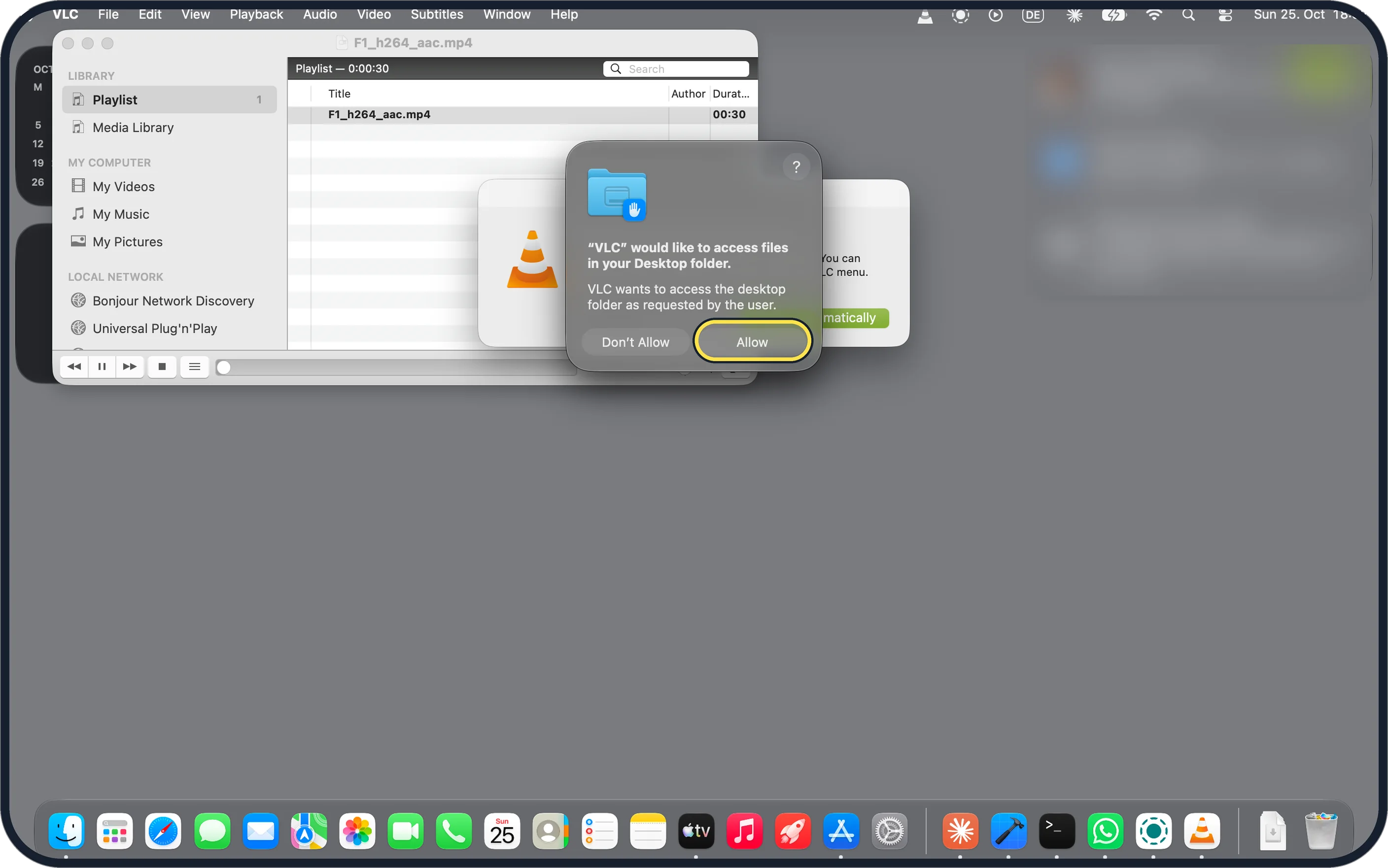
Zoomed in on the setting. Tap to see the whole screenTap the picture to see it full size Allow access to the folder
Opening a file from the Desktop, macOS asked: "VLC" would like to access files in your Desktop folder. Click Allow.
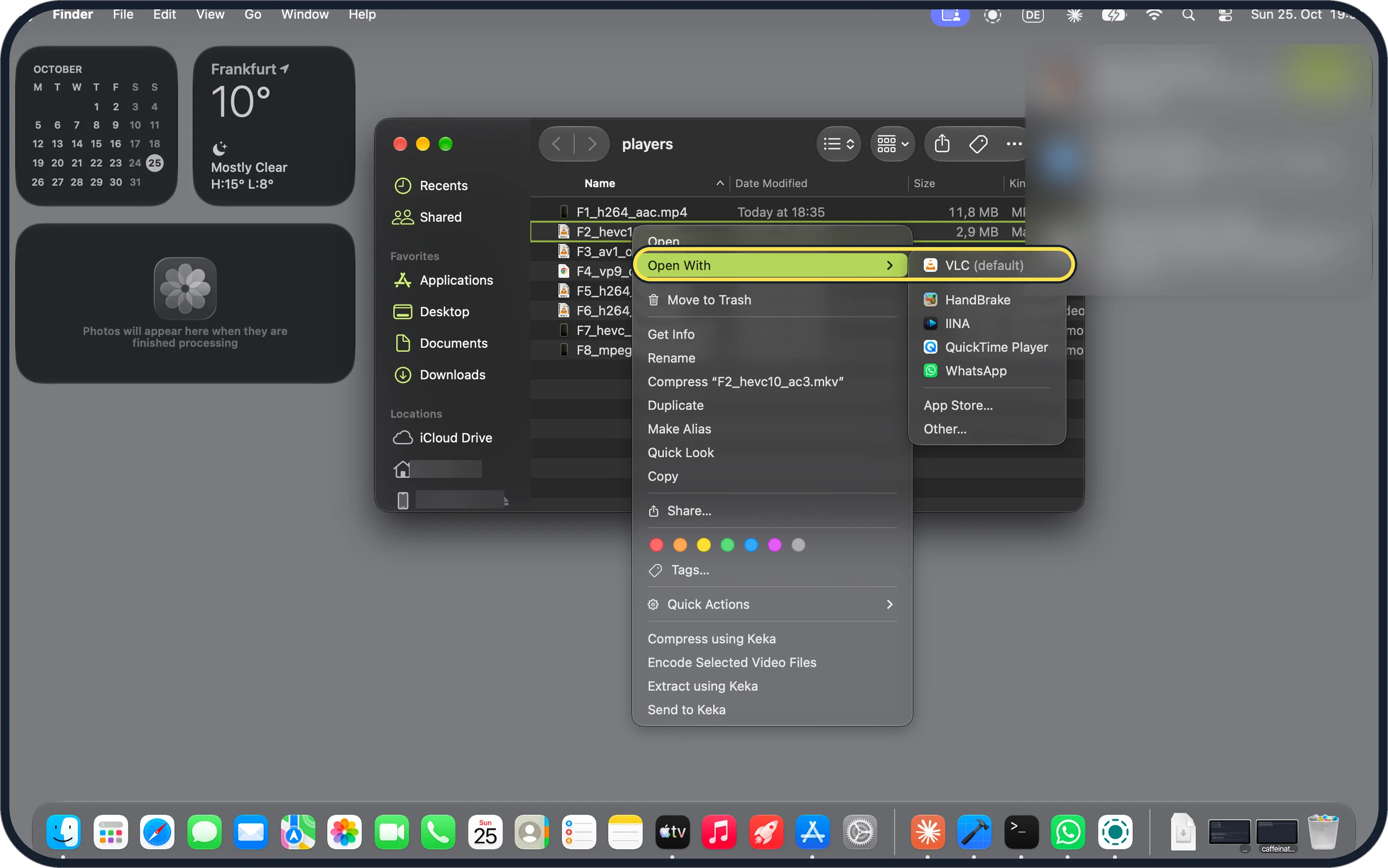
Zoomed in on the setting. Tap to see the whole screenTap the picture to see it full size Right-click the MKV and choose Open With, VLC
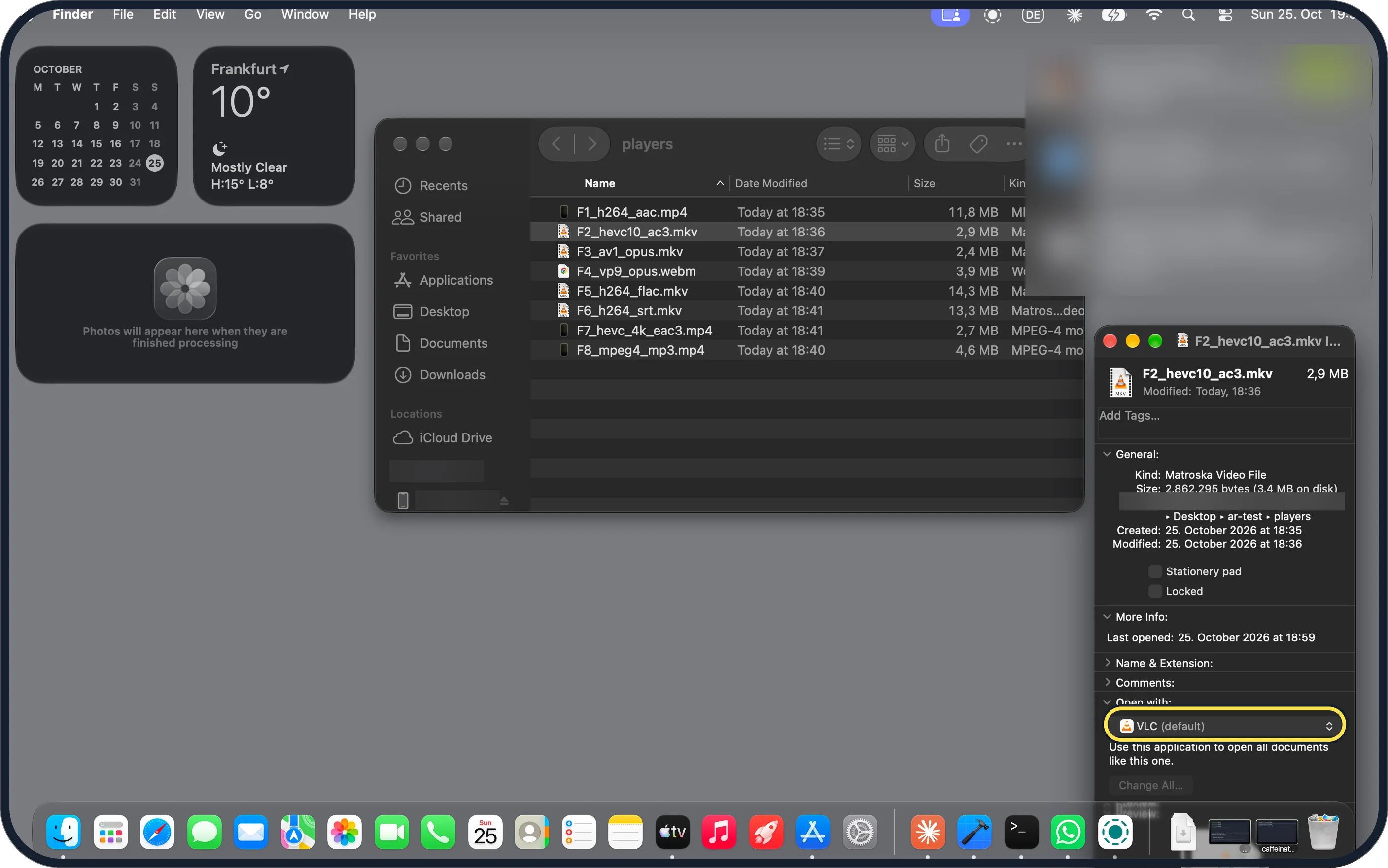
Ours listed VLC (default) at the top: VLC had made itself the app for .mkv files when we installed it. HandBrake, IINA and QuickTime Player were listed too.
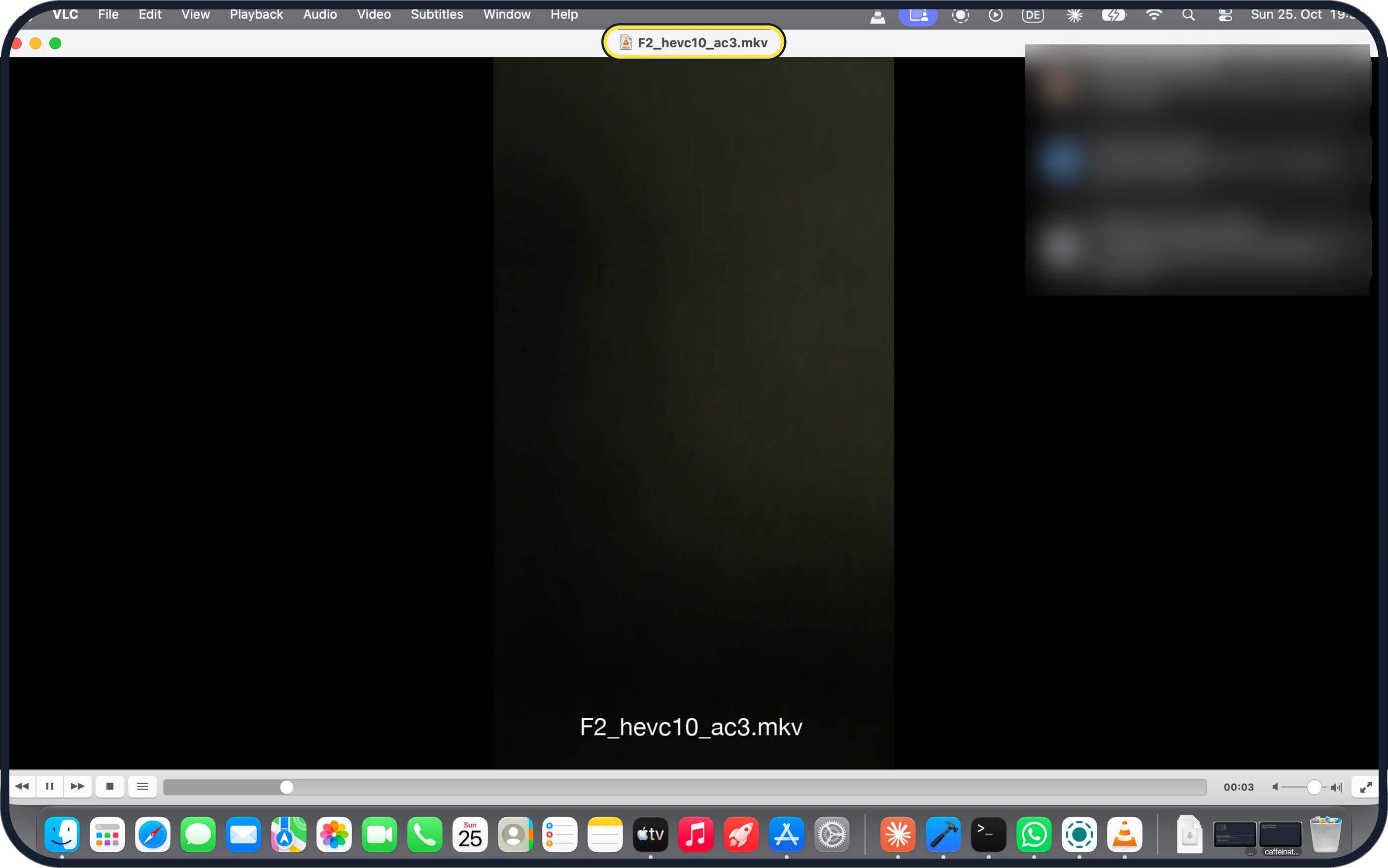
Zoomed in on the setting. Tap to see the whole screenTap the picture to see it full size Check it plays
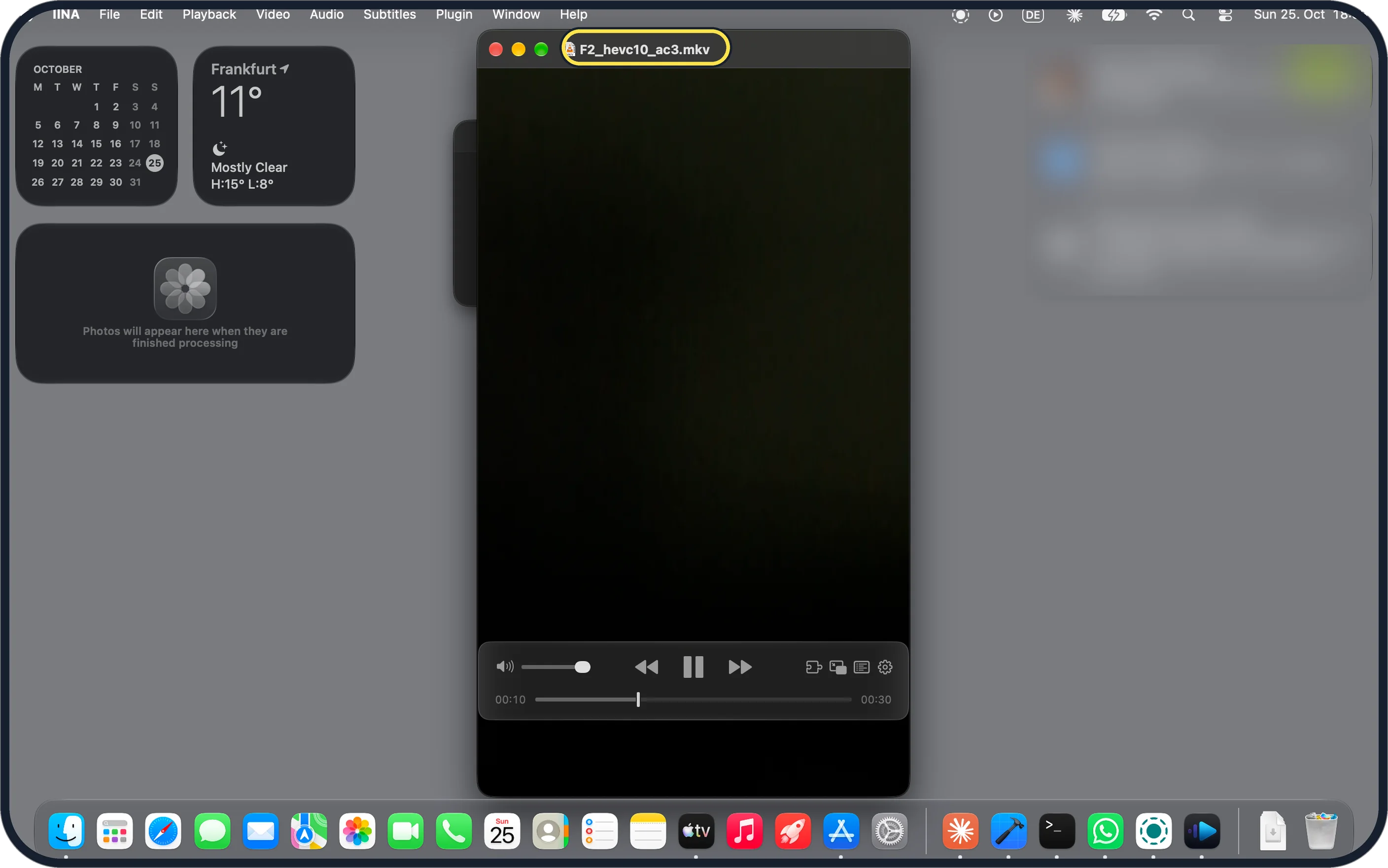
Ours played F2_hevc10_ac3.mkv, an H.265 10-bit file with AC3 sound, with the name in the title bar.
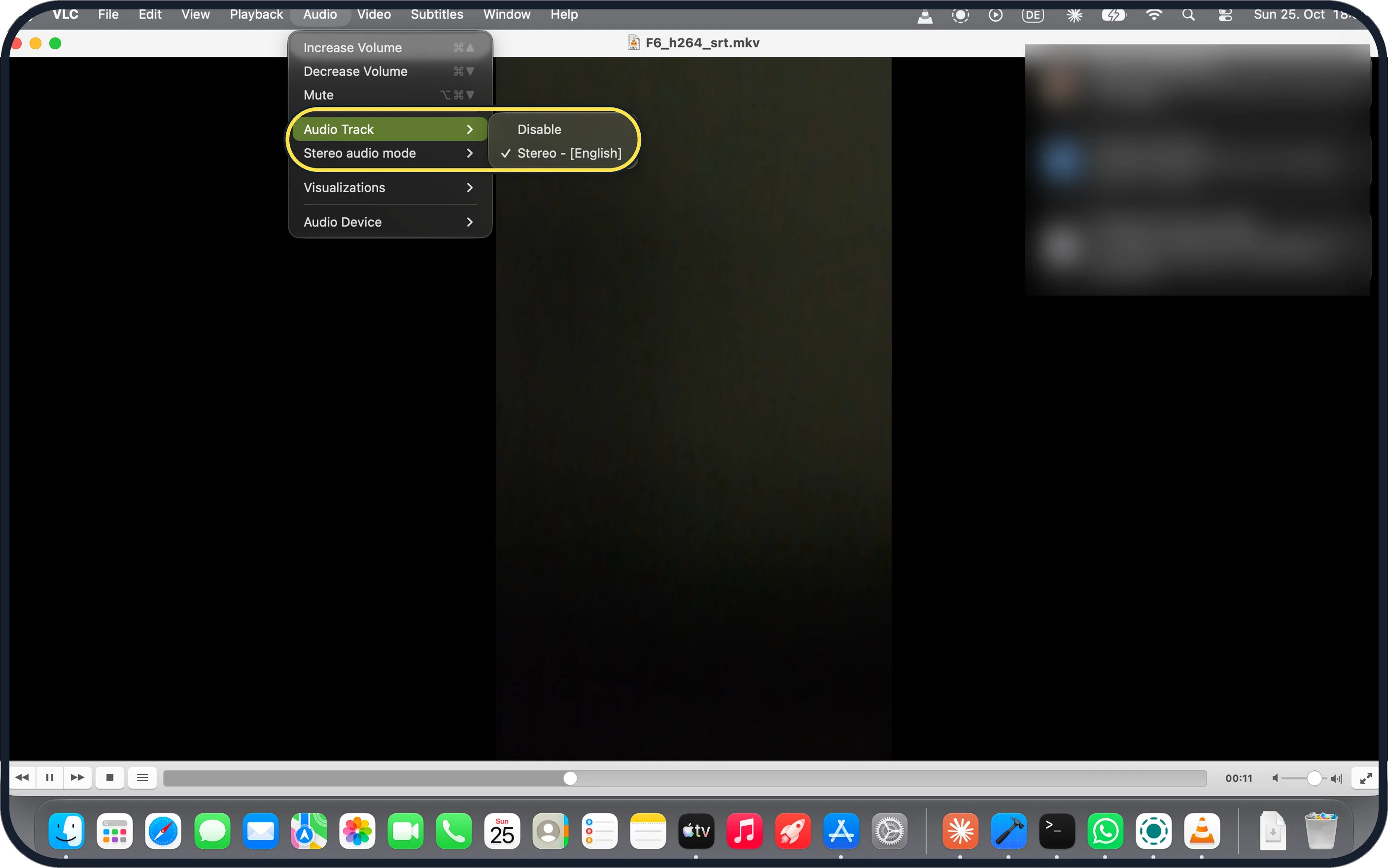
Zoomed in on the setting. Tap to see the whole screenTap the picture to see it full size Check the sound track
Audio, Audio Track lists the tracks in the file. Ours showed Stereo - [English] ticked.
If you do not see this option
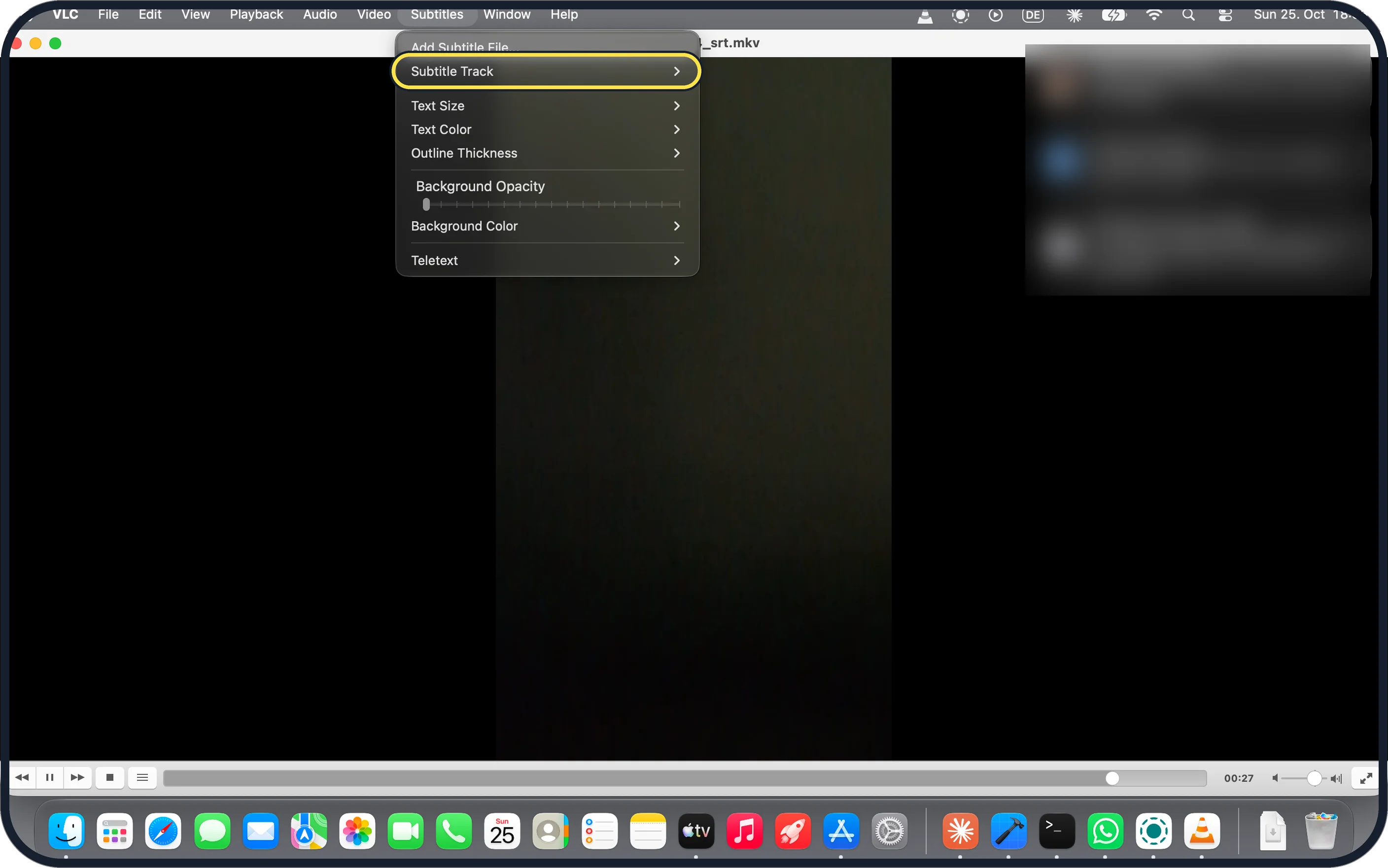
- Subtitles built into the MKV not showing? Both VLC and IINA started our MKV with its subtitles off. In VLC choose Subtitles, Subtitle Track and pick the track.
- Want every MKV to open in VLC? Select one, press Command-I and look under Open with. Ours already said VLC (default). To pick another app for all .mkv files, see change which app opens a file type on a Mac.
- Prefer an app that looks like a Mac app? IINA, free from iina.io, opened all 8 of our files too. It asked for Desktop access the same way. Source: The modern media player for macOS
If this does not work
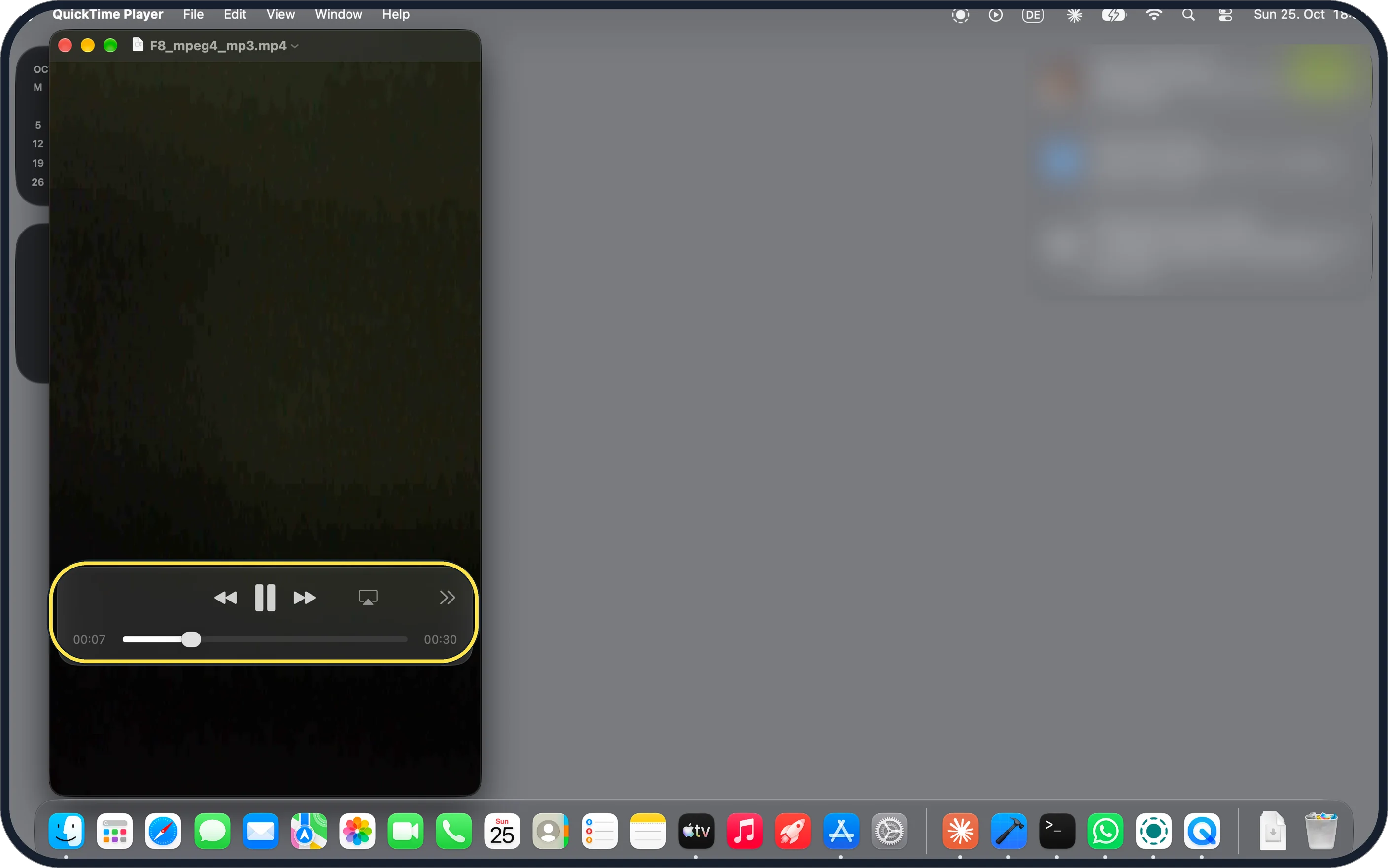
- MP4 plays in QuickTime but with no sound? Ours did with an MP4 that had MP3 sound: QuickTime showed no volume control. VLC and IINA listed the MP3 track. Open it in VLC instead.
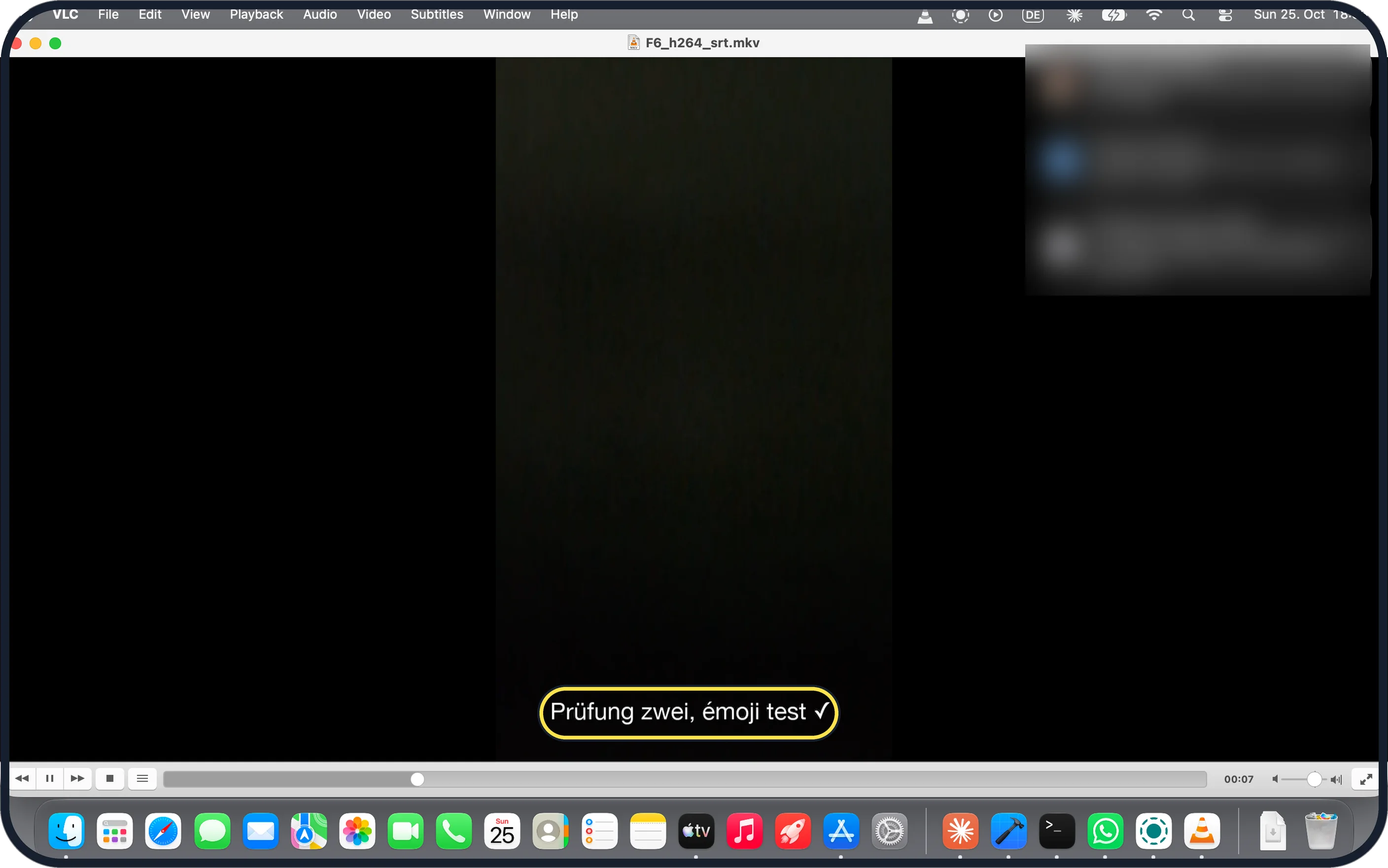
- Subtitle text looks wrong? Ours showed ü, é and ✓ correctly in VLC once the track was on. Save .srt files as UTF-8 if the letters come out garbled.
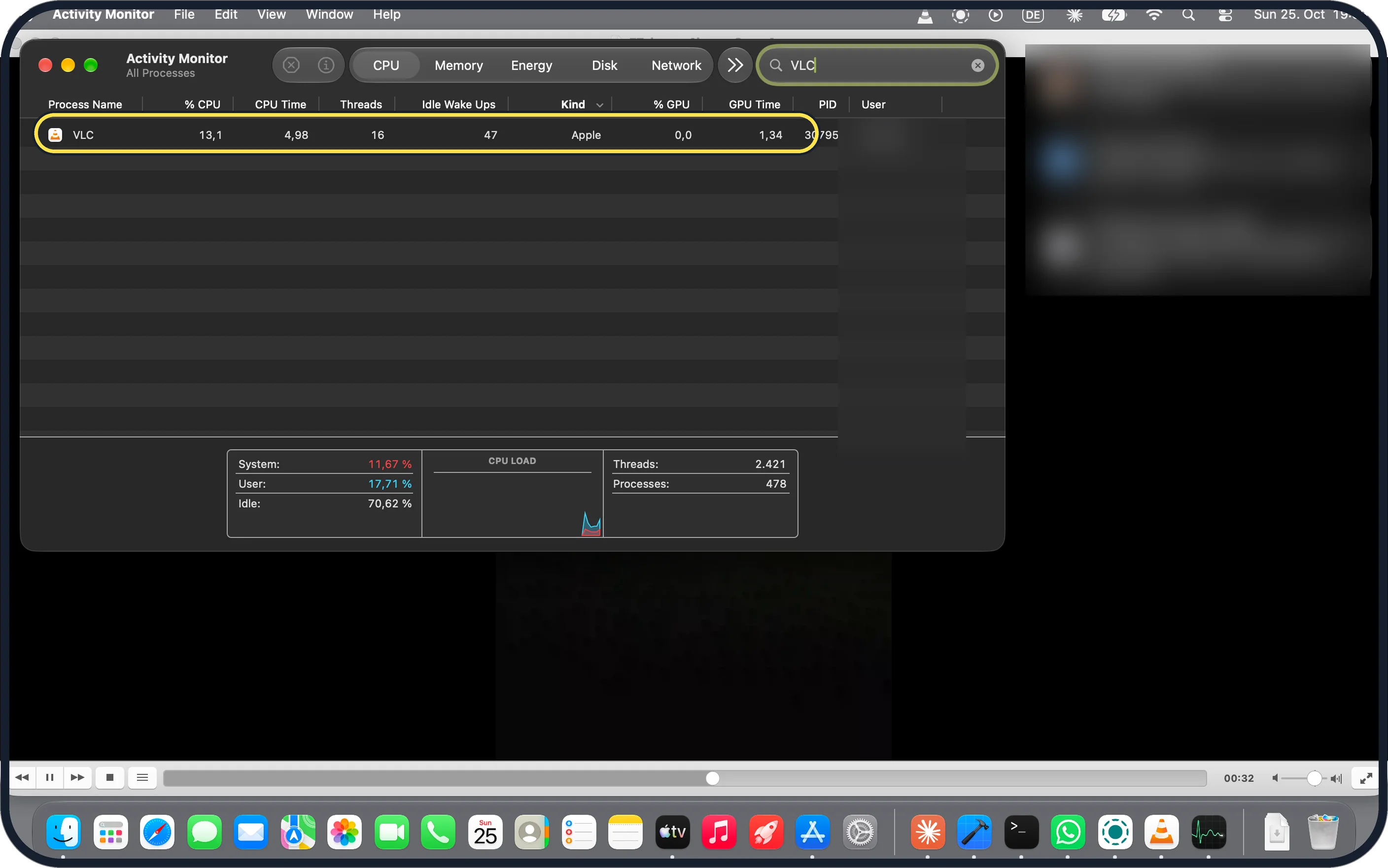
- Worried about the battery? On our 4K H.265 file, at about 30 seconds the player's own process used 7 to 9 % CPU in QuickTime, 13 to 16 % in VLC and 17 to 18 % in IINA over 3 runs. QuickTime decodes in a separate system service, so its figure undercounts.
About this guide
We made 8 test videos from a clip shot on our Pixel and opened each in QuickTime Player, VLC and IINA. QuickTime opened 3 of the 8 and played one of those without its MP3 sound. VLC and IINA opened all 8, including MKV with HEVC, AV1 or FLAC, and WebM, and listed the audio track in each.
The screenshots are from our MacBook Neo with macOS 27.0.1, QuickTime Player 10.5, VLC 3.0.24 and IINA 1.5.0, in Dark mode, taken on 25 October 2026. The test clip is dark, so the picture looks almost black.
Good to know
To add a separate .srt file, see add SRT subtitles to a video on a Mac.
To keep just the sound, see extract the audio from a video on a Mac.
In short: QuickTime can't; install VLC, right-click the MKV, Open With, VLC.
Links checked in October 2026. Menus and features can change after software updates. These steps match the version named at the top.
📷 Camera Lab: the same 6 scenes photographed with 11 phones, side by side.
Did this guide work for you?
Sorry about that. What happened?