
howtosimply.com/guides/how-to-open-a-split-zip-file-on-a-mac/ · Checked October 2026 · MacBook Neo · macOS 27.0.1
In this guide
The Mac's own Archive Utility couldn't open our split ZIP: it said Error 94 - Bad message. Put all the parts in one folder, install the free Keka from keka.io and open the .001 part with it. The Unarchiver also worked.
5 of 5 steps with real screenshots · 2 official sources below
- Device
- Mac
- Shown on
- macOS 27.0.1 (MacBook Neo)
- App
- Keka
- Real screenshots
- 5 of 5 steps
- Checked
- October 2026
- Sources
- 2 official, linked below
Step by step
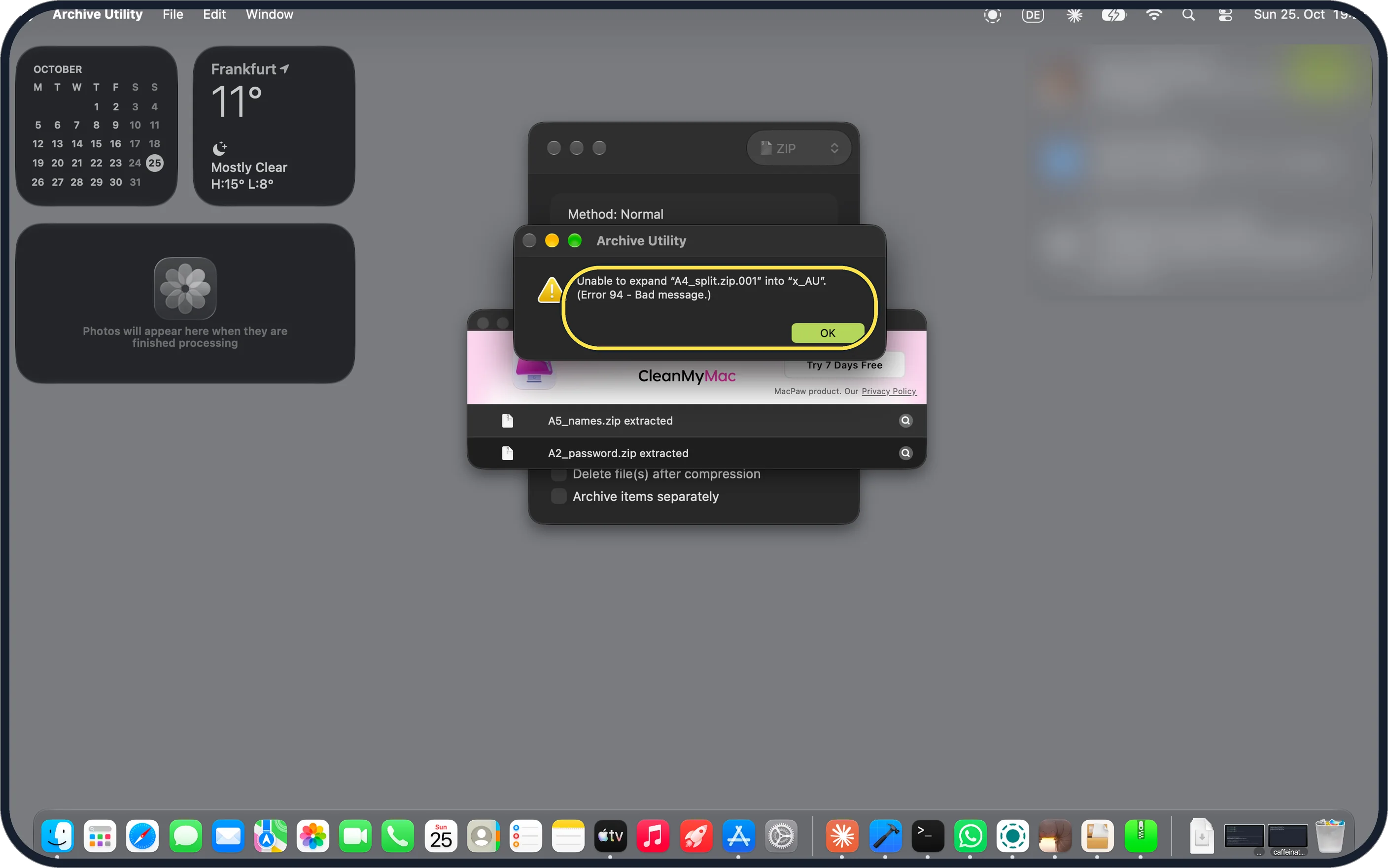
Zoomed in on the setting. Tap to see the whole screenTap the picture to see it full size See why double-clicking fails
Ours said: Unable to expand "A4_split.zip.001" into "x_AU". (Error 94 - Bad message.) Click OK.
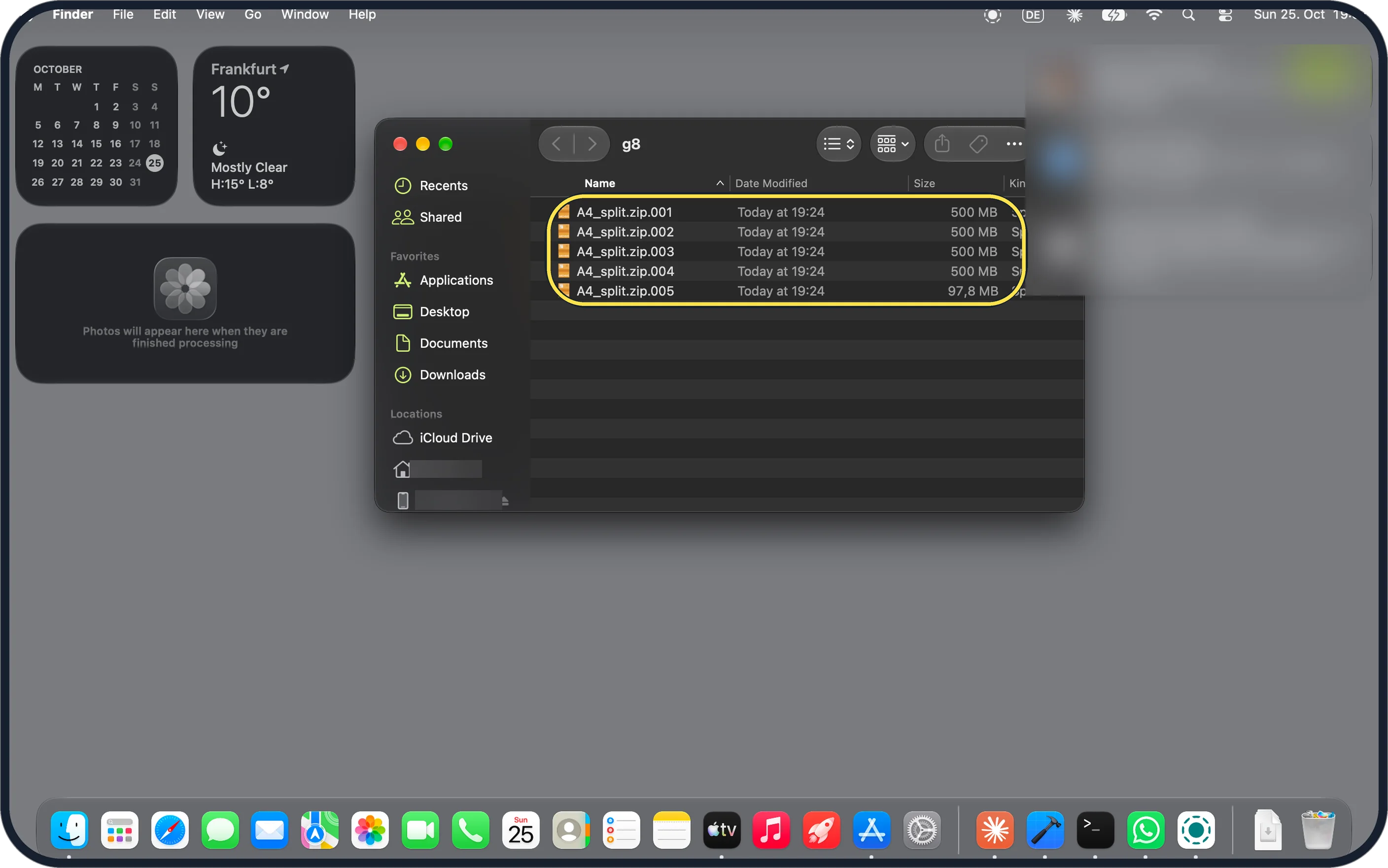
Zoomed in on the setting. Tap to see the whole screenTap the picture to see it full size Put all the parts in one folder
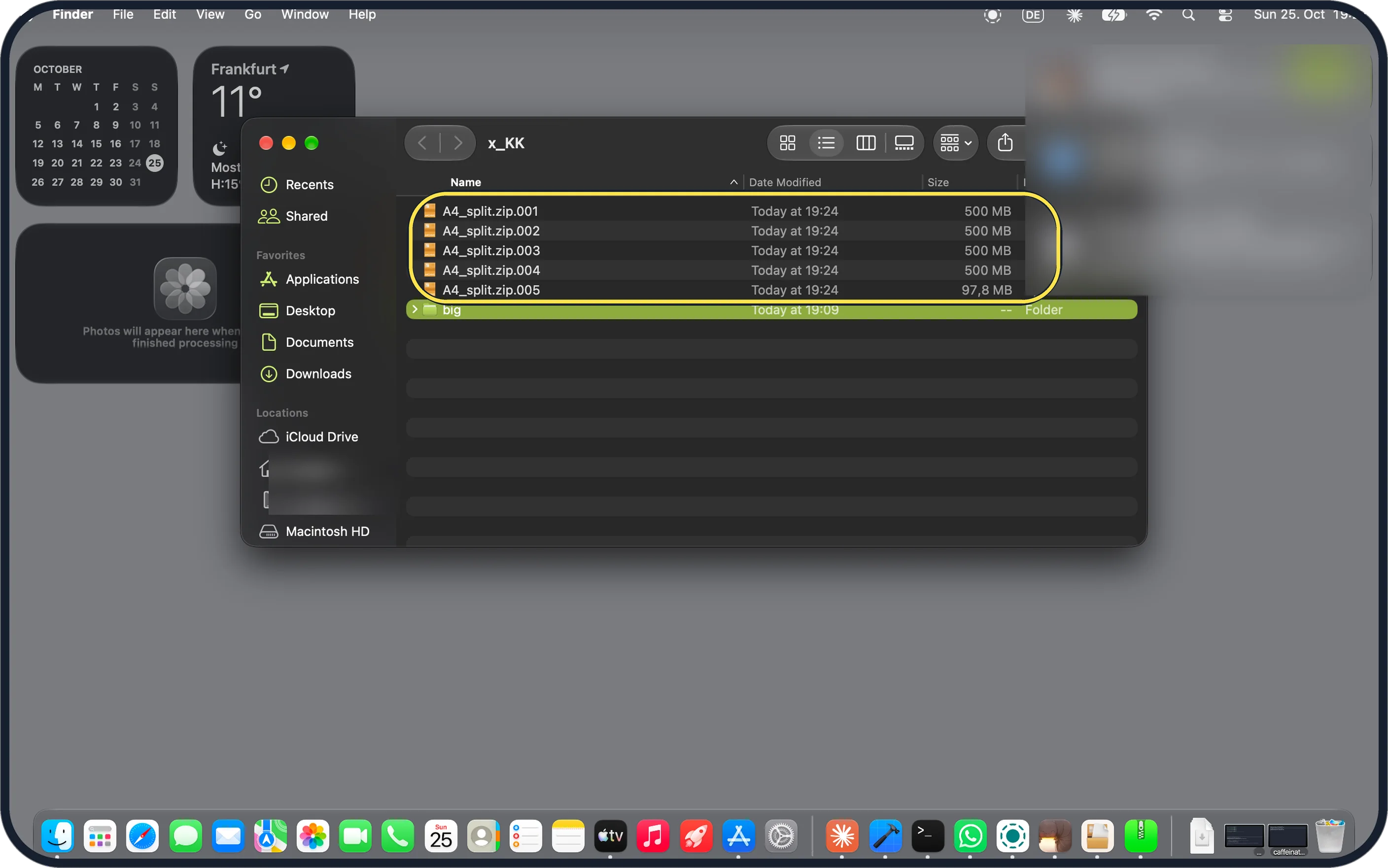
Every part must be there with the same name. Ours: A4_split.zip.001 to .004 at 500 MB and .005 at 97.8 MB.
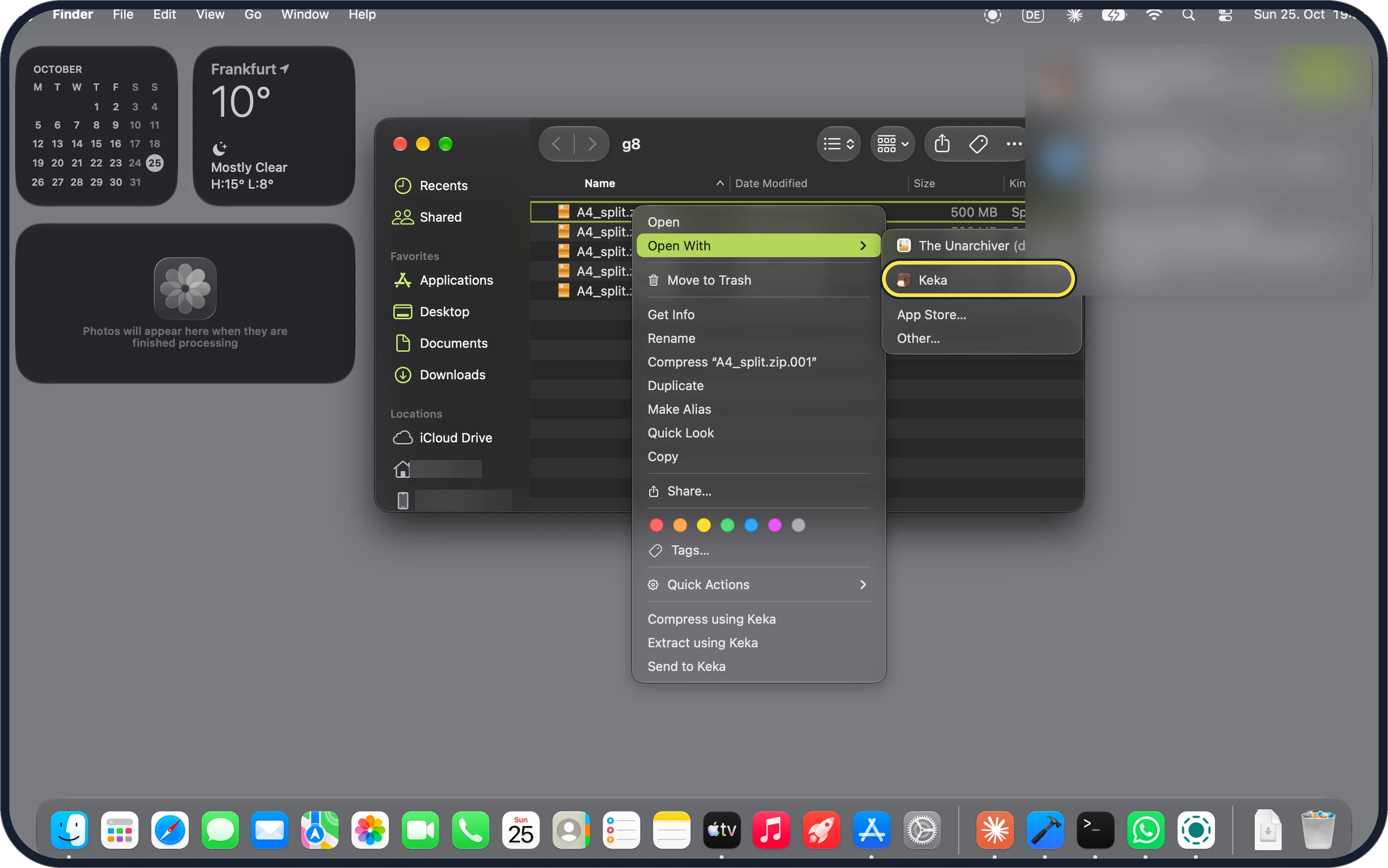
Zoomed in on the setting. Tap to see the whole screenTap the picture to see it full size Install Keka, then right-click the .001 and choose Open With, Keka
Keka is free from keka.io. Ours listed The Unarchiver as the default for .001 files, because we had installed it too, with Keka below it.
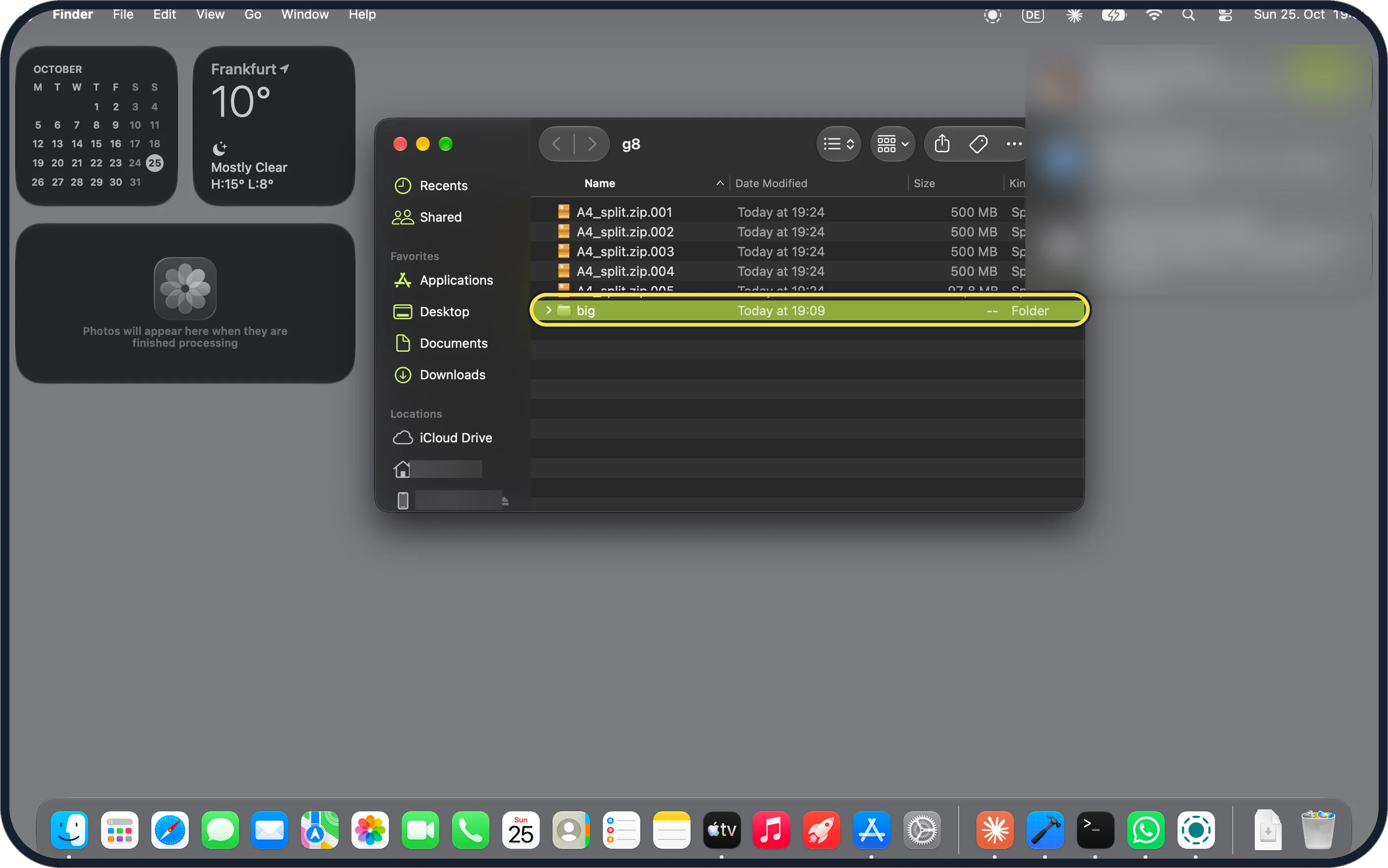
Zoomed in on the setting. Tap to see the whole screenTap the picture to see it full size Find the rebuilt folder
Keka puts the folder next to the parts. Ours, big, shows 19:09, the time the folder had when we zipped it, not the time it was rebuilt.
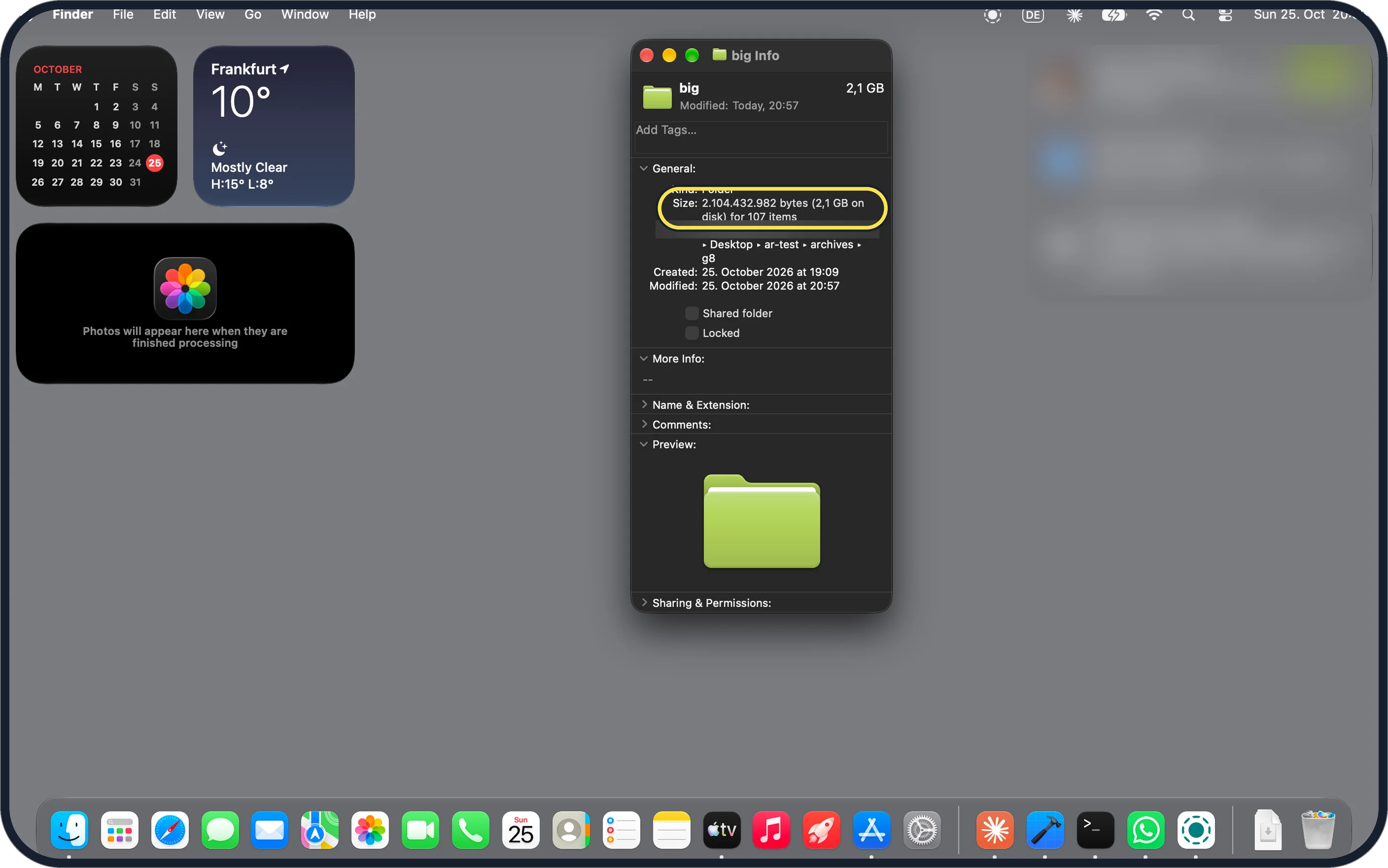
Zoomed in on the setting. Tap to see the whole screenTap the picture to see it full size Check nothing is missing
Select the folder and press Command + I. Ours said 2.104.432.982 bytes (2,1 GB on disk) for 107 items.
If you do not see this option
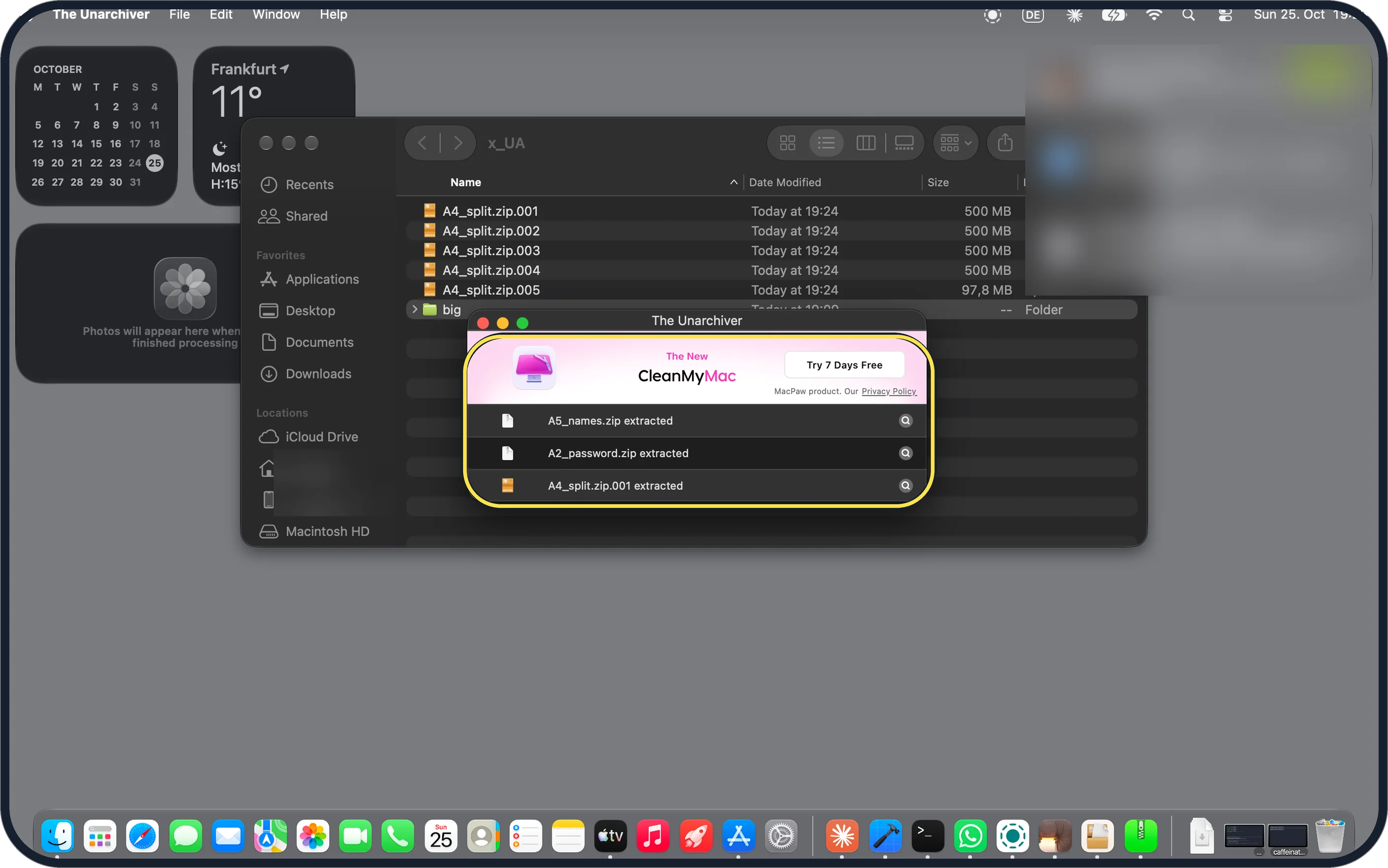
- Prefer The Unarchiver? It extracted our split archive too, after asking for Desktop access. Its window shows a CleanMyMac Try 7 Days Free banner. Source: open any archive on Mac
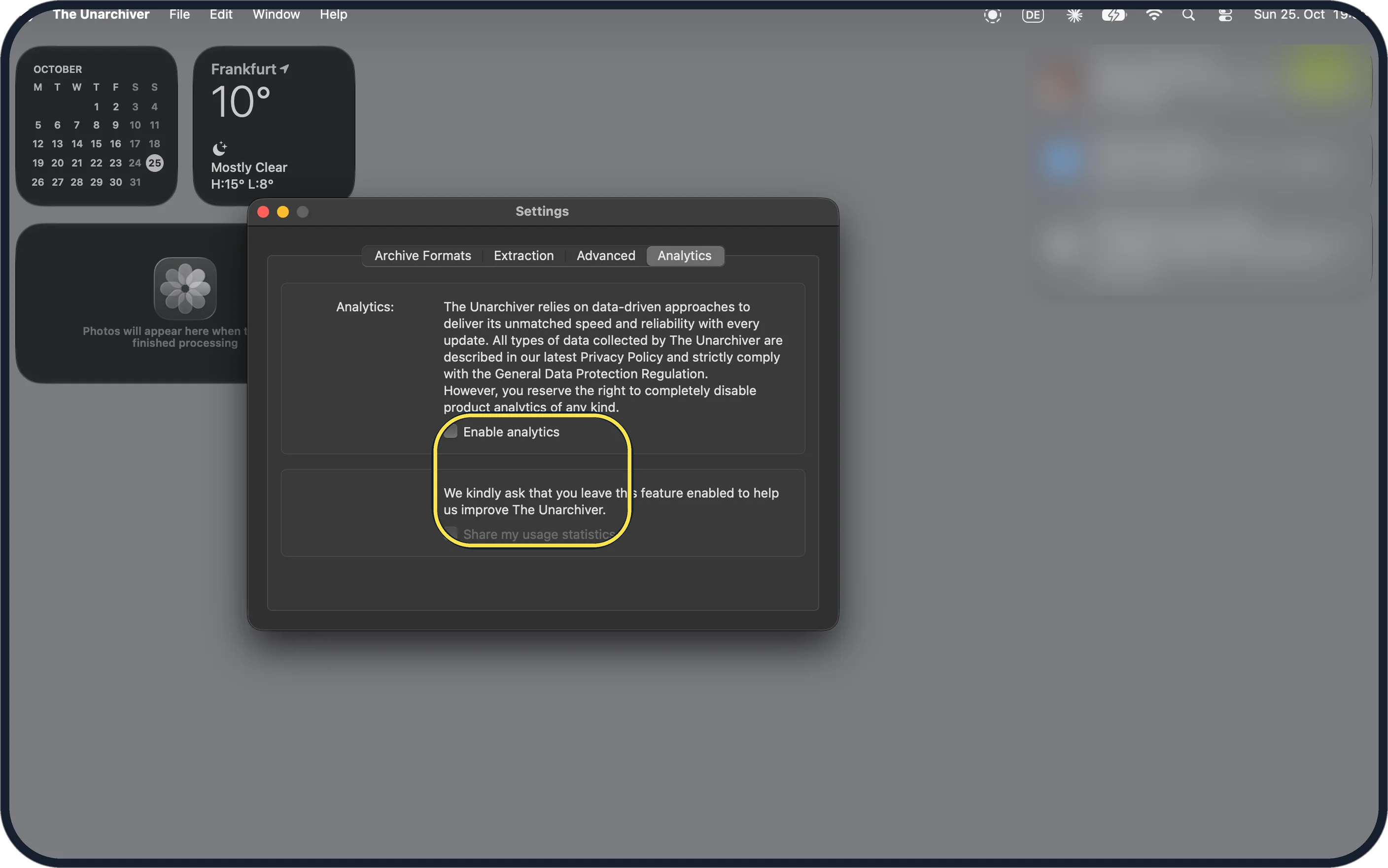
- Don't want The Unarchiver to send usage data? Ours had analytics on after install. In The Unarchiver's Settings, Analytics, untick Enable analytics; Share my usage statistics then turns grey. Source: open any archive on Mac
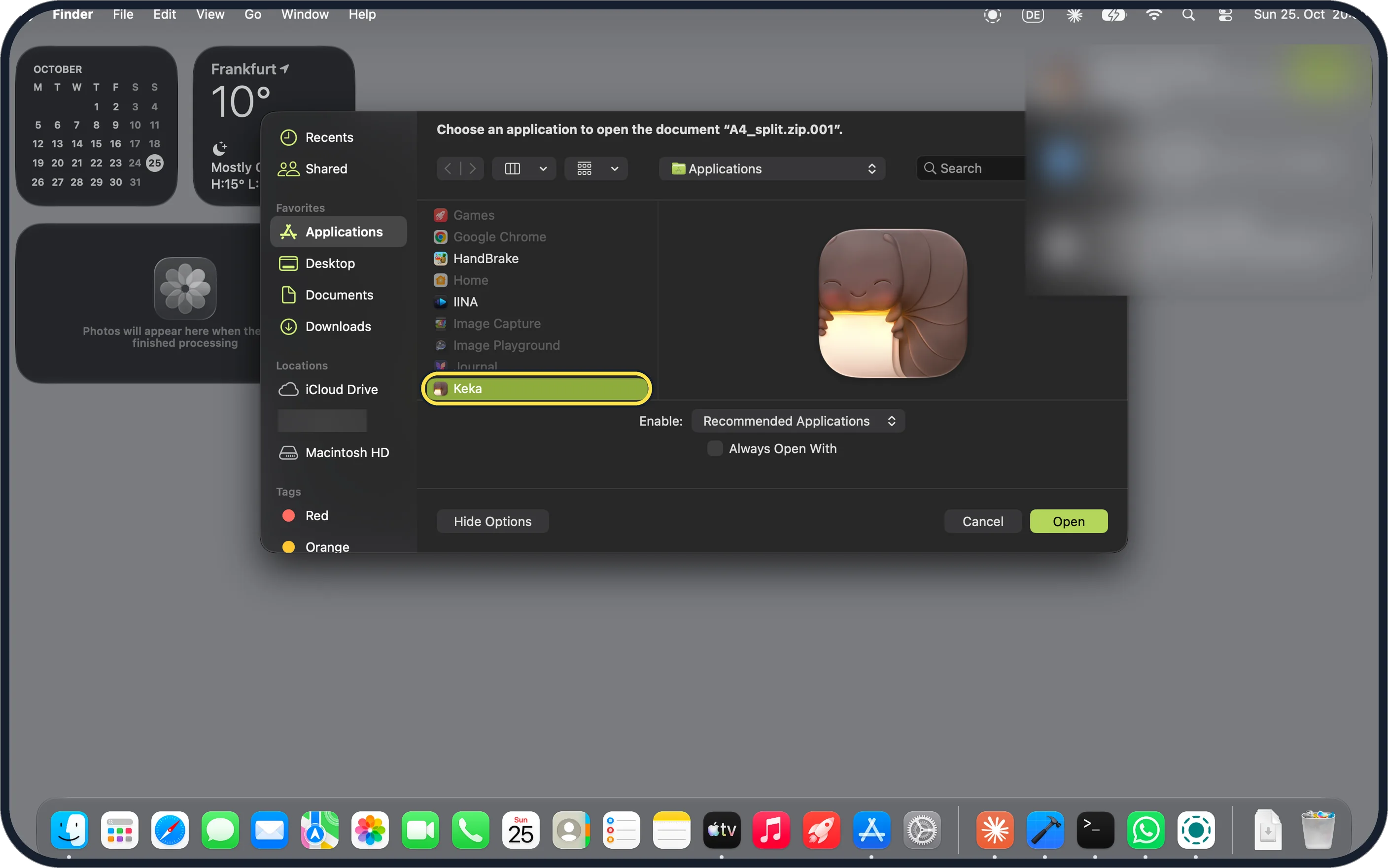
- Keka not listed under Open With? Choose Other at the bottom of the list and pick Keka in Applications, or open Keka and drop the .001 onto its window. Source: the macOS file archiver
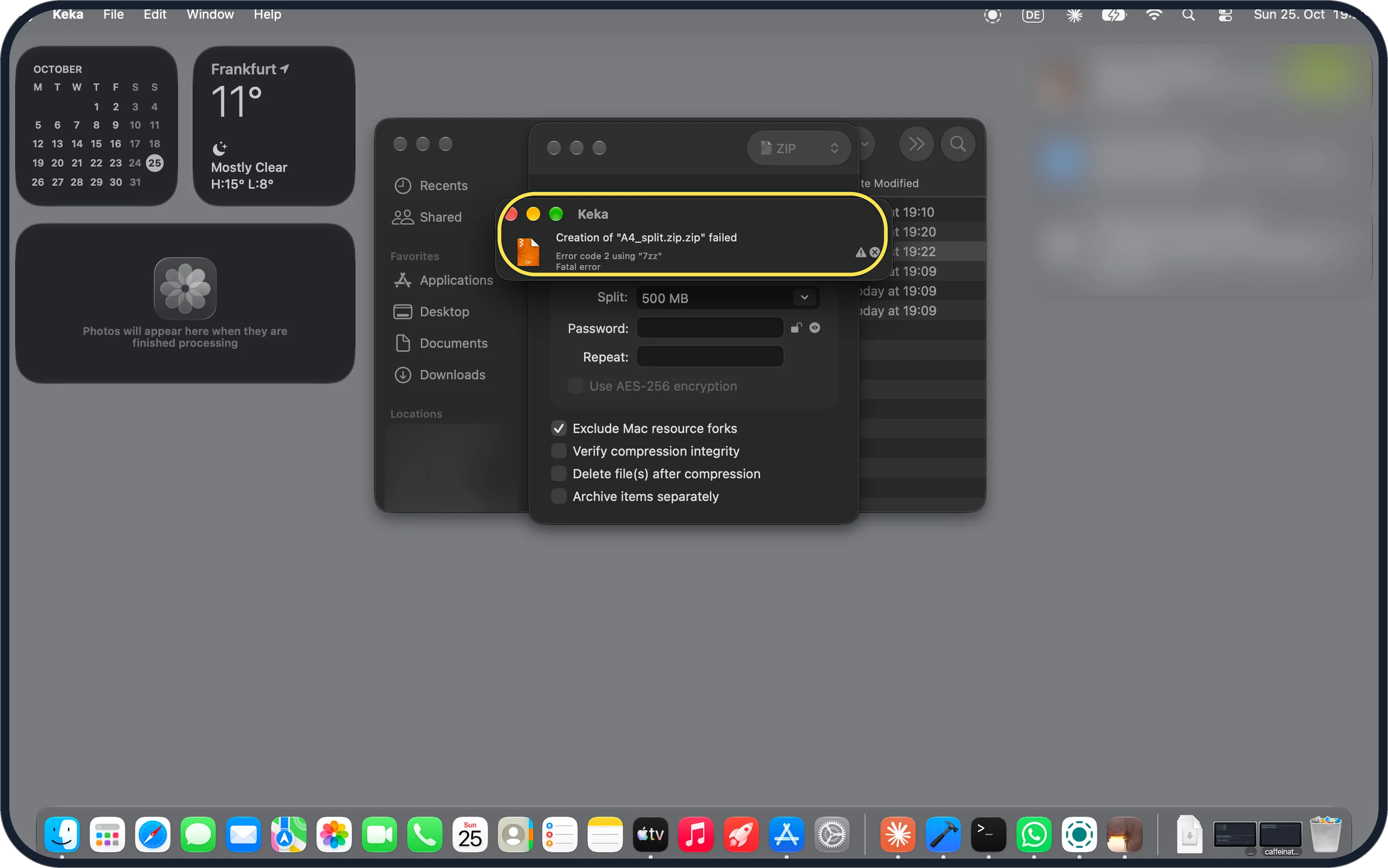
- Making a split ZIP with Keka failed? Ours said Error code 2 using 7zz the first time, when we typed a name ending in .zip. With the name A4_split and no extension it worked.
If this does not work
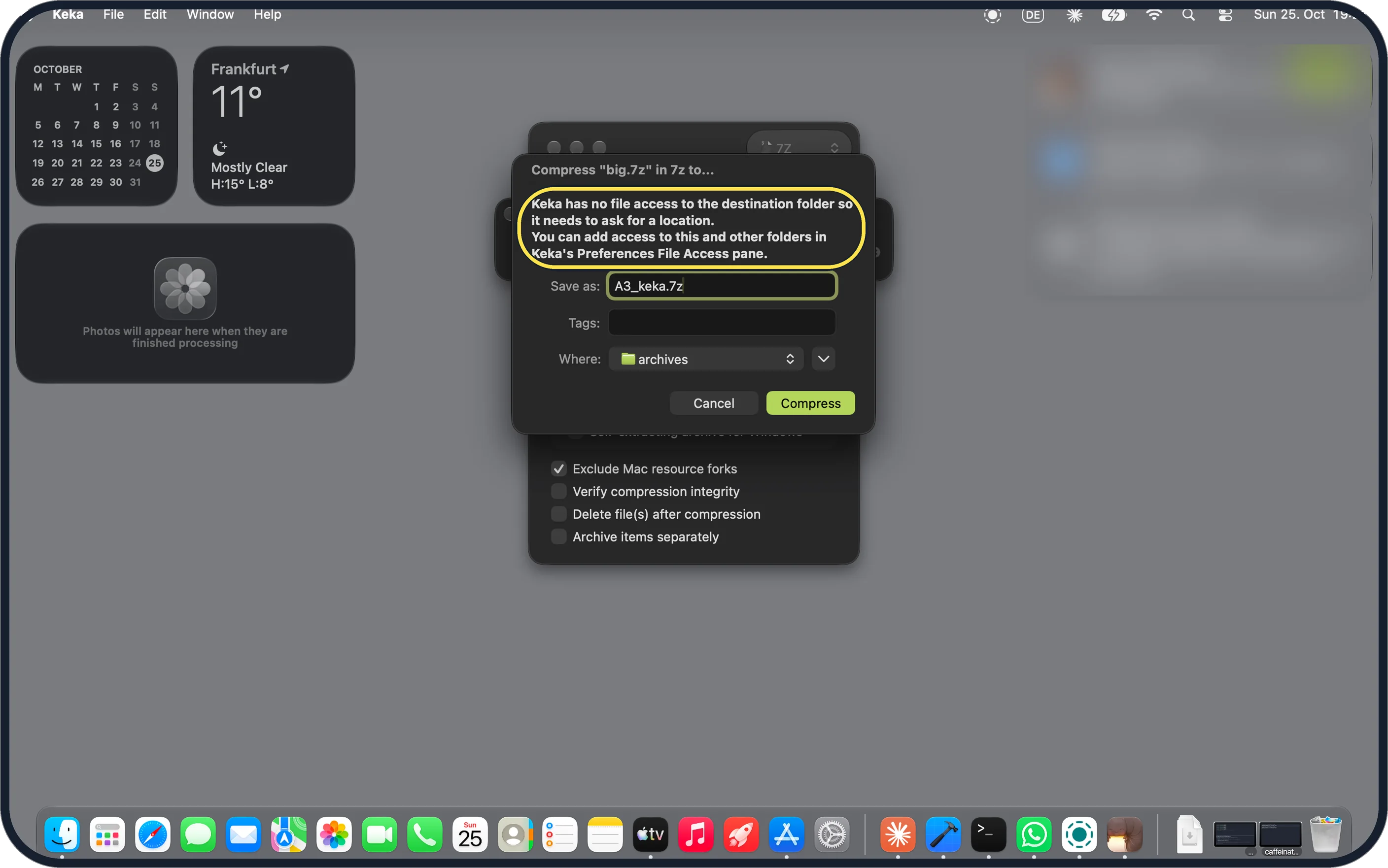
- Keka asks where to save? It says it has no file access to the destination folder and needs to ask; you can add folders in Keka's File Access settings. Source: the macOS file archiver
- Still fails? Check no part is missing or smaller than the others. Ours had four 500 MB parts and a smaller last one.
About this guide
Our test was a 2 GB folder of photos and videos split by Keka into five parts: A4_split.zip.001 to .004 at 500 MB each and .005 at 97.8 MB. Keka and The Unarchiver both rebuilt the whole folder; Archive Utility failed.
The screenshots are from our MacBook Neo with macOS 27.0.1, Keka 1.6.8 and The Unarchiver 4.3.9, in Dark mode, taken on 25 October 2026, with test archives we made from our own photos and videos.
Good to know
For a normal ZIP, see zip and unzip files on a Mac.
For 7z files, see open a 7z file on a Mac.
In short: Archive Utility fails; all parts in one folder, Open With Keka on the .001.
Links checked in October 2026. Menus and features can change after software updates. These steps match the version named at the top.
📷 Camera Lab: the same 6 scenes photographed with 11 phones, side by side.
Did this guide work for you?
Sorry about that. What happened?