XIAOMI REDMI
How to block a number and hide your caller ID on a Xiaomi phone (HyperOS 3)
In the Phone app, open Settings, Blocked numbers, and tap Add a number. To hide your number, go to Settings, Calling accounts, Advanced settings, Caller ID, tap Caller ID and choose Hide number. Hiding needs your carrier's support.

7 of 7 steps show a real screenshot from our Redmi Note 15 Pro 5G. Each step was checked against the maker's own instructions, linked at the end.
Steps
- 1
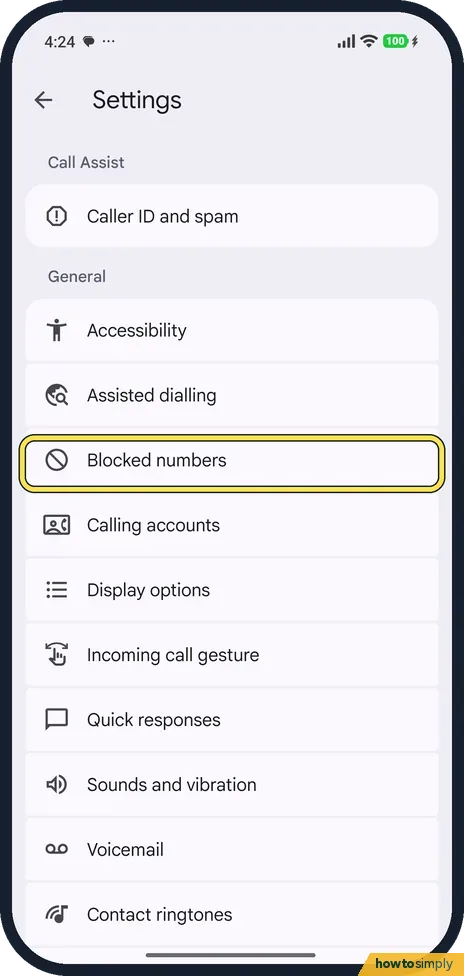
Open the Phone app's settings
In the Phone app, tap the three dots at the top right and Settings. Tap Blocked numbers.
- 2
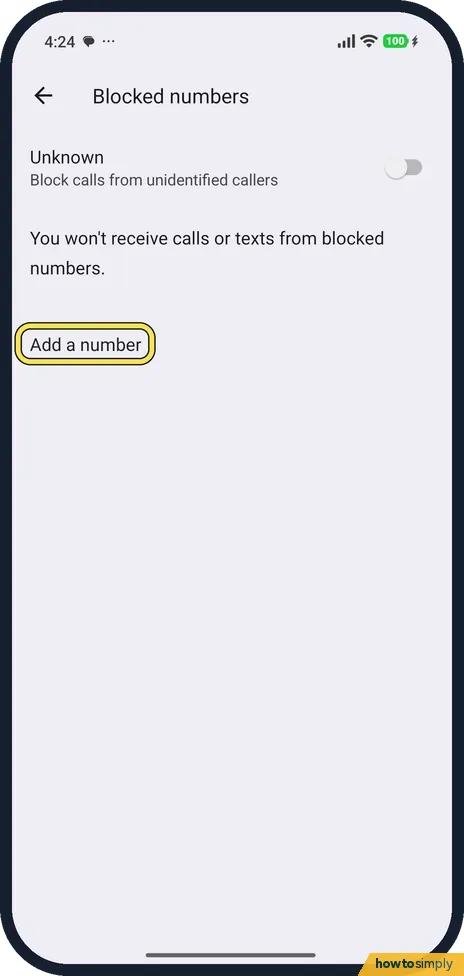
Add a number
Tap Add a number and type it. Turn on Unknown to block calls from unidentified callers too; it was off on ours.
- 3
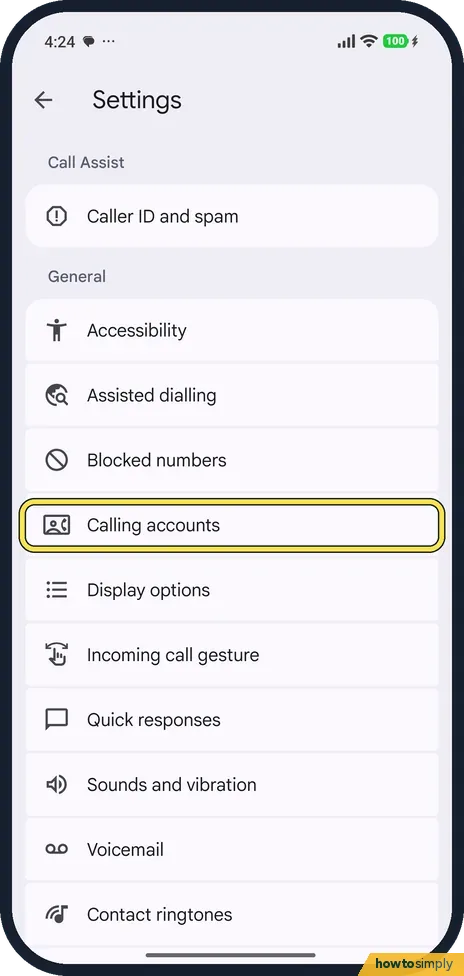
Tap Calling accounts
Back in Settings, tap Calling accounts.
- 4
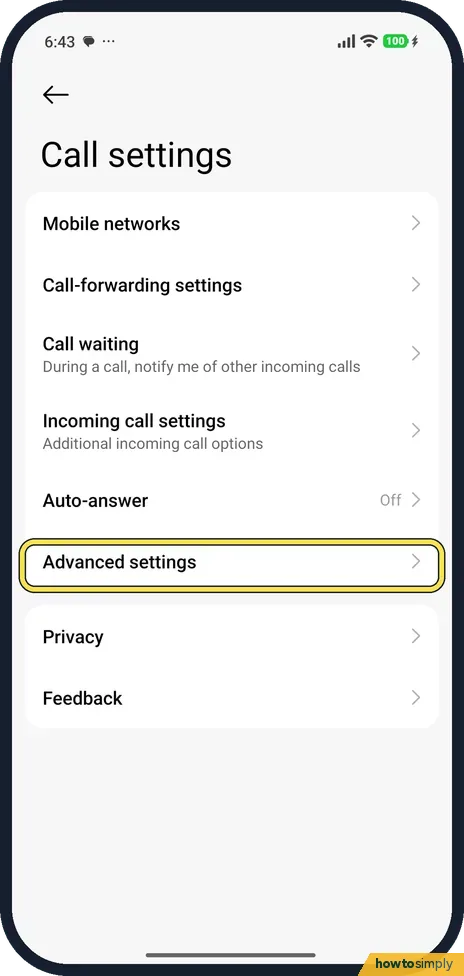
Tap Advanced settings
With one SIM, Call settings opened straight away, in Xiaomi's style; there was no SIM to pick. Tap Advanced settings, below Auto-answer.
- 5
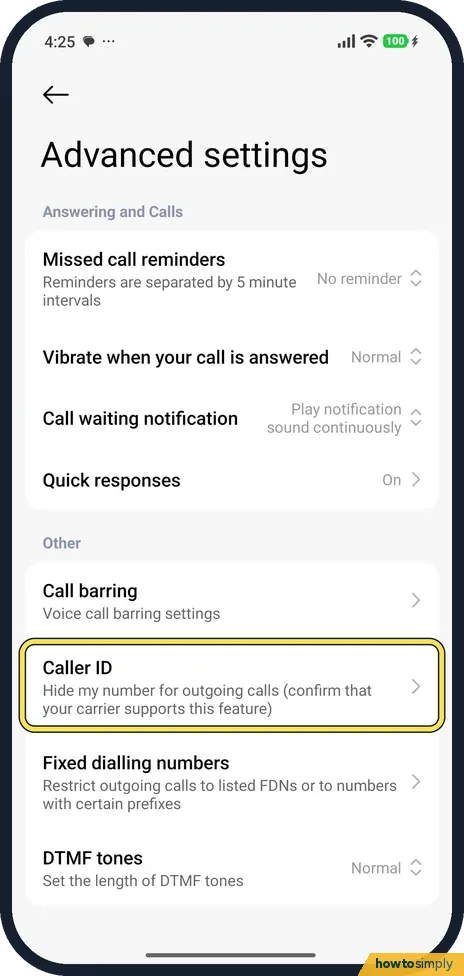
Tap Caller ID
Under Other, Caller ID says Hide my number for outgoing calls (confirm that your carrier supports this feature). Tap it.
- 6
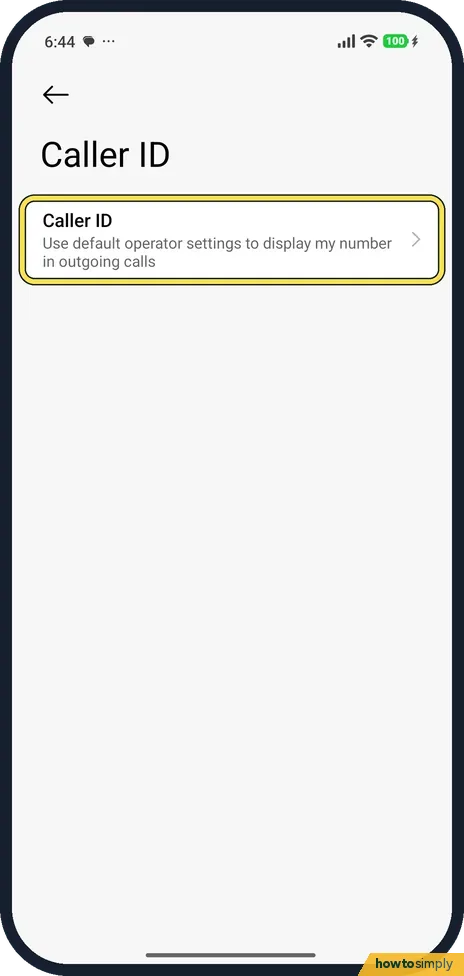
Tap Caller ID again
The Caller ID page has one row: Use default operator settings to display my number in outgoing calls. Tap it.
- 7
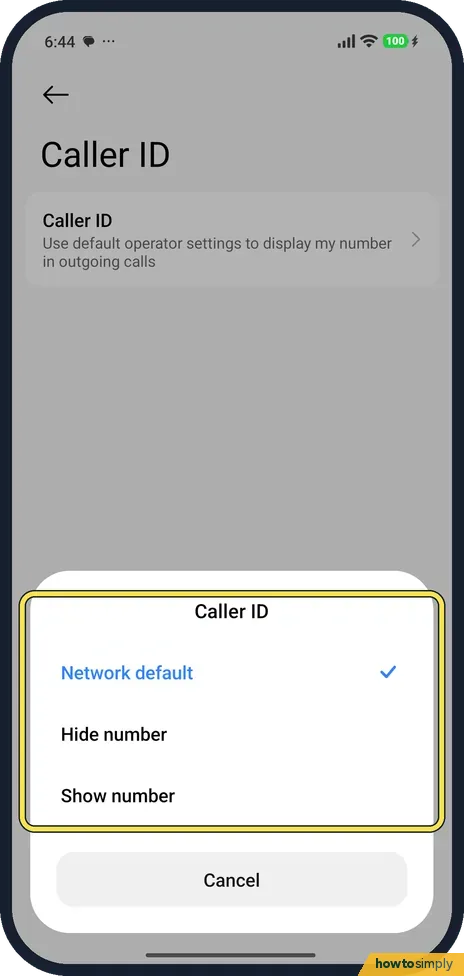
Choose Hide number
The options are Network default, Hide number and Show number. Ours was on Network default. Tap Hide number. We tapped Cancel.
If you do not see this option
- Phone app looks different? Xiaomi's own route is the Security app: Security, Blocklist, Blocked numbers. It also blocks calls from strangers or hidden numbers. Source: Generic User Guide for HyperOS 3.0
- Two SIMs? Our phone has one SIM, so Calling accounts went straight to Call settings. With two SIMs you may be asked to pick one first; we could not check.
If this does not work
- Blocked callers missing from call history? Google says calls from a blocked number won't show in your call history.
- Hide number does nothing? The Caller ID row says to confirm that your carrier supports it. Network default leaves it to the carrier.
- Unblock someone? Open Blocked numbers and clear the number.
- Blocked caller still leaves voicemail? Google says blocked callers cannot leave voicemails only if visual voicemail is on. With an ordinary carrier voicemail, ask your carrier about blocking there too.
- Spam calls keep coming from new numbers? Blocking one number does not stop the next. Google's Phone app has an optional Filter spam calls setting that blocks suspected spam; filtered calls stay in call history so you can check them.
- Quicker way to block? Google says you can block straight from Call history: tap a call from the number and choose the block or report spam option.
Good to know
Phone and SIM settings: how to turn on VoLTE on a Xiaomi phone.
Google says calls you got from a number while it was blocked won't show in your call history, even after you unblock it. Unblock by tapping Clear next to the number in Blocked numbers, then Unblock.
Hiding caller ID applies to outgoing calls from that SIM until you change it back. For an extra layer against nuisance calls, Google says caller ID and spam protection is on by default in the Phone app and can label calls as Suspected spam caller or Spam.
About this guide
- Device
- Android
- Shown on
- Xiaomi Redmi Note 15 Pro 5G (25080RABDG), HyperOS 3.0.308.0, Android 16
- App
- Phone
- Path
- Phone › Settings › Blocked numbers › Add a number
- Real screenshots
- 7 of 7 steps
- Checked
- October 2026
- Sources
- 4 official, linked below
Sources
Links checked October 2026. Menus and features can change with updates.Spotted a mistake? Menus change with updates, and we want every step to match your screen. Email us about this page or use the contact form. We read every report, and fixes are listed on What changed.
Liked this guide?
Follow us for new guides and short how-to videos.
Did this guide work for you?
Sorry about that. What happened?