ONEPLUS
How to free up storage on a OnePlus (OxygenOS 16)

In short
Go to Settings, About device, tap the Storage tile and tap Clean up. Phone Manager shows the junk files it found; tap Clean to delete them, or look through App cleanup and Recommended cleanup first.
6 of 6 steps show a real screenshot from our Nord 5. Each step was checked against the maker's own instructions, linked at the end.
Steps
- 1
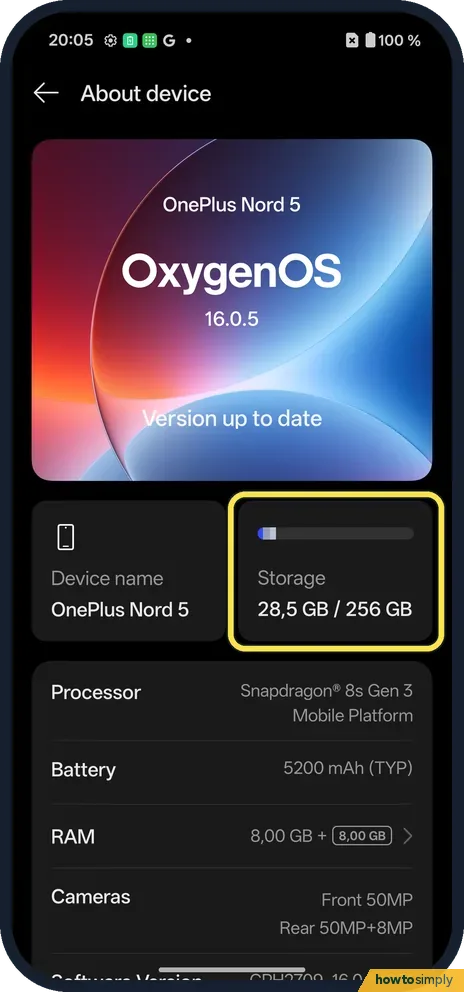
Tap the Storage tile
Open Settings, tap About device. Storage is the tile on the right: 28.5 GB / 256 GB on ours.
- 2
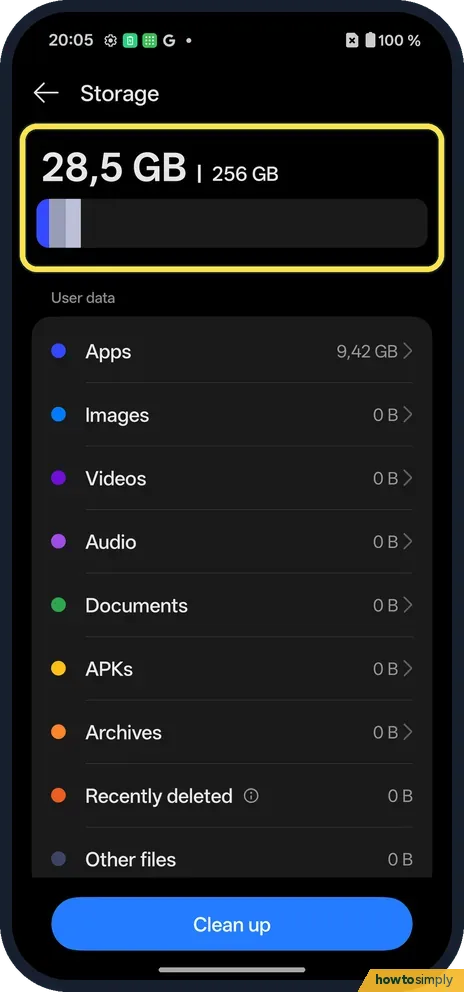
See what uses space
The bar at the top shows used space. Under User data: Apps 9.42 GB on ours, then Images, Videos, Audio, Documents, APKs, Archives, Recently deleted.
- 3
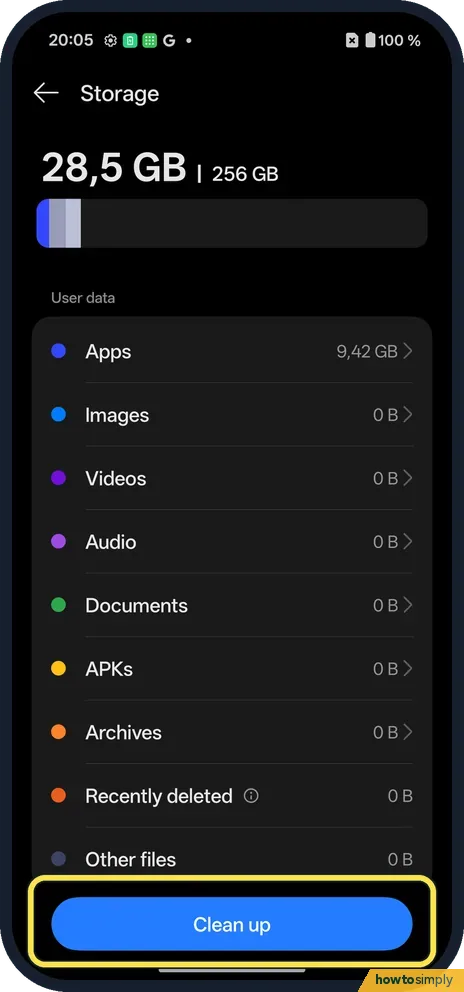
Tap Clean up
The blue button at the bottom.
- 4
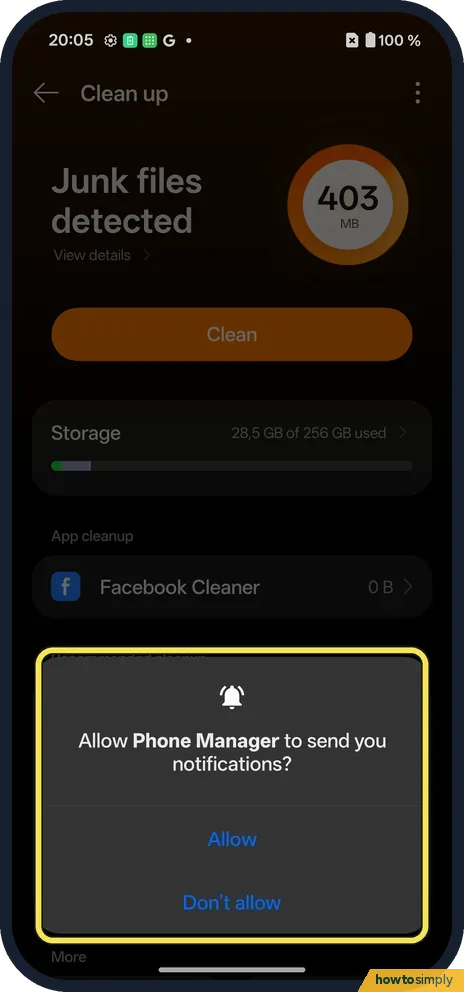
First time: a notifications prompt
The first time, Phone Manager asked to send notifications. We tapped Don't allow; either is fine.
- 5
Clean junk
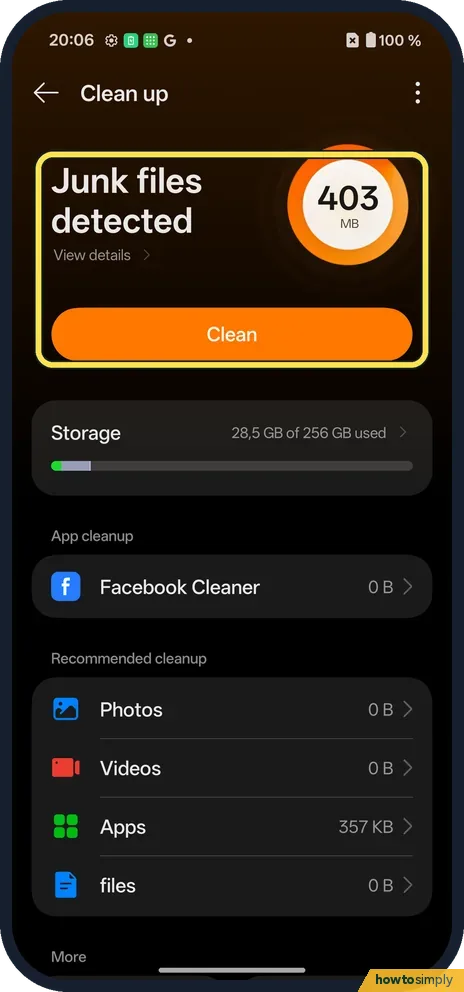
A page titled Clean up opens (it is part of Phone Manager). Ours found 403 MB of junk files. Tap Clean to remove them.
- 6
Check the result
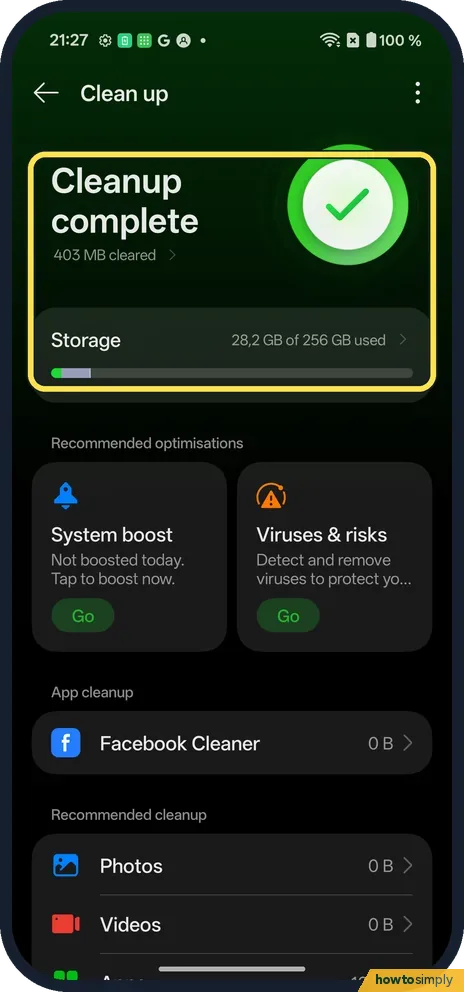
Ours said Cleanup complete, 403 MB cleared. Storage then showed 28.2 GB used.
If you do not see this option
- Another way in? OnePlus says Phone Manager on the Shelf (swipe down on the home screen) shows storage use, with a Clean button. Source: OxygenOS 14.0 User Manual
- Bigger savings? App cleanup and Recommended cleanup (Photos, Videos, Apps, files) are below. Check before deleting. Since the 18 Oct 2026 patch, files has large, old and duplicate file groups: find large and duplicate files.
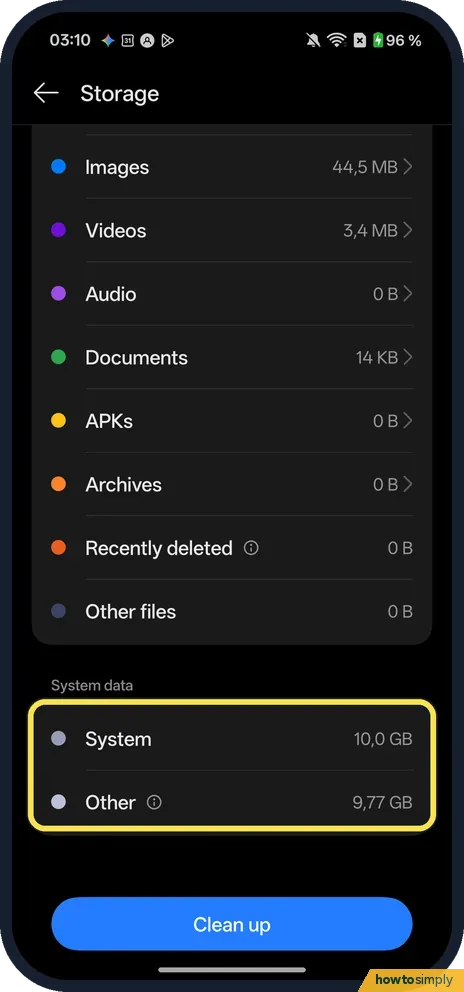
- How much does the system take? On 1 November 2026 our Storage page showed 30.9 GB used of 256 GB. Under System data, at the bottom, System took 10.0 GB and Other 9.77 GB, so about 20 GB was in use before apps (11.1 GB that day) and our own files.
If this does not work
- Space still low? Look at the biggest group under User data. On ours it was Apps.
- One app is huge? Clear its cache.
- Deleted photos but space did not drop? OnePlus's manual says the phone keeps deleted photos and videos for 30 days in Photos, Albums, Recently deleted. They still take space until then. Our Storage page also lists Recently deleted as its own group.
- Junk comes straight back? Junk files are mostly app cache, which apps rebuild as you use them. That is normal. Cleaning now and then helps, but the big wins are photos, videos and apps you no longer use.
- Downloads filling the phone? Offline videos, music and podcasts can take gigabytes. Google says to delete such content from the app you used to download it.
Good to know
On a Pixel: free up storage.
Cleaning junk removes temporary files only. Your photos, messages and apps are untouched, and apps may take a moment longer to open the first time afterwards while they rebuild their cache. Recommended cleanup is different: it can suggest real photos, videos and apps, so look at each item before you delete it.
Google says you can uninstall apps you no longer use and reinstall them later, and you do not have to buy a paid app again. Moving big video files to a computer over a USB cable is another safe way to make room. For a built-in app you cannot remove, see disable an app you cannot uninstall.
About this guide
- Device
- Android
- Shown on
- OnePlus Nord 5 (CPH2709), OxygenOS 16.0.5.1201, Android 16
- App
- Settings
- Path
- Settings › About device › Storage
- Real screenshots
- 6 of 6 steps
- Checked
- October 2026
- Sources
- 1 official, linked below
Sources
Links checked October 2026. Menus and features can change with updates.Spotted a mistake? Menus change with updates, and we want every step to match your screen. Email us about this page or use the contact form. We read every report, and fixes are listed on What changed.
Liked this guide?
Follow us for new guides and short how-to videos.
Did this guide work for you?
Sorry about that. What happened?