XIAOMI REDMI
How to force stop an app on a Xiaomi phone (HyperOS 3)

In short
Go to Settings, Apps and tap the app to open App info. Tap Force stop at the bottom left and confirm with OK. The box warns: If you force stop an app, it may misbehave. Then open the app again. We tapped Cancel.
5 of 5 steps show a real screenshot from our Redmi Note 15 Pro 5G. Each step was checked against the maker's own instructions, linked at the end.
Steps
- 1
Open App info
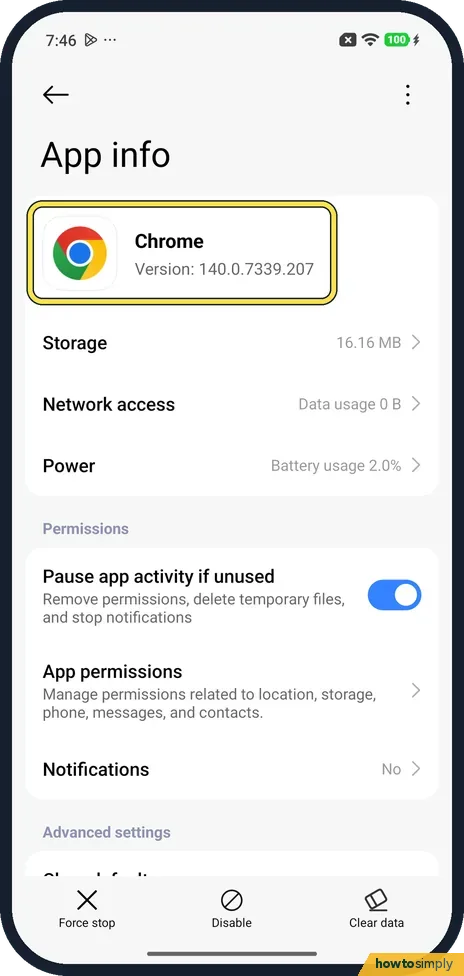
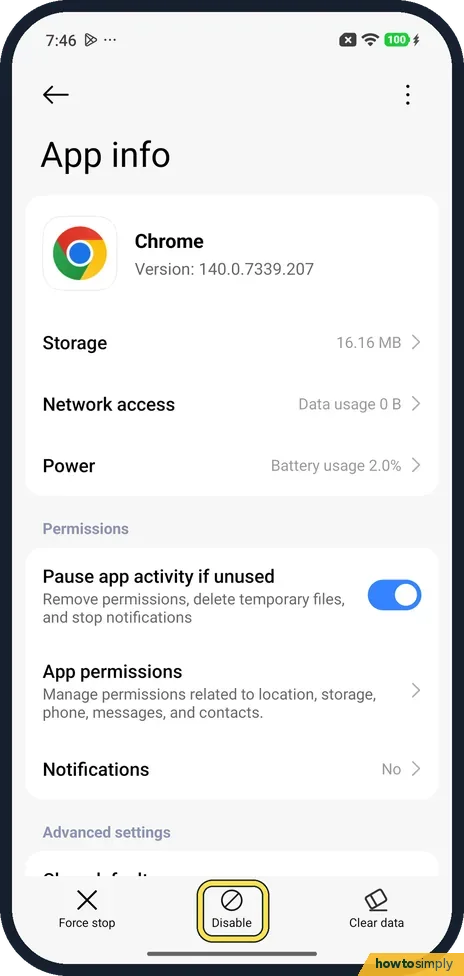
Open Settings, tap Apps and tap the app. We used Chrome. App info shows the name and version, 140.0.7339.207 on ours.
- 2
Tap Force stop
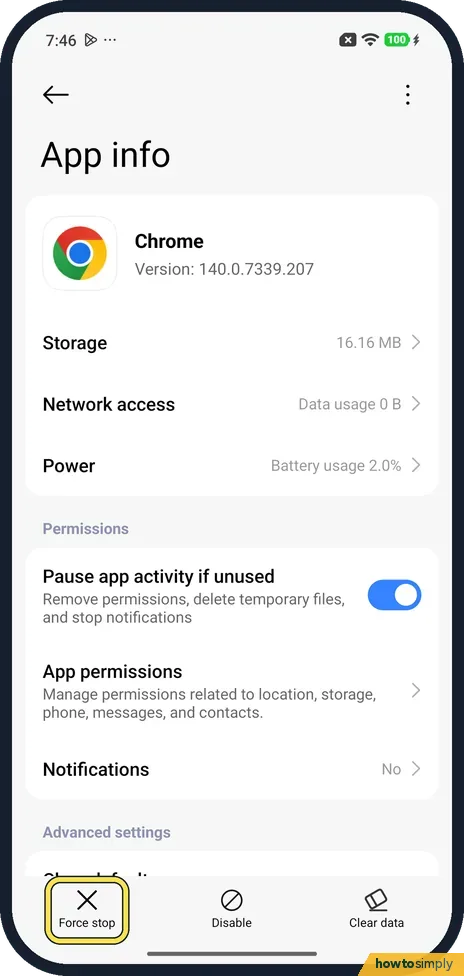
Force stop is the first button in the bar at the bottom, with an X.
- 3
Read the warning
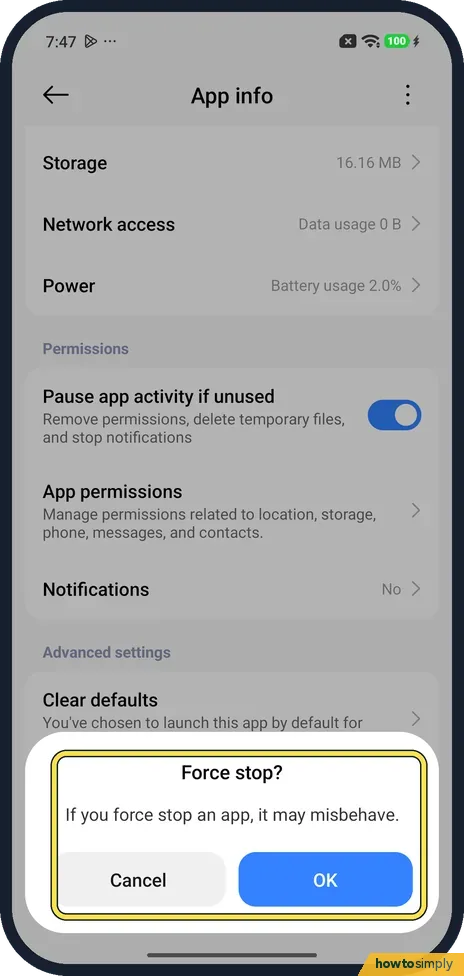
A box asks Force stop? and says: If you force stop an app, it may misbehave.
- 4
Tap OK
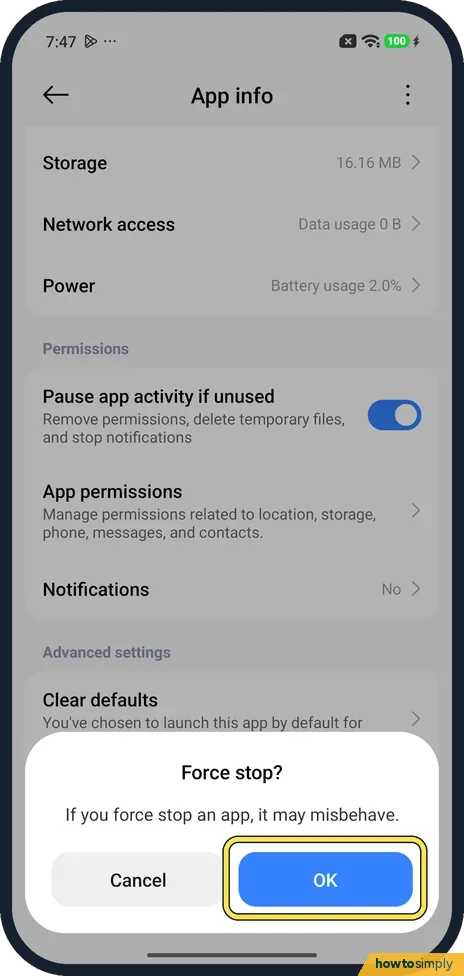
Tap OK to stop the app, or Cancel to leave it running. We tapped Cancel, so we did not see what happens after OK. Then open the app again as usual.
- 5
Still acting up? Check Storage
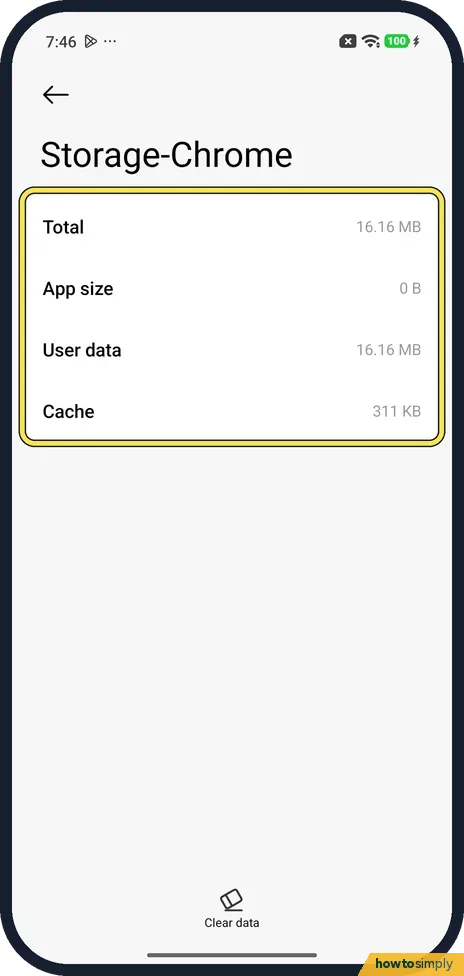
Back on App info, tap Storage. It shows Total, App size, User data and Cache (311 KB for Chrome on ours). To clear the cache, see how to clear an app's cache.
If you do not see this option
- No Uninstall button? For Chrome the bar had Force stop, Disable and Clear data. Chrome came with the phone, so it shows Disable instead of Uninstall.
- Clear data on the Storage page? Storage has only a Clear data button at the bottom. We did not tap it.
If this does not work
- Still not working after a force stop? Google Play Help says to clear the app's cache and data next, and to contact the developer if problems continue. Cache first: how to clear an app's cache.
- App closes by itself instead? HyperOS may be closing it in the background: Xiaomi closing apps in the background.
- Want it gone? Uninstall or disable it: how to uninstall or disable preinstalled apps.
- App freezes again straight away? Update it in Play Store first. Google Play Help puts restarting the phone, checking for system updates and updating the app before force stopping, because an out-of-date version is a common cause.
- Only fails online? For apps that need the internet, Google says to make sure the phone has a stable connection. Try the app on Wi-Fi and then on mobile data.
Good to know
Let an app start by itself: how to allow Autostart for an app.
A force stop ends the app's processes and any background jobs it was running. Your data, logins and settings stay, so the app opens normally the next time. Until you open it again, it may not sync or send notifications, and scheduled tasks inside it can wait. Nothing needs undoing; opening the app is enough.
If an app needs a force stop again and again, Google's next steps are clearing the cache and then, as a last resort, uninstalling. Google warns that uninstalling erases any data saved in the app, so back up first. Contact the app's developer if the fault keeps coming back.
About this guide
- Device
- Android
- Shown on
- Xiaomi Redmi Note 15 Pro 5G (25080RABDG), HyperOS 3.0.308.0, Android 16
- App
- Settings
- Path
- Settings › Apps
- Real screenshots
- 5 of 5 steps
- Checked
- October 2026
- Sources
- 1 official, linked below
Sources
Links checked October 2026. Menus and features can change with updates.Spotted a mistake? Menus change with updates, and we want every step to match your screen. Email us about this page or use the contact form. We read every report, and fixes are listed on What changed.
Liked this guide?
Follow us for new guides and short how-to videos.
Did this guide work for you?
Sorry about that. What happened?