
howtosimply.com/guides/how-to-find-your-honor-model-and-magicos-version/ · Checked October 2026 · BRP-NX1M, EEA), MagicOS 10.0, Android 16 (build 10.0.0.169(C430E7R2P1) · HONOR Magic7 Lite
In this guide
Open Settings and tap About phone. Model shows the code (BRP-NX1M on our Magic7 Lite), MagicOS version shows the release (10.0), and Build number the exact build.
3 of 3 steps with real screenshots · 2 official sources below
- Device
- Android
- Shown on
- HONOR Magic7 Lite (BRP-NX1M, EEA), MagicOS 10.0, Android 16 (build 10.0.0.169(C430E7R2P1))
- App
- Settings
- Path
- Settings › About phone: Model › Build number › MagicOS version
- Real screenshots
- 3 of 3 steps
- Checked
- October 2026
- Sources
- 2 official, linked below
Step by step
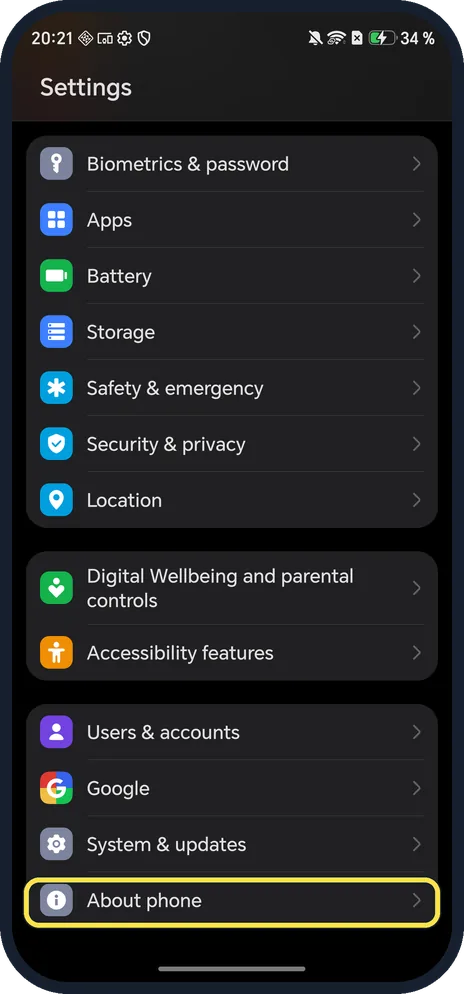
Open About phone
Open Settings and scroll to the bottom.
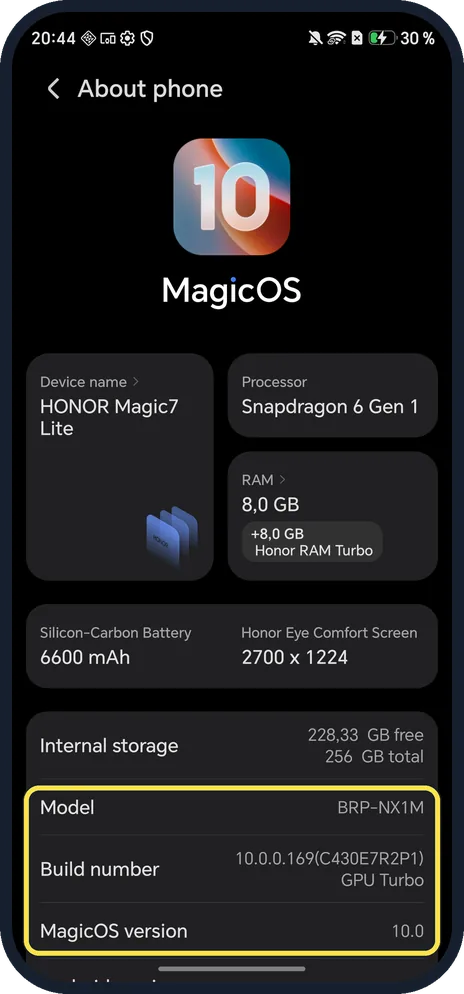
Read Model and MagicOS version
Model, ours: BRP-NX1M. Device name at the top shows the marketing name, HONOR Magic7 Lite. MagicOS version, ours: 10.0; Build number above it gives the full build.
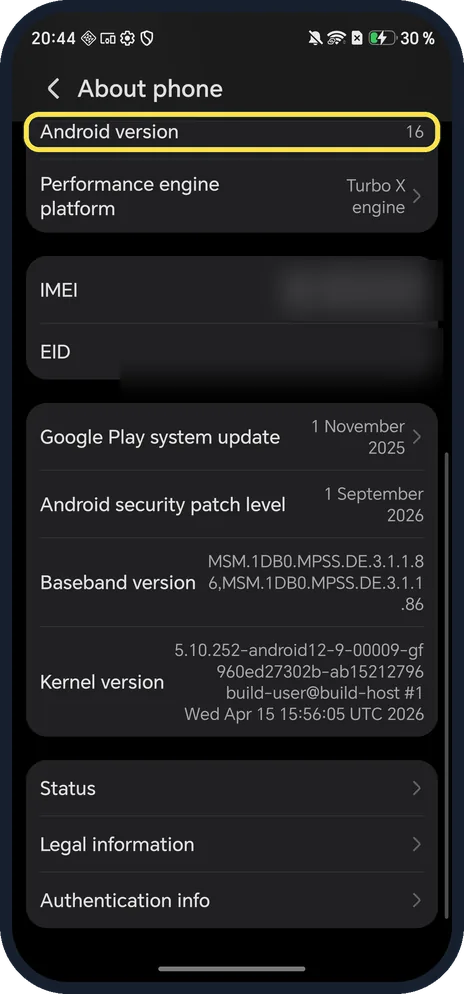
Scroll down for Android
Ours: Android version 16 and Android security patch level 1 September 2026; the IMEI row is lower down.
If you do not see this option
- Device name shows something else? Device name can be renamed, so it may not show the marketing name. Model shows the code (BRP-NX1M on ours).
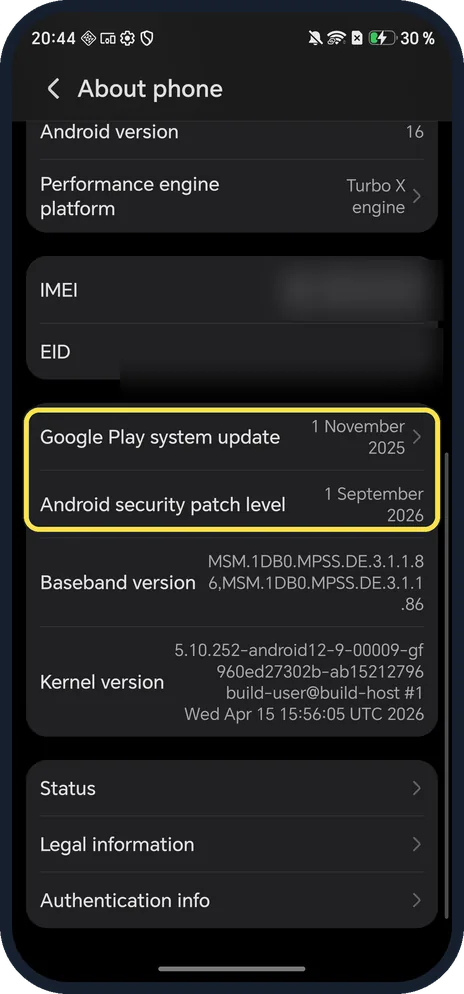
- Security patch and Google Play update? Lower on About phone: Android security patch level 1 September 2026 and Google Play system update 1 November 2025 on ours.
- No About phone? HONOR's steps search Settings for About phone. On ours it is the last row in Settings. Source: The notification panel does not open when I swipe down from the status bar
If this does not work
- Build older than on other phones? HONOR says updates are not pushed to all devices at once. Check your internet connection, then open Settings, search for Software update and tap Check for updates. Source: Unable to receive system updates
- Support asks for a version and you see two? MagicOS version (10.0 on ours) is the release; Build number (10.0.0.169(C430E7R2P1)) is the exact build, and Software update shows the same build.
About this guide
The model code matters: HONOR sells different versions by region, and support pages and cases often ask for it.
The screenshots are from our HONOR Magic7 Lite, the European model BRP-NX1M, with MagicOS 10.0 and Android 16 (build 10.0.0.169(C430E7R2P1)), in Dark mode.
Good to know
To get the newest build, update an HONOR phone.
To unlock hidden settings, turn on Developer options from the Build number row.
In short: Settings, About phone: Model, Build number, MagicOS version.
- HONOR Support: The notification panel does not open when I swipe down from the status bar
- HONOR Support (UK): Unable to receive system updates
Links checked in October 2026. Menus and features can change after software updates. These steps match the version named at the top.
Did this guide work for you?
Sorry about that. What happened?