GOOGLE PIXEL
How to find the IMEI, model and build number on a Google Pixel (Android 17)

In short
Open Settings and tap About phone. Under Device details you find Model, EID, IMEI 1 and IMEI 2, Android version and Build number. A Pixel 10a has two IMEIs, one for the SIM card and one for the eSIM.
4 of 4 steps show a real screenshot from our Pixel 10a. Each step was checked against the maker's own instructions, linked at the end.
Steps
- 1
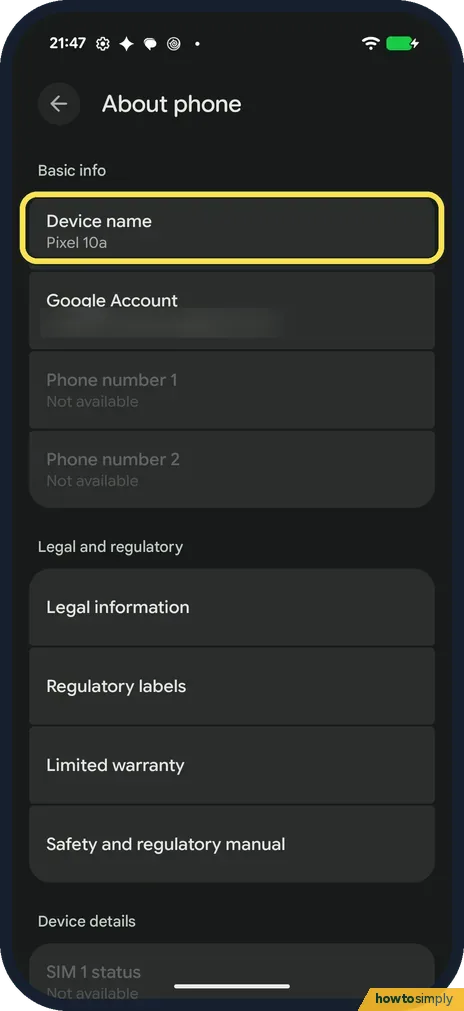
Open About phone
Open Settings and tap About phone. The top shows Device name, Google Account and Phone number 1 and 2; ours had no SIM, so the numbers said Not available.
- 2
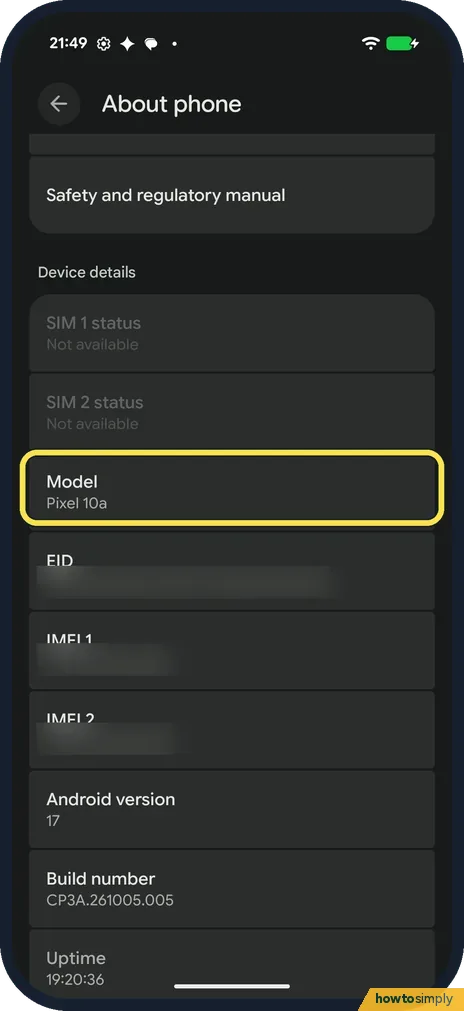
Find the model
Scroll down to Device details. Model said Pixel 10a.
- 3
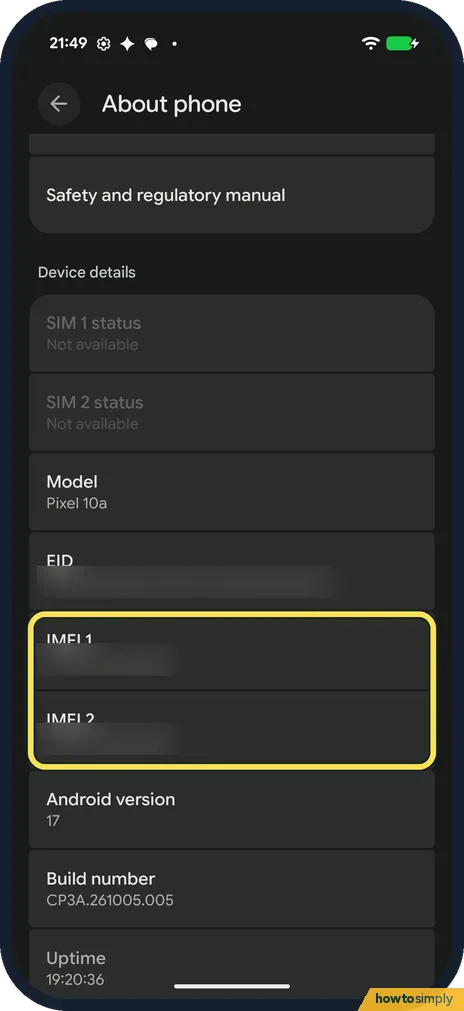
Find IMEI 1 and IMEI 2
Below EID are IMEI 1 and IMEI 2. Touch and hold a number to copy it. We blurred ours.
- 4
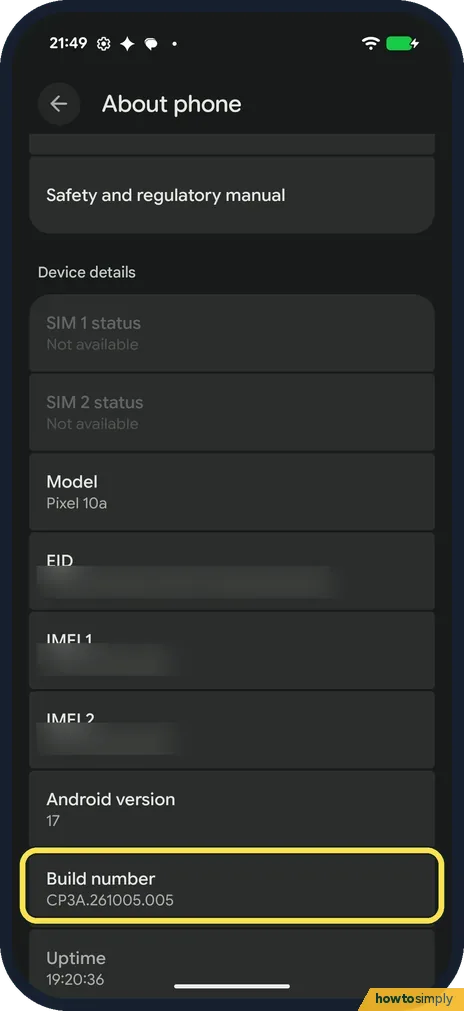
Find the Android version and build
Android version said 17 and Build number CP3A.261005.005. Uptime, below, is how long since the last restart.
If you do not see this option
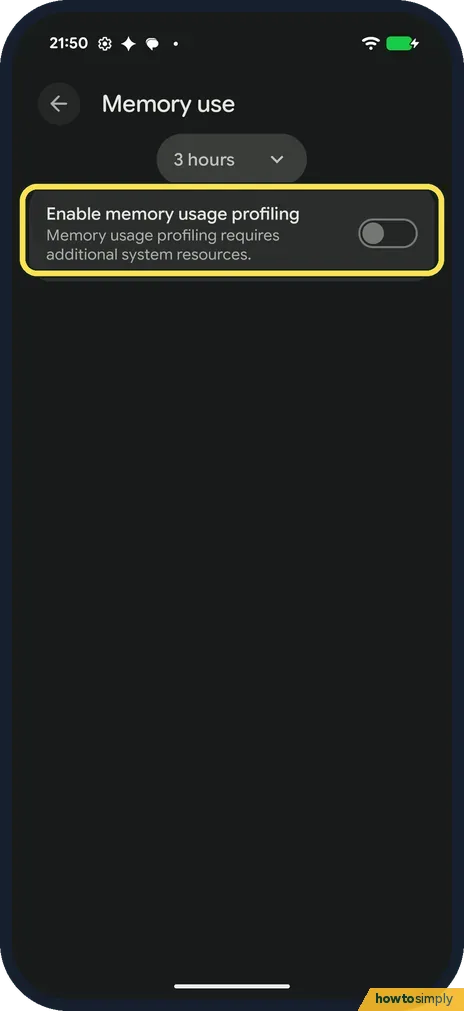
- Looking for the RAM? About phone doesn't show it. Settings, System, Developer options, Memory does, but only after you turn on Enable memory usage profiling; on ours it was off, so it showed nothing. Developer options must be on first.
If this does not work
- Need the IMEI without the screen? Google says it is also on the box and the SIM card tray, and in Find My Device (now Find Hub): tap your phone, then Information.
- IMEI 2 is empty? Google says phones that support both eSIM and a physical SIM have two IMEIs, one for each.
- Carrier asks which IMEI to give? Google says IMEI 1 is usually paired with the first SIM you set up, and a carrier may ask for IMEI 2 when it gives you an eSIM. If you are not sure which one they need, ask the carrier before you give either.
- Asked for the EID? The EID identifies the phone's eSIM chip. Google says it is on the box and in About phone, and you may need to give it to your carrier when you set up an eSIM. It is the EID row just above IMEI 1.
Good to know
To see if a newer build is waiting: how to update a Google Pixel.
To see the RAM page you need Developer options: how to turn on Developer options on a Google Pixel.
Nothing changes when you open About phone; it only shows information. The build number is worth noting before and after an update, so you can see that the update went in. If you want to change the label other people see over Bluetooth and Wi-Fi, see how to change the device name on a Google Pixel. The security patch date is shown with the Android version: how to check the security patch level.
About this guide
- Device
- Android
- Shown on
- Google Pixel 10a, Android 17 (build CP3A.261005.005)
- App
- Settings
- Path
- Settings › About phone: Model › IMEI 1 › IMEI 2 › Android version › Build number under Device details
- Real screenshots
- 4 of 4 steps
- Checked
- October 2026
- Sources
- 1 official, linked below
Sources
Links checked October 2026. Menus and features can change with updates.Spotted a mistake? Menus change with updates, and we want every step to match your screen. Email us about this page or use the contact form. We read every report, and fixes are listed on What changed.
Liked this guide?
Follow us for new guides and short how-to videos.
Did this guide work for you?
Sorry about that. What happened?