
howtosimply.com/guides/how-to-change-vibration-and-haptics-on-an-oppo-phone/ · Checked October 2026 · CPH2689, EEA), ColorOS 16.0.5, Android 16 (build CPH2689_16.0.5.1001(EX01) · OPPO Reno13 5G
In this guide
Open Settings, Sound & vibration, Vibration intensity and drag the sliders for Calls & alarms and Messages & notifications. For touch feedback, open Sound & vibration, Haptics (O-Haptics) and set Haptic intensity.
5 of 5 steps with real screenshots · 3 official sources below
- Device
- Android
- Shown on
- OPPO Reno13 5G (CPH2689, EEA), ColorOS 16.0.5, Android 16 (build CPH2689_16.0.5.1001(EX01))
- App
- Settings
- Path
- Settings › Sound & vibration › Vibration intensity
- Real screenshots
- 5 of 5 steps
- Checked
- October 2026
- Sources
- 3 official, linked below
Step by step
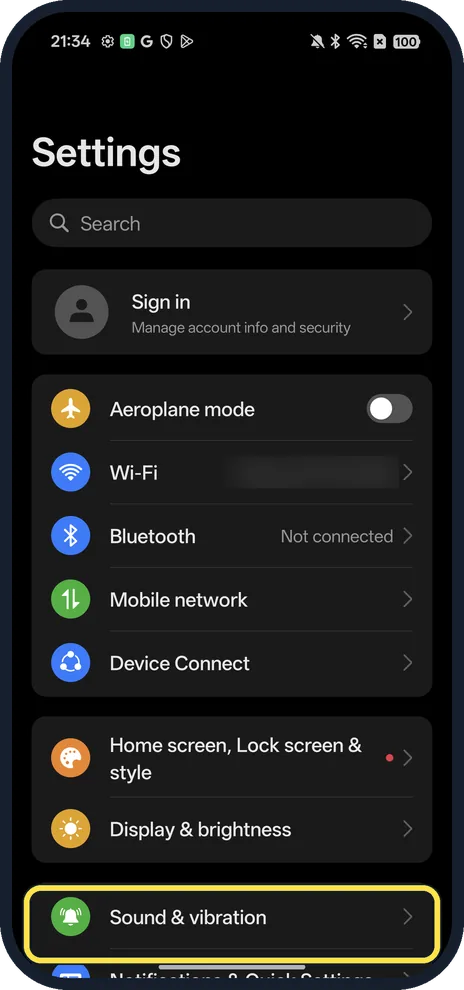
Open Sound & vibration
Open Settings.
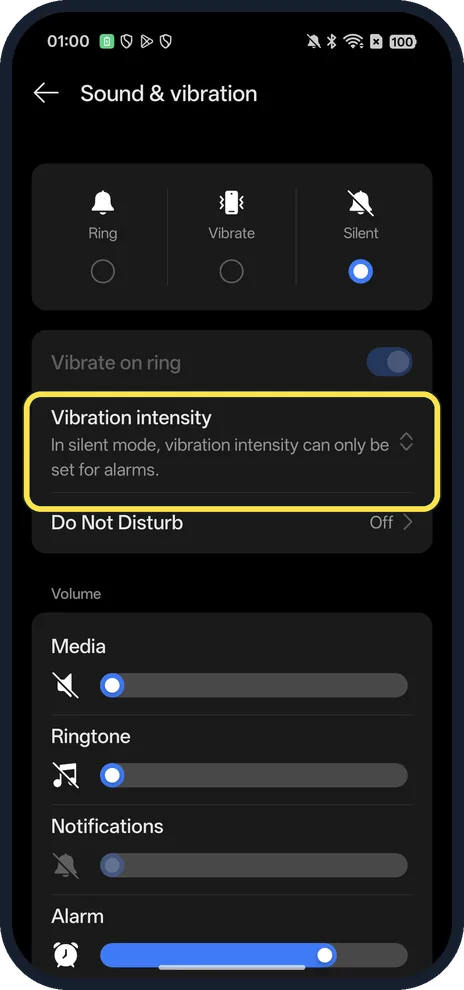
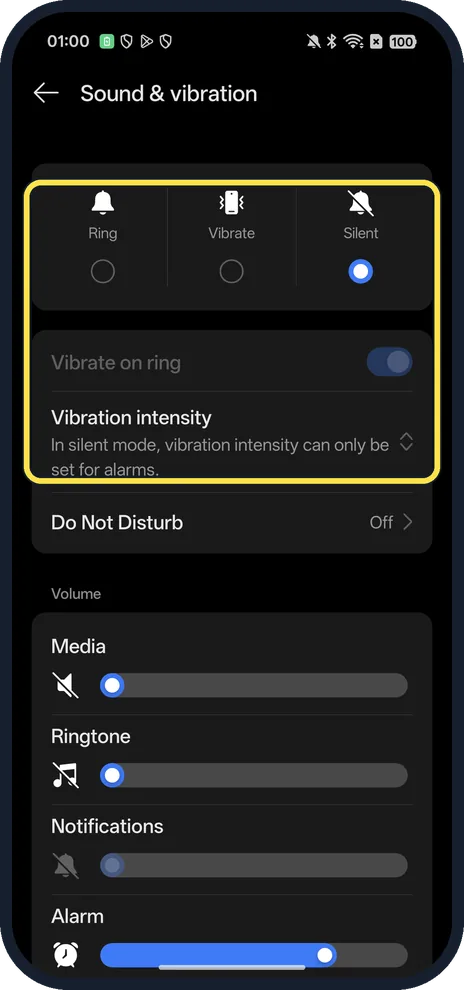
Tap Vibration intensity
In silent mode, only the alarm intensity can be set.
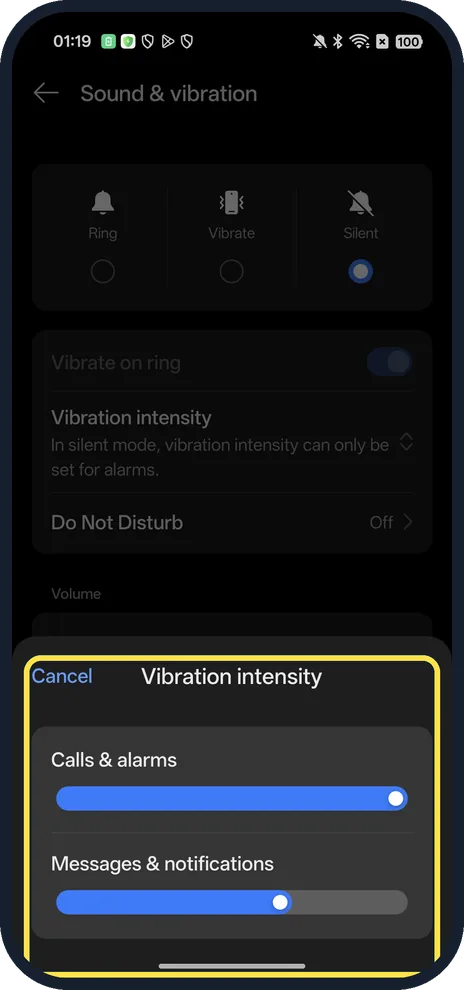
Drag the sliders
Calls & alarms and Messages & notifications. Tap outside the panel or Cancel to close.
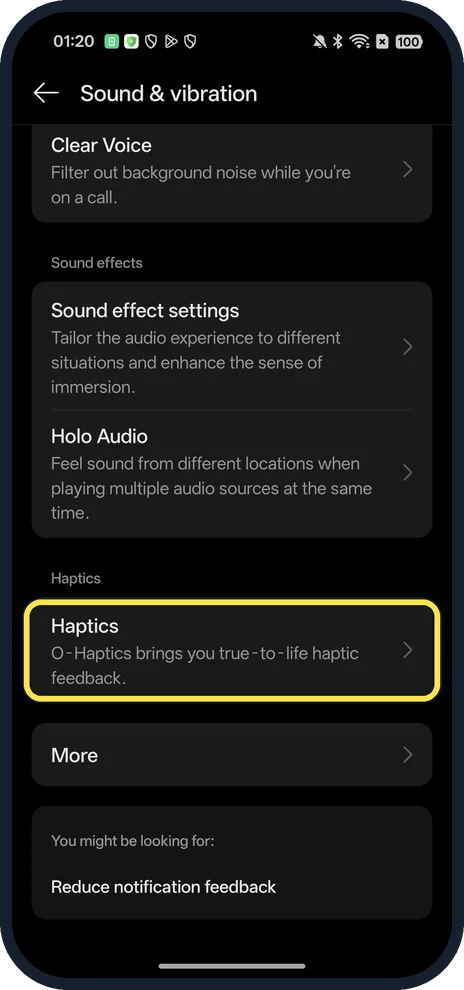
For touch feedback, tap Haptics
Scroll down; O-Haptics brings true-to-life haptic feedback.
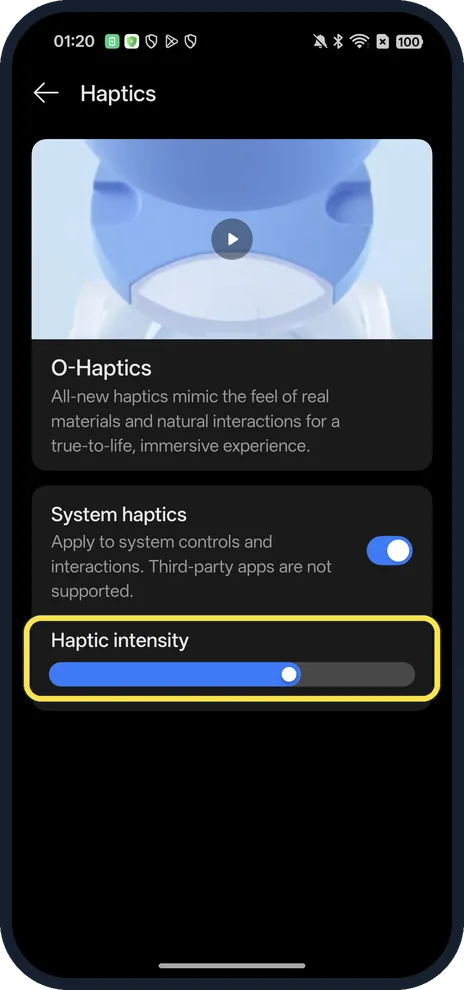
Set Haptic intensity
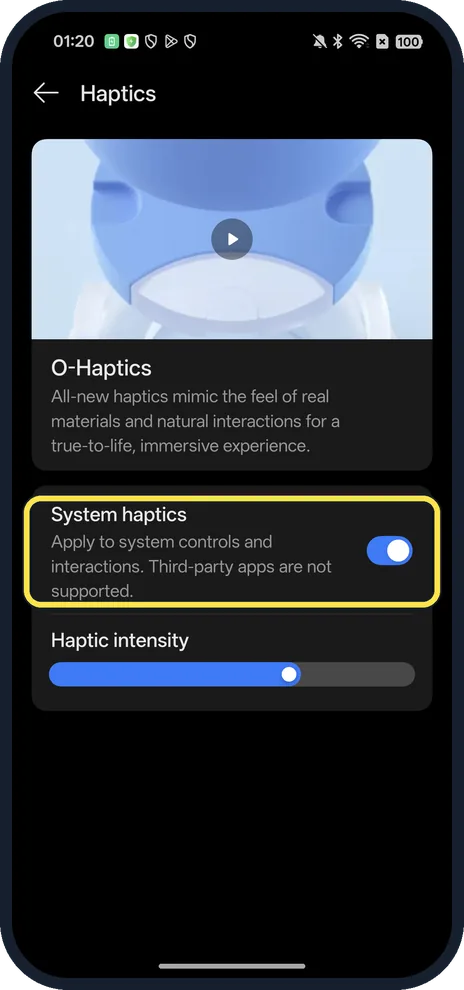
Drag the slider. System haptics must be on.
If you do not see this option
- Sliders greyed out? In Silent mode, as on ours, the row says vibration intensity can only be set for alarms. Choose Ring or Vibrate at the top first.
- No Haptics page on an older phone? OPPO gives the touch vibration switch as Sound & Vibration, Haptics and tones, System haptics on ColorOS 12 and later, More sounds & haptics, Vibrate on touch on ColorOS 11, and a Vibrate on Touch switch on ColorOS 3.1 to 7.2. Source: How to Turn Off Vibrate on Touch on OPPO Phones
- No vibration on taps at all? Turn on System haptics on the Haptics page. Source: How to Turn Off Vibrate on Touch on OPPO Phones
If this does not work
- Vibration weaker than before? OPPO suggests checking that app's notification settings, Silent and Do Not Disturb, and taking off a thick case, which can absorb vibration. If it never vibrates, have the motor checked at a service centre. Source: Why Is My OPPO Phone Vibrating Less Than Before?
- Notifications vibrate softly in videos and games? That is Reduce notification feedback, in Notifications & Quick Settings, More settings: in full-screen apps, sounds are softer and vibration is less strong.
- Some apps ignore it? The page says third-party apps are not supported by System haptics.
About this guide
The screenshots are from our OPPO Reno13 5G, the European model CPH2689, with ColorOS 16.0.5 and Android 16 (build CPH2689_16.0.5.1001(EX01)), in Dark mode. We opened the settings and changed nothing.
Good to know
To change the sound too, change the ringtone.
To silence everything, turn on Do Not Disturb.
In short: Settings, Sound & vibration, Vibration intensity, and Haptics.
- OPPO Support: How to Turn Off Vibrate on Touch on OPPO Phones
- OPPO Support: Why Is My OPPO Phone Vibrating Less Than Before?
- Google Android Help: Change volume, sound & vibrate settings
Links checked in October 2026. Menus and features can change after software updates. These steps match the version named at the top.
Did this guide work for you?
Sorry about that. What happened?