GOOGLE PIXEL
How to change vibration and haptics on a Google Pixel (Android 17)

In short
Open Settings, Sound and vibration, Vibration and haptics. Use vibration and haptics turns all of it on or off. Sliders set the strength for ring, notification, alarm, touch and media vibration. Keyboard vibration has its own switch.
8 of 8 steps show a real screenshot from our Pixel 10a. Each step was checked against the maker's own instructions, linked at the end.
Steps
- 1
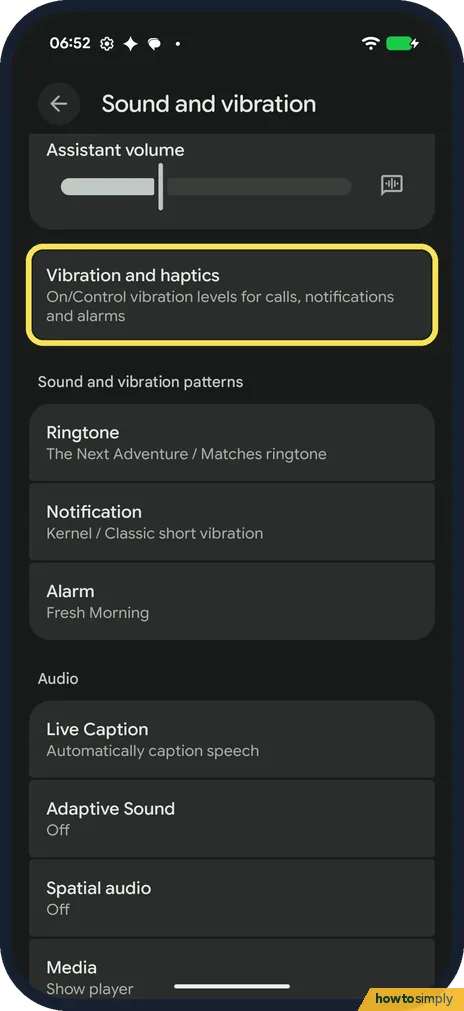
Open Vibration and haptics
Open Settings and tap Sound and vibration. Vibration and haptics is below the volume sliders. Ours said On.
- 2
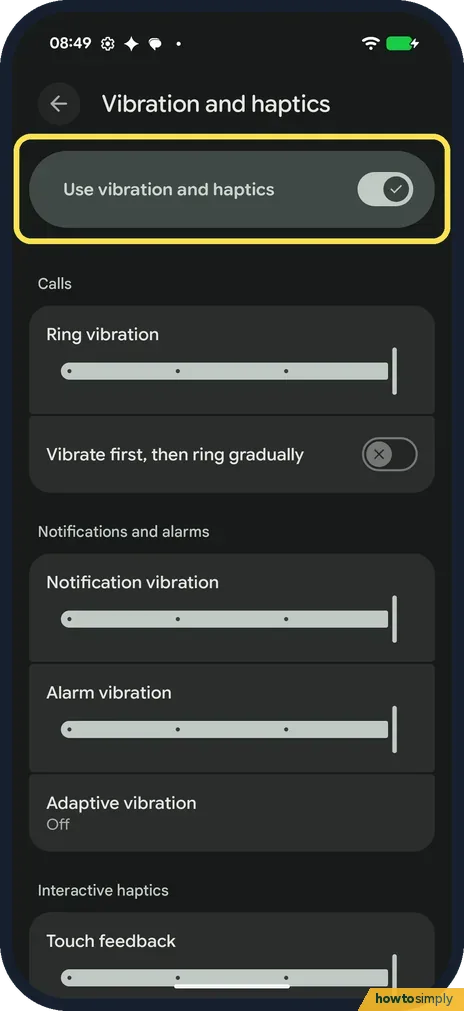
Use vibration and haptics
The switch at the top turns every vibration on or off. It was on on ours.
- 3
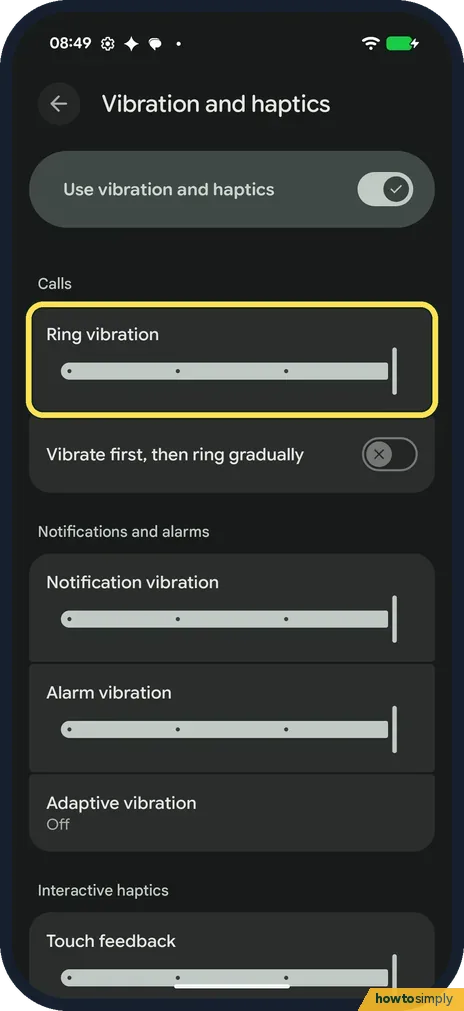
Ring vibration
Under Calls, drag Ring vibration left for a softer buzz when someone calls, or right for a stronger one.
- 4
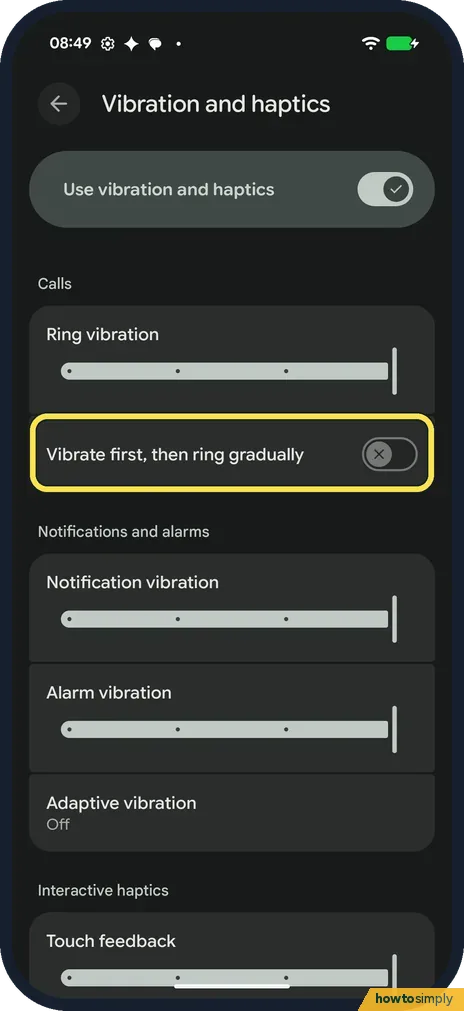
Vibrate first, then ring gradually
With this on, the phone vibrates first and the ringtone gets louder slowly. It was off on ours.
- 5
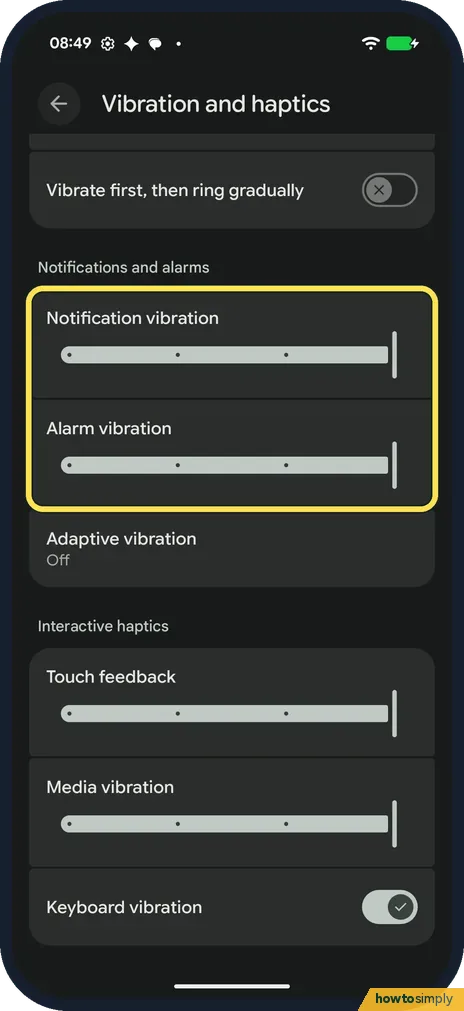
Notifications and alarms
Notification vibration and Alarm vibration each have a slider. Drag them the same way.
- 6
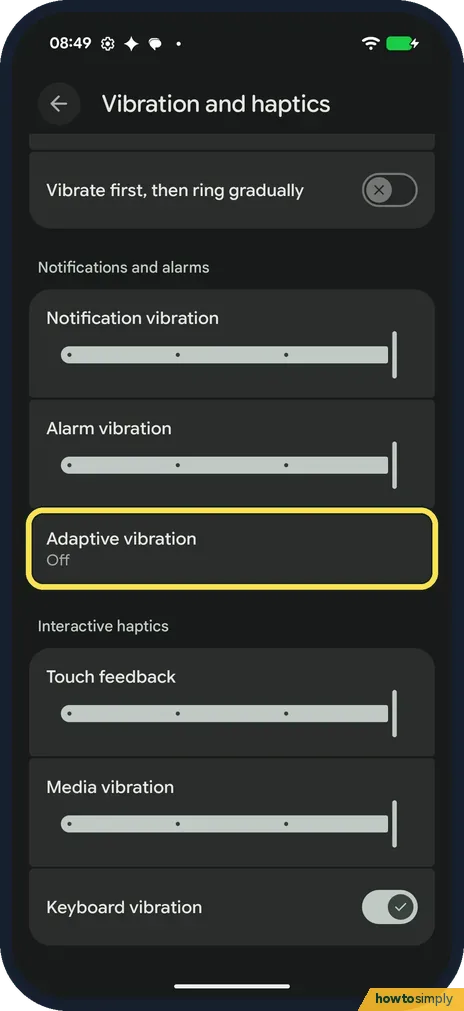
Adaptive vibration
Adaptive vibration was Off on ours. Google says it changes the vibration strength to suit your surroundings, on Pixel 7 and later.
- 7
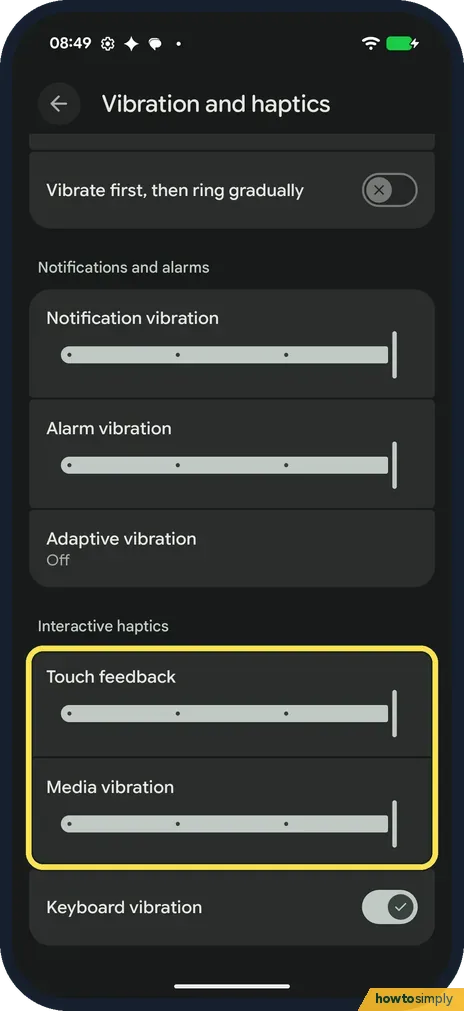
Touch and media
Under Interactive haptics, Touch feedback sets the buzz when you tap the screen, and Media vibration the buzz with media.
- 8
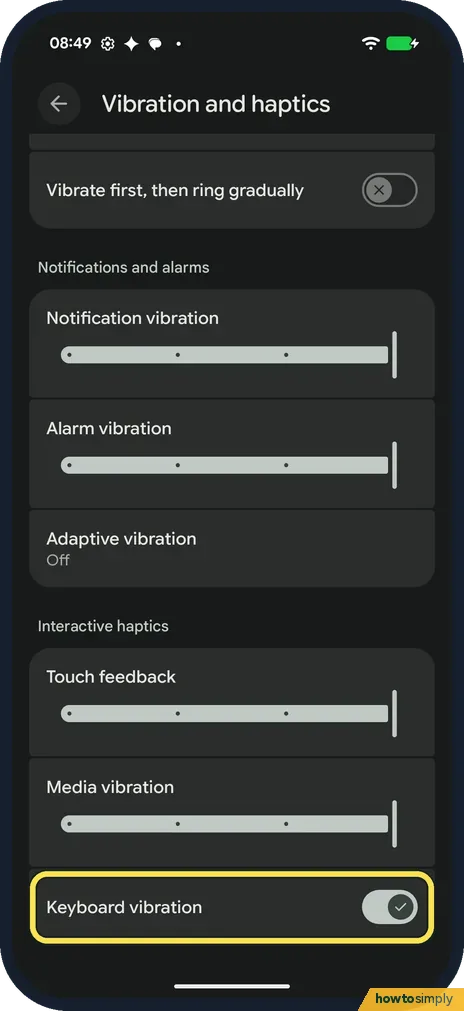
Keyboard vibration
Keyboard vibration, at the bottom, turns the buzz on key presses on or off. It was on on ours.
If you do not see this option
- Pixel 6a? Google says the Pixel 6a has Adaptive alert vibration instead, which controls the strength of alert vibrations when the phone is still and facing up. Source: Change volume, sound & vibrate settings on your Pixel phone or Pixel Tablet
- Older Pixel with a vibrate shortcut? Google says that on Pixel 5a and earlier, pressing Power and Volume up together quickly turns on vibrate. Source: Change volume, sound & vibrate settings on your Pixel phone or Pixel Tablet
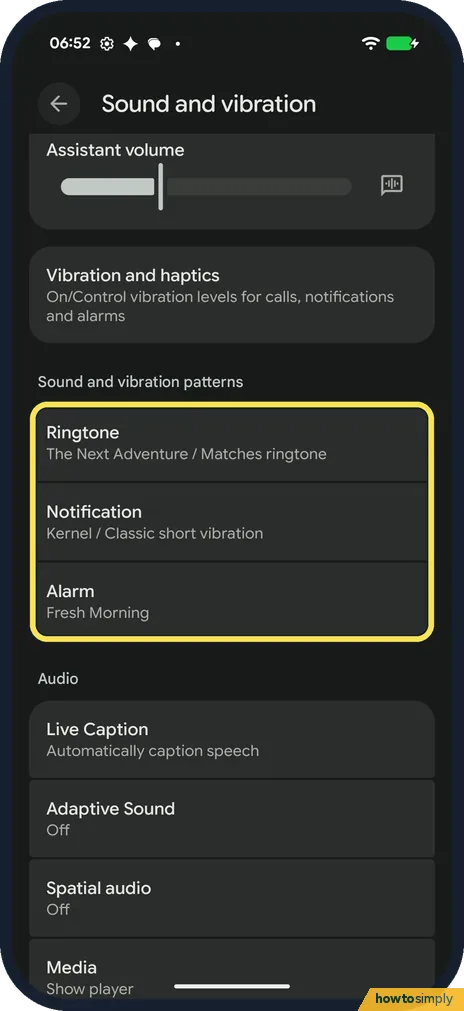
- Want a different vibration pattern? Patterns are not on this page. Google says to pick one under the ringtone or notification sound. On ours, Ringtone said Matches ringtone. Source: Change volume, sound & vibrate settings on your Pixel phone or Pixel Tablet
- Want the phone on vibrate only? Google says to press a volume button, then at the right, above the slider, tap Ring and pick Vibrate or Mute. Tap it again and choose Ring to get the sound back. Source: Change volume, sound & vibrate settings on your Pixel phone or Pixel Tablet
- Phone rings but doesn't buzz? Google says Vibrate for calls, with Always vibrate turned on, makes calls vibrate as well as ring. It is part of Vibration and haptics. Source: Change volume, sound & vibrate settings on your Pixel phone or Pixel Tablet
If this does not work
- Nothing vibrates at all? Check Use vibration and haptics at the top of the page. Google says this one switch turns vibration on or off.
- Keys don't buzz when you type? Turn on Keyboard vibration here. Gboard help says turning off the phone's vibration overrides Gboard's own setting. See how to change Gboard settings.
- Strength changes from place to place? That is Adaptive vibration, which Google says adjusts to your surroundings. Turn it off for a fixed strength.
- Missed calls on vibrate? Drag Ring vibration to the right. For the ringtone itself, see Pixel not ringing.
Good to know
To silence the phone at set times, see how to use Do Not Disturb and modes.
Google says some apps let you choose whether to vibrate for their own notifications, so a chat app may still buzz differently from the rest. Charging and screen lock vibrations are set separately too, under System sounds and vibrations on the Sound and vibration page.
To silence a ringing call without answering it, Google says to press a volume button.
About this guide
- Device
- Android
- Shown on
- Google Pixel 10a, Android 17 (build CP3A.261005.005)
- App
- Settings
- Path
- Settings › Sound and vibration
- Real screenshots
- 8 of 8 steps
- What we did
- Observed: looked at each screen, changed nothing
- Checked
- October 2026
- Sources
- 2 official, linked below
Sources
Links checked October 2026. Menus and features can change with updates.Spotted a mistake? Menus change with updates, and we want every step to match your screen. Email us about this page or use the contact form. We read every report, and fixes are listed on What changed.
Liked this guide?
Follow us for new guides and short how-to videos.
Did this guide work for you?
Sorry about that. What happened?