VIVO
How to clone an app on a vivo phone (two accounts, OriginOS 6)

In short
Open Settings, Apps, App clone and turn on the switch next to the app, such as WhatsApp or Instagram. A second copy appears on the home screen for your other account. You can also press and hold the app's icon on the home screen and tap +.
4 of 4 steps show a real screenshot from our V70 Lite 5G. Each step was checked against the maker's own instructions, linked at the end.
Steps
- 1
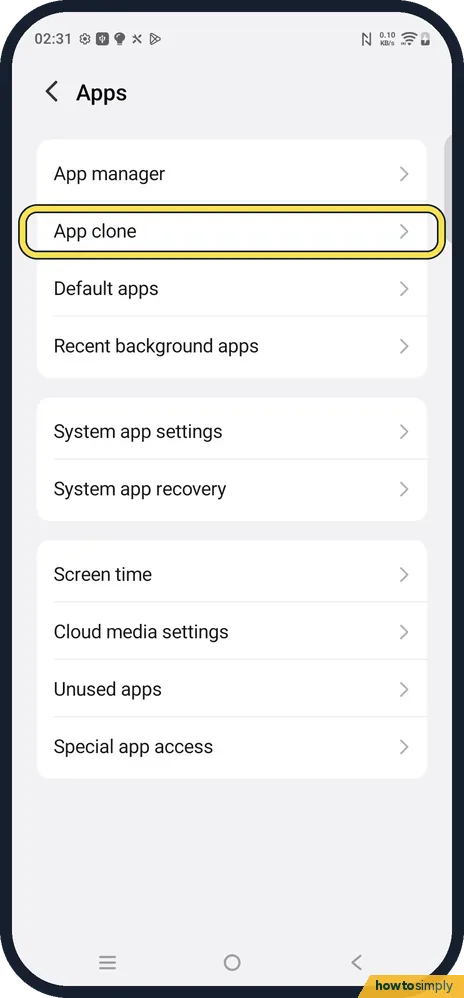
Open App clone
Open Settings, Apps. App clone is the second row, under App manager.
- 2
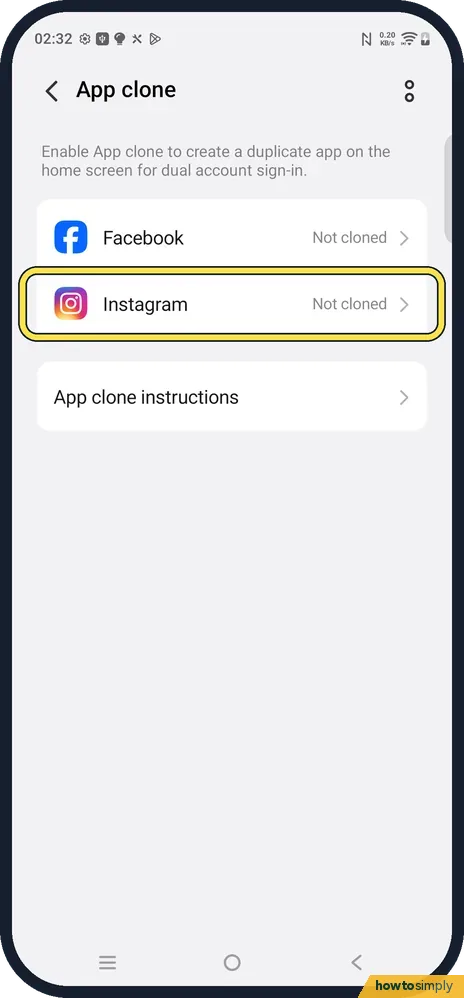
Find the app in the list
The page says: Enable App clone to create a duplicate app on the home screen for dual account sign-in. Each supported app shows Not cloned or its switch. Ours listed Facebook and Instagram.
- 3
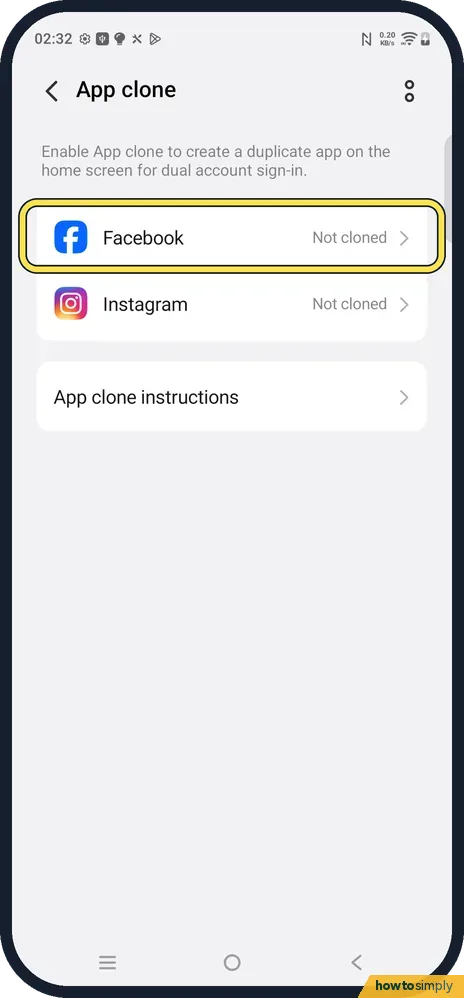
Turn on cloning for the app
Tap the app and turn on its switch. vivo says the clone then appears on the home screen. Open it and sign in with the second account; the two do not affect each other.
- 4
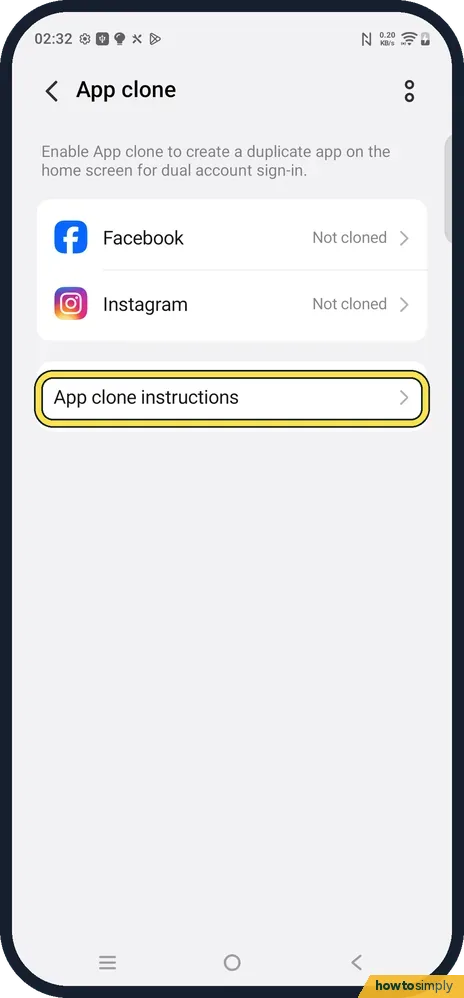
Read App clone instructions
The row under the list opens vivo's own notes on the feature.
If you do not see this option
- Your app is not in the list? Only installed apps that support cloning appear. vivo says supported apps include WhatsApp, Facebook, Instagram, Line and Viber, and some models only support a few. Source: App clone FAQs
- No apps at all in the list? vivo says you may have hidden them: check Hide App under Privacy & app encryption. Source: App clone FAQs
- Long-press + missing? vivo says the long-press method does not work with a third-party home screen. Use Settings, Apps, App clone instead. Source: App clone FAQs
If this does not work
- Want a third copy? vivo allows only one clone per app.
- Clone disappeared? Deleting the original app deletes its clone too, says vivo.
- Battery use went up? vivo says a clone only uses noticeable power if you use it often.
Good to know
To remove a clone, go back to Settings, Apps, App clone and turn off the app's switch.
vivo says the clone is built into the system and free, and that accounts on a cloned app are not blacklisted.
Notifications from a clone arrive separately. If the second account's messages arrive late, check the clone under Background power control too; see vivo notifications late or missing.
About this guide
- Device
- Android
- Shown on
- vivo V70 Lite 5G (V2529, EEA), OriginOS 6, Android 16 (build PD2512SF_EX_A_16.1.19.5)
- App
- Settings
- Path
- Settings › Apps
- Real screenshots
- 4 of 4 steps
- Checked
- October 2026
- Sources
- 2 official, linked below
Sources
Links checked October 2026. Menus and features can change with updates.Spotted a mistake? Menus change with updates, and we want every step to match your screen. Email us about this page or use the contact form. We read every report, and fixes are listed on What changed.
Liked this guide?
Follow us for new guides and short how-to videos.
Did this guide work for you?
Sorry about that. What happened?