
howtosimply.com/guides/how-to-check-storage-and-clean-up-an-oppo-phone/ · Checked October 2026 · CPH2689, EEA), ColorOS 16.0.5, Android 16 (build CPH2689_16.0.5.1001(EX01) · OPPO Reno13 5G
In this guide
Open Settings, About device and tap Storage to see what uses space. Tap Clean up to open Phone Manager, which lists junk files you can remove with Clean. Ours had 29,0 GB of 256 GB used and 114 MB of junk.
6 of 6 steps with real screenshots · 2 official sources below
- Device
- Android
- Shown on
- OPPO Reno13 5G (CPH2689, EEA), ColorOS 16.0.5, Android 16 (build CPH2689_16.0.5.1001(EX01))
- App
- Settings
- Path
- Settings › About device › Storage › Clean up
- Real screenshots
- 6 of 6 steps
- Checked
- October 2026
- Sources
- 2 official, linked below
Step by step
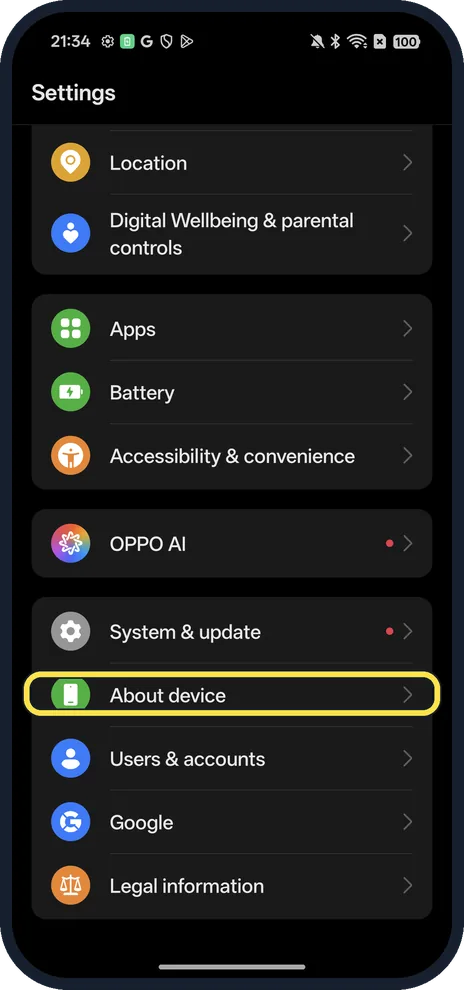
Open About device
Open Settings; it is near the bottom.
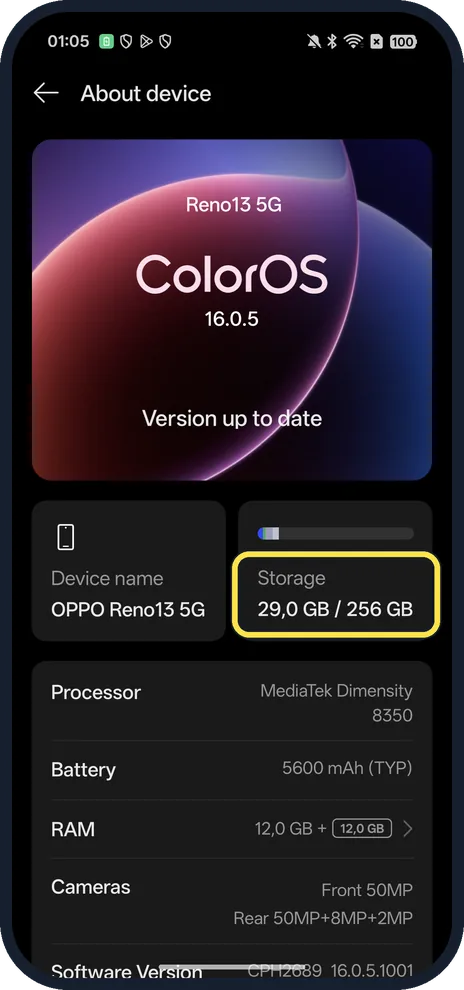
Tap Storage
The card shows used and total space.
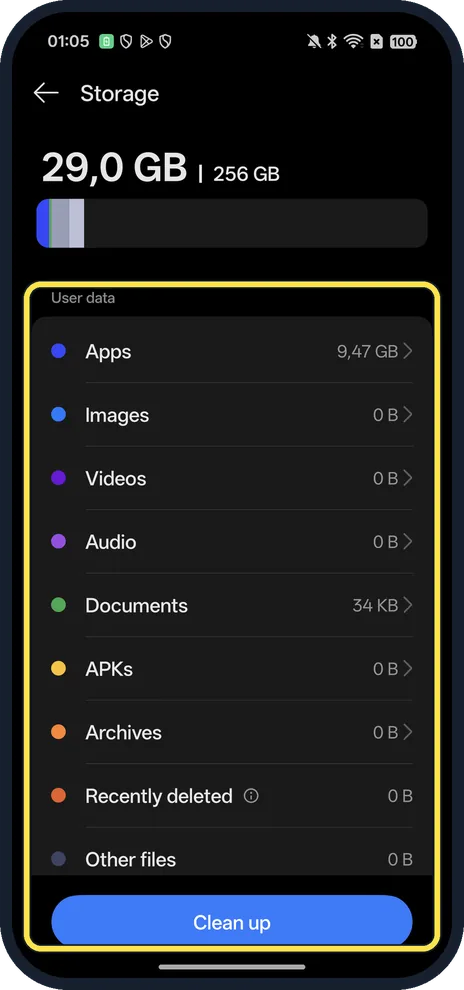
See what uses the space, then tap Clean up
Apps, Images, Videos, Audio, Documents, APKs, Archives and more, each with its size. Clean up is the button at the bottom.
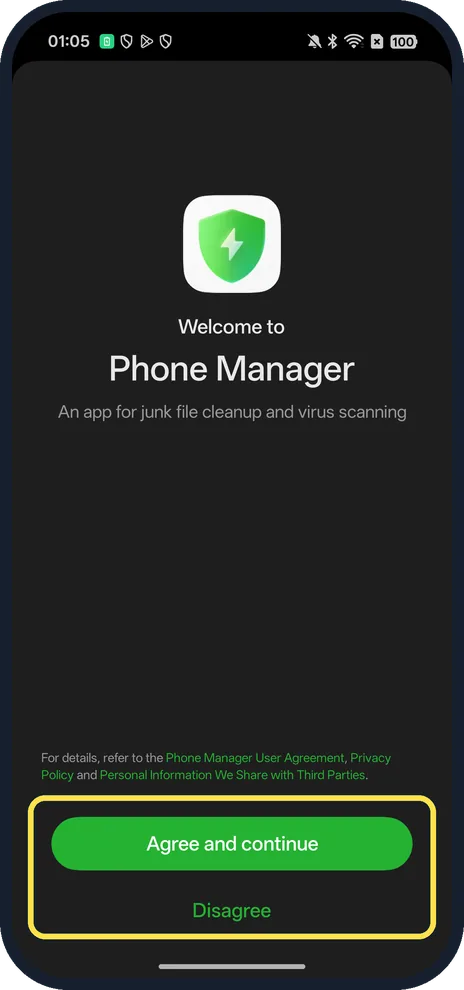
Read the Phone Manager notice
The first time, Phone Manager shows a notice that links its user agreement and privacy terms, with Agree and continue or Disagree; the choice is yours.
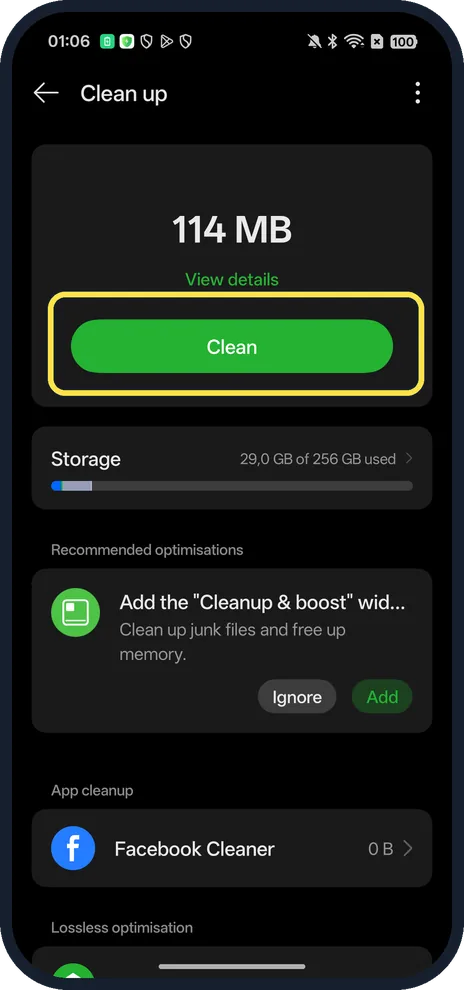
Tap Clean
It shows the junk total at the top. View details lists what will go first.
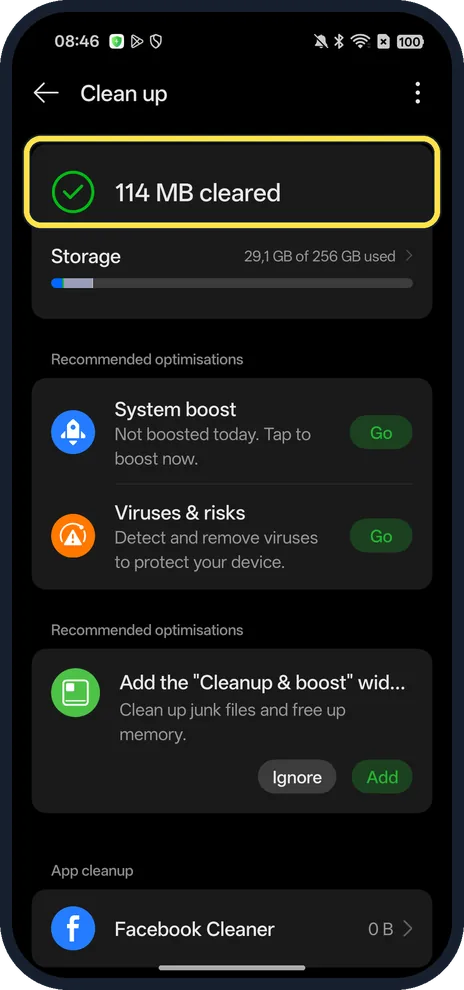
Check what was cleared
Ours said 114 MB cleared, with Storage at 29,1 GB of 256 GB used.
If you do not see this option
- Older OPPO phone? OPPO gives Settings, Storage on ColorOS 11 and 12, and Settings, Additional Settings, Storage on ColorOS 3.0 to 7.2. On some phones the File Manager app also shows the space left. Source: How to Check OPPO Phone Storage
- No Clean up button? Open the Phone Manager app instead: OPPO gives Phone Manager, Clean Up Storage or Clean Up, then Clean, and says the button may read Clean, Clear All or Clean Up depending on the version. Source: How to Check OPPO Phone Storage
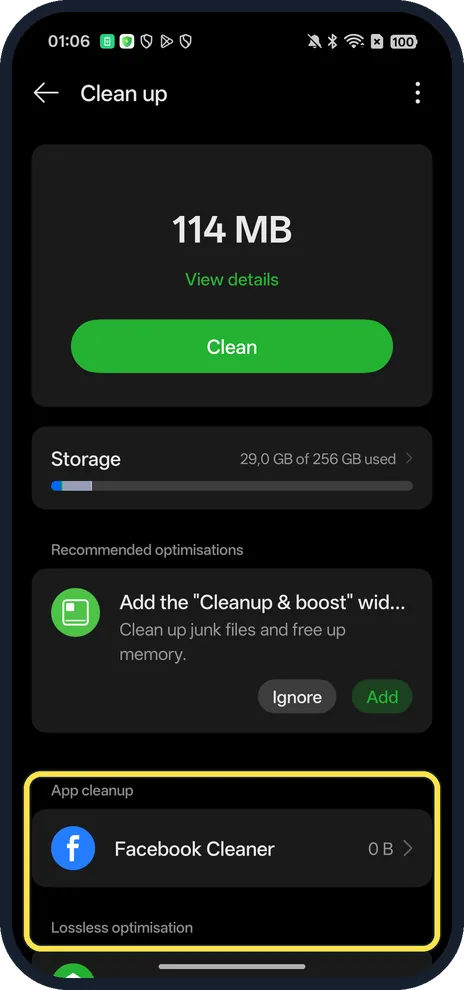
- Want more than junk? App cleanup and Lossless optimisation are further down the Cleanup page.
If this does not work
- Deleted something by mistake? Check Recently deleted in Storage; ours was 0 B.
- Space fills again? OPPO says Clean up removes temporary, cookie and cache files that are created each time you open or download something, so junk builds up again. Run it now and then, or clear one app's cache from the link below. Source: How to Check OPPO Phone Storage
About this guide
The screenshots are from our OPPO Reno13 5G, the European model CPH2689, with ColorOS 16.0.5 and Android 16 (build CPH2689_16.0.5.1001(EX01)), in Dark mode. The first time, Phone Manager showed a welcome screen with Agree and continue and Disagree. We tapped Clean once; it removed 114 MB of junk files.
Good to know
To clear one app, clear app cache.
To see your phone's details, find your model and ColorOS version.
In short: Settings, About device, Storage, Clean up.
Links checked in October 2026. Menus and features can change after software updates. These steps match the version named at the top.
Did this guide work for you?
Sorry about that. What happened?