XIAOMI REDMI
Xiaomi storage full? How to free up space (HyperOS 3)
Go to Settings, About phone, Storage to see what fills the phone. Then open the Security app and tap Deep clean. It lists rarely used apps to uninstall and app data you can clear, with the space each frees up.

5 of 5 steps show a real screenshot from our Redmi Note 15 Pro 5G. Each step was checked against the maker's own instructions, linked at the end.
Steps
- 1
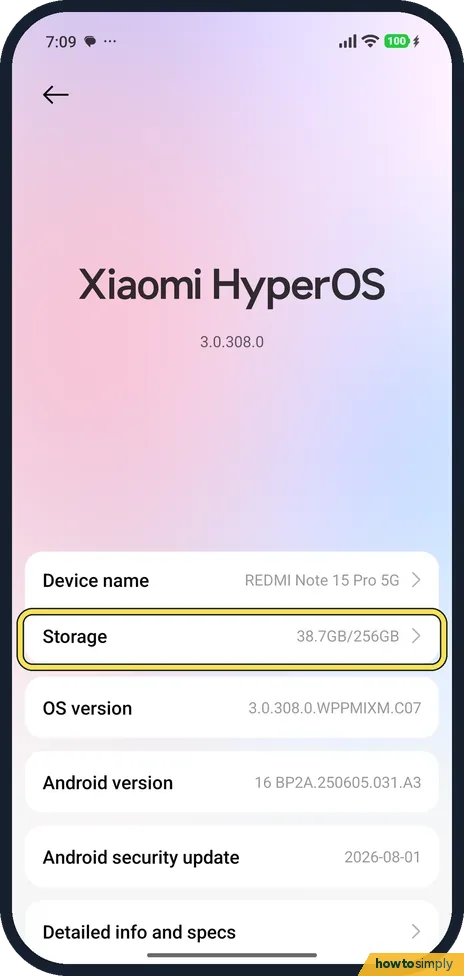
Open Storage
Go to Settings, About phone, and tap Storage. Ours read 38.7GB/256GB.
- 2
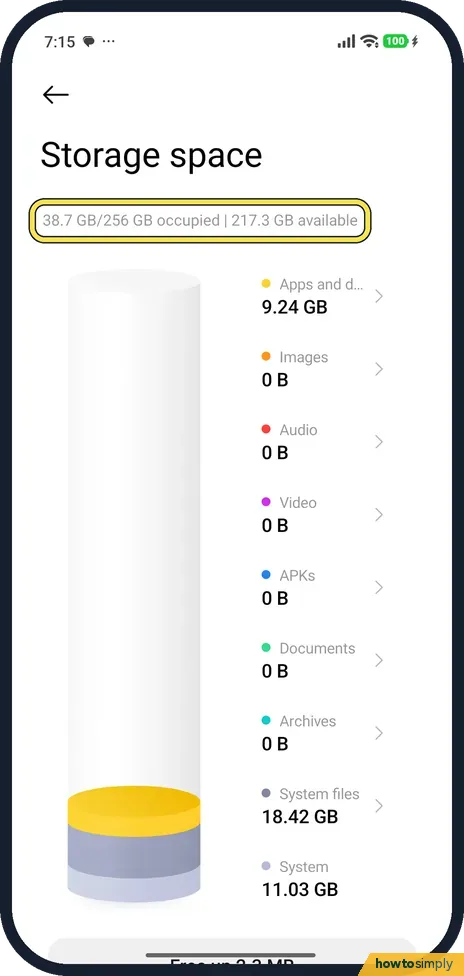
See what uses the space
The page lists Apps and data, Images, Audio, Video, APKs, Documents, Archives, System files and System. On ours, Apps and data was 9.24 GB and System files 18.42 GB.
- 3
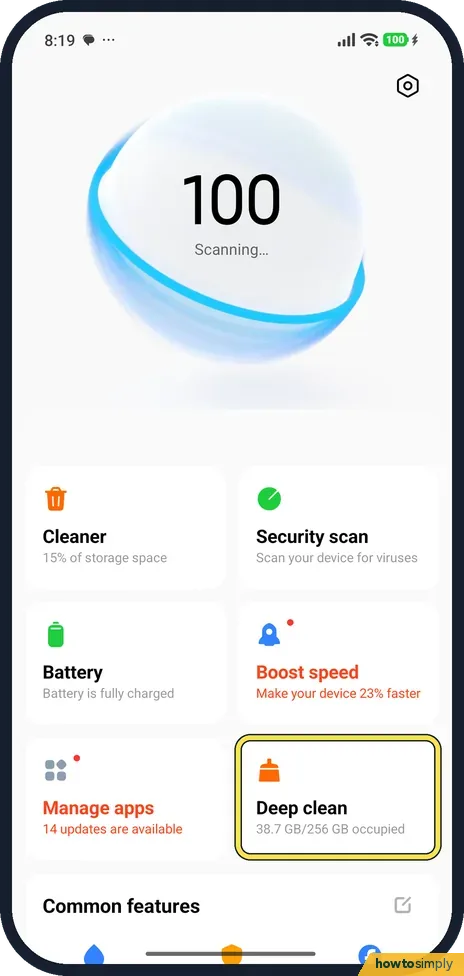
Open Deep clean
Open the Security app. Deep clean is one of the tiles under the big score; ours read 38.7 GB/256 GB occupied. Tap it.
- 4
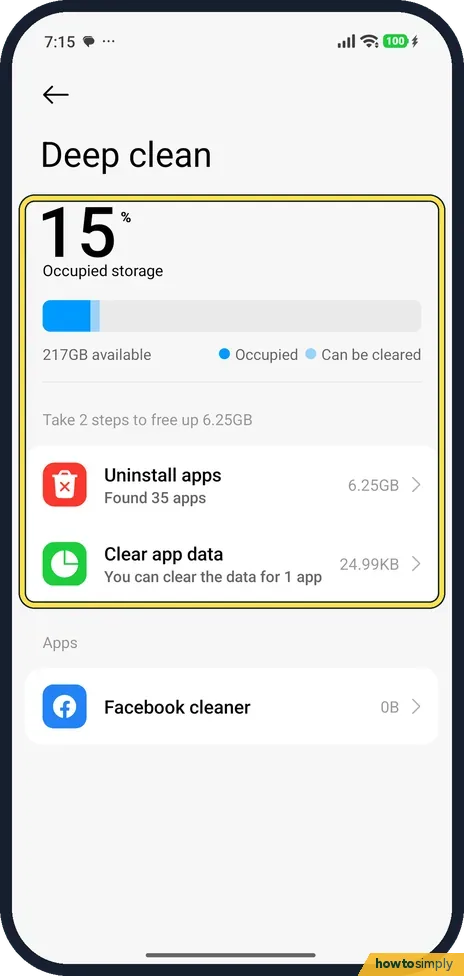
See what can go
Deep clean shows how full the phone is (15% on ours) and how much can be freed: Take 2 steps to free up 6.25GB. Uninstall apps and Clear app data are below.
- 5
Uninstall apps you don't use
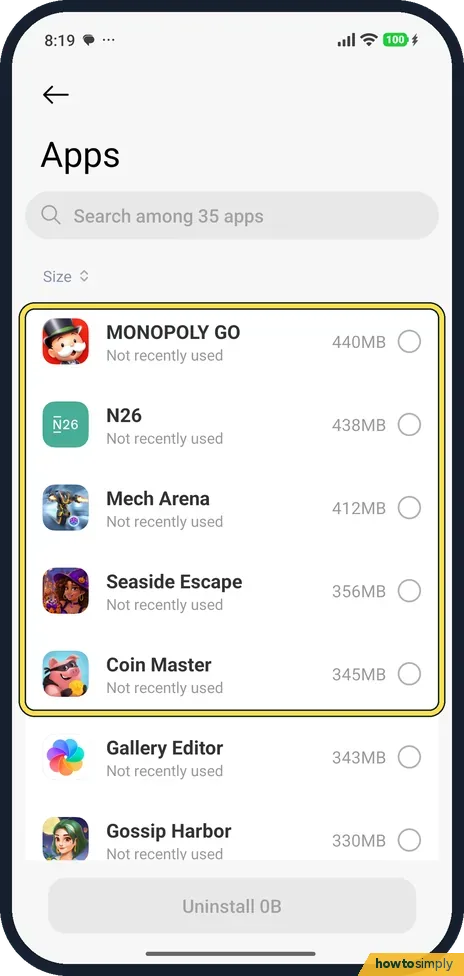
Uninstall apps lists apps by size, marked Not recently used. Ours started with MONOPOLY GO (440MB), N26 (438MB) and Mech Arena (412MB). Tick the ones to remove and tap Uninstall. We ticked nothing.
If you do not see this option
- No Delete videos or Delete big files? Xiaomi lists Delete videos and Delete big files in Deep clean too. Ours showed only Uninstall apps and Clear app data. Our phone had no photos or videos. Source: Generic User Guide for HyperOS 3.0
- No Deep clean in Security? Xiaomi lists Deep clean as a Security app feature. Search Settings for Deep clean if you can't see the tile. Source: Generic User Guide for HyperOS 3.0
If this does not work
- System files take a lot? On ours, System files (18.42 GB) and System (11.03 GB) were the biggest parts. You can't delete those.
- Still full? Google suggests removing downloaded files and apps you don't use, and backing photos up before you delete them.
- Photos and videos fill the phone? If you back up with Google Photos, Google says you can delete the copies on the phone and still view the backed-up ones in the app when online. Check the backup has finished before deleting anything.
- Storage fills up again quickly? Look at Apps and data in Storage a few days later. A chat app saving every photo and video it receives, or a streaming app with offline downloads, is a common reason. Remove downloads inside those apps.
- Cleaning an app made it slow? That is expected after clearing temporary data. Google says some apps may be slow the next time you open them while they rebuild it.
Good to know
Phone slow too? Xiaomi phone slow or lagging. One app only: how to clear an app's cache.
Uninstalling an app removes it and its data from the phone; you can install it again from Play Store. Clearing cache is harmless and the space slowly fills again. Photos deleted in Gallery go to Recently deleted items first and still use space there until they expire or you remove them. See recover deleted photos on a Xiaomi phone for where that bin is.
Google also suggests moving files to a computer over USB and then deleting them from the phone. See turn on USB file transfer on a Xiaomi phone.
About this guide
- Device
- Android
- Shown on
- Xiaomi Redmi Note 15 Pro 5G (25080RABDG), HyperOS 3.0.308.0, Android 16
- App
- Settings
- Path
- Settings › About phone › Storage
- Real screenshots
- 5 of 5 steps
- Checked
- October 2026
- Sources
- 2 official, linked below
Sources
Links checked October 2026. Menus and features can change with updates.Spotted a mistake? Menus change with updates, and we want every step to match your screen. Email us about this page or use the contact form. We read every report, and fixes are listed on What changed.
Liked this guide?
Follow us for new guides and short how-to videos.
Did this guide work for you?
Sorry about that. What happened?