
howtosimply.com/guides/how-to-check-if-your-pc-has-tpm-2-0-on-windows-11/ · Checked October 2026 · Windows 11 Enterprise 25H2 (build 26200.9457), Microsoft Cloud PC
In this guide
Open Windows Security, click Device security, then Security processor details. Specification version shows 2.0 if your PC has TPM 2.0. Or right-click Start, choose Run, type tpm.msc and press Enter: it shows the status and the specification version.
5 of 5 steps with real screenshots · 1 official source below
- Device
- Windows
- Shown on
- Windows 11 Enterprise 25H2 (build 26200.9457), Microsoft Cloud PC
- Real screenshots
- 5 of 5 steps
- Checked
- October 2026
- Sources
- 1 official, linked below
Step by step
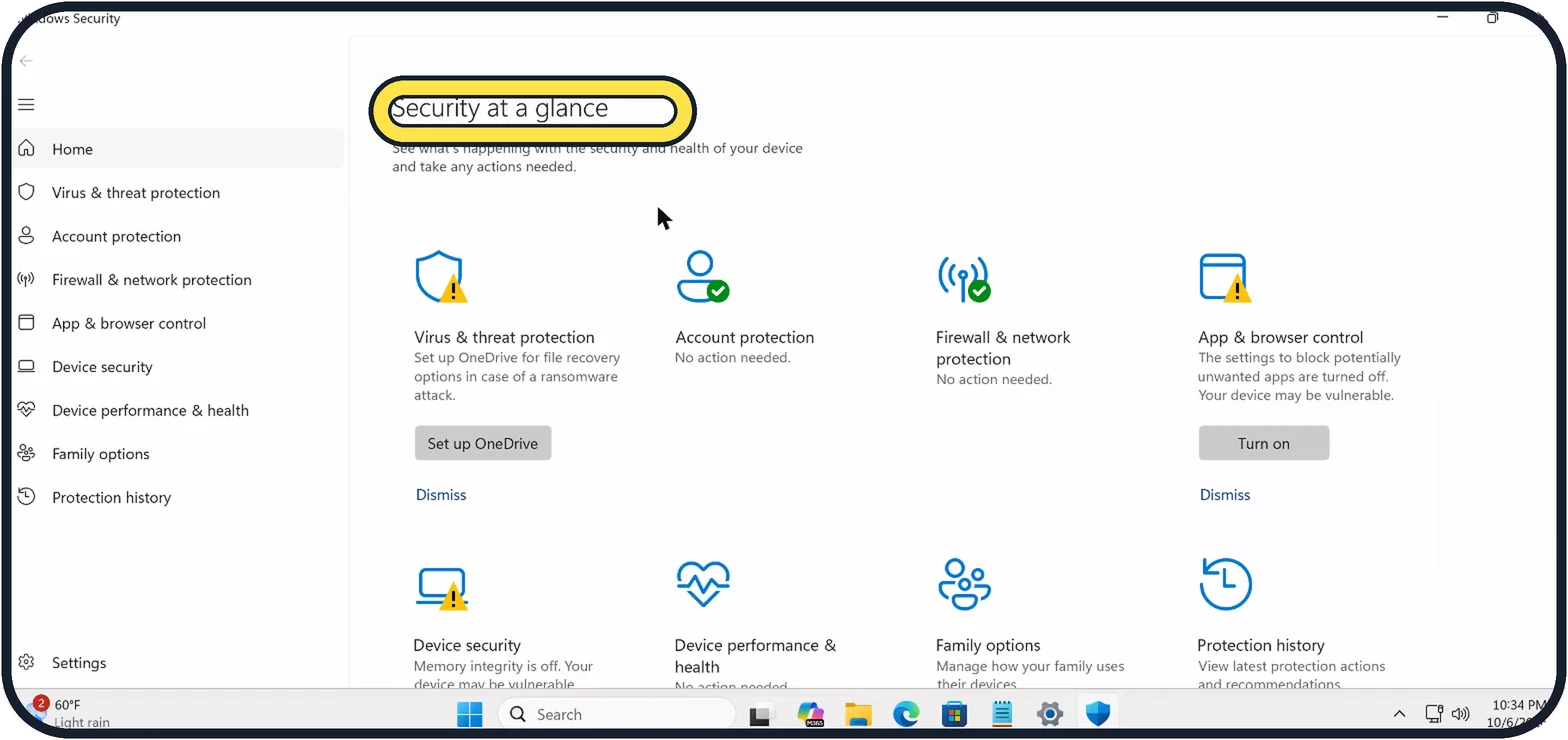
Zoomed in on the setting. Tap to see the whole screenTap the picture to see it full size Open Windows Security
Open Start, type Windows Security and open the app.
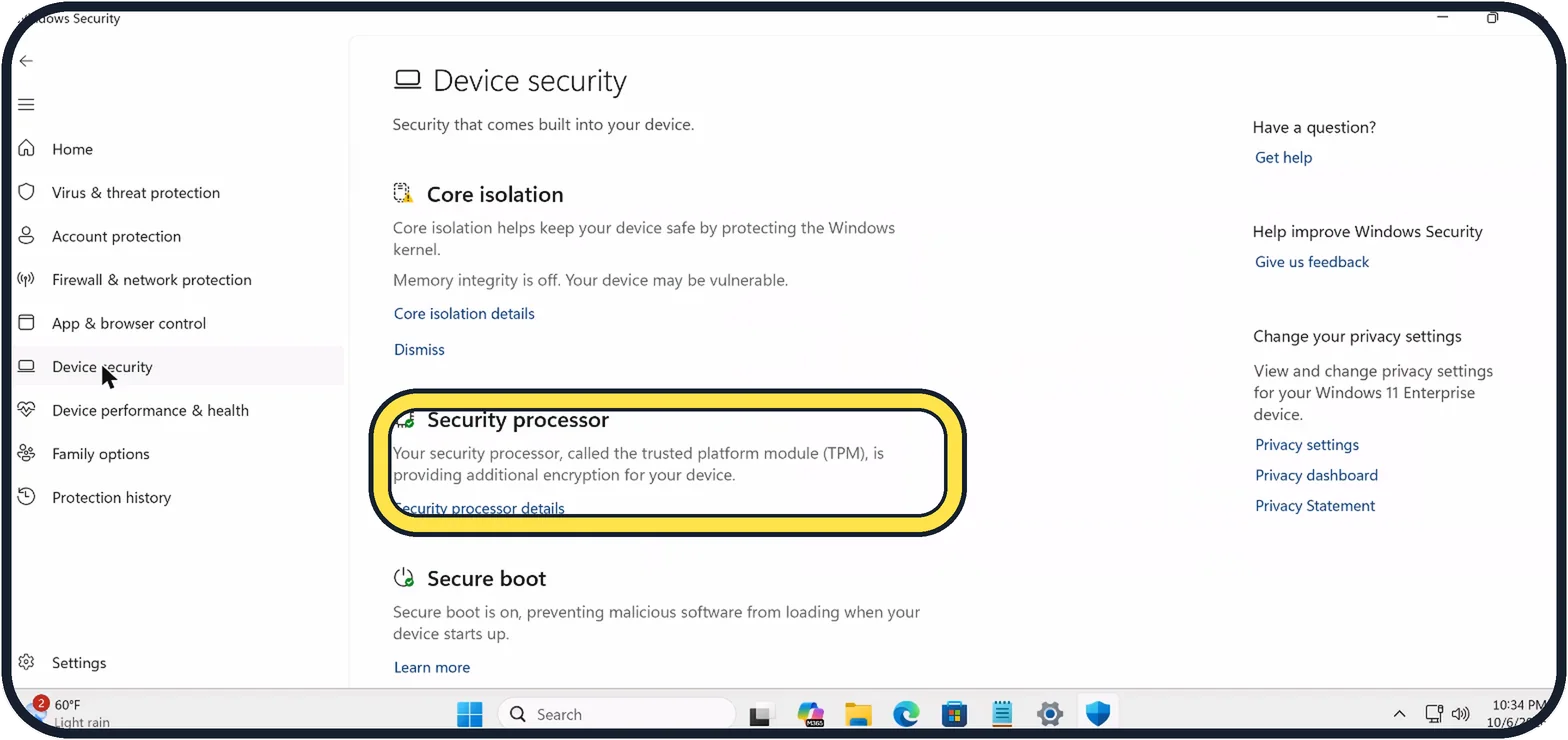
Zoomed in on the setting. Tap to see the whole screenTap the picture to see it full size Click Device security
Under Security processor it says whether the TPM is providing additional encryption. Click Security processor details.
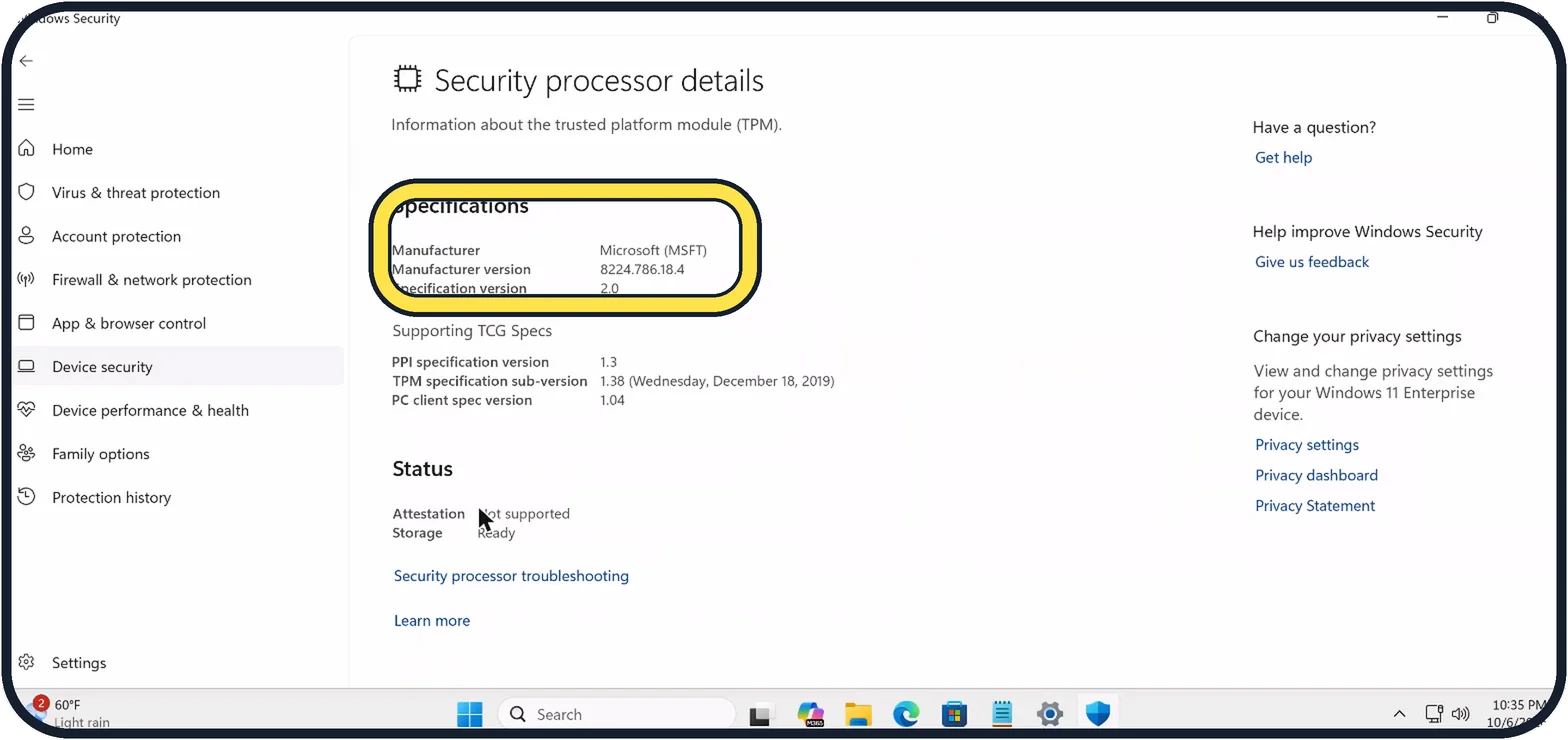
Zoomed in on the setting. Tap to see the whole screenTap the picture to see it full size Read Specification version
Specification version 2.0 means TPM 2.0. Ours also shows the manufacturer and, under Status, Storage Ready.
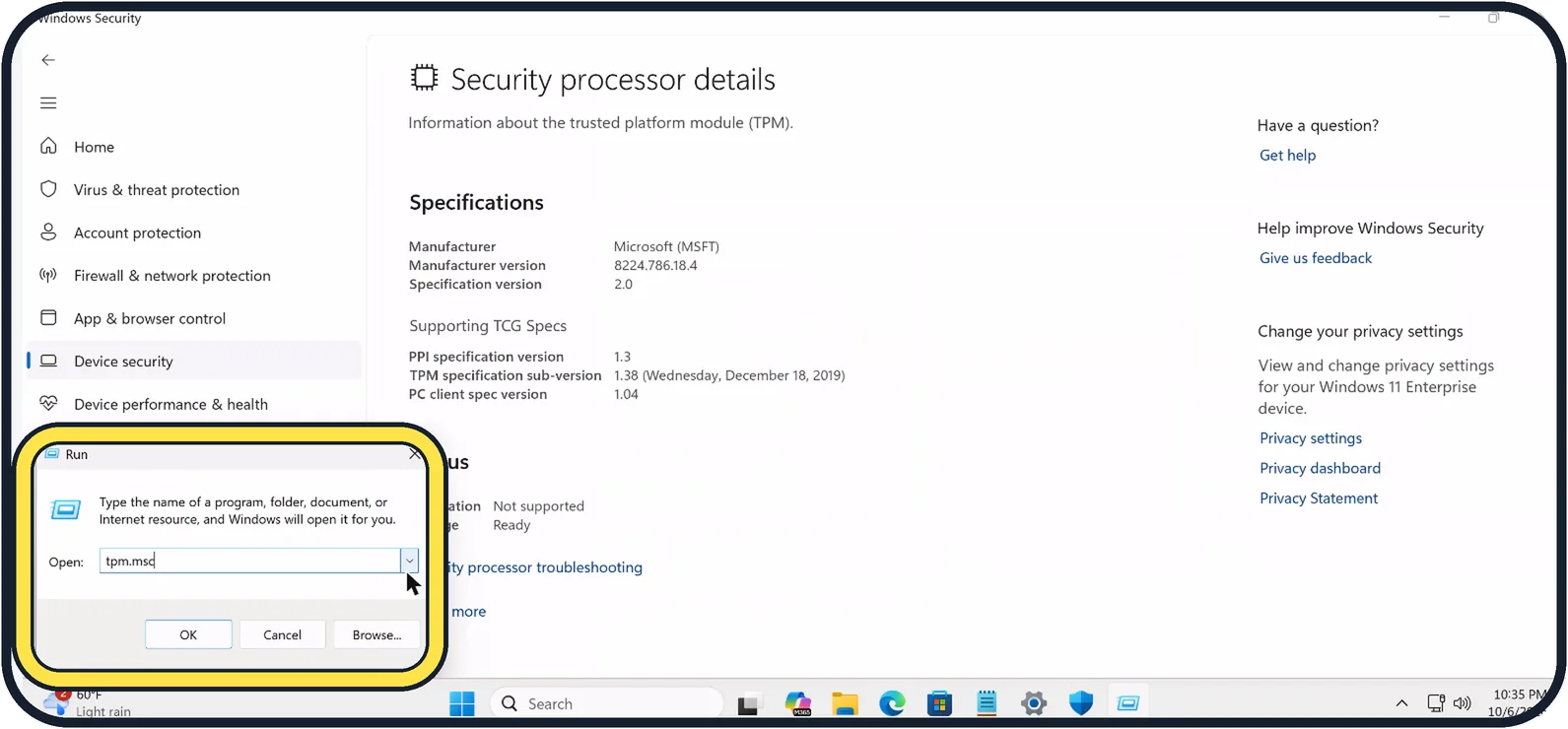
Zoomed in on the setting. Tap to see the whole screenTap the picture to see it full size Or open tpm.msc
Right-click Start, choose Run, type tpm.msc and click OK. On our PC it opened without an administrator prompt.
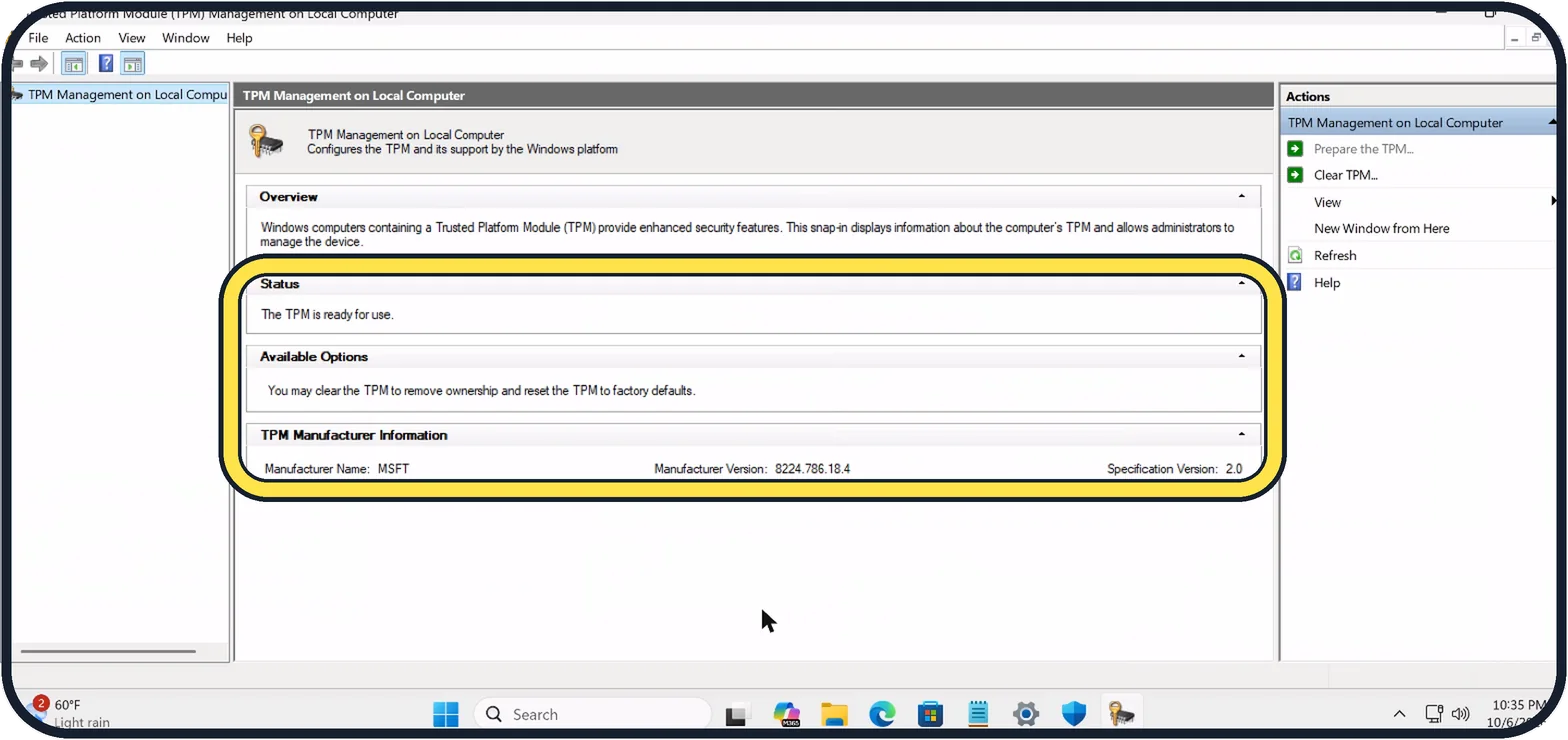
Tap the picture to see it full size Check the status
"The TPM is ready for use" means it works. TPM Manufacturer Information repeats the specification version. Do not click Clear TPM: it resets the chip, and you can lose access to data it protects.
If you do not see this option
- Specification Version says 1.2. Windows 11 needs TPM 2.0. Microsoft says some PCs with TPM 1.2 can be moved to 2.0; check with the PC maker. Source: Enable TPM 2.0 on your PC
If this does not work
- tpm.msc says Compatible TPM cannot be found. Microsoft says the TPM may be switched off in the PC's UEFI firmware settings, where it can be called Intel PTT, AMD fTPM, AMD PSP fTPM or Security Device Support. Follow the PC maker's instructions before you change firmware settings. Source: Enable TPM 2.0 on your PC
About this guide
Windows 11 needs a TPM 2.0 security chip, and some games and work apps check for it. Two built-in tools show whether your PC has one, and neither changes anything.
The TPM in our pictures is the Cloud PC's virtual TPM; on a normal PC the manufacturer is the chip maker.
Good to know
If Security processor is missing from Device security, or tpm.msc says no compatible TPM was found, the TPM may be switched off in the PC's firmware settings. The PC maker's help pages show where.
Seeing a security processor troubleshooting message? Security processor troubleshooting on the same details page lists what Windows found.
In short: Windows Security, Device security, Security processor details: Specification version 2.0. Or Run, tpm.msc: The TPM is ready for use.
Links checked in October 2026. Menus and features can change after software updates. These steps match the version named at the top.
📷 Camera Lab: the same 6 scenes photographed with 11 phones, side by side.
Did this guide work for you?
Sorry about that. What happened?