MAC
How to check for Intel-based apps on a Mac (macOS 27)

 Real screenshot · MacBook Neo, macOS 27.0.1
In short
Open System Settings, General, About and click Details next to Intel-based Apps. macOS 27 says Intel-based apps running on Rosetta will not open in macOS 28, and lists Intel-based apps you used recently or that are installed in common places. System Report, Applications shows every app's Kind.
6 of 6 steps show a real screenshot from our MacBook Neo. Each step was checked against the maker's own instructions, linked at the end.
Steps
- 1
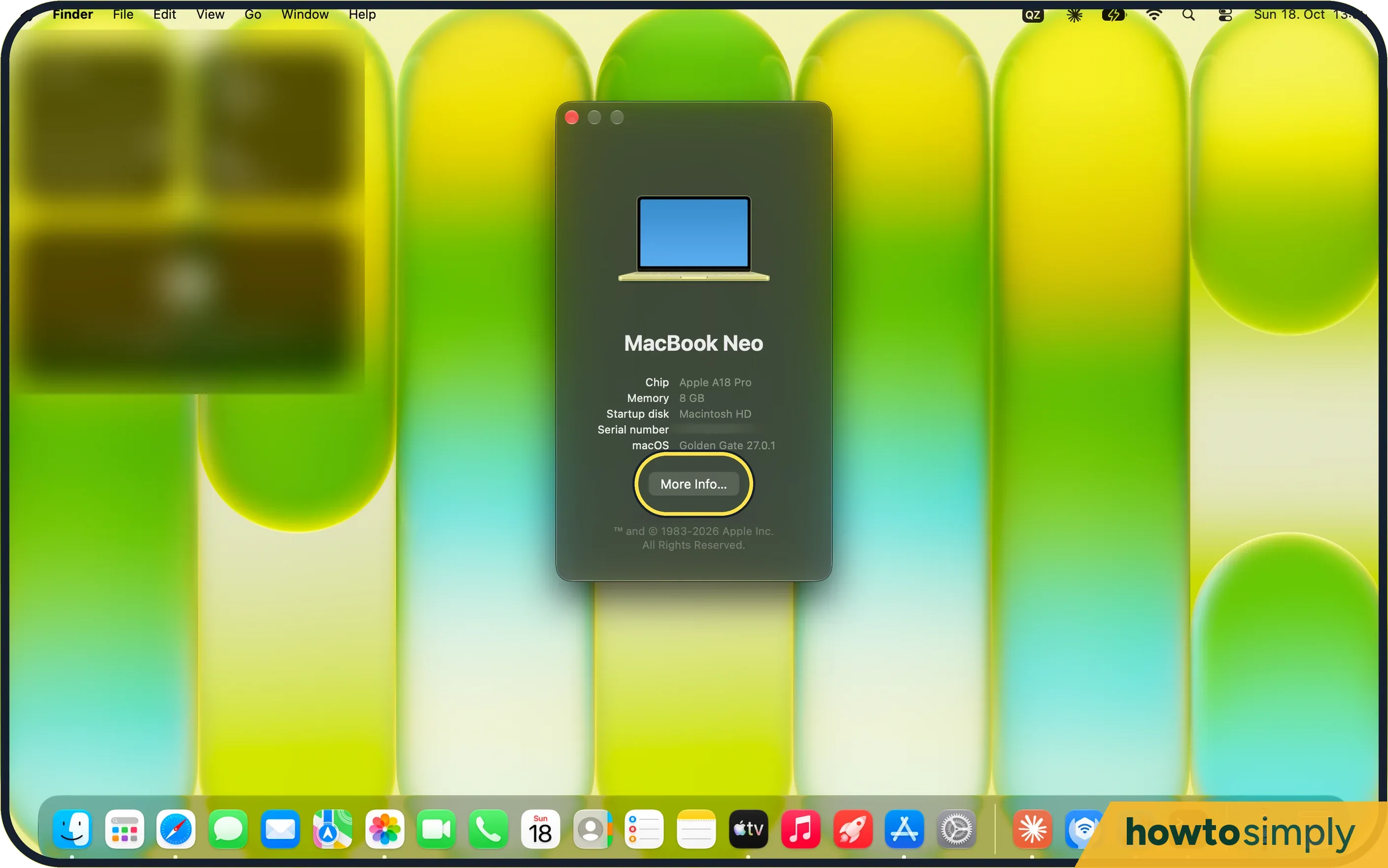
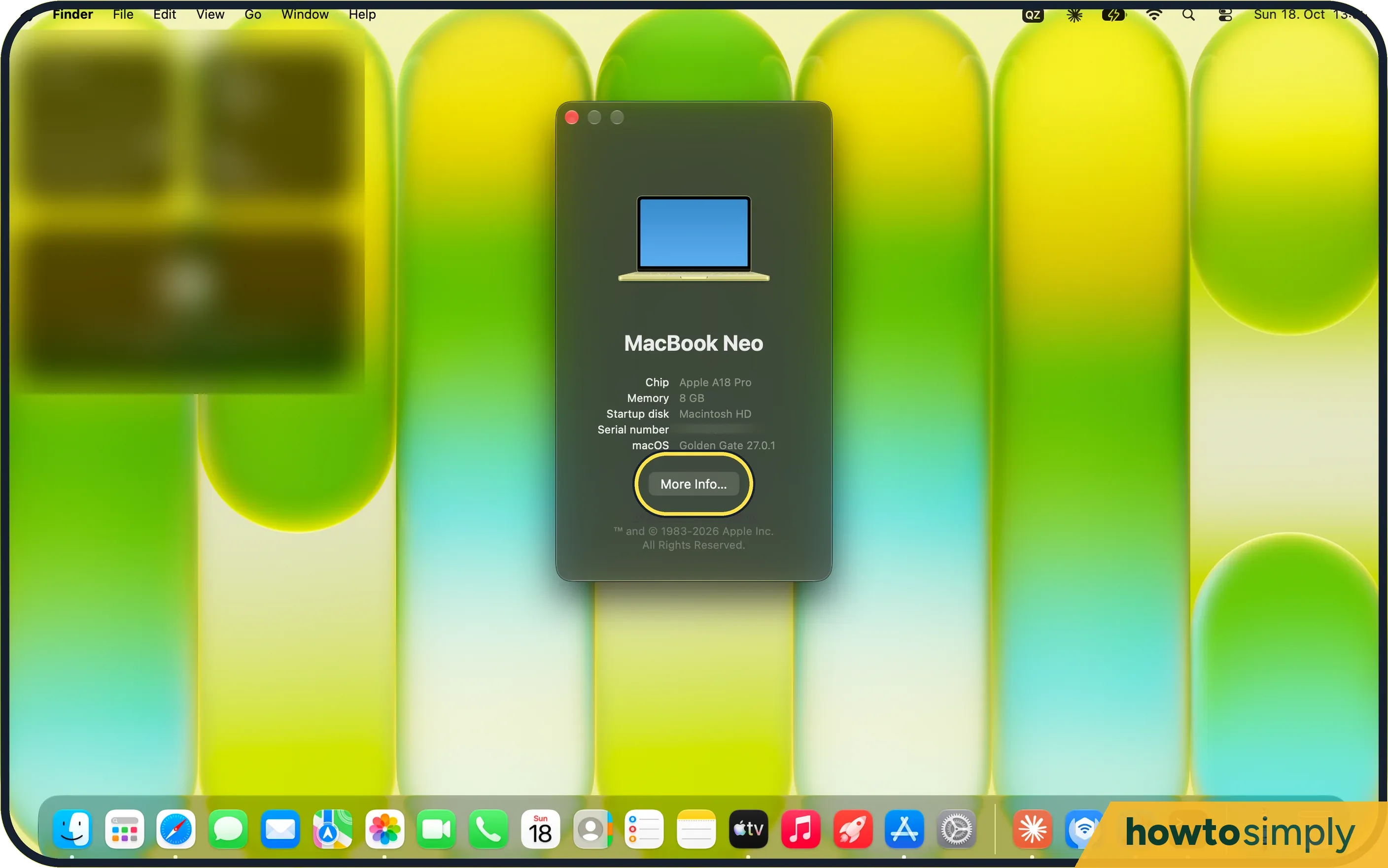
Open About This Mac
Choose Apple menu, About This Mac, then More Info.
- 2
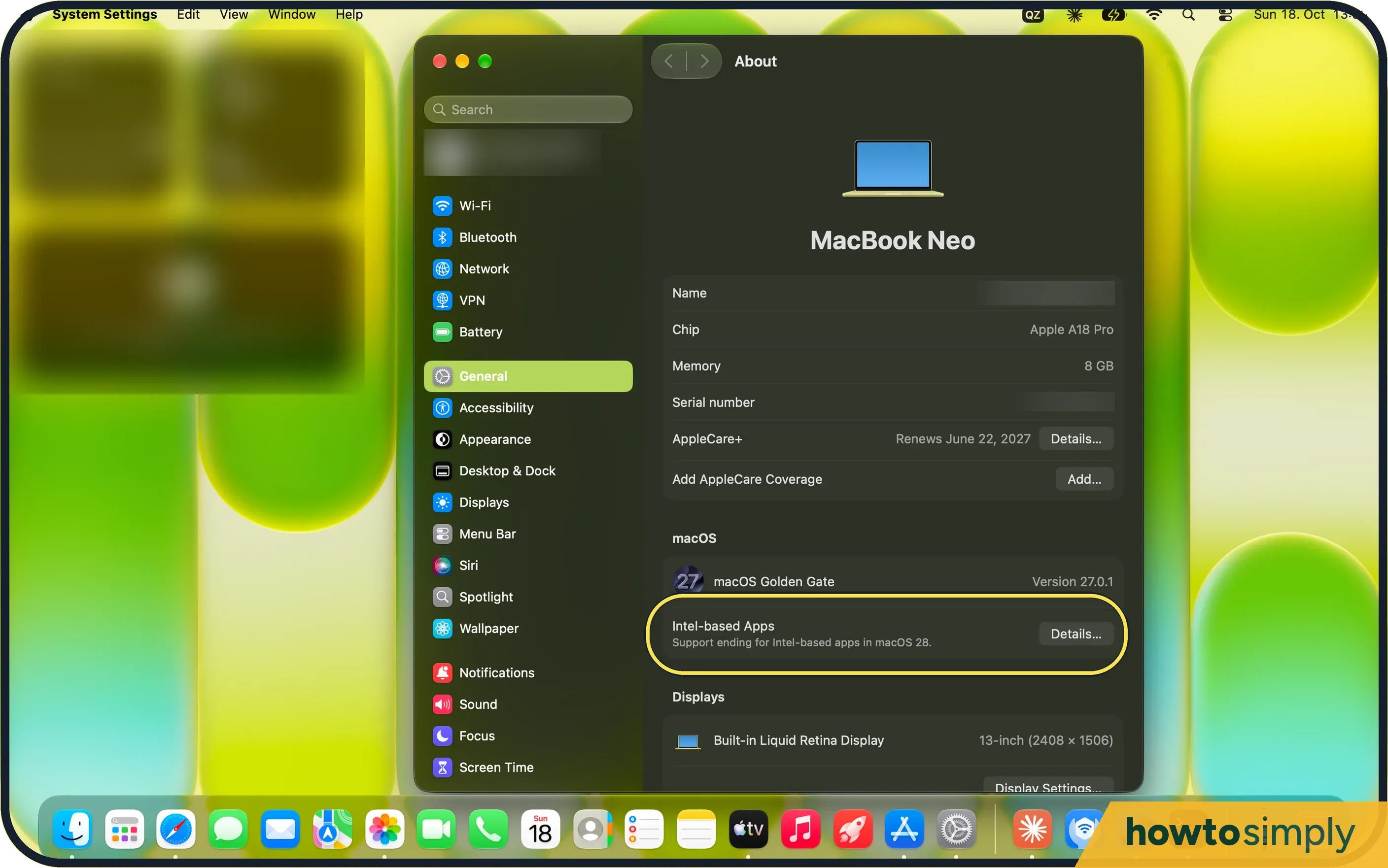
Find Intel-based Apps
On the About page, under macOS, the row says support is ending for Intel-based apps. Click Details.
- 3
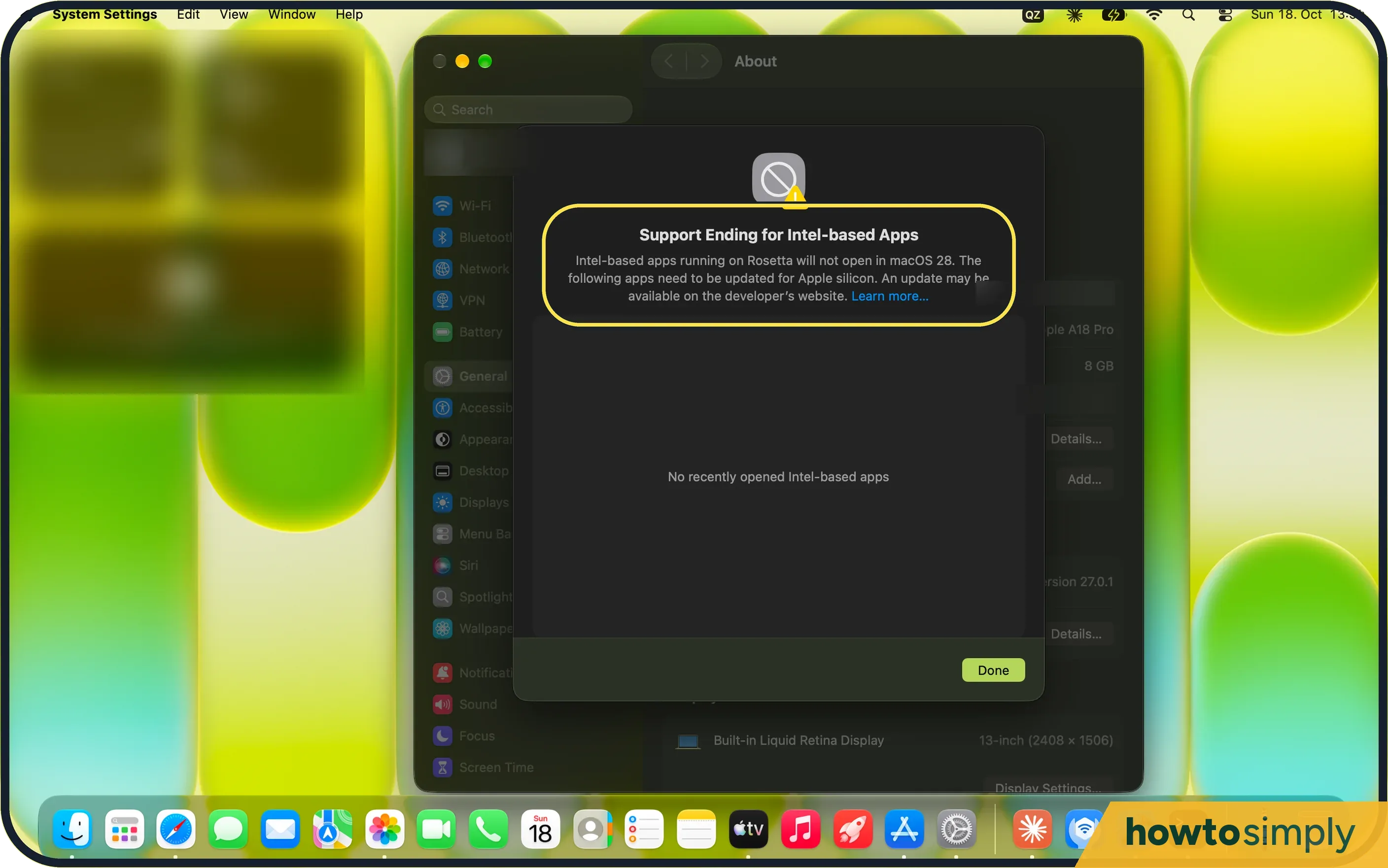
Read the list
The sheet says Intel-based apps running on Rosetta will not open in macOS 28. Ours said No recently opened Intel-based apps.
- 4
Check every app
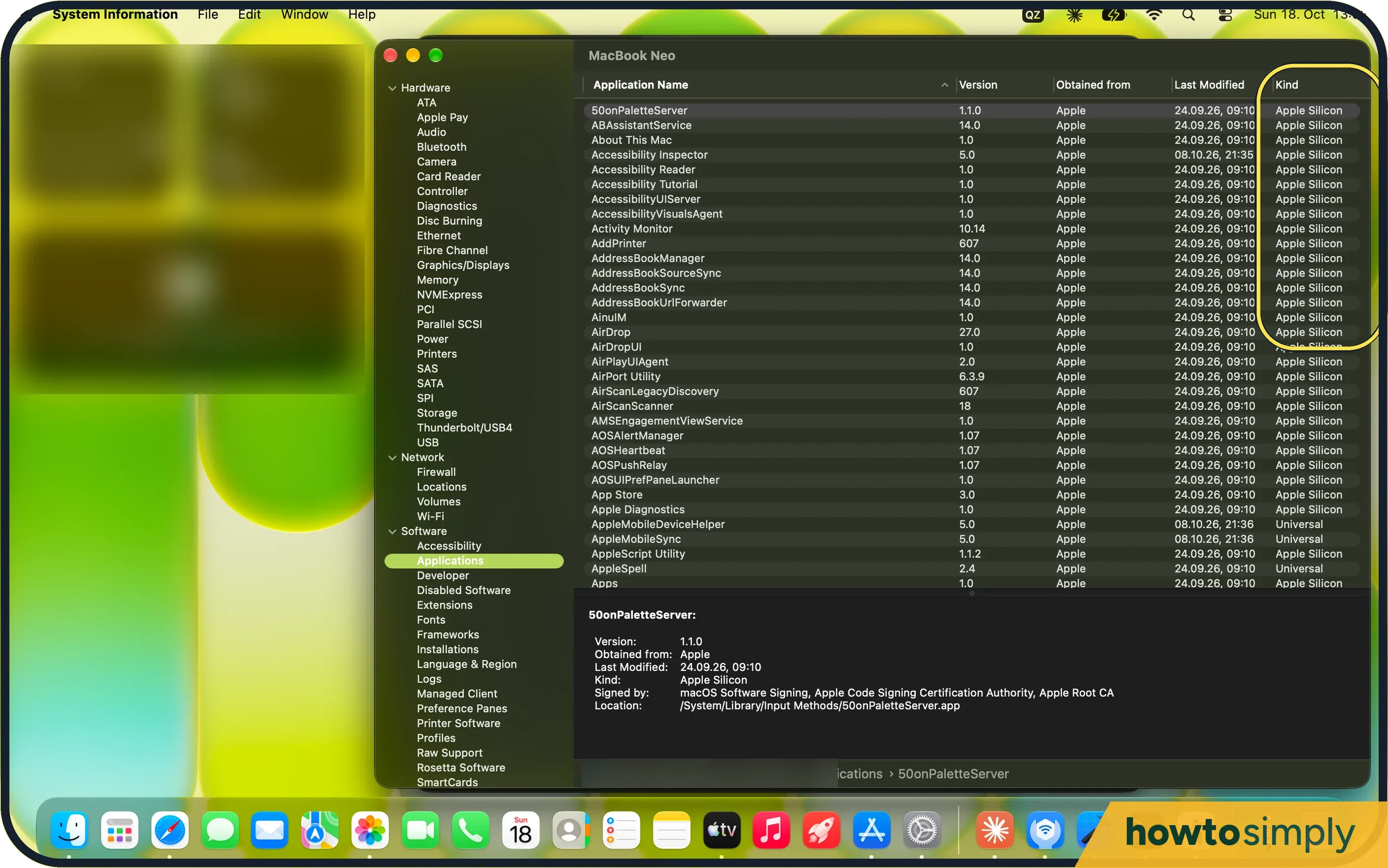
For a full list, open System Report (hold Option and choose Apple menu, System Information), then Software, Applications. The Kind column says Apple Silicon, Universal, iOS or Intel.
- 5
Check one app
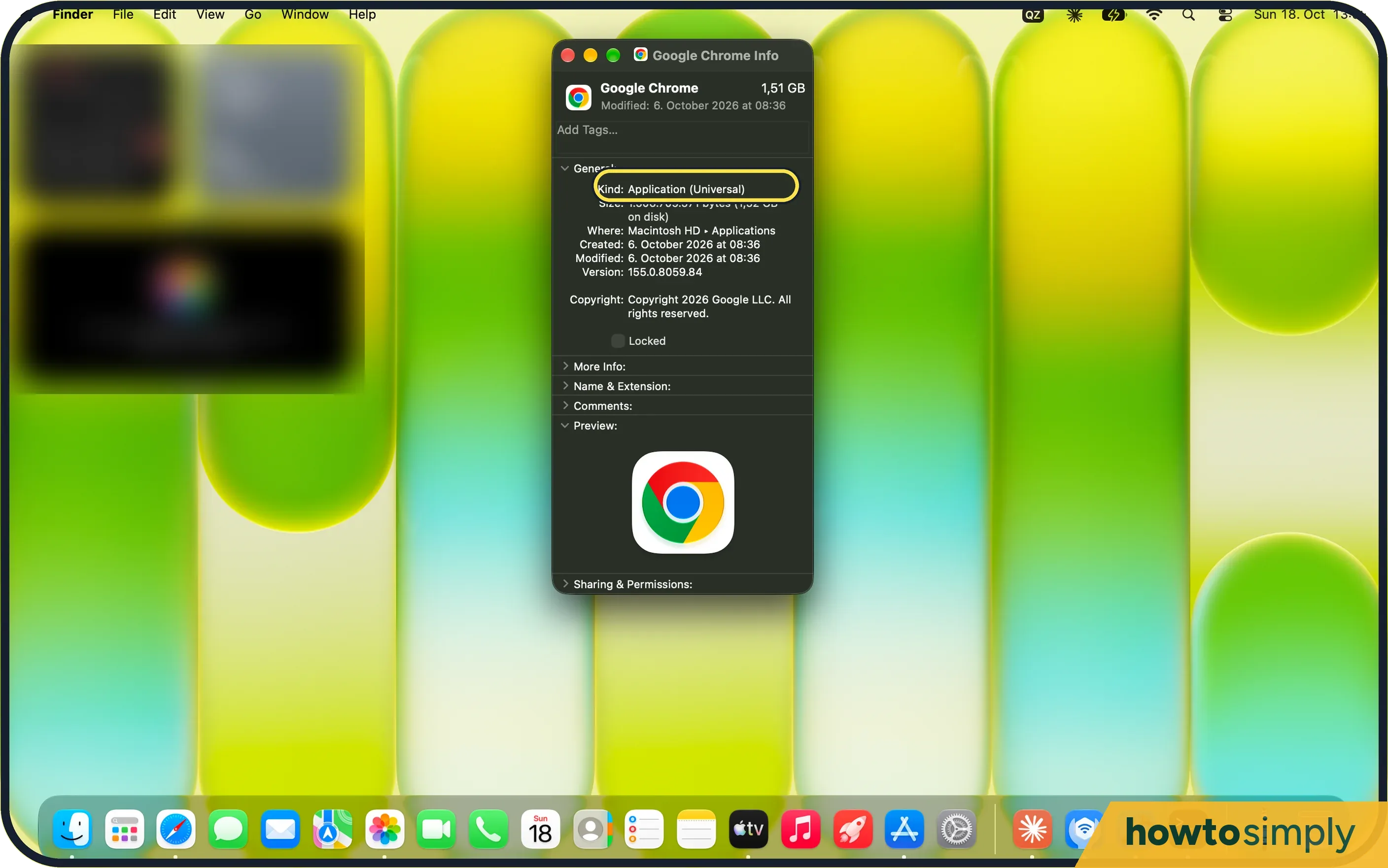
In Finder, select the app and choose File, Get Info. Kind: Application (Universal) runs natively on Apple silicon.
- 6
Is Rosetta installed?
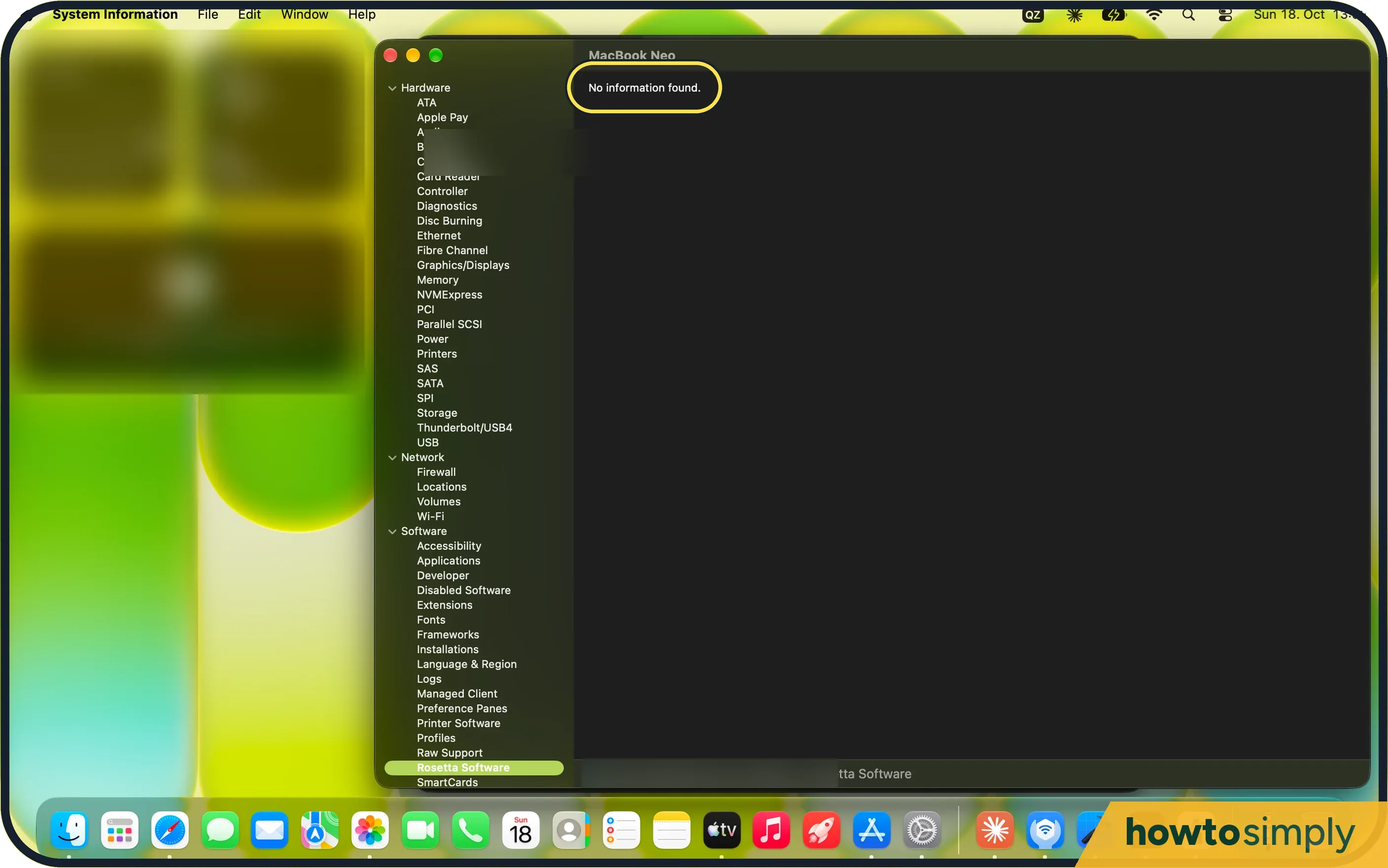
In System Report, Software, Rosetta Software. Ours said No information found: Rosetta was not installed.
If you do not see this option
- No Intel-based Apps row? We saw it on macOS 27. On an older macOS, use System Report (step 4) instead. Check your version under General, About.
- An Intel app is not in Details? Apple says the list covers apps you used recently or installed in common places. An app kept elsewhere may only show in System Report. Source: Using Intel-based apps on a Mac with Apple silicon
If this does not work
- An app you need is Intel-only? Apple says to update it first: through the App Store for App Store apps, with the app's own Check for Updates, or from the developer. Intel-based plug-ins and extensions need their own updates.
- Kind says iOS? That is an iPhone or iPad app running on the Mac, not an Intel app.
- Games too? Apple says that from macOS 28, Rosetta stays only for some older, unmaintained games built on Intel-based frameworks.
- Asked to install Rosetta? Apple says that if you are asked to install Rosetta, click Install and confirm so the installation can go ahead.
- A Universal app needs an Intel-only plug-in? Apple says some Universal apps can be set to Open using Rosetta, so they run as Intel apps and can load older plug-ins. Turn that setting off once the plug-ins have Apple silicon versions.
Good to know
Keep macOS current: how to update macOS on your Mac.
About this guide
- Device
- Mac
- Shown on
- macOS 27.0.1 (MacBook Neo)
- App
- System Settings
- Path
- System Settings › General › About › Intel-based Apps
- Real screenshots
- 6 of 6 steps
- Checked
- October 2026
- Sources
- 1 official, linked below
Sources
Links checked October 2026. Menus and features can change with updates.Spotted a mistake? Menus change with updates, and we want every step to match your screen. Email us about this page or use the contact form. We read every report, and fixes are listed on What changed.
Liked this guide?
Follow us for new guides and short how-to videos.
Did this guide work for you?
Sorry about that. What happened?