
howtosimply.com/guides/where-is-launchpad-on-a-mac-macos-27/ · Checked October 2026 · MacBook Neo · macOS 27.0.1
In this guide
There is no Launchpad in macOS 27. The grid icon in the Dock is now called Apps: click it to see every app, filter by category or switch to a list. Spotlight opens the same view with Command-1.
4 of 4 steps with real screenshots · 2 official sources below
- Device
- Mac
- Shown on
- macOS 27.0.1 (MacBook Neo)
- App
- Dock
- Path
- Dock › Apps
- Real screenshots
- 4 of 4 steps
- Checked
- October 2026
- Sources
- 2 official, linked below
Step by step
Zoomed in on the setting. Tap to see the whole screenTap the picture to see it full size Find Apps in the Dock
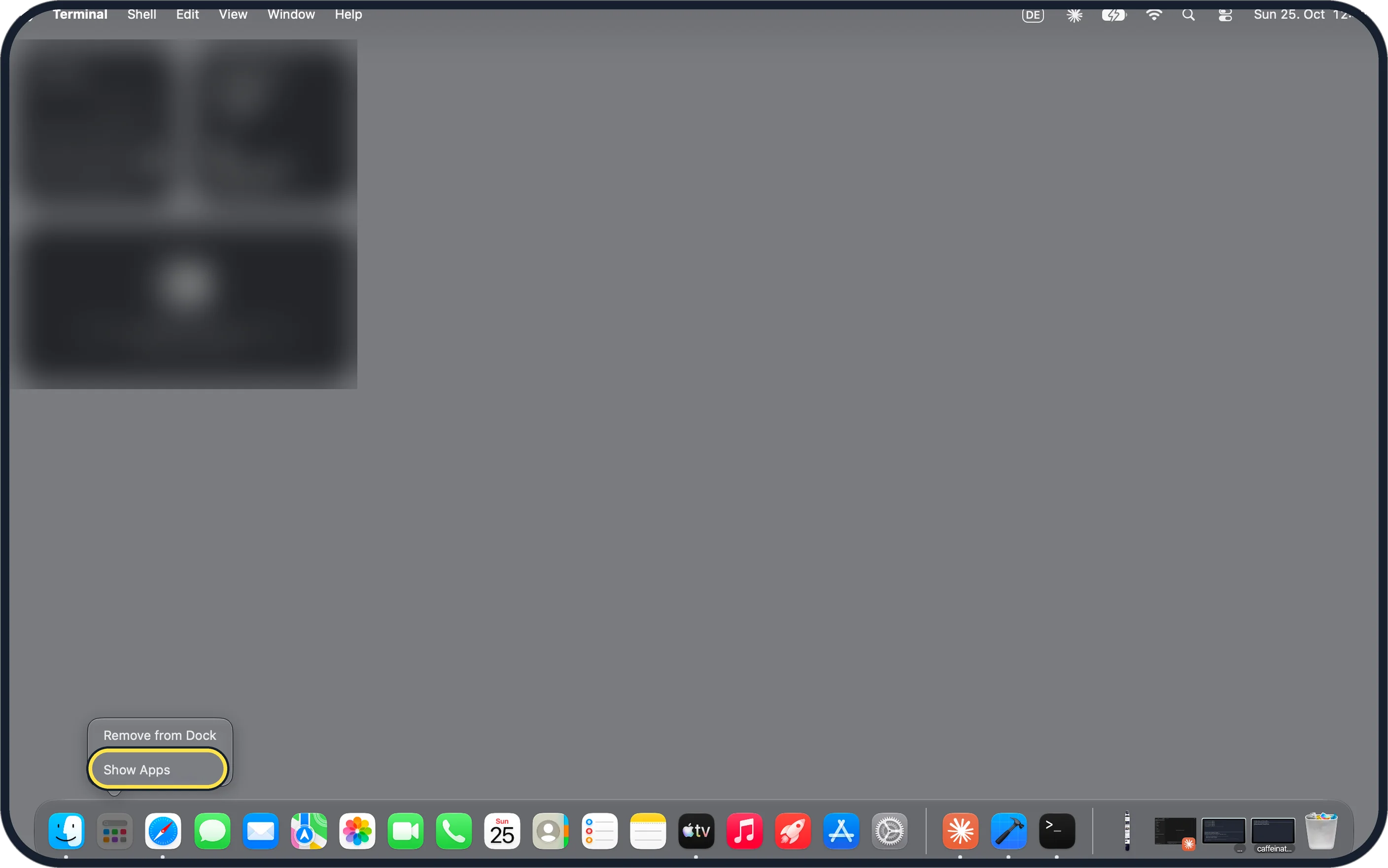
The grid icon where Launchpad used to sit is now called Apps. Click it. Control-click it and the menu offers only Remove from Dock and Show Apps.
Zoomed in on the setting. Tap to see the whole screenTap the picture to see it full size Pick a category
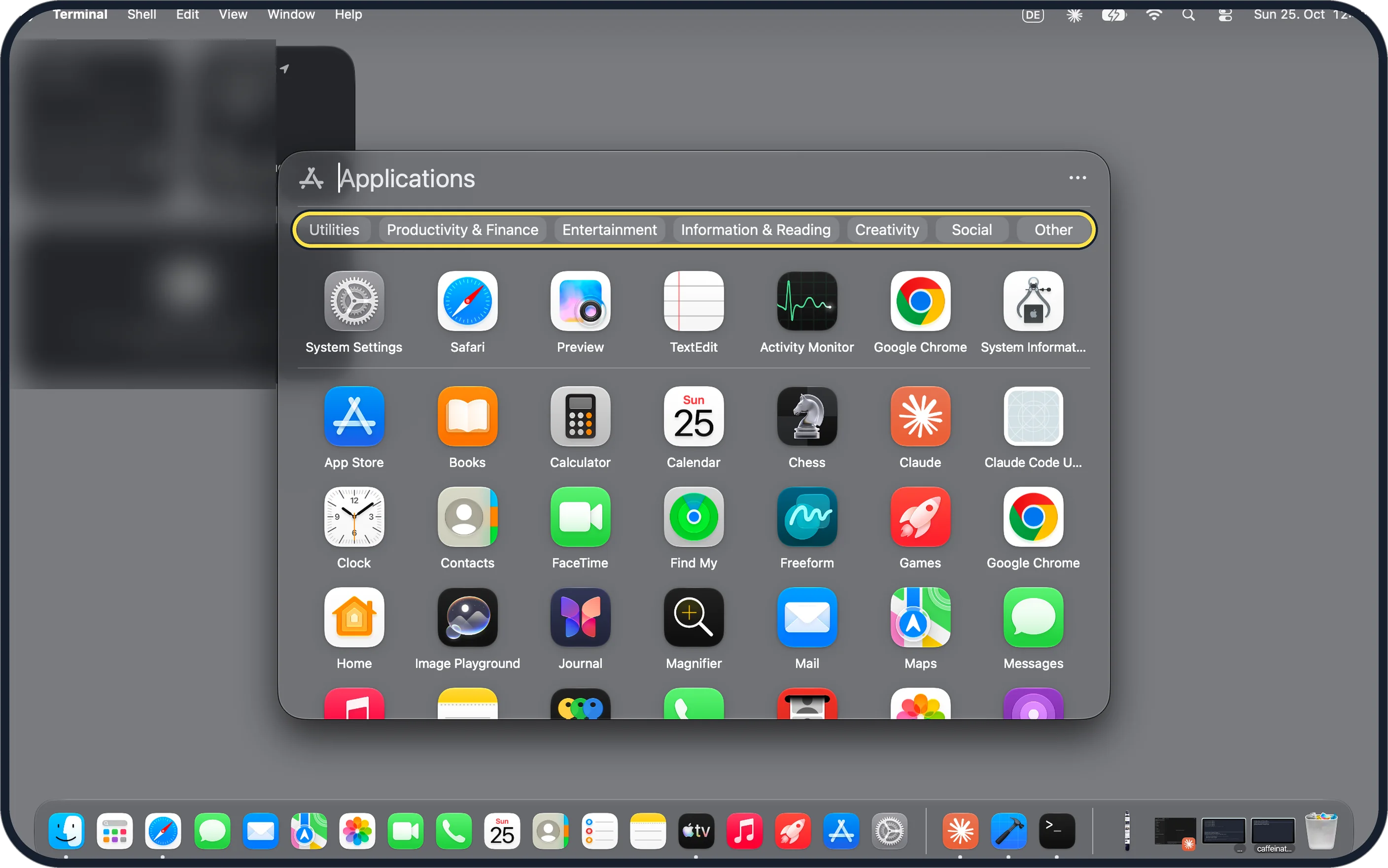
The Applications window opens with a row of categories: Utilities, Productivity & Finance, Entertainment, Information & Reading, Creativity, Social and Other. Click one to narrow the list; click an app to open it.
Zoomed in on the setting. Tap to see the whole screenTap the picture to see it full size Switch between Grid and List
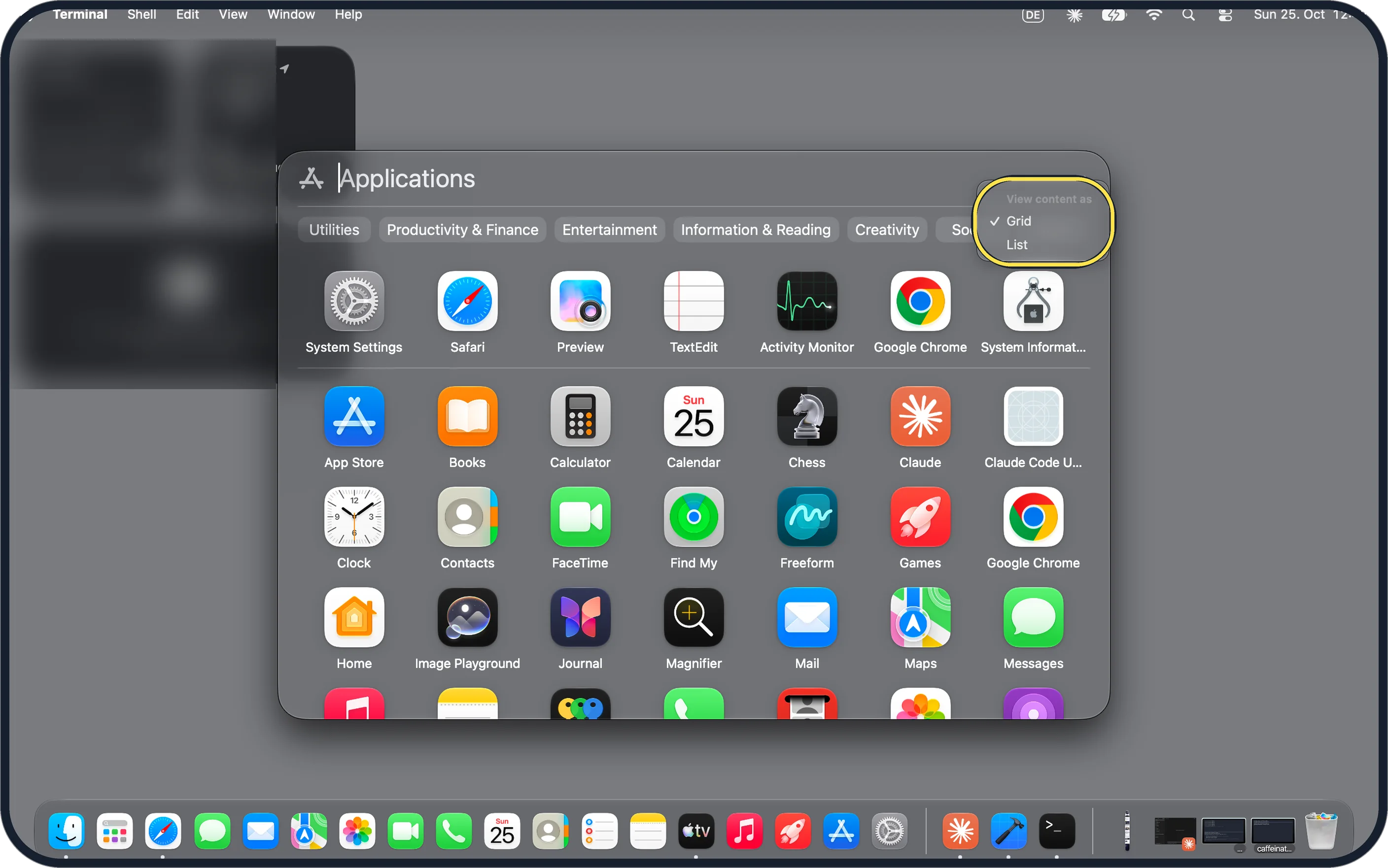
Click the three dots at the top right. View content as offers Grid (ticked on ours) and List.
Zoomed in on the setting. Tap to see the whole screenTap the picture to see it full size Or use Spotlight: Command-1
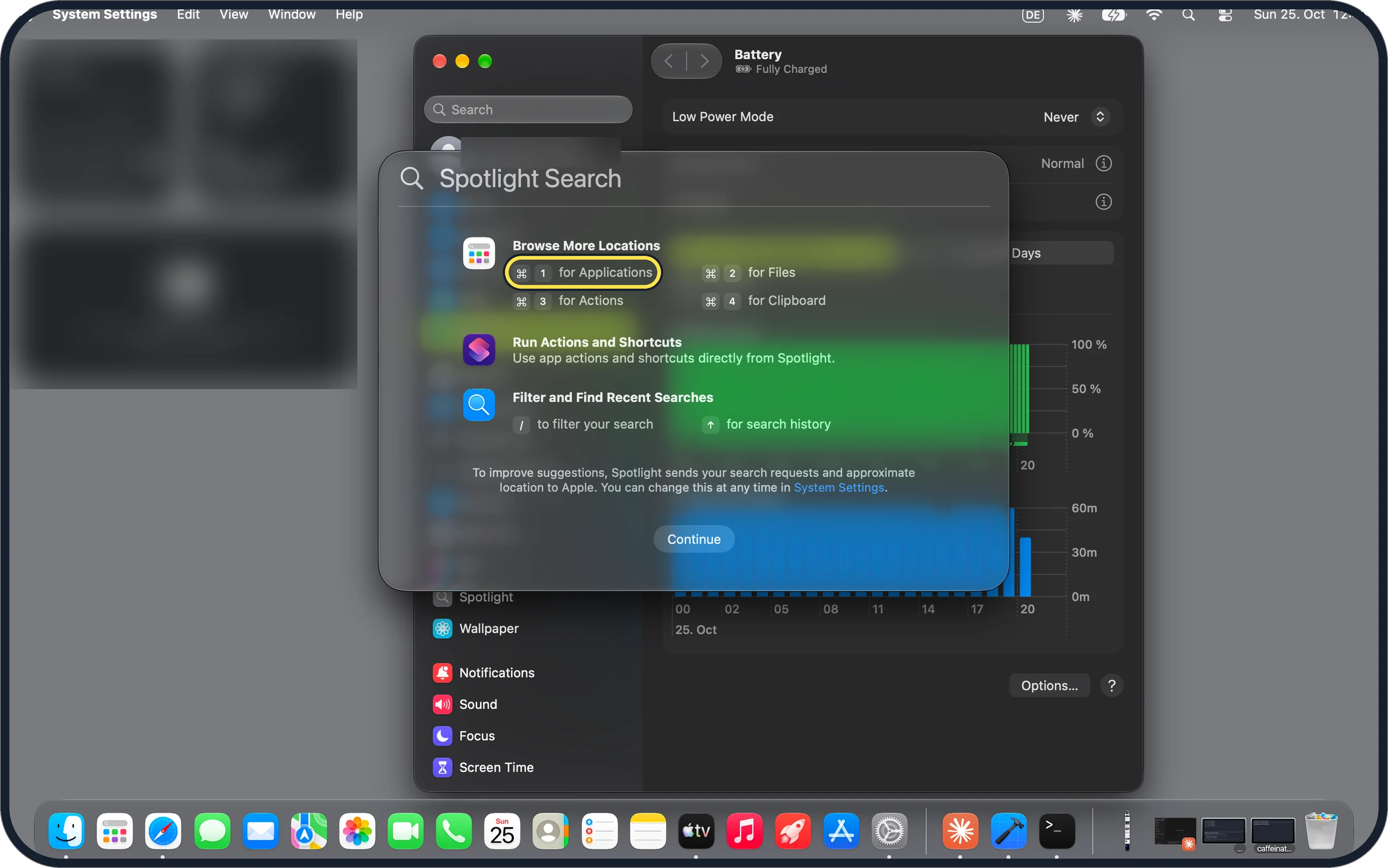
Press Command-Space to open Spotlight, then Command-1 for Applications. The first time, ours showed this panel: Command-2 is Files, Command-3 Actions, Command-4 Clipboard.
If you do not see this option
- No Apps icon in the Dock? It may have been removed from the Dock. Apple says you can also open Spotlight from the menu bar and choose the Applications icon. Source: View and open apps on Mac
- Looking for your Launchpad folders? The Apps window groups apps into the categories in step 2 rather than your own folders. Apple says the Applications folder in Finder still lists every app: Finder, Applications in the sidebar. Source: Open apps on Mac
If this does not work
- An app is not in the list? Apple says to open it from the Applications folder in Finder, or type its name in Spotlight and press Return. Source: Open apps on Mac
- Spotlight opened but you want to close it? Apple says to press Esc to close Spotlight without opening an app. Source: View and open apps on Mac
About this guide
Launchpad, with its full-screen pages and folders, is gone. In its place is an Apps window that sorts apps into categories by itself.
The screenshots are from our MacBook Neo with macOS 27.0.1 in dark mode, taken on 25 October 2026.
Good to know
Tidy the Dock too: how to remove recent apps from the Dock on a Mac.
In short: Apps in the Dock (the old Launchpad spot), a category, the three dots for Grid or List. Or Command-Space, then Command-1.
Links checked in October 2026. Menus and features can change after software updates. These steps match the version named at the top.
📷 Camera Lab: the same 6 scenes photographed with 11 phones, side by side.
Did this guide work for you?
Sorry about that. What happened?