
howtosimply.com/guides/how-to-stop-siri-using-an-app-on-a-mac/ · Checked October 2026 · MacBook Neo · macOS 27.2
In this guide
On macOS 27.2 or later, open System Settings, click Siri, then Excluded Apps. Click Add Apps, tick the app and click Done. Apps on the list are excluded from Siri, Search and suggestions. Older versions, such as macOS 27.0.1, have no Excluded Apps page.
6 of 6 steps with real screenshots · 1 official source below
- Device
- Mac
- Shown on
- macOS 27.2 (MacBook Neo)
- App
- System Settings
- Path
- System Settings › Siri › Excluded Apps › Add Apps
- Real screenshots
- 6 of 6 steps
- Checked
- October 2026
- Sources
- 1 official, linked below
Step by step
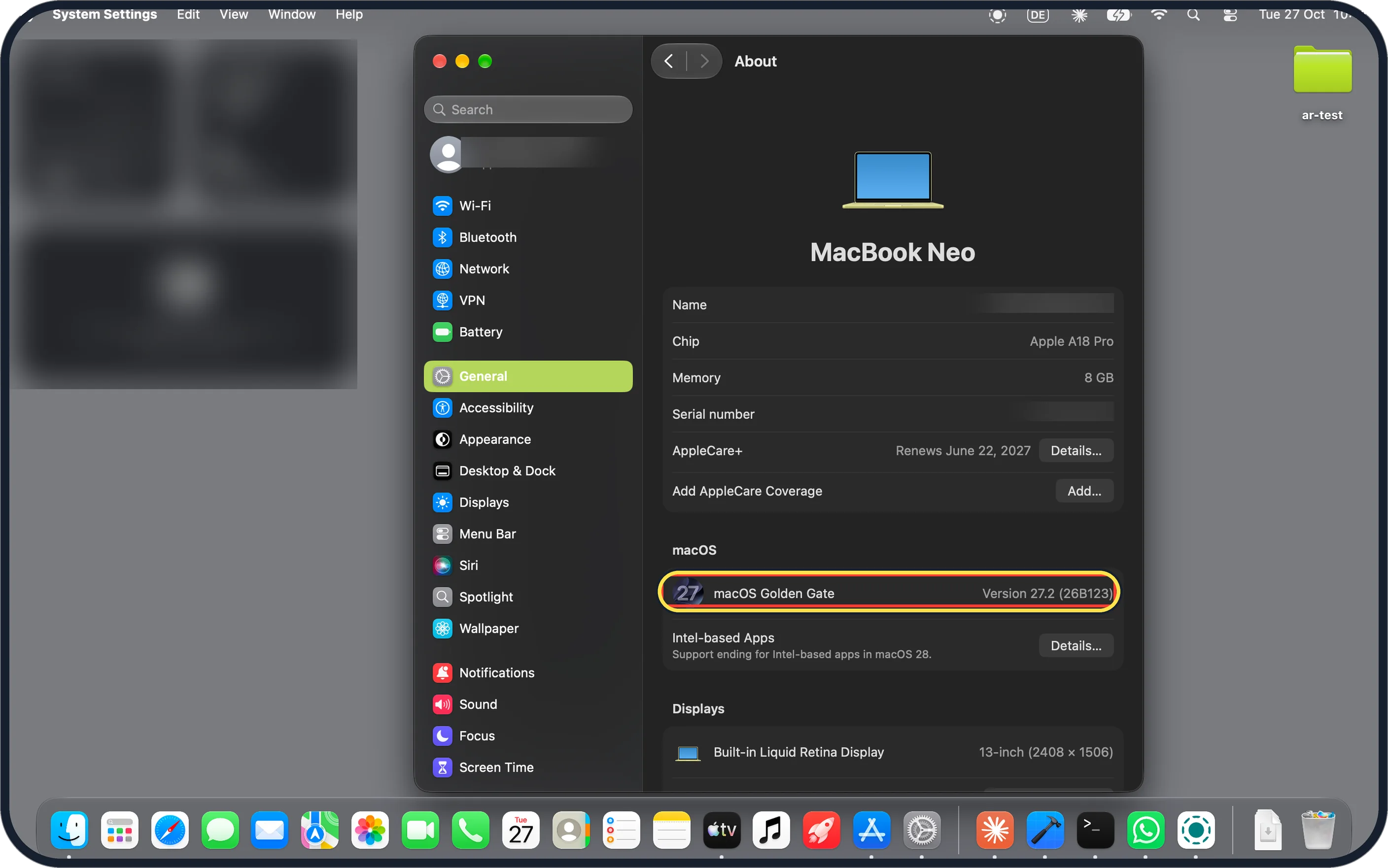
Zoomed in on the setting. Tap to see the whole screenTap the picture to see it full size Check you have macOS 27.2
Excluded Apps needs macOS 27.2 or later. Open System Settings, General, About. Ours says Version 27.2 (26B123).
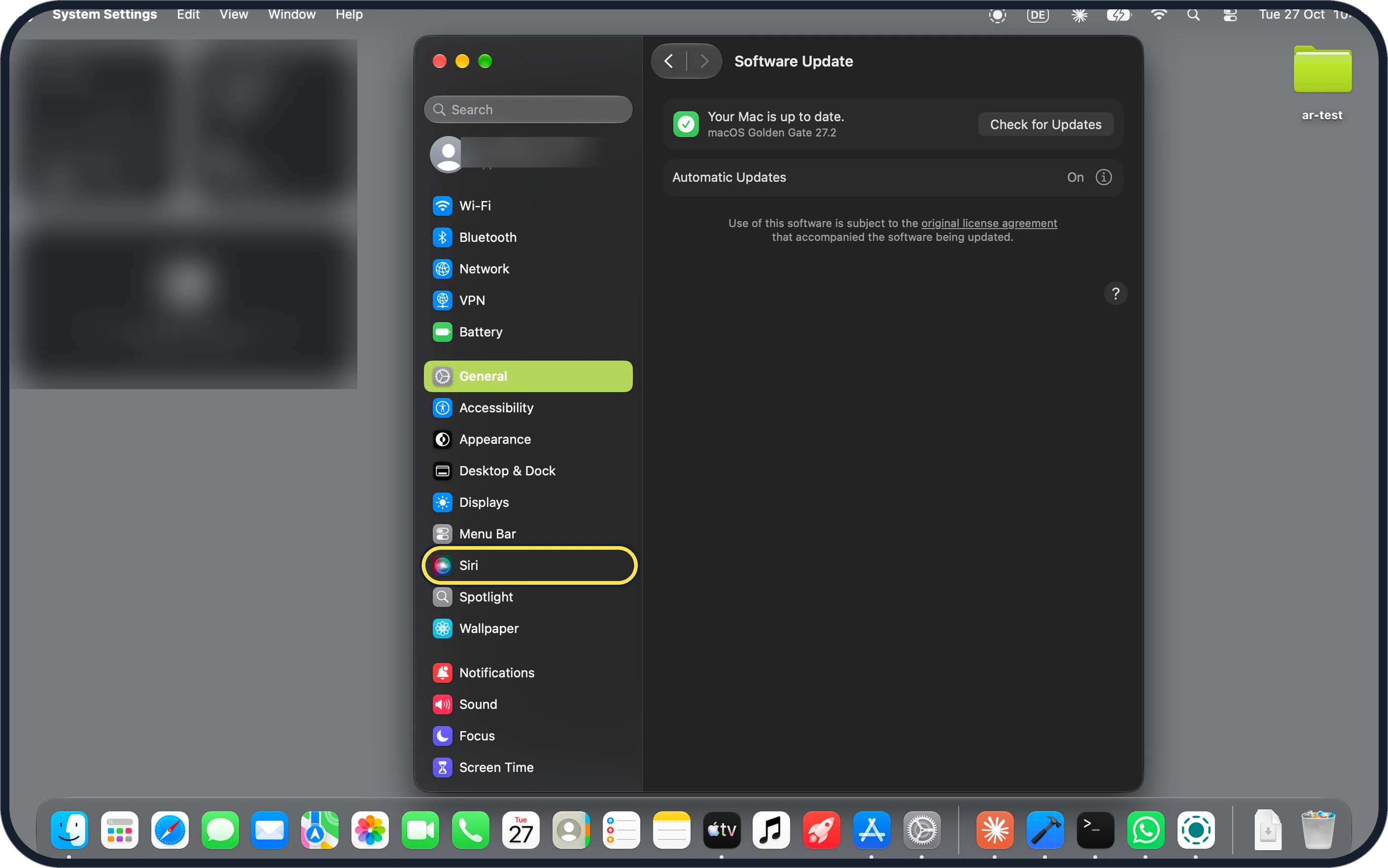
Zoomed in on the setting. Tap to see the whole screenTap the picture to see it full size Click Siri in the sidebar
Siri is in the System Settings sidebar, below Menu Bar.
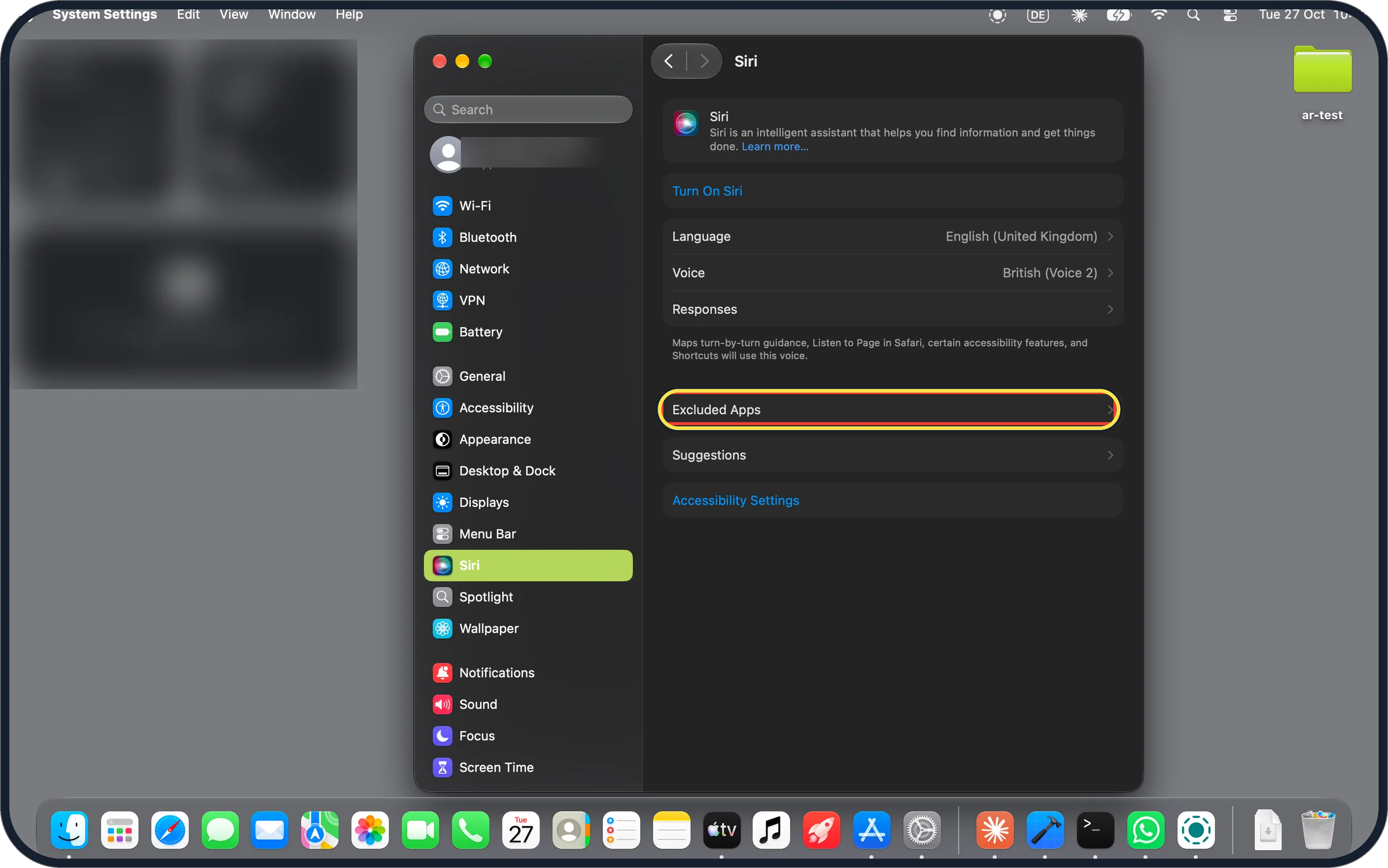
Zoomed in on the setting. Tap to see the whole screenTap the picture to see it full size Click Excluded Apps
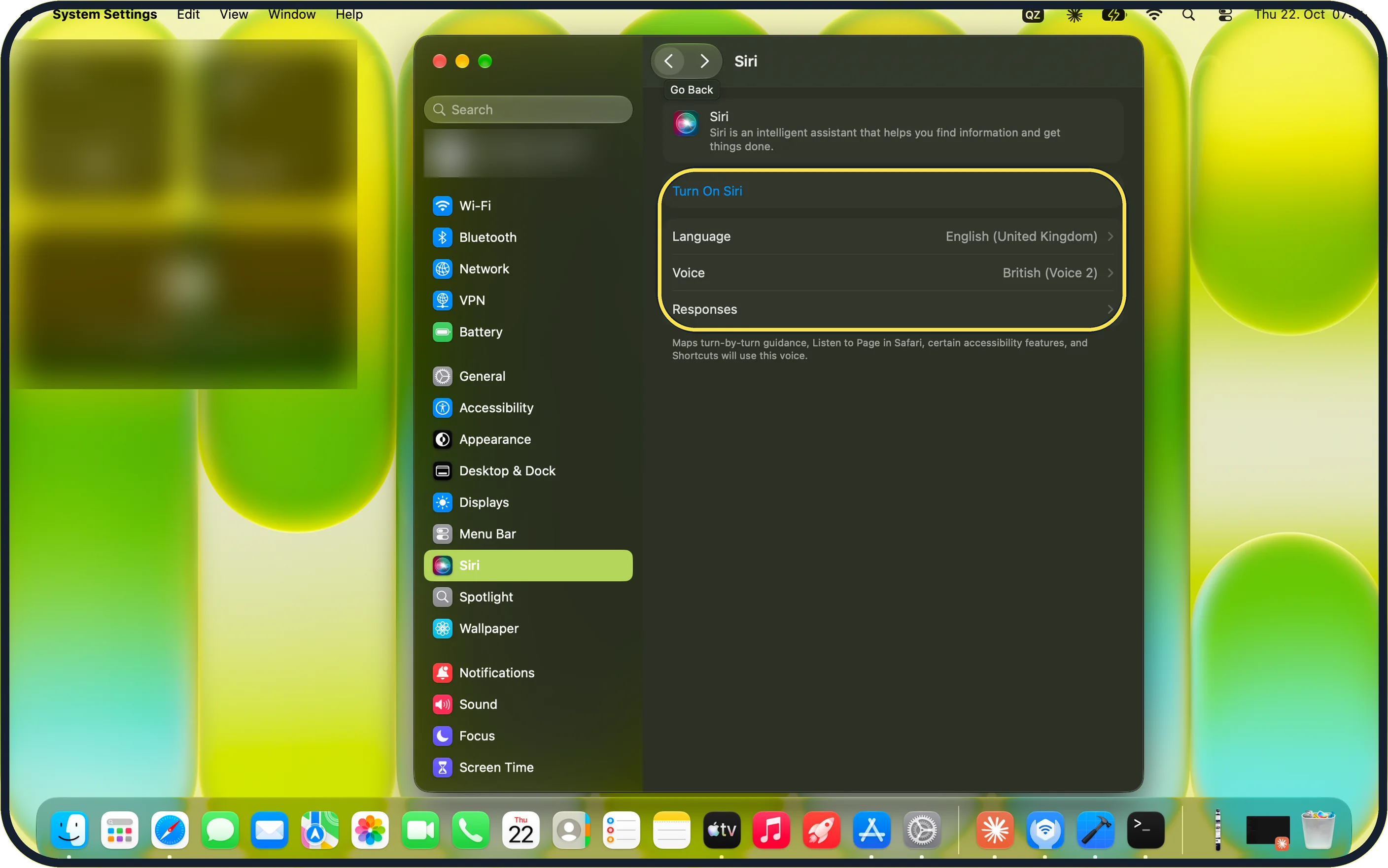
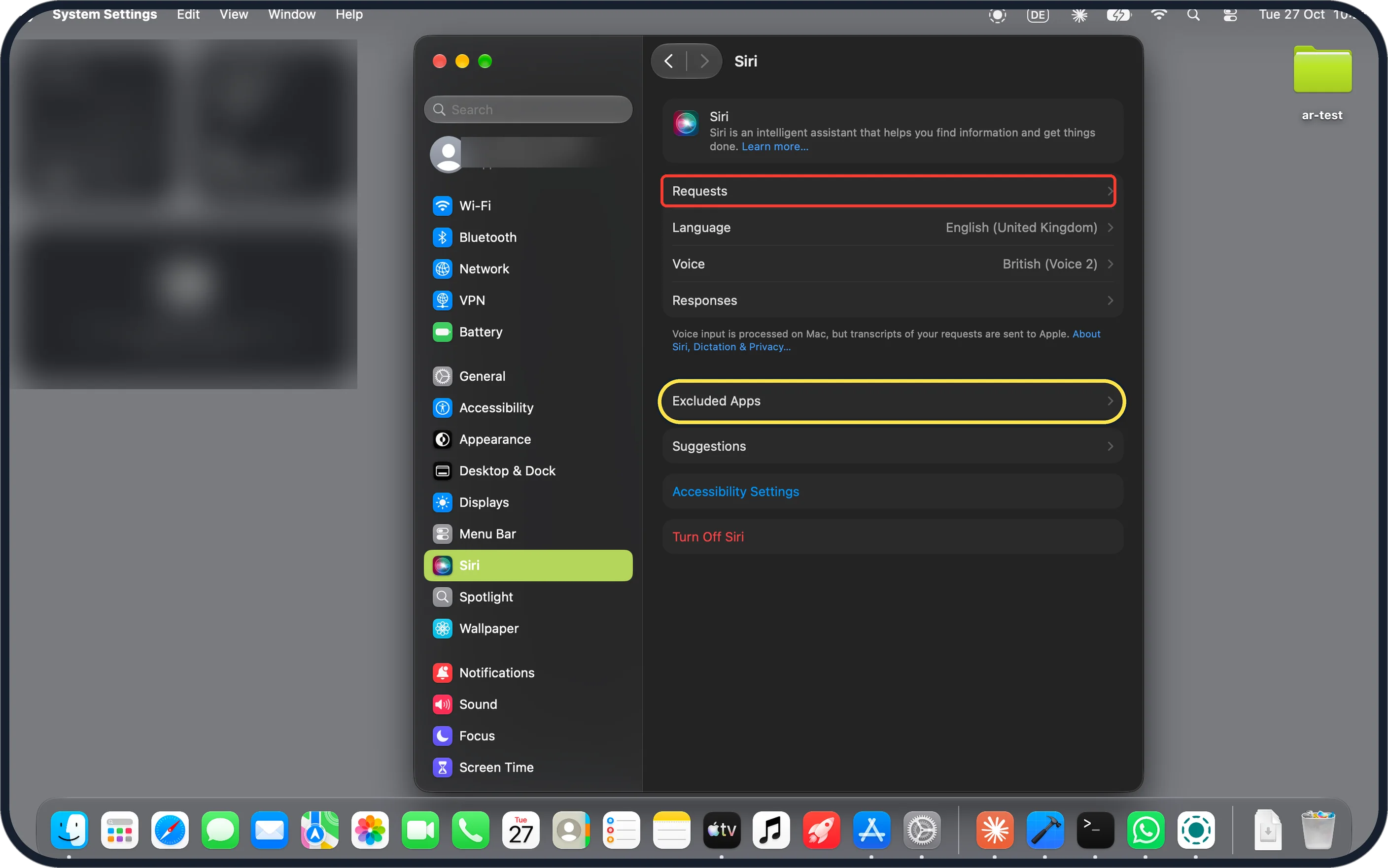
It is below Responses. Ours had Siri off, so the page showed Turn On Siri at the top.
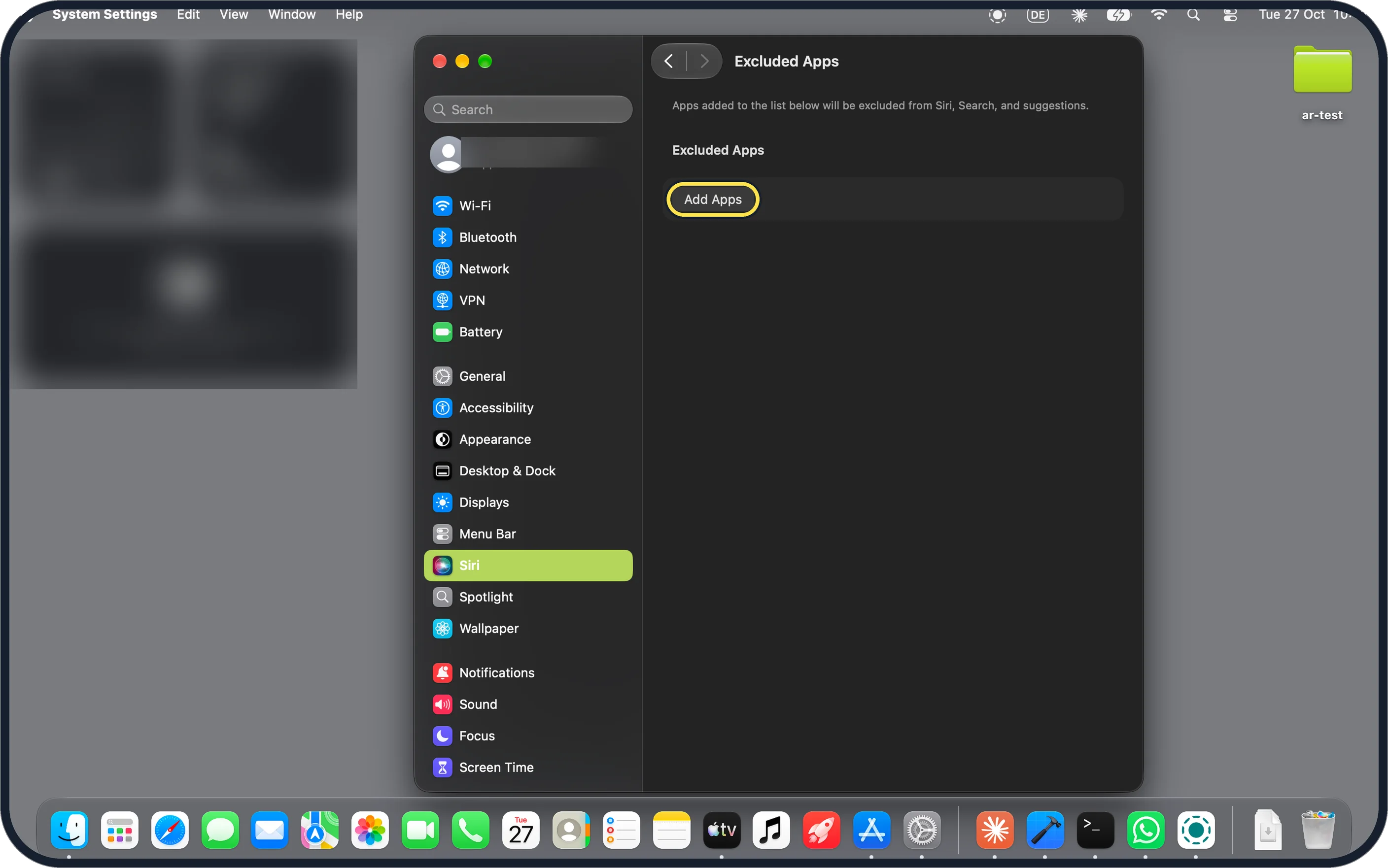
Zoomed in on the setting. Tap to see the whole screenTap the picture to see it full size Click Add Apps
The page says: Apps added to the list below will be excluded from Siri, Search, and suggestions. Ours was empty.
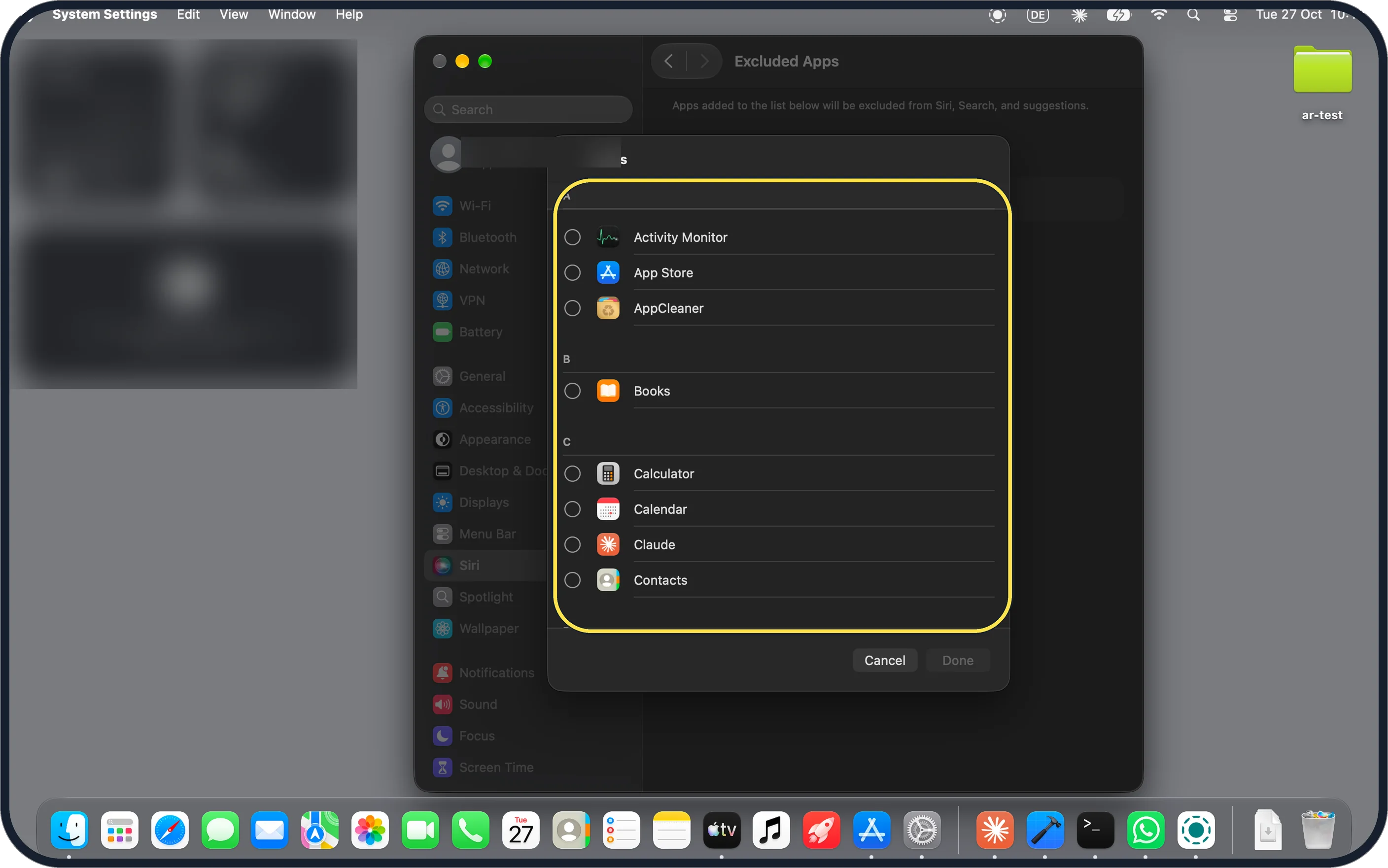
Zoomed in on the setting. Tap to see the whole screenTap the picture to see it full size Find the app in the list
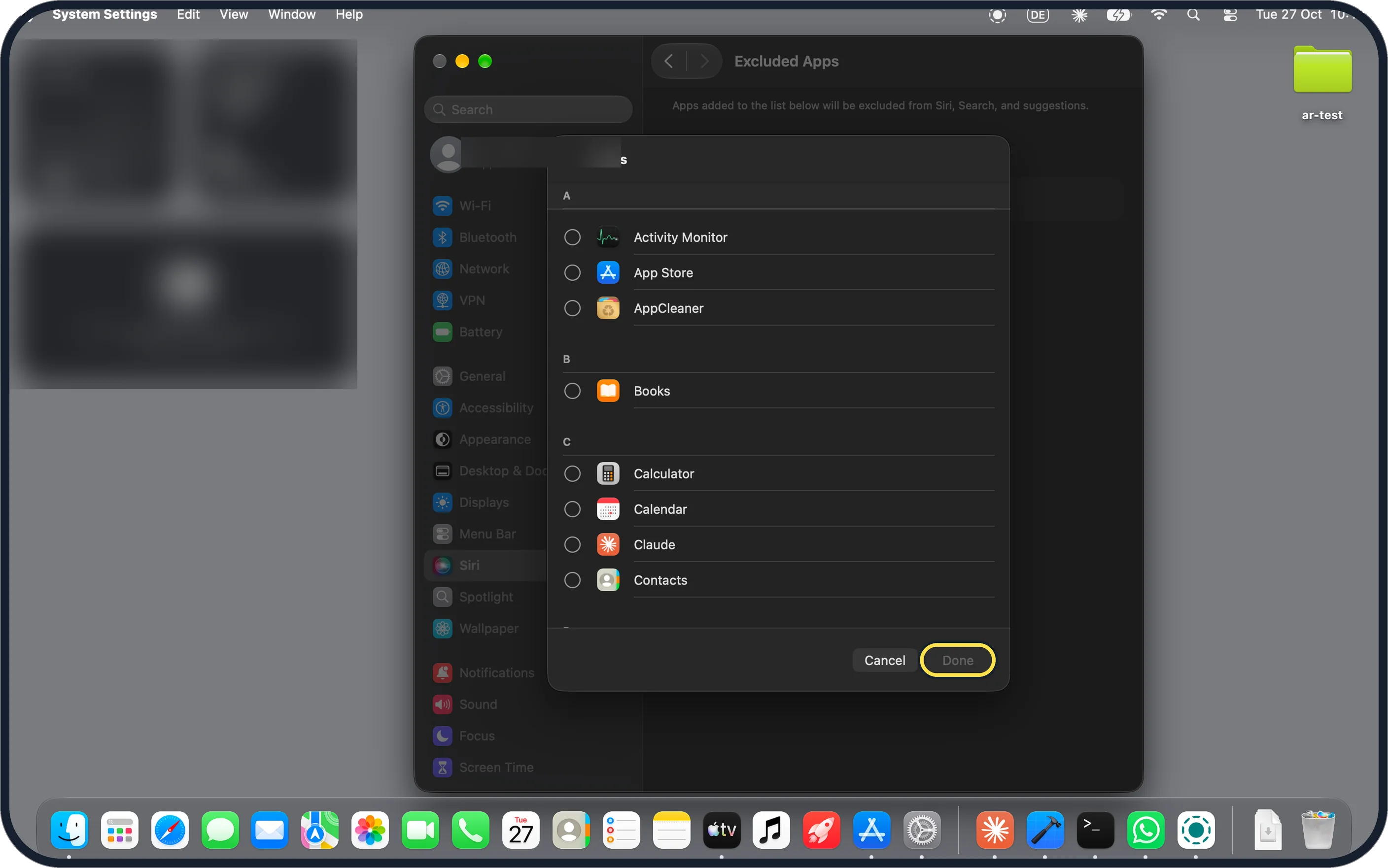
A list of the apps on your Mac opens, A to Z, with Cancel and Done at the bottom.
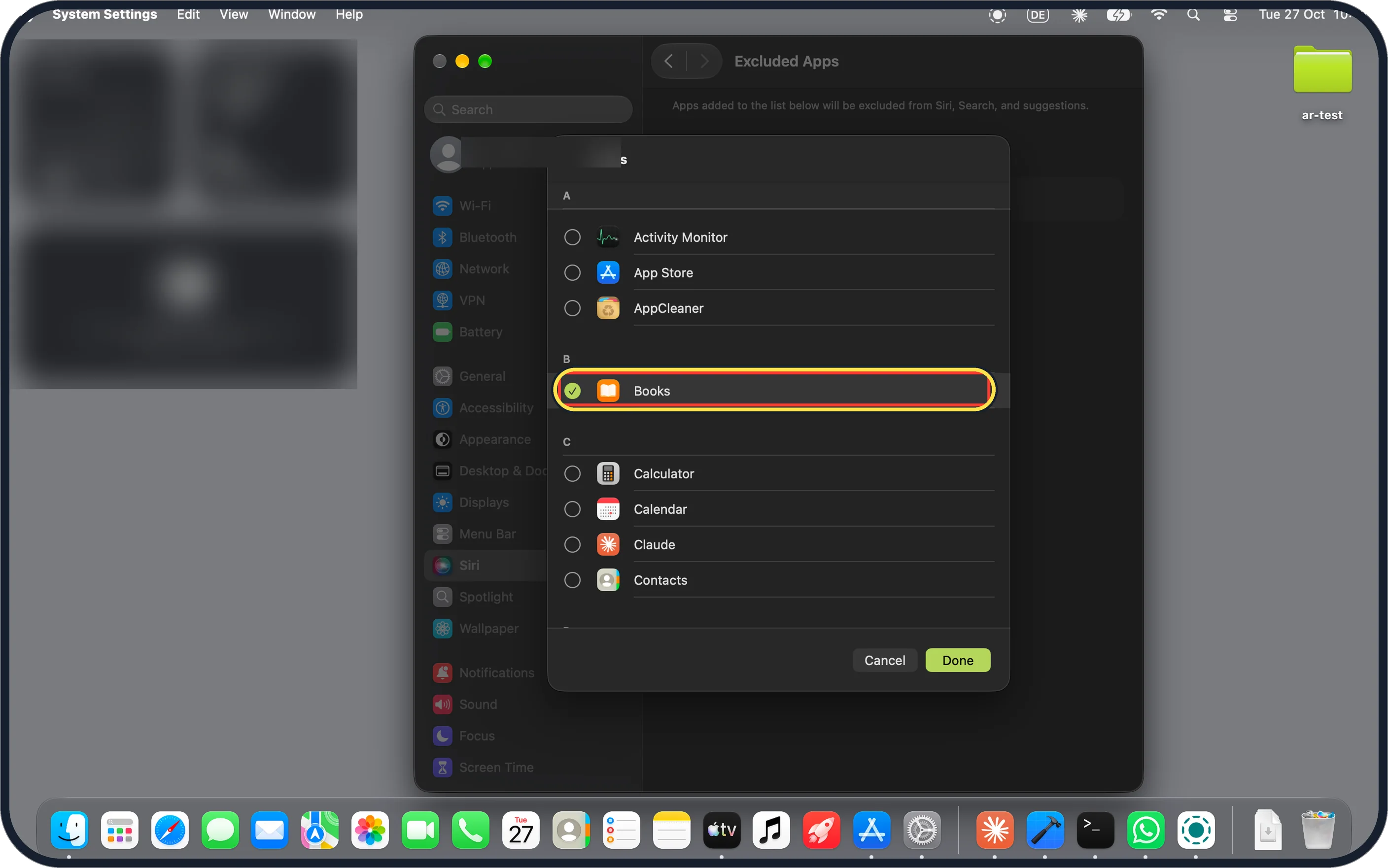
Zoomed in on the setting. Tap to see the whole screenTap the picture to see it full size Tick the app and click Done
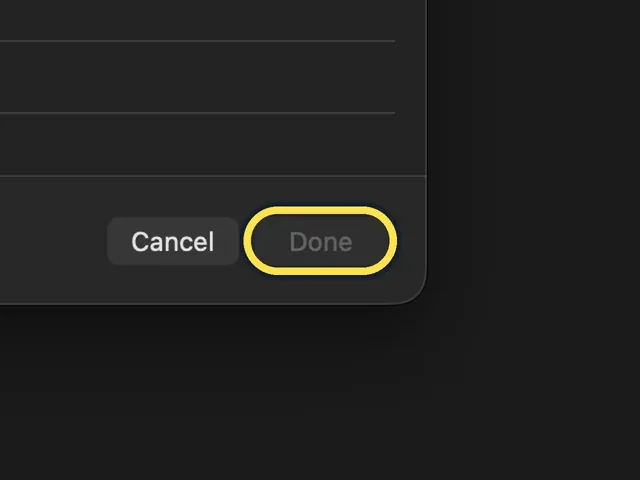
We ticked Books, and Done was no longer grey. We clicked Cancel instead, so nothing was added on our Mac.
If you do not see this option
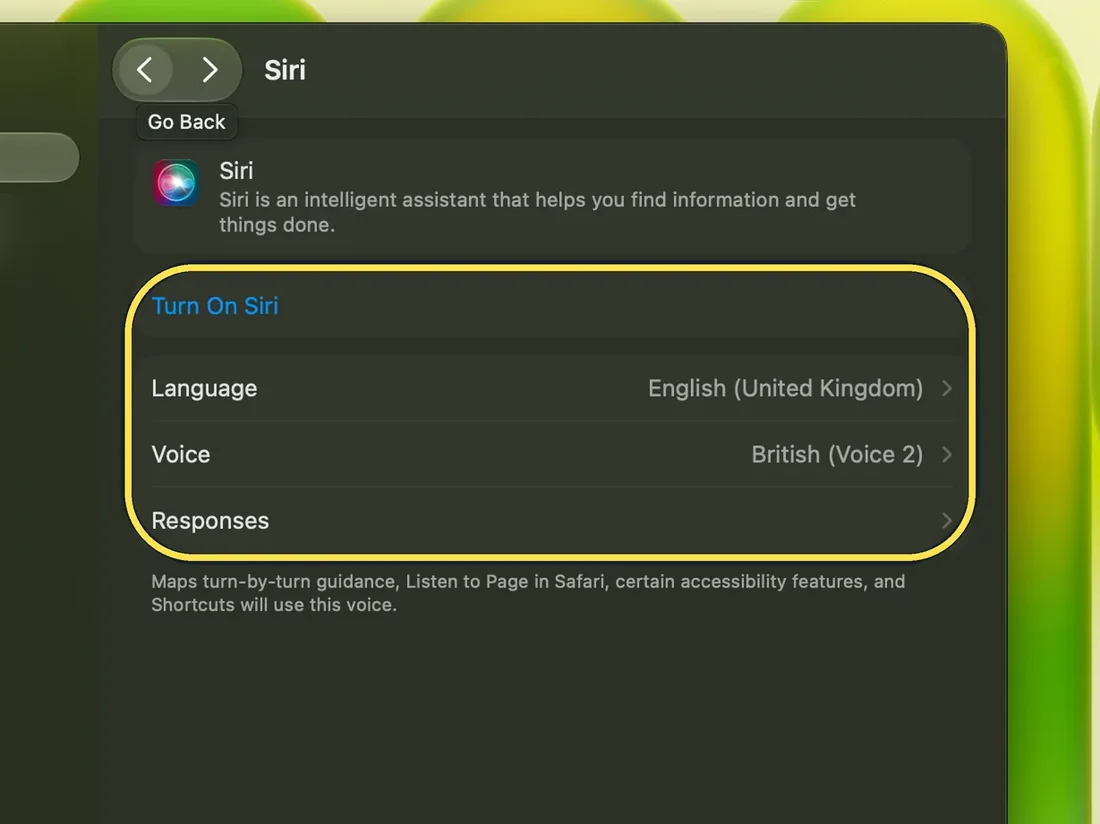
- No Excluded Apps row? It needs macOS 27.2 or later. On macOS 27.0.1 our Siri page had only Turn On Siri, Language, Voice and Responses. See how to update macOS on your Mac. Source: What's new in the updates for macOS 27 Golden Gate
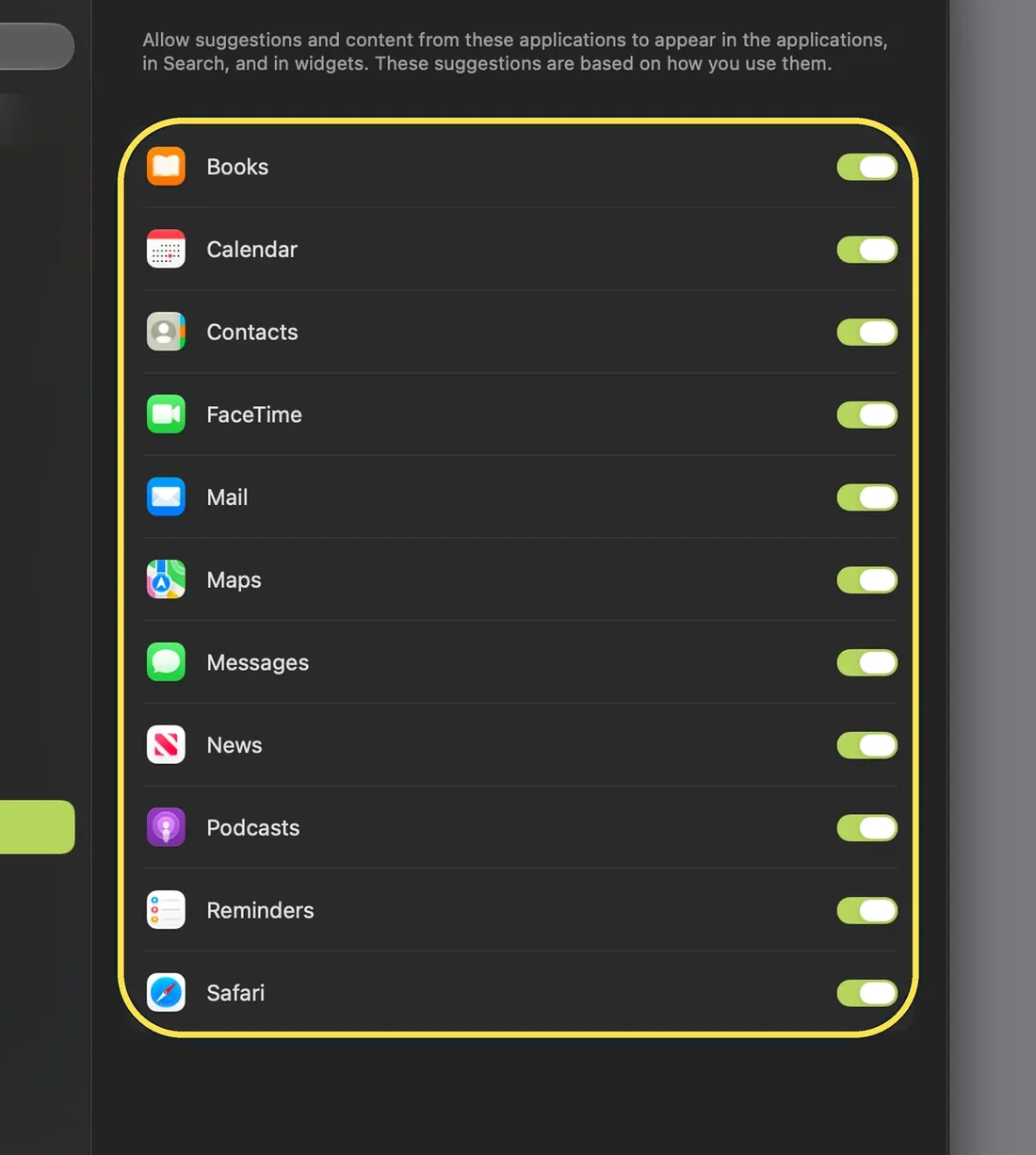
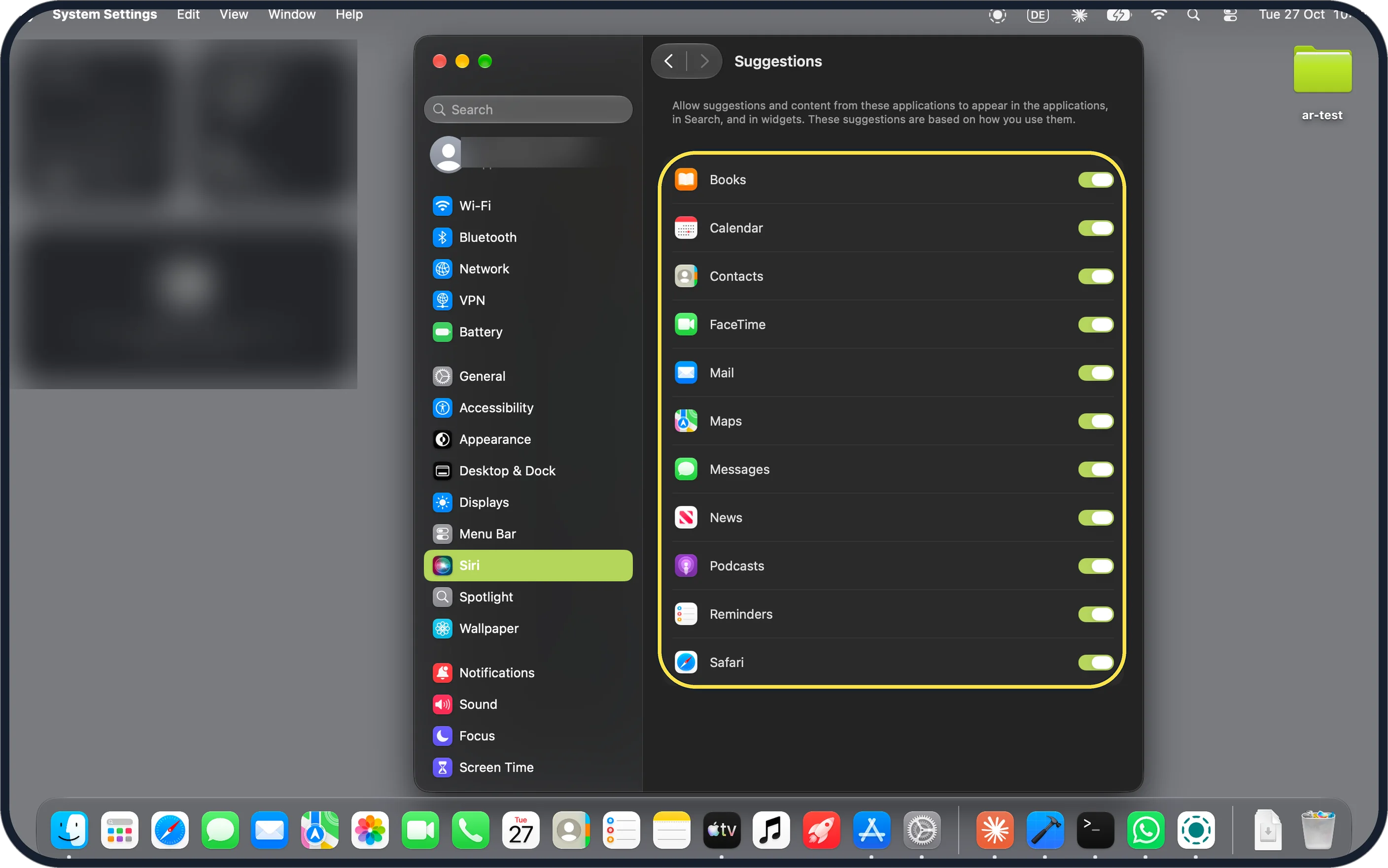
Zoomed in on the setting. Tap to see the whole screen - Only want to stop an app's suggestions? Siri, Suggestions has one switch per app, for suggestions in apps, in Search and in widgets. Ours were all on; we did not change any.
Zoomed in on the setting. Tap to see the whole screen
If this does not work
- Done stays grey? Tick at least one app first. Ours stayed grey until we ticked Books.
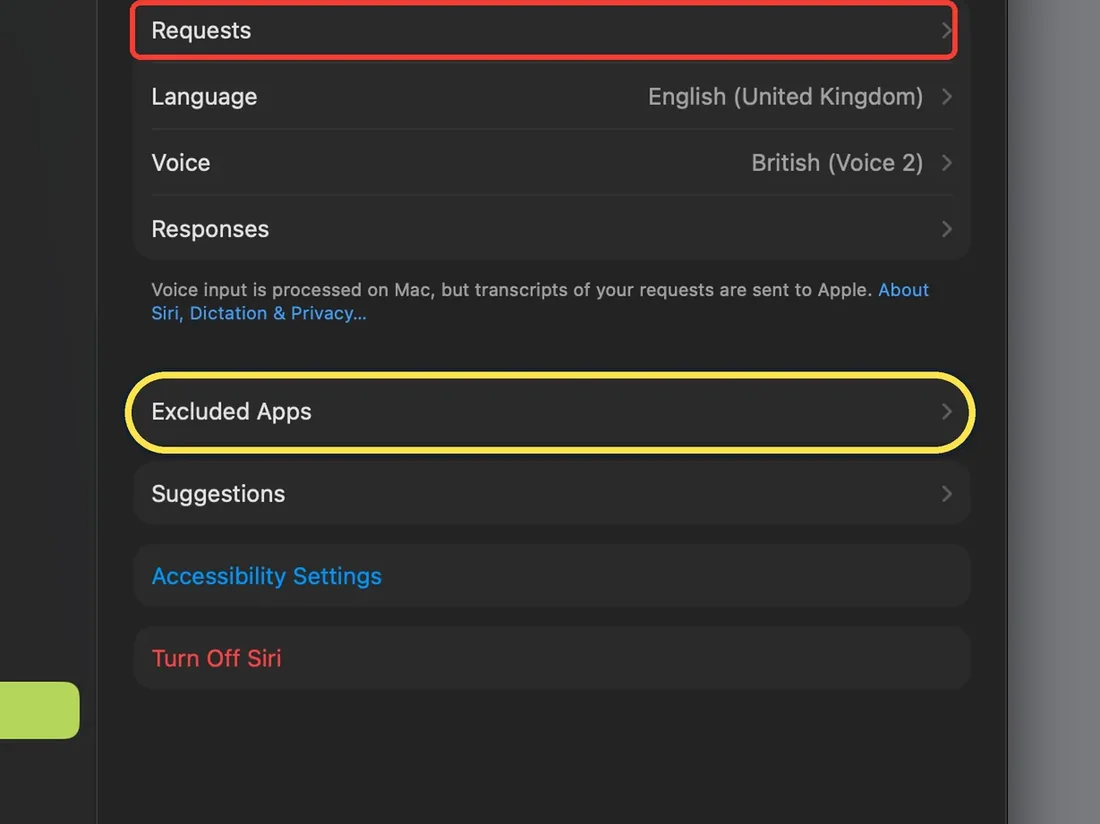
Zoomed in on the setting. Tap to see the whole screen - Siri is switched on? The row stays. When we turned Siri on once, our Siri page showed Requests, Language, Voice, Responses, Excluded Apps, Suggestions and Turn Off Siri. We then turned Siri off again. The red box is from our capture.
Zoomed in on the setting. Tap to see the whole screen - What does it change? Apple's release notes say Excluded Apps lets you choose which apps Siri, Search, and suggestions can access. We did not add an app, so we have not checked the effect ourselves. Source: What's new in the updates for macOS 27 Golden Gate
About this guide
Excluded Apps came with macOS 27.2. Apple's release notes call it one setting to choose which apps Siri, Search and suggestions can access.
The screenshots are from our MacBook Neo with macOS 27.2 (26B123), in Dark mode, taken on 27 October 2026. What we did not change: we ticked Books to show the list, then clicked Cancel, so our list stayed empty. Siri was off for the step screenshots; we turned it on once afterwards to check the page, then off again. Every Suggestions switch stayed on. So we cannot show the page with an app on it.
Good to know
Everything else that changed for us in macOS 27.2: what's new in macOS 27.2 on a MacBook Neo.
To update first, see how to update macOS on your Mac.
On an iPhone with iOS 27.2 the same setting is in Settings, Siri: how to stop Siri using an app on an iPhone.
In short: System Settings, Siri, Excluded Apps, Add Apps, tick the app, Done. Needs macOS 27.2.
Links checked in October 2026. Menus and features can change after software updates. These steps match the version named at the top.
📷 Camera Lab: the same 6 scenes photographed with 11 phones, side by side.
Did this guide work for you?
Sorry about that. What happened?