
howtosimply.com/guides/samsung-galaxy-can-t-send-picture-messages-mms-fixes/ · Checked October 2026 · Samsung Galaxy A57 5G (SM-A576B), One UI 8.5, Android 16
In this guide
In Google Messages, tap your profile picture, Messages settings, Advanced. If it says MMS turned off because your carrier doesn't allow outgoing MMS, the block is on the carrier's side: ask them to enable MMS. Otherwise check mobile data and that the message can go as a chat instead.
5 of 6 steps with real screenshots · 1 official source below
- Device
- Android
- Shown on
- Samsung Galaxy A57 5G (SM-A576B), One UI 8.5, Android 16
- App
- Messages
- Real screenshots
- 5 of 6 steps
- What we did
- Observed: looked at each screen, changed nothing
- Our phone
- Shown on Galaxy A57, One UI 8.5
- Checked
- October 2026
- Sources
- 1 official, linked below
Step by step
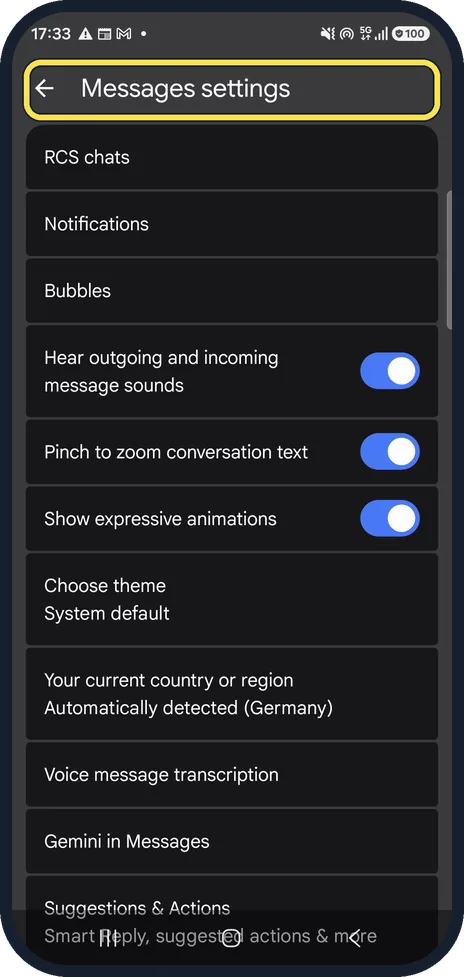
Open Messages settings
In Google Messages, tap your profile picture, then Messages settings.
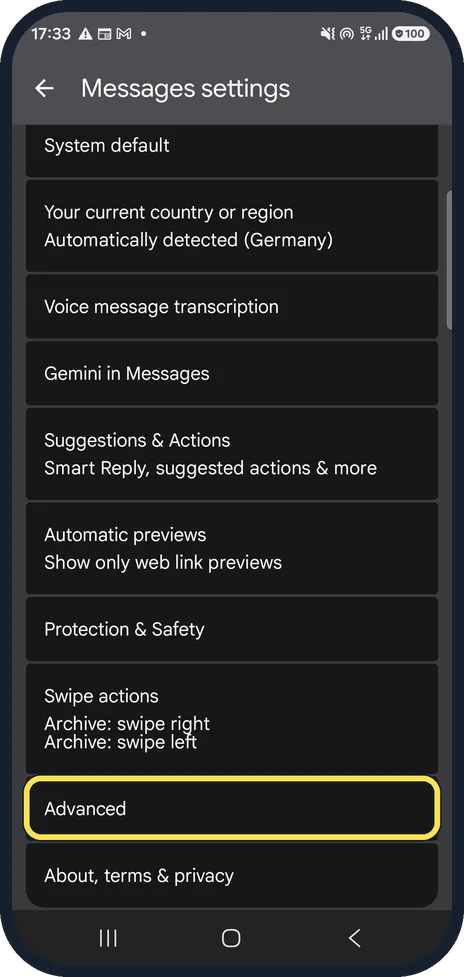
Scroll to Advanced
Advanced is near the bottom of the list.
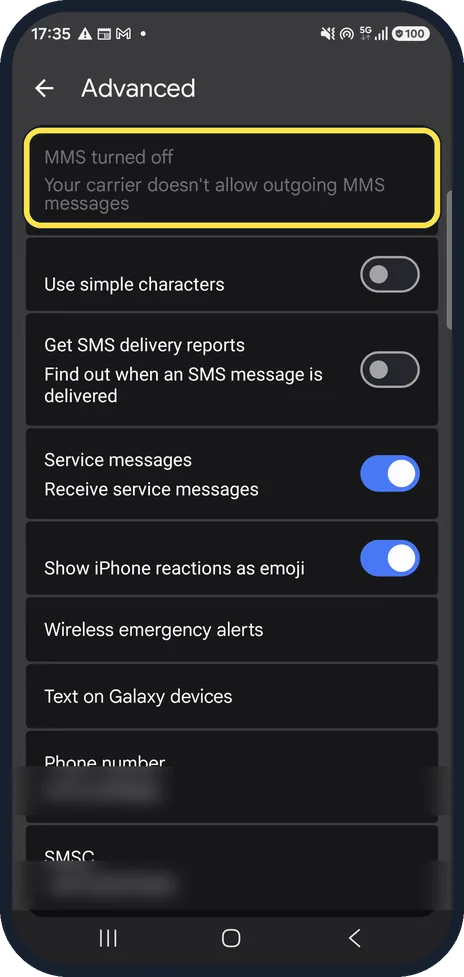
Read the MMS line at the top
On our phone it said MMS turned off: your carrier doesn't allow outgoing MMS messages. In that case no setting on the phone fixes it.
Ask your carrier to enable MMS
Some plans and data-only SIMs do not include MMS. The carrier can switch it on or tell you which plan does.
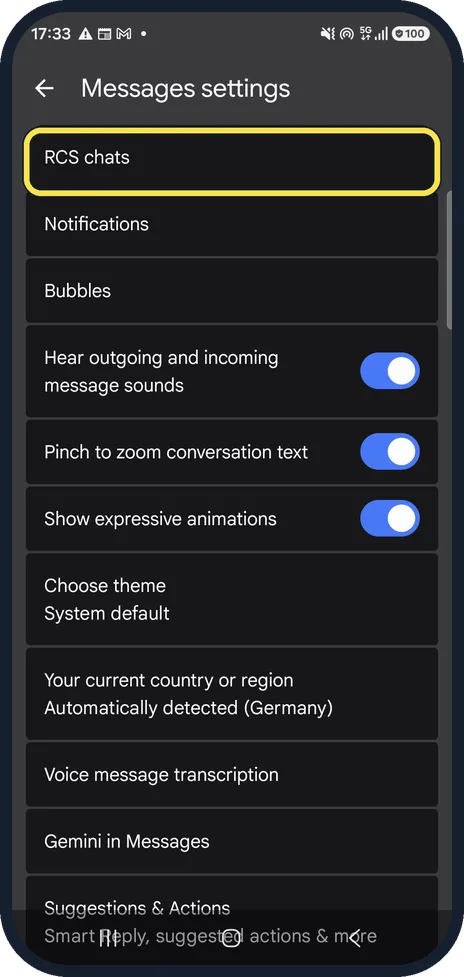
Send it as a chat instead
If you and the other person both use RCS chats, photos go over the internet and do not need MMS. Check that RCS chats is connected.
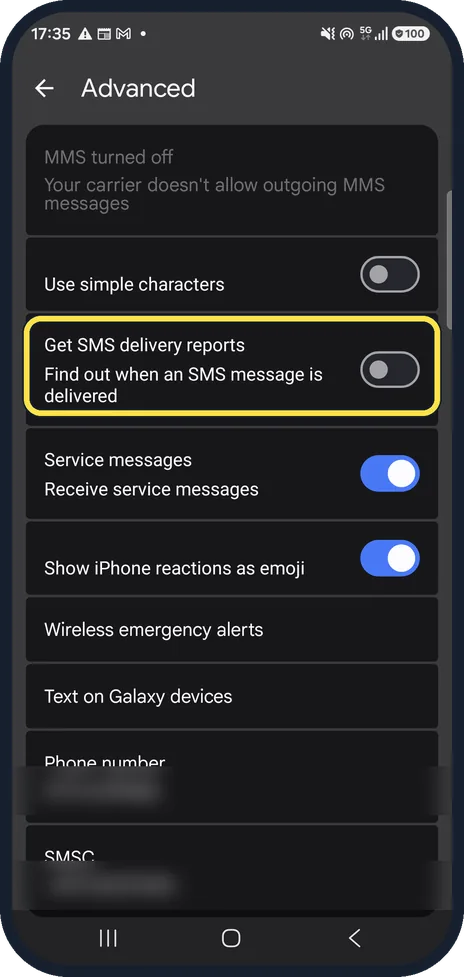
Check delivery reports
Get SMS delivery reports tells you when a text arrives, which helps you see whether only MMS fails. Ours was off.
If you do not see this option
- Your phone uses Samsung Messages These steps are for Google Messages. Google says to check that Messages is set as your default texting app; otherwise the MMS settings live in the app you use. Source: Fix problems sending, receiving or connecting to Messages
- Group photos arrive as separate chats Google says to open Messages settings, Advanced, Group messaging and choose Send an MMS reply to all recipients (group MMS). The mass text option sends replies as separate conversations. Source: Fix problems sending, receiving or connecting to Messages
If this does not work
- Mobile data is on, but MMS still fails Google says MMS needs a data connection, and suggests resetting the APN settings to default in the phone's settings. Source: Fix problems sending, receiving or connecting to Messages
- Only one contact cannot get your photos Google suggests checking the number is right, adding the country code (for example +44), checking you have not blocked them, or deleting and adding the contact again. Source: Fix problems sending, receiving or connecting to Messages
- Messages says there is not enough space Google says Messages may not send or receive until more space is free on the phone. Source: Fix problems sending, receiving or connecting to Messages
About this guide
Picture and group texts (MMS) fail more often than plain texts because the carrier has to allow them. Google Messages shows whether MMS is available on its Advanced page.
Good to know
Plain texts failing too? Texts not sending on a Samsung Galaxy (Google Messages): 5 fixes.
Mobile data off or broken? Samsung Galaxy mobile data not working? 7 fixes.
In short: Messages settings, Advanced: if MMS is turned off by the carrier, ask the carrier. Otherwise use RCS chats and check mobile data.
Links checked in October 2026. Menus and features can change after software updates. These steps match the version named at the top.
📷 See real photos from the Galaxy A57 in our Camera Lab, next to 10 other phones.
Did this guide work for you?
Sorry about that. What happened?