
howtosimply.com/guides/how-to-change-the-caption-style-on-windows-11/ · Checked October 2026 · Windows 11 Enterprise 25H2 (build 26200.9457), Microsoft Cloud PC
In this guide
Open Settings, Accessibility, Captions and choose a Caption style: Default, White on black, Small caps, Large text or Yellow on blue. The Theme preview shows the result. The style applies to live captions and to captions in apps that follow it.
4 of 4 steps with real screenshots · 1 official source below
- Device
- Windows
- Shown on
- Windows 11 Enterprise 25H2 (build 26200.9457), Microsoft Cloud PC
- App
- Settings
- Path
- Settings › Accessibility › Captions › Caption style
- Real screenshots
- 4 of 4 steps
- Checked
- October 2026
- Sources
- 1 official, linked below
Step by step
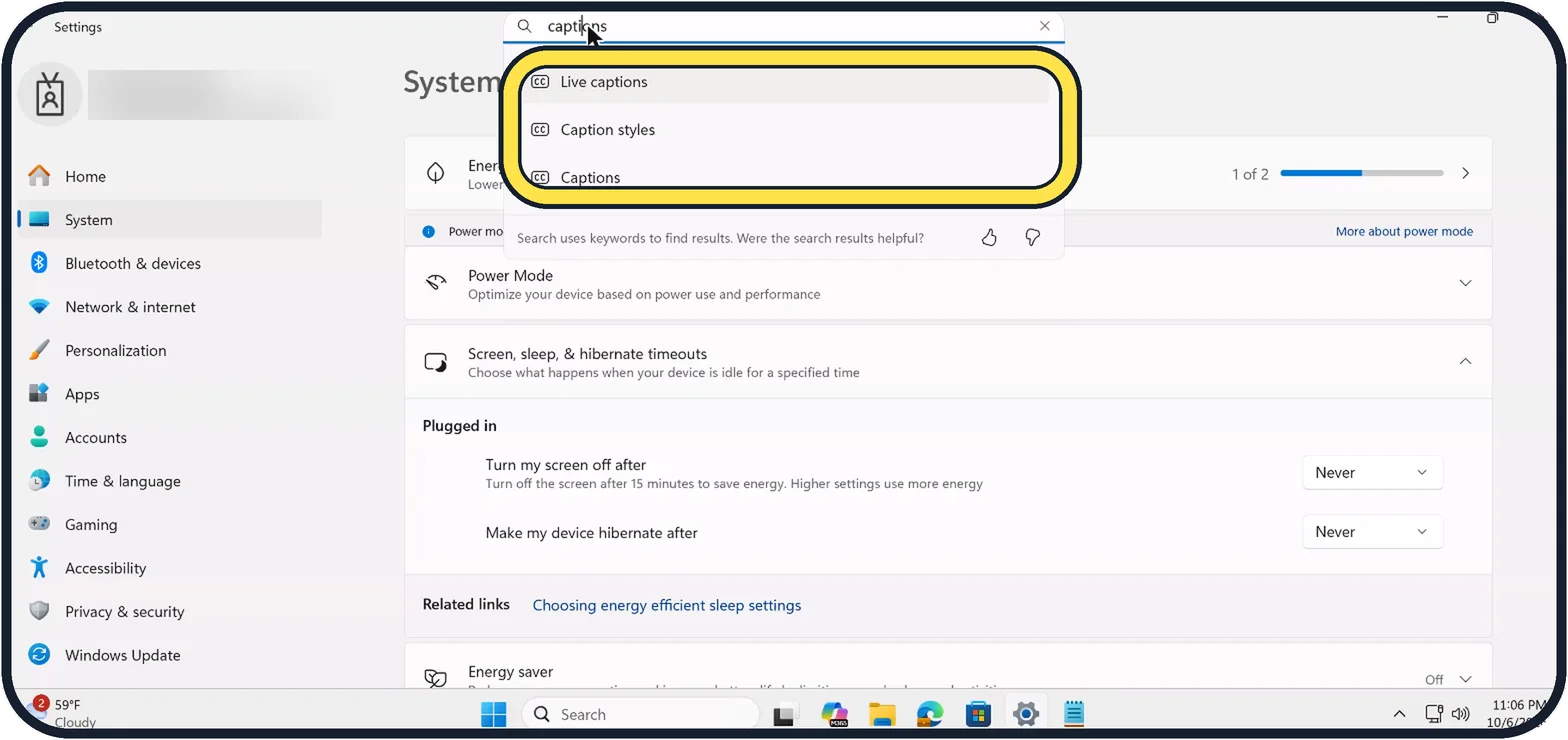
Zoomed in on the setting. Tap to see the whole screenTap the picture to see it full size Open the Captions settings
Press Windows + I, search for captions and click Captions in the results, or click Accessibility, then Captions.
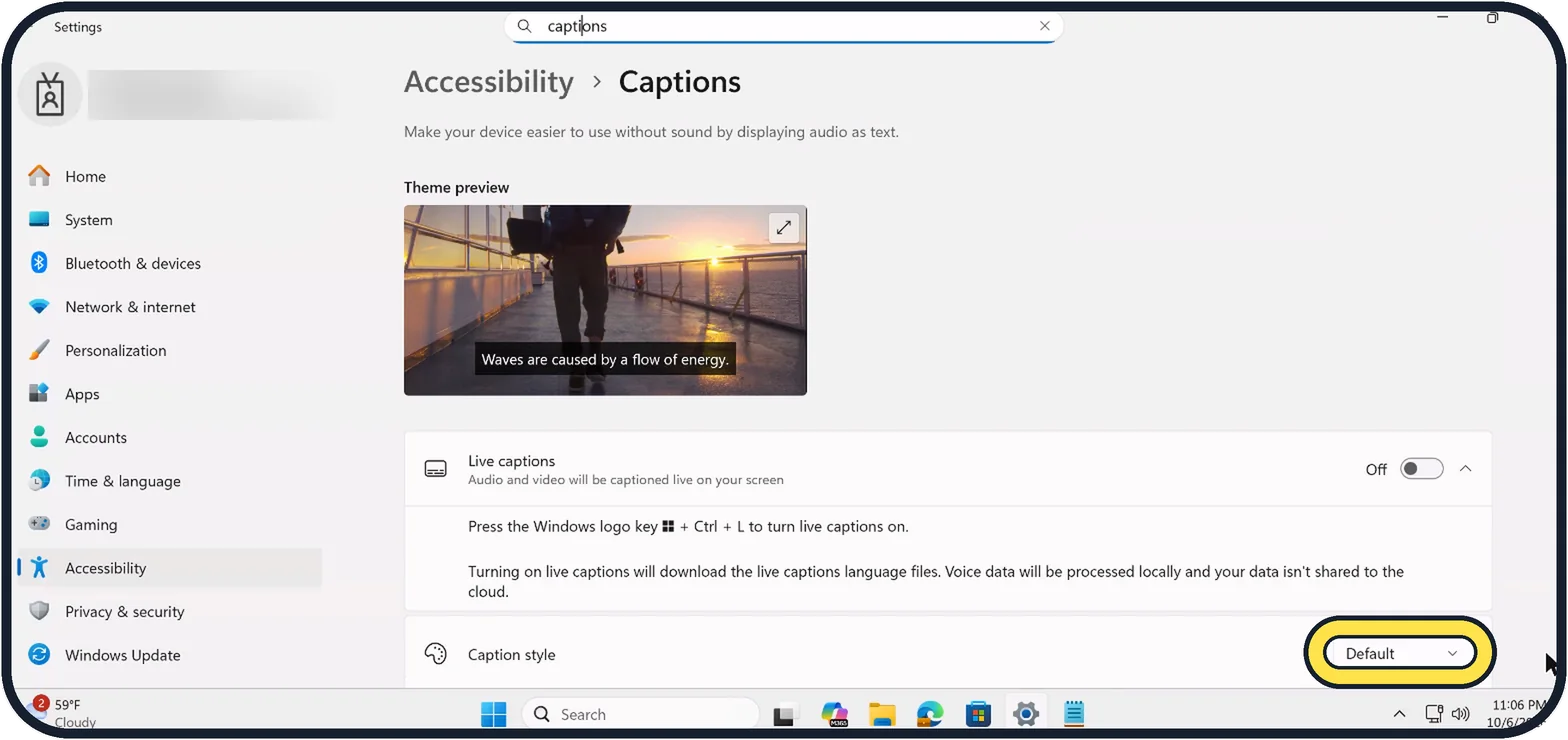
Zoomed in on the setting. Tap to see the whole screenTap the picture to see it full size Open Caption style
The page shows a Theme preview at the top. Caption style is at the bottom.
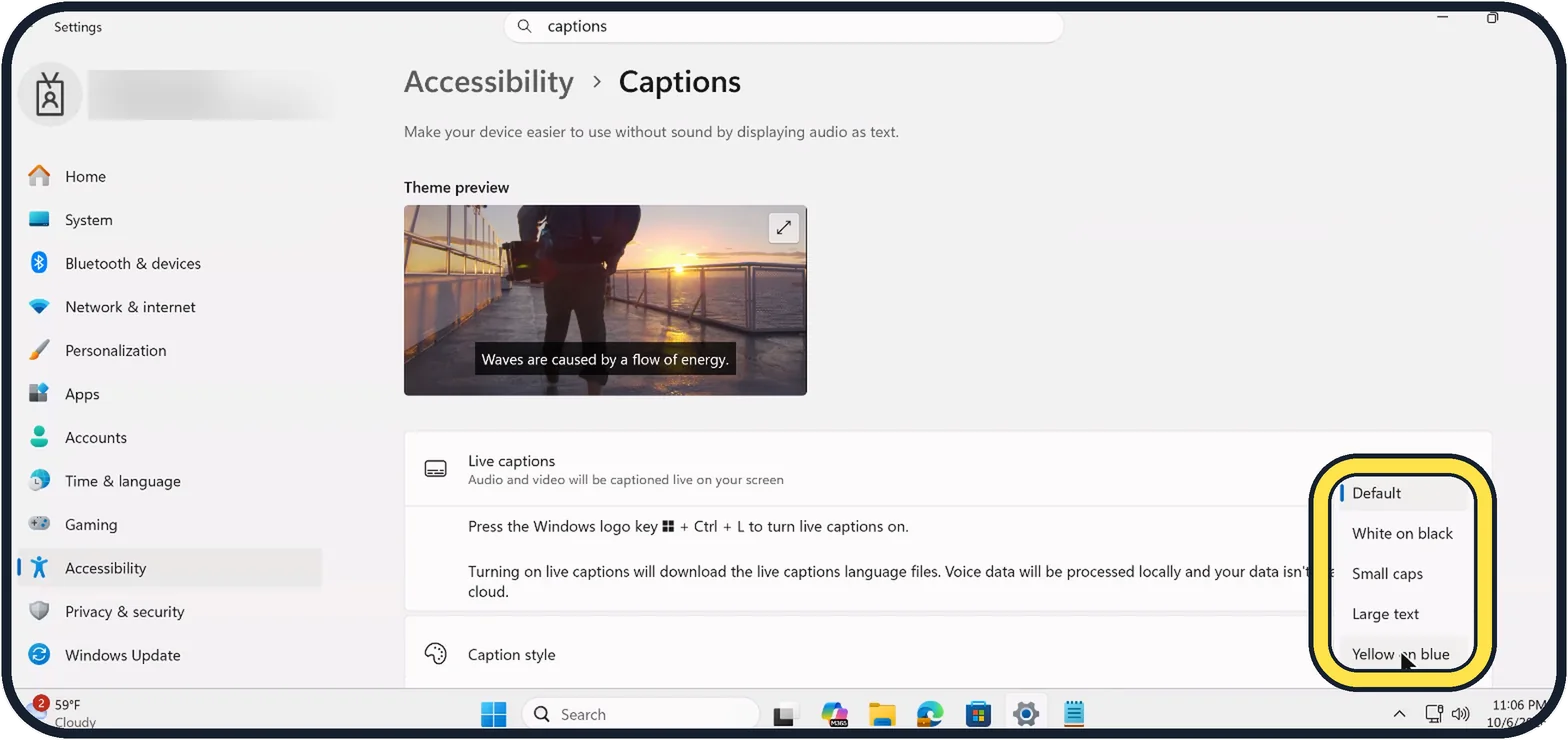
Zoomed in on the setting. Tap to see the whole screenTap the picture to see it full size Choose a style
Pick one of the five styles.
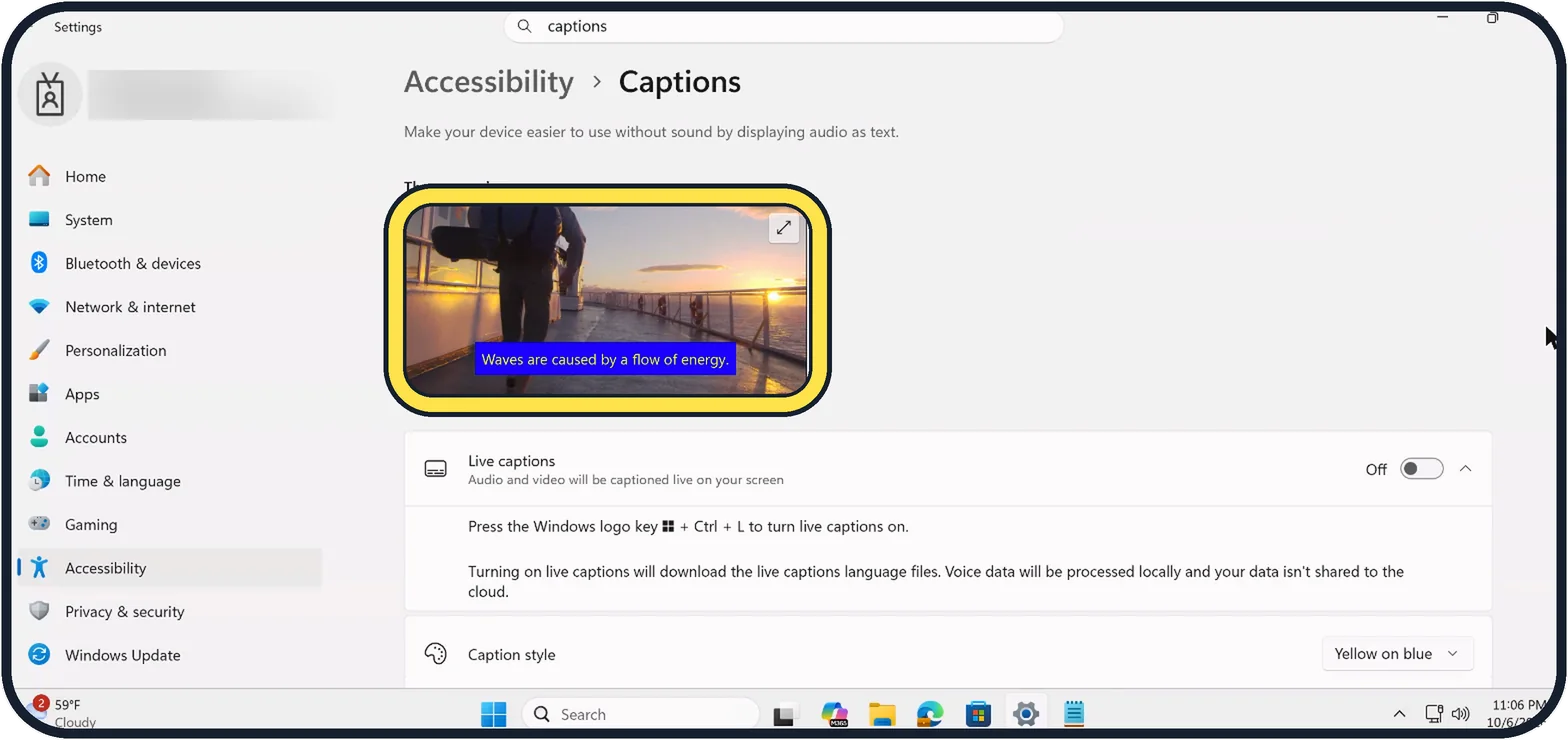
Zoomed in on the setting. Tap to see the whole screenTap the picture to see it full size Check the preview
With Yellow on blue, the preview caption is yellow on a blue box. We set ours back to Default.
If you do not see this option
- No Live captions switch Microsoft says live captions needs Windows 11, version 22H2 or later. Source: Use live captions to better understand audio
- You are in the live captions window Microsoft says its Settings button, then Preferences, then Caption style opens this same Captions page. Source: Use live captions to better understand audio
If this does not work
- Default looks different from what you expect Microsoft says the Default style uses colours that suit your light or dark mode, set in Settings, Personalization, Colors, Choose your mode. Source: Use live captions to better understand audio
- Live captions shows nothing yet Microsoft says the first time it asks for consent and downloads language files. If captions still do not appear, it suggests closing unused apps. Source: Use live captions to better understand audio
About this guide
Captions that are too small or hard to read against a video can be changed in one place.
Good to know
Live captions on the same page turns speech from any app into captions; Windows + Ctrl + L switches them on. The first time, it downloads language files.
An Edit button appears for custom styles, where you choose your own font, size and colours.
In short: Settings, Accessibility, Captions, Caption style.
Links checked in October 2026. Menus and features can change after software updates. These steps match the version named at the top.
📷 Camera Lab: the same 6 scenes photographed with 11 phones, side by side.
Did this guide work for you?
Sorry about that. What happened?