
howtosimply.com/guides/how-to-change-the-wallpaper-on-windows-11/ · Checked October 2026 · Windows 11 Enterprise 25H2 (build 26200.9457), Microsoft Cloud PC
In this guide
Right-click an empty spot on the desktop and choose Personalize, then click Background. Next to Personalize your background, choose Picture and click one of the recent images, or Browse photos to use your own. Slideshow, Solid color and Windows spotlight are in the same list.
4 of 6 steps with real screenshots · 1 official source below
- Device
- Windows
- Shown on
- Windows 11 Enterprise 25H2 (build 26200.9457), Microsoft Cloud PC
- App
- Settings
- Real screenshots
- 4 of 6 steps
- Checked
- October 2026
- Sources
- 1 official, linked below
Step by step
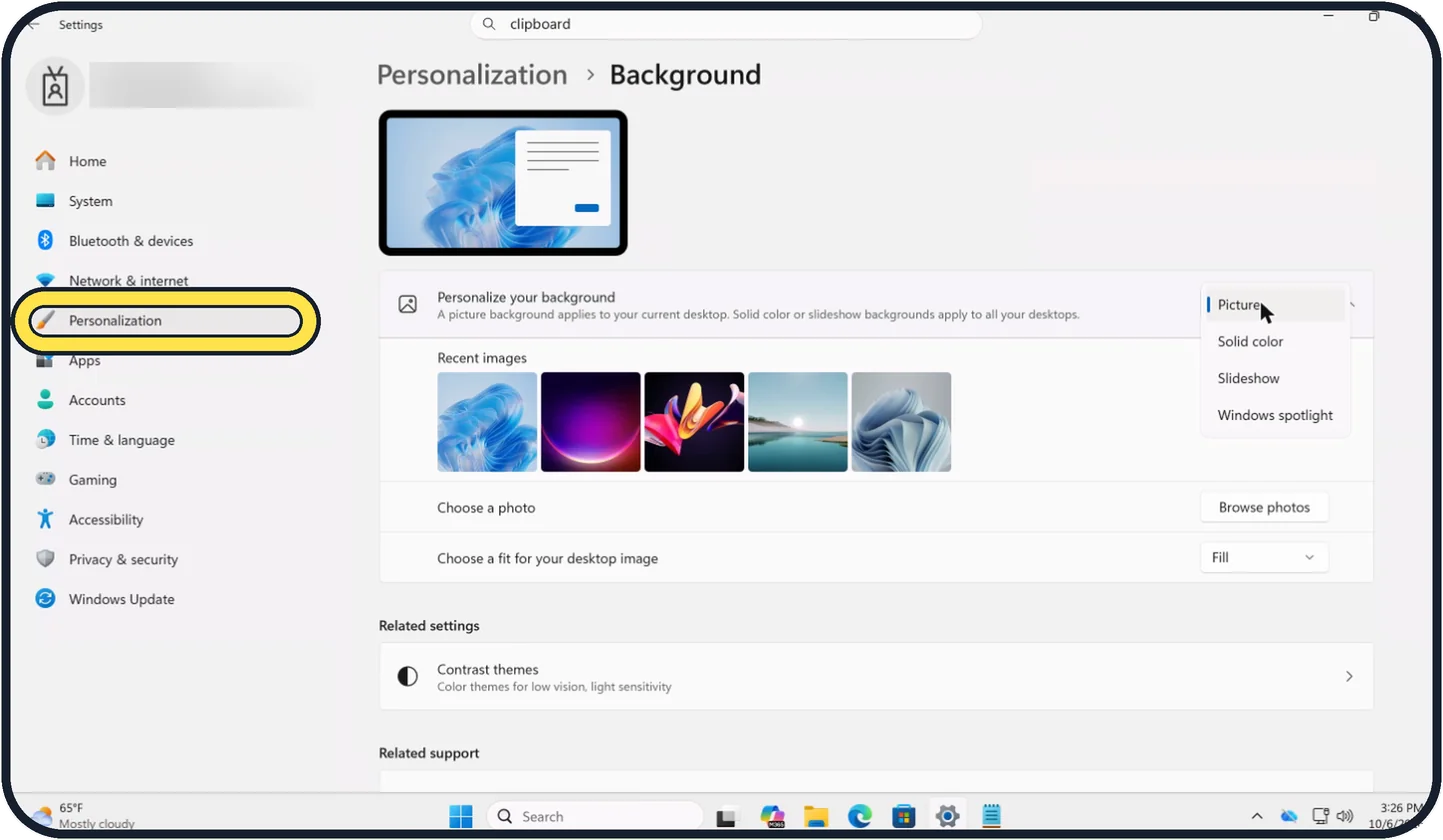
Zoomed in on the setting. Tap to see the whole screenTap the picture to see it full size Open the Background settings
Right-click the desktop and choose Personalize, or open Settings and click Personalization. Then click Background.
Watch these steps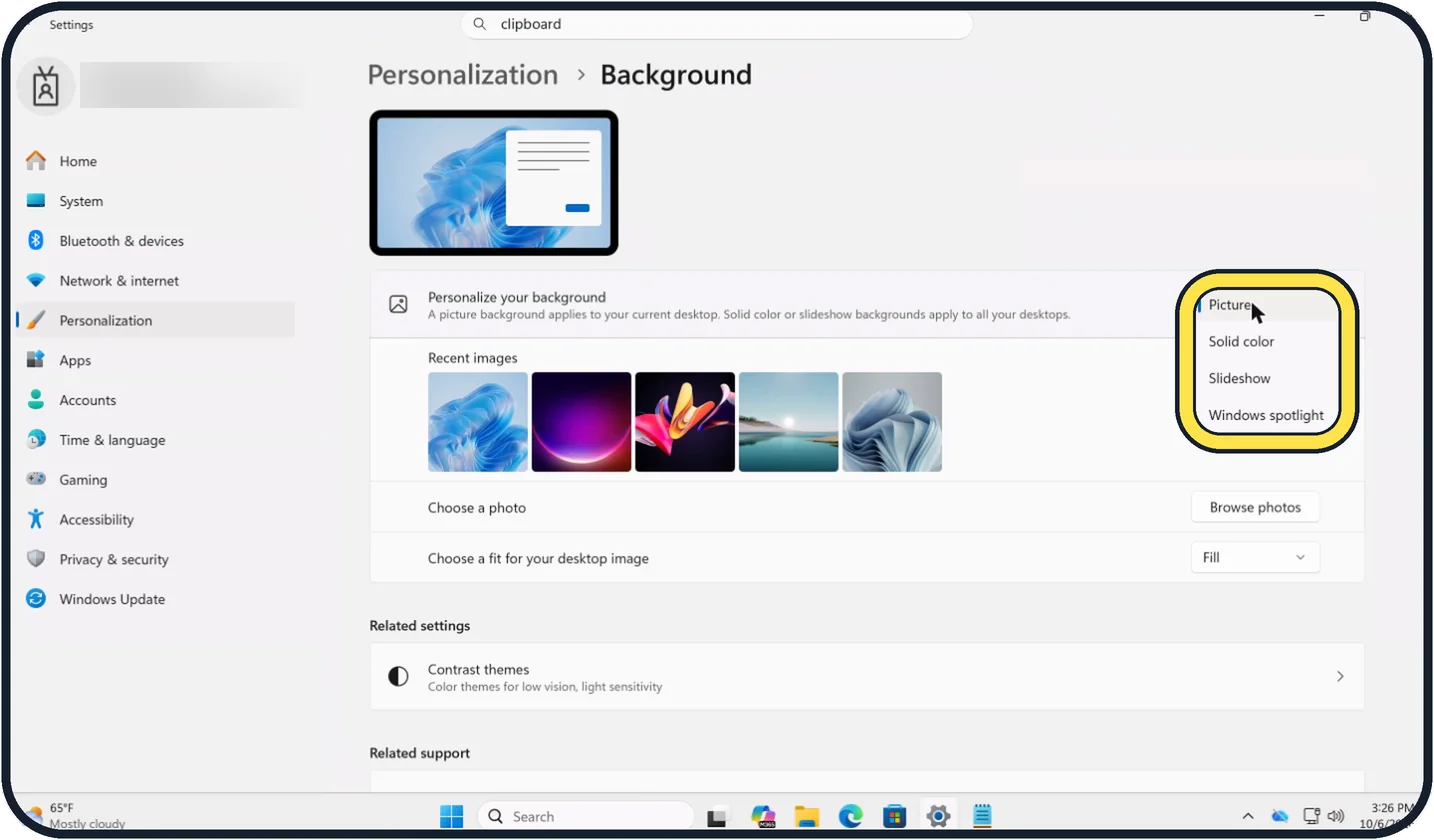
Zoomed in on the setting. Tap to see the whole screenTap the picture to see it full size Choose the kind of background
Open the list next to Personalize your background: Picture, Solid color, Slideshow or Windows spotlight. The page notes that a picture applies to the current desktop, while a solid colour or slideshow applies to all your desktops.
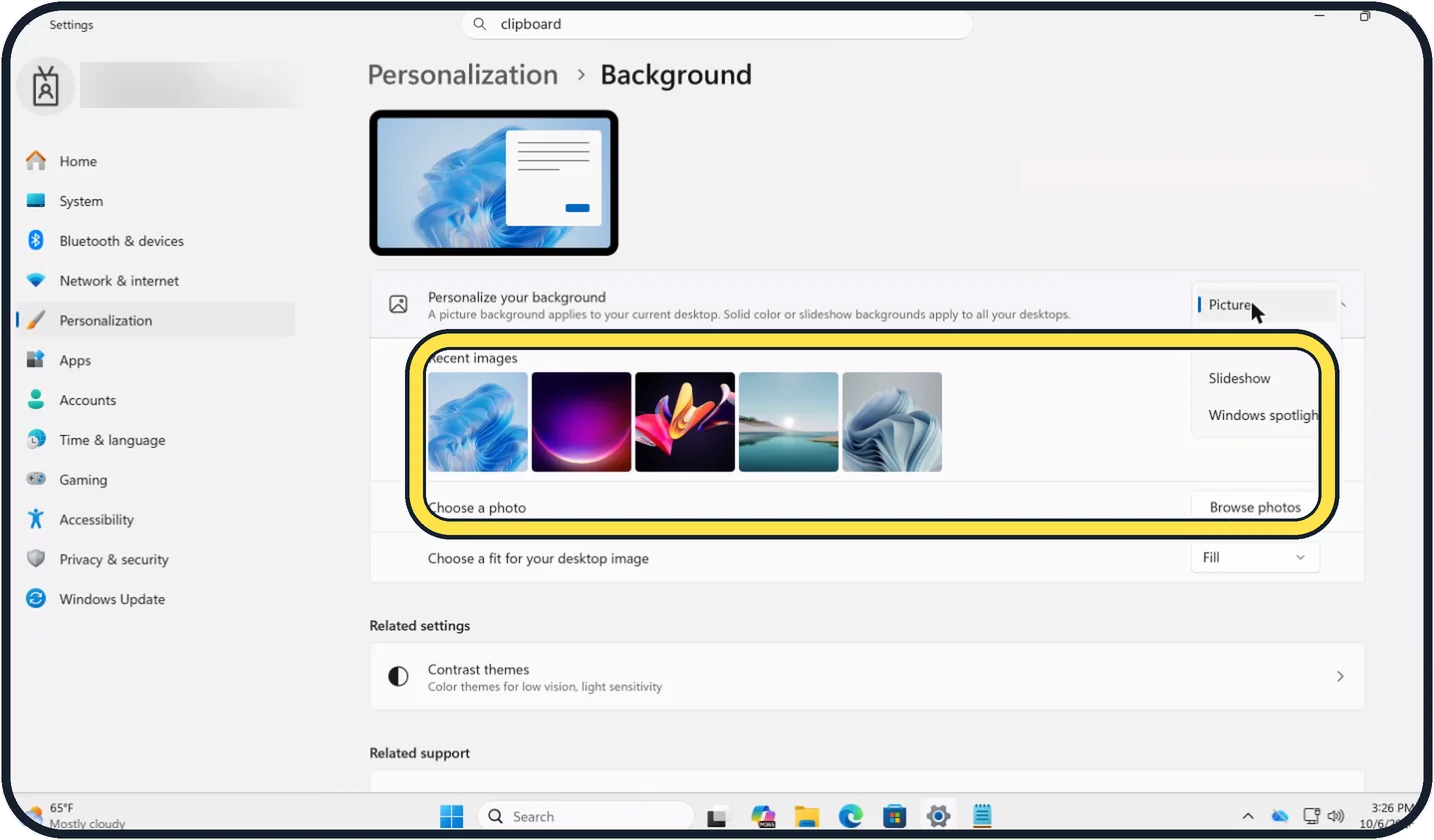
Tap the picture to see it full size Picture: pick an image
Click one of the Recent images, or click Browse photos next to Choose a photo and pick a file from your PC.
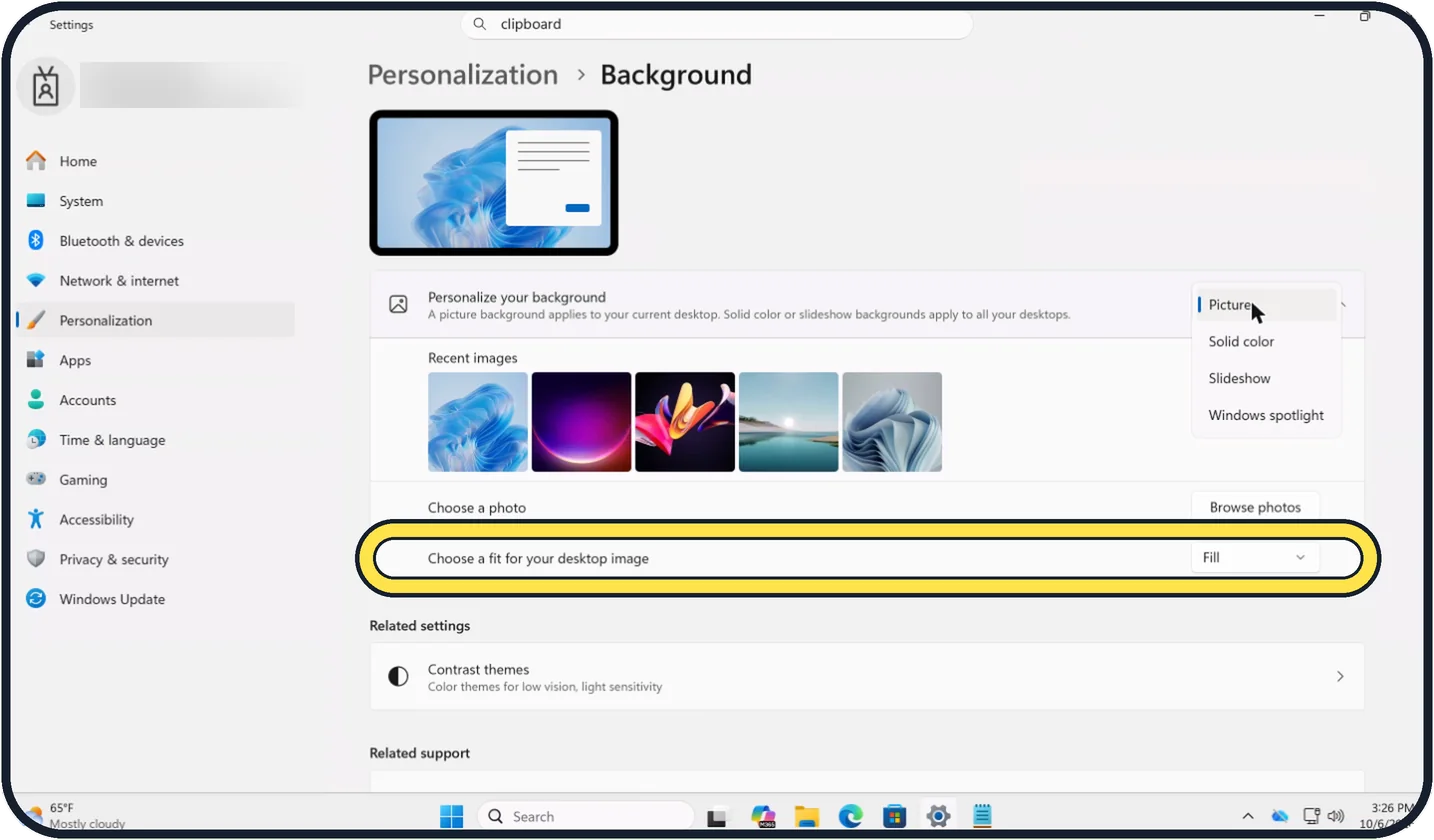
Tap the picture to see it full size Choose how the picture fits
Open the list next to Choose a fit for your desktop image. Fill enlarges the picture to cover the screen and may cut off the edges. Fit shows the whole picture, with bars if the shape differs. Stretch distorts it, Tile repeats it, Center shows it in its real size, and Span stretches one picture across several monitors.
Slideshow: pick a folder
Choose a folder with pictures, set how often the picture changes, and switch on shuffle if you like.
Different pictures on two monitors
In Picture mode, right-click a picture in the list of recent images and choose the monitor it should go on.
Watch these steps
About this guide
The desktop background is the quickest way to make a PC your own. Windows 11 can show one picture, a changing set from a folder, a plain colour, or a new photo from Microsoft every day.
Good to know
You can also right-click any picture file in File Explorer and choose Set as desktop background.
Windows that is not activated does not allow changes under Personalization.
The picture on the lock screen is set separately, under Personalization, Lock screen.
For the rest of the look: how to turn on dark mode on Windows 11. On other devices: how to change the wallpaper on a Mac.
In short: Right-click the desktop, Personalize, Background, choose Picture, Slideshow, Solid color or Windows spotlight, pick the image and the fit.
Links checked in October 2026. Menus and features can change after software updates. These steps match the version named at the top.
Did this guide work for you?
Sorry about that. What happened?