ONEPLUS
How to add a world clock on a OnePlus (OxygenOS 16)

In short
Open the Clock app, tap World clock, then +. Search for the city and tap it. To remove one, touch and hold it and tap Delete.
8 of 8 steps show a real screenshot from our Nord 5. Each step was checked against the maker's own instructions, linked at the end.
Steps
- 1
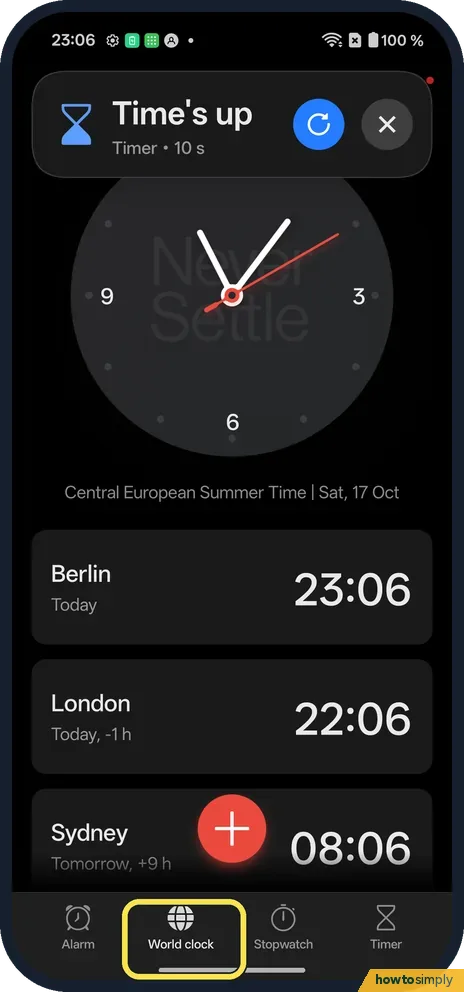
Open World clock
Open Clock and tap World clock at the bottom.
- 2
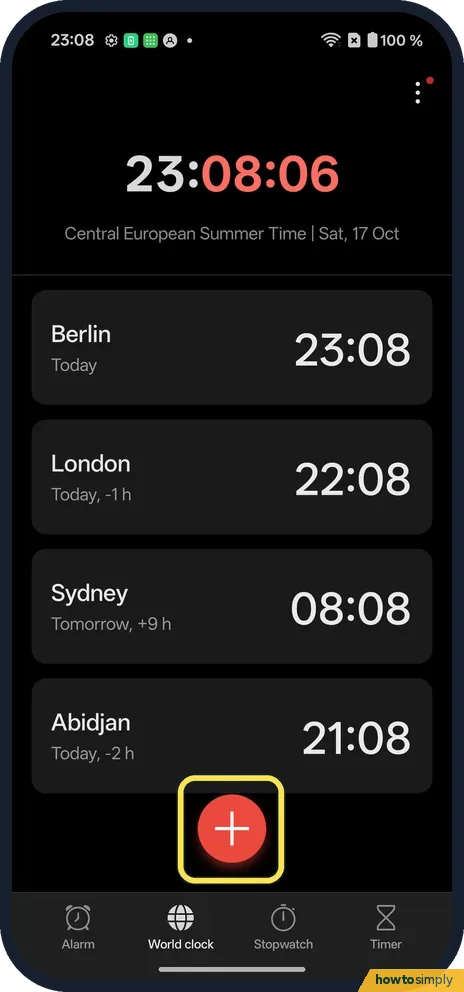
Tap +
The red button is above the tabs.
- 3
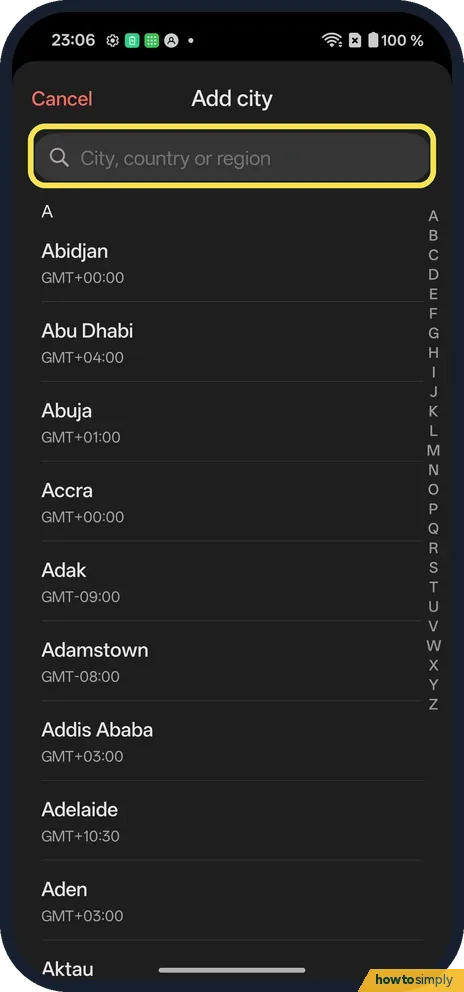
Search
Type the city in the search bar at the top.
- 4
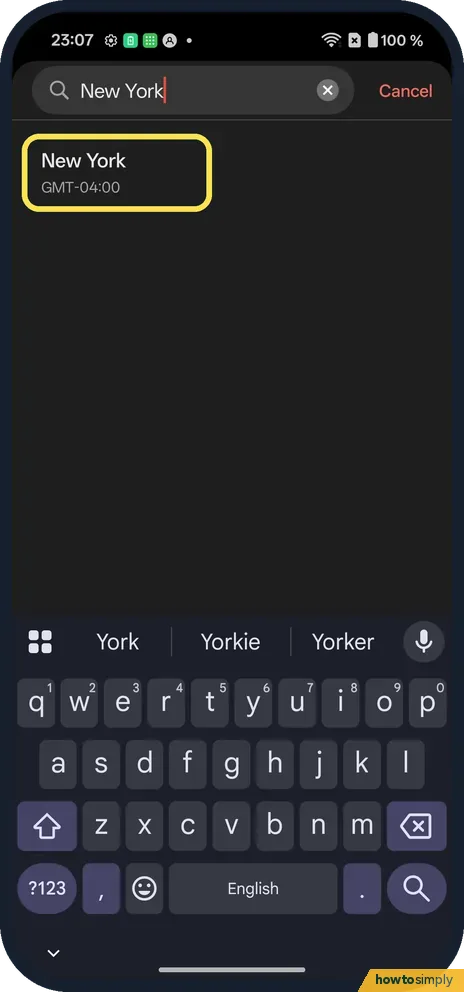
Tap the city
We tapped New York.
- 5
Check the list
New York was added with Today, -6 h.
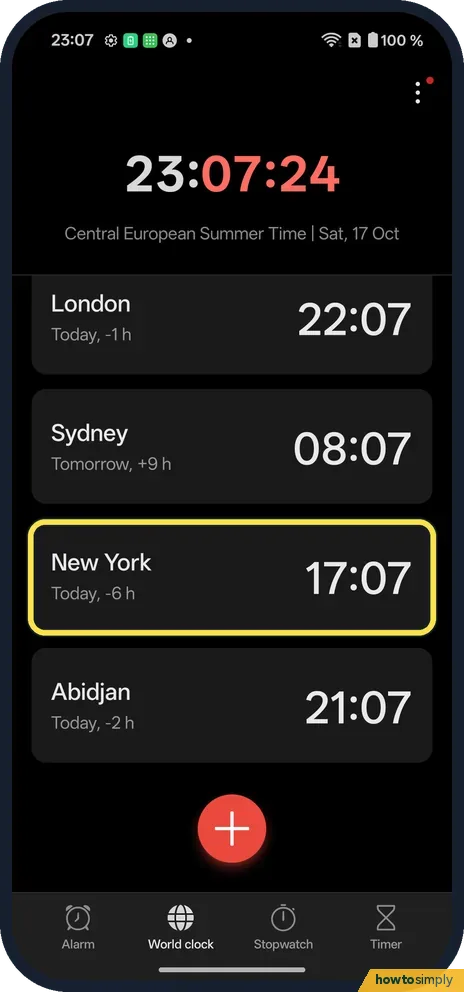
- 6
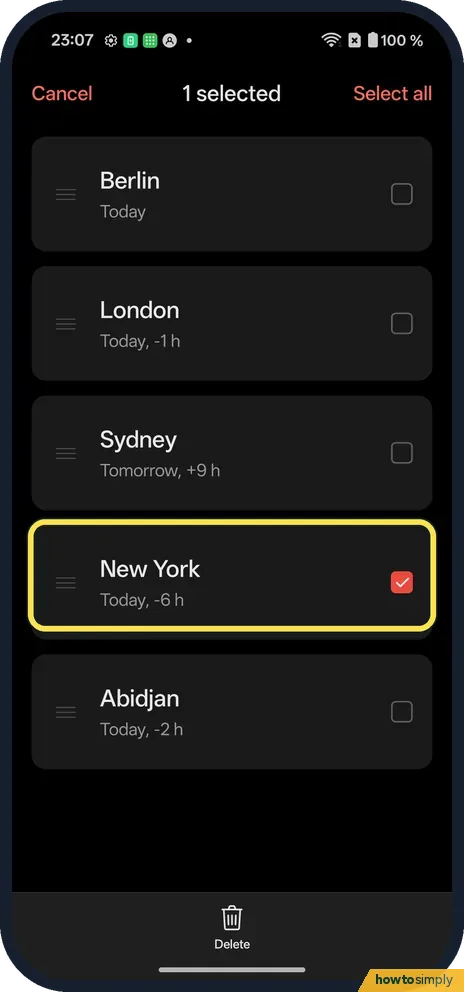
Remove one
Touch and hold a city to select it. We picked New York.
- 7
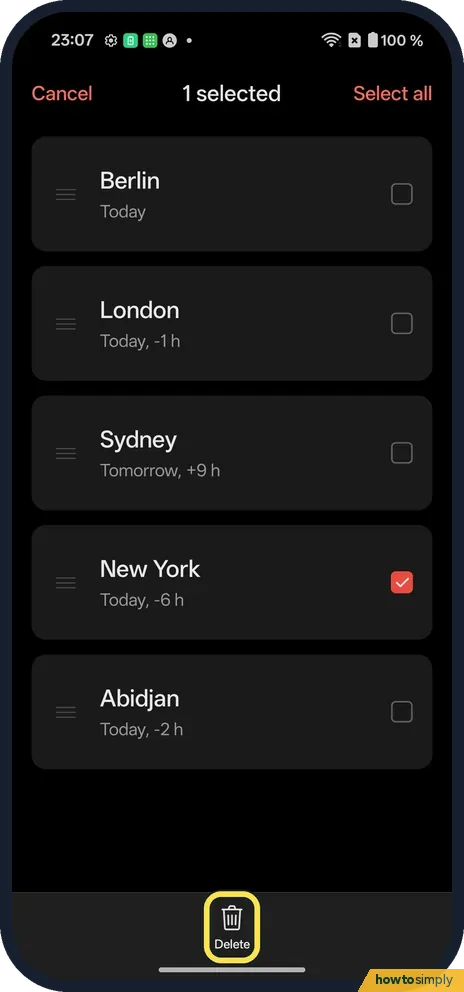
Tap Delete
There is no confirmation box.
- 8
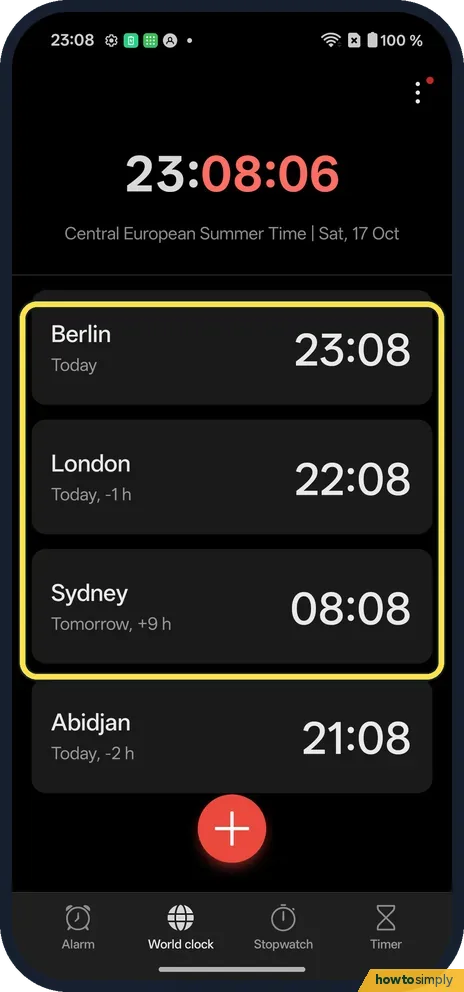
It is gone
New York was gone from the list.
If you do not see this option
- City not in the list? Search for a bigger city nearby in the same time zone.
- On OxygenOS 14? The OnePlus manual also has Dual clock, which shows your home time and local time when you travel. Source: OxygenOS 14.0 User Manual
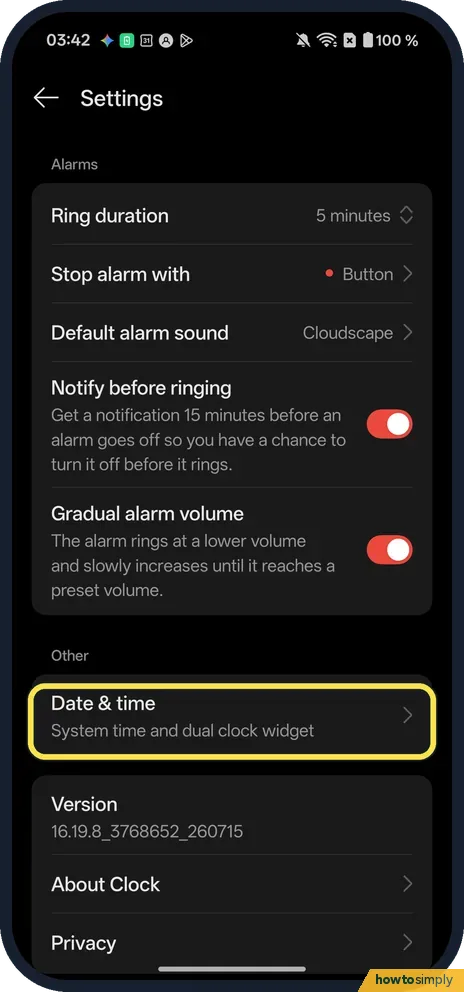
- Want the second time on the lock screen? OnePlus's manual describes Dual clock in the Clock app's Settings, under Date & time. You add your Usual residence, then choose to show it on the lock screen, the home screen clock widget, or both. In our OxygenOS 16 Clock app, Settings has Date & time under Other, described as System time and dual clock widget. Source: OxygenOS 14.0 User Manual
If this does not work
- Wrong time difference? Check the phone's own time zone: search Settings for time zone.
- Deleted the wrong city? Add it again with +. Ours deleted at once, with no undo.
- Gap changed by an hour? Countries start and end daylight saving on different dates, and some never change. For a few weeks in spring and autumn the gap can be an hour more or less than usual. The list allows for that, so trust the figure it shows.
- Every city is off by the same amount? Then your own clock is wrong, not the list. OnePlus's manual says to turn on Set time automatically and Set time zone automatically on the phone's Date & time page.
- Picked the wrong city by mistake? Several cities share a name, such as Birmingham or Perth. Make sure you pick the one in the right country, and delete the wrong one if it was added.
Good to know
Set a timer on a OnePlus.
World clock only shows times. It does not change your phone's clock, your alarms or your calendar, and it uses no battery or data to speak of. Each entry shows whether that city is on the same day and how many hours ahead or behind it is, like the Today, -6 h ours showed for New York. To undo, touch and hold the city and tap Delete, or add it back with + if you remove one by mistake.
For keeping track of time on the go, see set and delete an alarm on a OnePlus.
About this guide
- Device
- Android
- Shown on
- OnePlus Nord 5 (CPH2709), OxygenOS 16.0.5.1201, Android 16
- App
- Clock
- Path
- Clock › World clock › +
- Real screenshots
- 8 of 8 steps
- Checked
- October 2026
- Sources
- 2 official, linked below
Sources
Links checked October 2026. Menus and features can change with updates.Spotted a mistake? Menus change with updates, and we want every step to match your screen. Email us about this page or use the contact form. We read every report, and fixes are listed on What changed.
Liked this guide?
Follow us for new guides and short how-to videos.
Did this guide work for you?
Sorry about that. What happened?