
howtosimply.com/guides/how-to-add-a-holiday-calendar-on-an-iphone/ · Checked October 2026 · iPhone 17e · iOS 27.0.1
In this guide
In Calendar, tap the Calendars button at the top, then Add Calendar at the bottom and Add Holiday Calendar. Pick a country from the list. Our iPhone 17e had no Holidays calendar in its list, so the month view showed no holidays until one is added.
- Device
- iPhone
- Shown on
- iOS 27.0.1 (iPhone 17e)
- App
- Calendar
- Path
- Calendar › Calendars › Add Calendar › Add Holiday Calendar
- Real screenshots
- 4 of 4 steps
- Checked
- October 2026
- Sources
- 1 official, linked below
Step by step
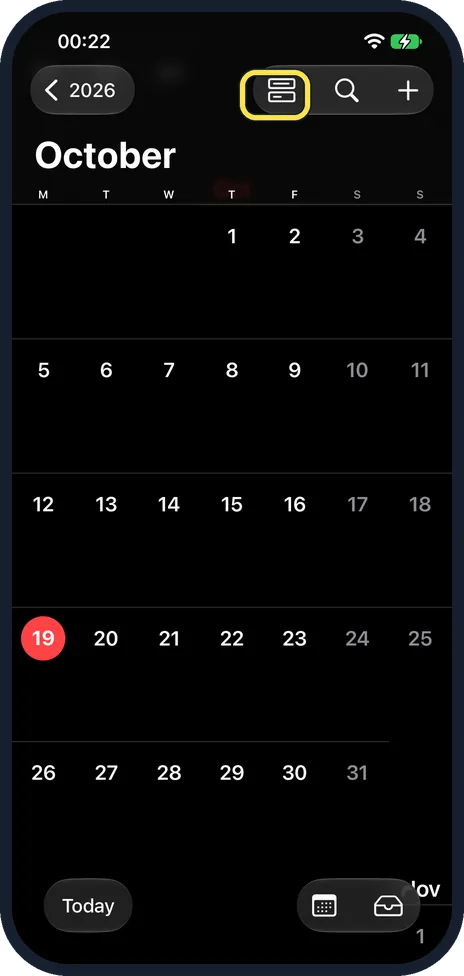
Tap the Calendars button
In the month view, tap the button left of the search button at the top. Ours showed October 2026 with no holidays in it.
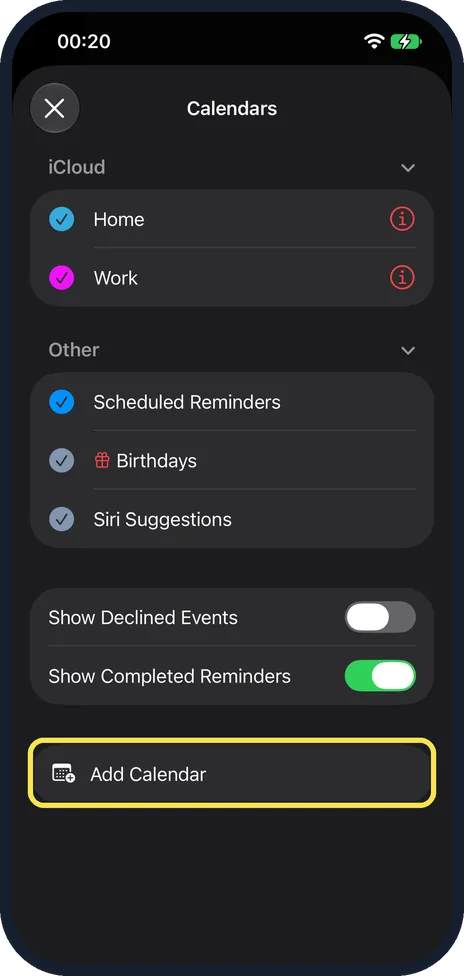
Tap Add Calendar
Ours listed Home and Work under iCloud and Scheduled Reminders, Birthdays and Siri Suggestions under Other: no Holidays. Tap Add Calendar at the bottom.
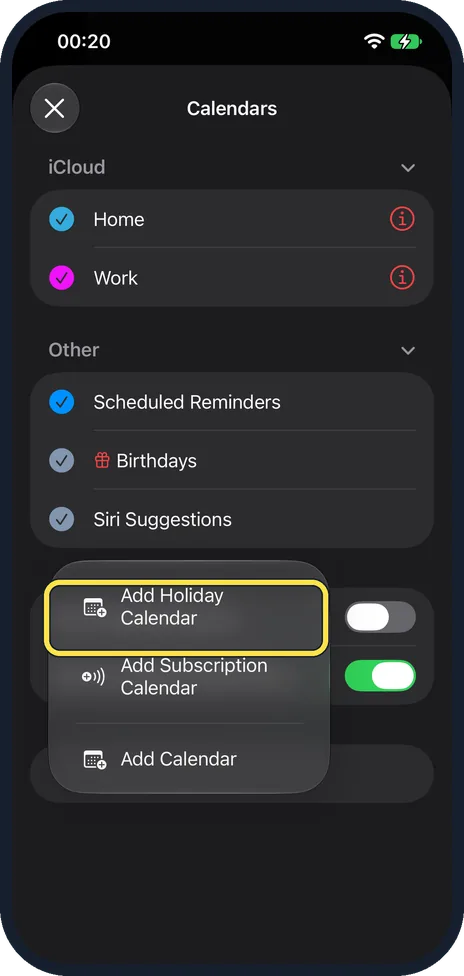
Tap Add Holiday Calendar
Add Holiday Calendar is at the top of the menu, above Add Subscription Calendar and Add Calendar.
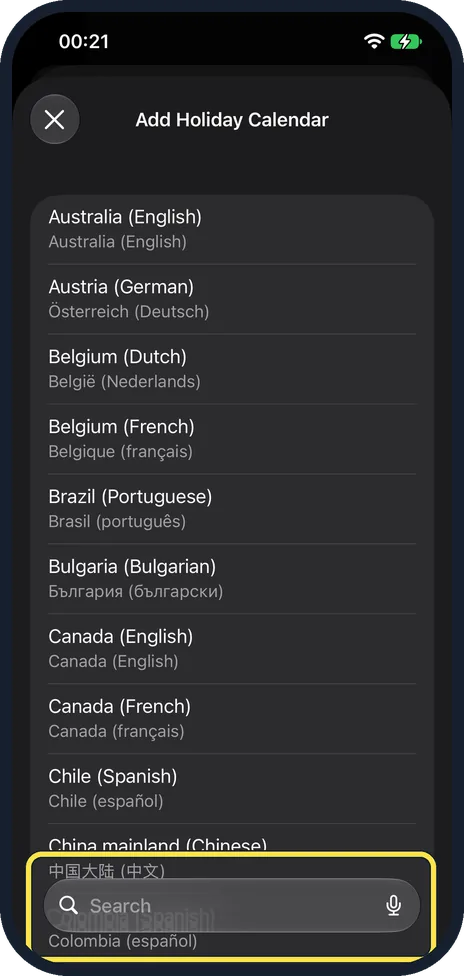
Pick a country
The list runs from Australia (English) onwards, and each country shows its language. Use the search box at the bottom to find yours and tap it.
If you do not see this option
- After you tap a country? Apple says to tap the button to subscribe. We stopped at the list, so we cannot show it. Source: Use the Holidays calendar on iPhone
- Remove a holiday from it? Apple says you cannot: it is a subscription calendar, and only its provider can change it. Source: Use the Holidays calendar on iPhone
If this does not work
- Holidays already listed but not showing? Apple says to tick the holiday calendar in the Calendars list. Source: Use the Holidays calendar on iPhone
- Wrong country? Add the right one from Add Holiday Calendar and untick the other.
About this guide
Apple says a Holidays calendar shows holidays for the iPhone's region. Ours had none, so this is how to add one.
The screenshots are from our iPhone 17e with iOS 27.0.1, in Dark mode. We opened the country list and added nothing.
Good to know
More Calendar settings: how to show week numbers in the calendar on an iPhone.
In short: Calendar, Calendars button, Add Calendar, Add Holiday Calendar, pick a country.
Links checked in October 2026. Menus and features can change after software updates. These steps match the version named at the top.
Did this guide work for you?
Sorry about that. What happened?