
howtosimply.com/guides/how-to-export-contacts-from-an-iphone/ · Checked October 2026 · iPhone 17e · iOS 27.0.1
In this guide
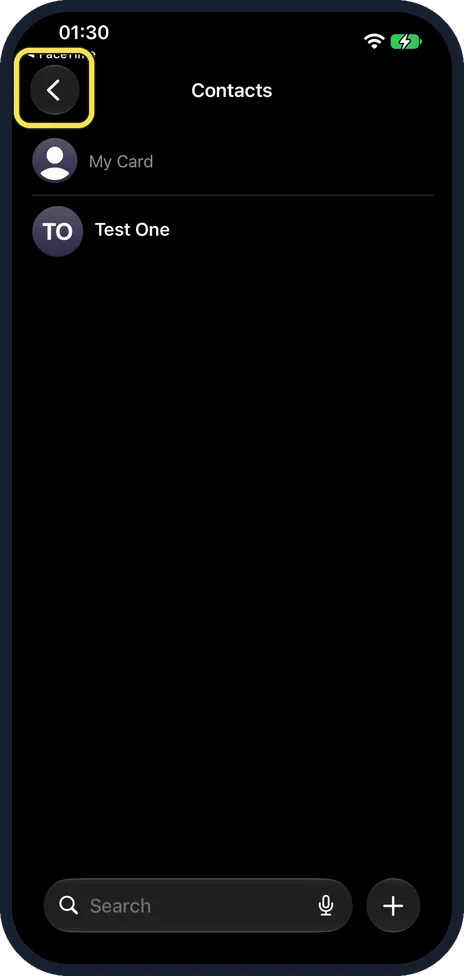
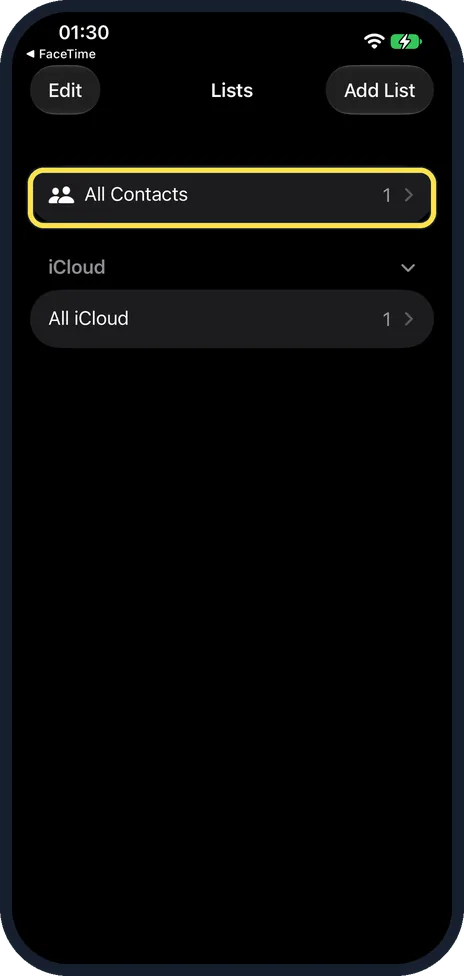
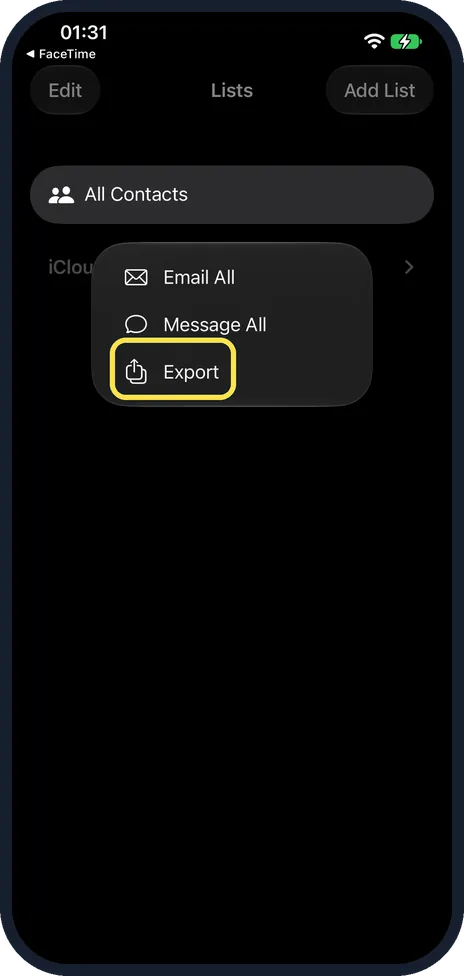
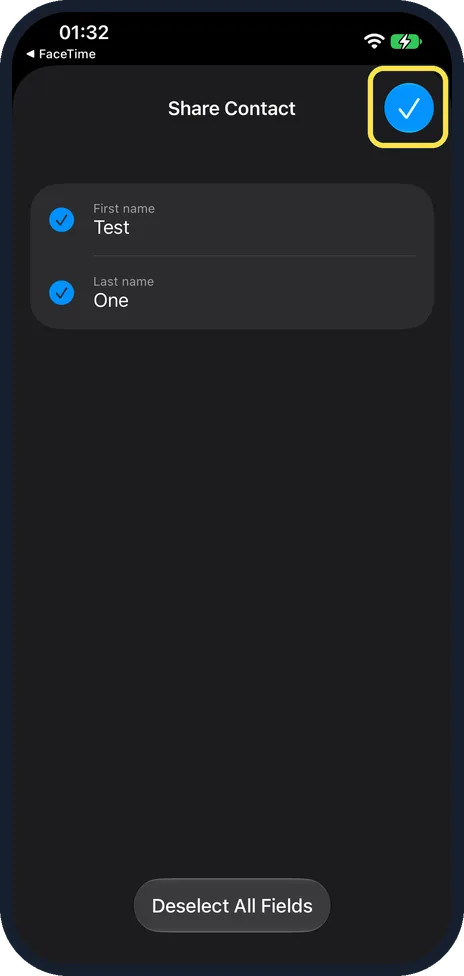
In Contacts, tap the back arrow at the top left to reach Lists. Touch and hold All Contacts, tap Export, choose the fields to include and tap the tick. Then send the vCard or tap Save to Files and Save.
6 of 6 steps with real screenshots · 1 official source below
- Device
- iPhone
- Shown on
- iOS 27.0.1 (iPhone 17e)
- App
- Contacts
- Path
- Contacts › Lists › All Contacts › Export
- Real screenshots
- 6 of 6 steps
- Checked
- October 2026
- Sources
- 1 official, linked below
Step by step
Go to Lists
Open Contacts and tap the back arrow at the top left.
Touch and hold All Contacts
Ours had All Contacts and All iCloud, each with 1.
Tap Export
Export is under Email All and Message All.
Pick the fields and tap the tick
The page is called Share Contact. Untick anything you do not want to share, or tap Deselect All Fields. Ours had First name and Last name.
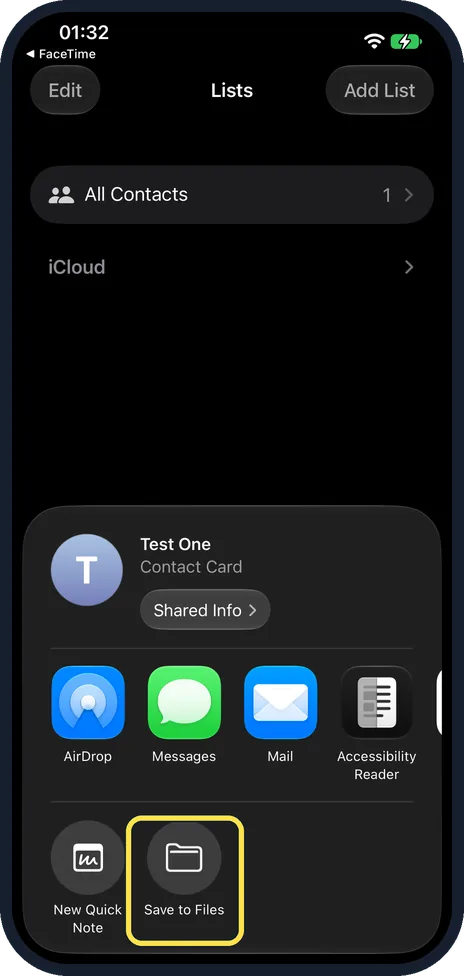
Send it or tap Save to Files
The sheet shows the contact card, Test One, Contact Card. Pick AirDrop, Messages or Mail, or Save to Files in the second row.
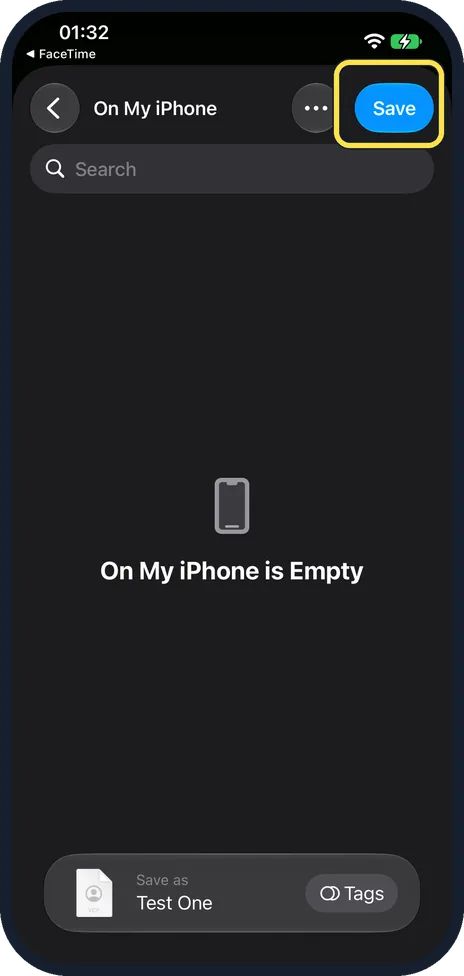
Tap Save
Pick a folder (ours was On My iPhone, still empty) and tap Save. The Save as line showed the file would be called Test One, after the contact.
If you do not see this option
- No Lists page, only the contacts? Tap the back arrow at the top left of Contacts. Ours showed Lists with All Contacts and, under iCloud, All iCloud. Source: Export contacts on iPhone
- No Export when you touch and hold? Apple says to touch and hold a list, not a single contact. Ours showed Email All, Message All and Export. Source: Export contacts on iPhone
- Only some contacts? Apple says to tap Add List to make a new list, then touch and hold that list and tap Export. Source: Export contacts on iPhone
If this does not work
- Save to Files is missing from the sheet? On ours it was in the second row, next to New Quick Note. Pick Mail or Messages instead to send the file to yourself.
- Some details missing from the file? Check the Share Contact page: only the ticked fields go into the file. Source: Export contacts on iPhone
About this guide
Exporting makes a .vcf file you can keep as a backup or open on another phone or computer.
The screenshots are from our iPhone 17e with iOS 27.0.1, in Dark mode. We exported one test contact and deleted it afterwards.
Good to know
To bring the file back in, see how to import contacts from a .vcf file on an iPhone.
In short: Contacts, Lists, hold All Contacts, Export, tick, Save to Files.
Links checked in October 2026. Menus and features can change after software updates. These steps match the version named at the top.
Did this guide work for you?
Sorry about that. What happened?