
howtosimply.com/guides/does-the-nothing-phone-4a-pro-have-an-essential-key/ · Checked October 2026 · 4a) Pro (A069P, EEA), Nothing OS 4.1, Android 16 (build FroggerPro-B4.1-260424-1447-EEA · Nothing Phone
In this guide
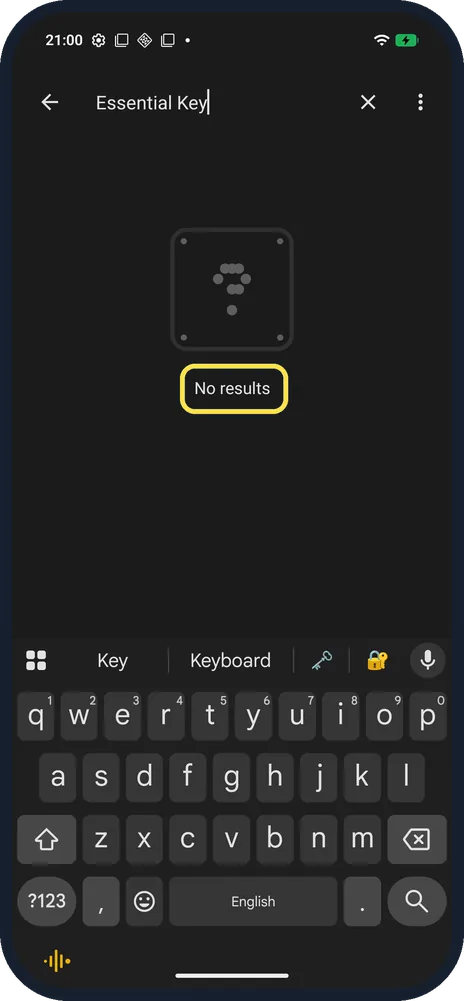
Yes. Essential Space's setup on our Nothing Phone (4a) Pro shows the Essential Key on the left edge of the phone and asks you to double-click it. A Settings search for "Essential Key" finds nothing, so don't rely on search to check.
4 of 4 steps with real screenshots · 3 official sources below
- Device
- Android
- Shown on
- Nothing Phone (4a) Pro (A069P, EEA), Nothing OS 4.1, Android 16 (build FroggerPro-B4.1-260424-1447-EEA)
- App
- Phone
- Real screenshots
- 4 of 4 steps
- Checked
- October 2026
- Sources
- 3 official, linked below
Step by step
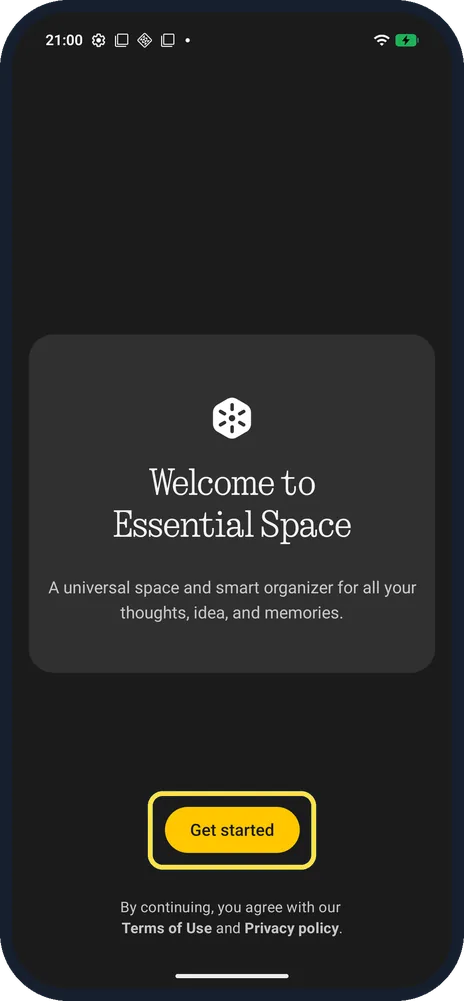
Open Essential Space
It is an app icon on the Home screen. Tap Get started; the screen says that by continuing you agree with Nothing's Terms of Use and Privacy policy.
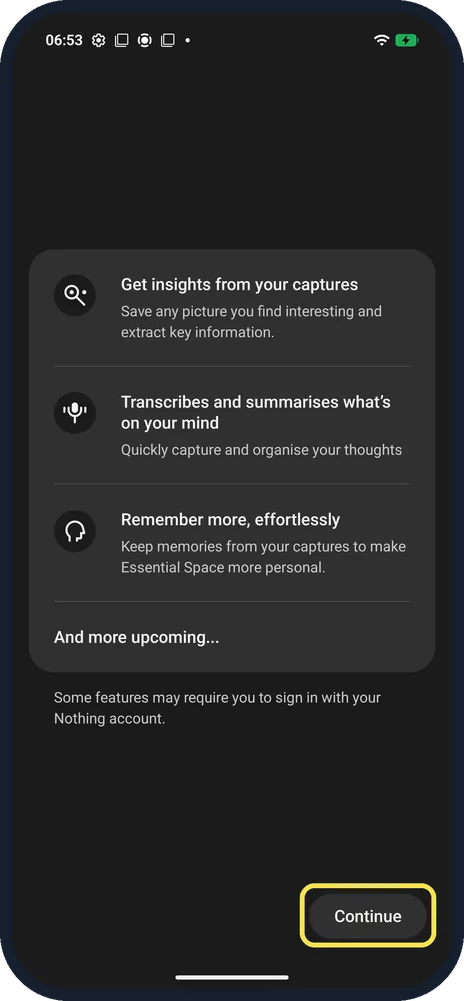
Read the feature list
Insights from your captures, transcribing and summarising, and memories. The note says some features may require you to sign in with your Nothing account. Tap Continue.
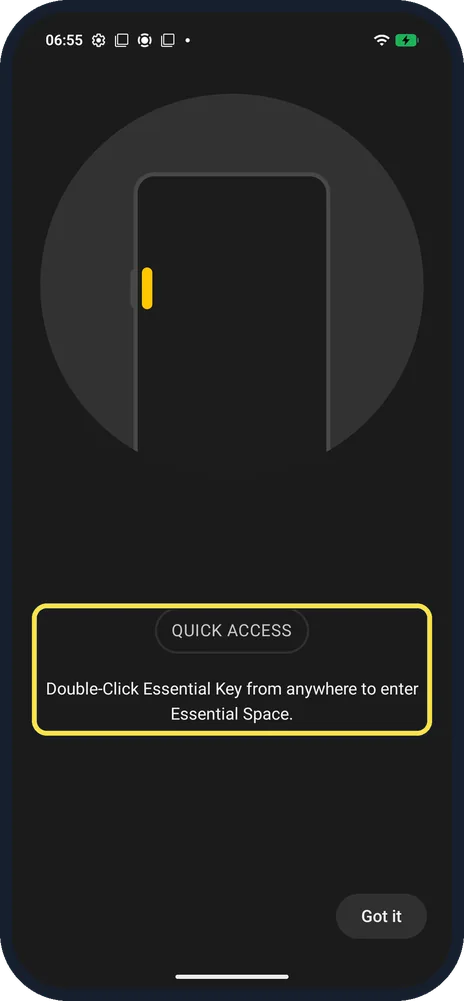
See where the key is
QUICK ACCESS: Double-Click Essential Key from anywhere to enter Essential Space. The picture marks the key on the left edge.
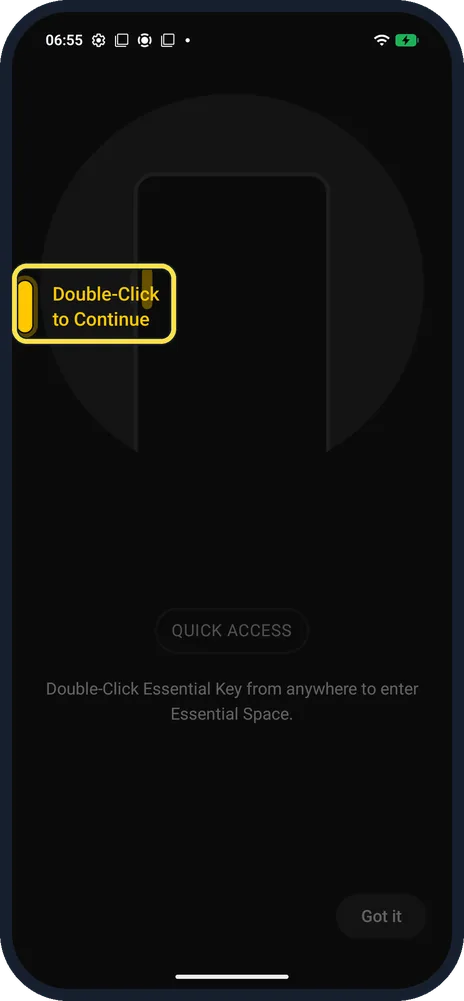
Double-click the Essential Key
After Got it, the setup waits with "Double-Click to Continue" next to the real key on the left edge.
If you do not see this option
- Settings search finds no Essential Key? Ours said No results for Essential Key, even though the key is there. Use Essential Space's setup screens to find it.
- What does a short press do? Nothing says a short press of the Essential Key takes a screenshot and a second short press saves it; a double press opens Essential Space. Source: How do I take a screenshot with the Essential Key? · Source: How do I access Essential Space?
- Want it without the key? Essential Space is also an app icon on the Home screen, as in step 1.
If this does not work
- No AI summaries? Nothing says full Essential Space features, including AI summaries of your recordings, need you to be logged in to a Nothing account. Source: How do I access Essential Space? · Source: What is the intelligent analysis of Essential Space?
- Screenshot not saved? Nothing says a short press opens the screenshot preview; short press the Essential Key again while the selection is active to save it. Source: How do I take a screenshot with the Essential Key?
- Screenshot without the key? Press Power and Volume Down, or turn on the three-finger swipe. See take a screenshot.
About this guide
The Essential Key is Nothing's extra button: a double-click opens Essential Space, and a short press takes a screenshot. We checked where it is on the (4a) Pro.
The screenshots are from our Nothing Phone (4a) Pro, the European model A069P, with Nothing OS 4.1 and Android 16 (build FroggerPro-B4.1-260424-1447-EEA), in Dark theme. We went through Essential Space's setup and stopped at the double-click prompt.
Good to know
To filter which alerts light up, set up Essential Notifications.
For screenshots on this phone, see take a screenshot.
In short: Yes: the Essential Key is on the left edge; double-click it to open Essential Space. Settings search misses it.
- Nothing Support: How do I take a screenshot with the Essential Key?
- Nothing Support: How do I access Essential Space?
- Nothing Support: What is the intelligent analysis of Essential Space?
Links checked in October 2026. Menus and features can change after software updates. These steps match the version named at the top.
Did this guide work for you?
Sorry about that. What happened?