
howtosimply.com/guides/samsung-galaxy-bluetooth-not-connecting-6-fixes/ · Checked October 2026 · Samsung Galaxy A57 5G (SM-A576B), One UI 8.5, Android 16
In this guide
Put the accessory in pairing mode and keep it close. Then forget it under Settings, Connections, Bluetooth (gear, Forget device) and pair again. Check three dots, Advanced settings, Block pairing requests. As a last step reset Wi-Fi and Bluetooth settings.
4 of 6 steps with real screenshots · 1 official source below
- Device
- Android
- Shown on
- Samsung Galaxy A57 5G (SM-A576B), One UI 8.5, Android 16
- App
- Settings
- Real screenshots
- 4 of 6 steps
- What we did
- Observed: looked at each screen, changed nothing
- Our phone
- Shown on Galaxy A57, One UI 8.5
- Checked
- October 2026
- Sources
- 1 official, linked below
Step by step
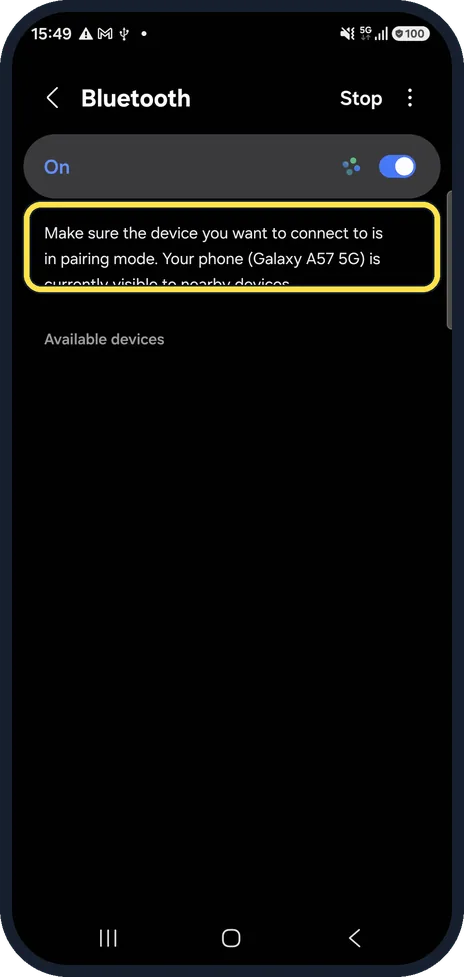
Put the accessory in pairing mode
The phone reminds you on the Bluetooth page: the device must be in pairing mode to be found. Samsung says most devices need to be within about 9 metres (30 feet).
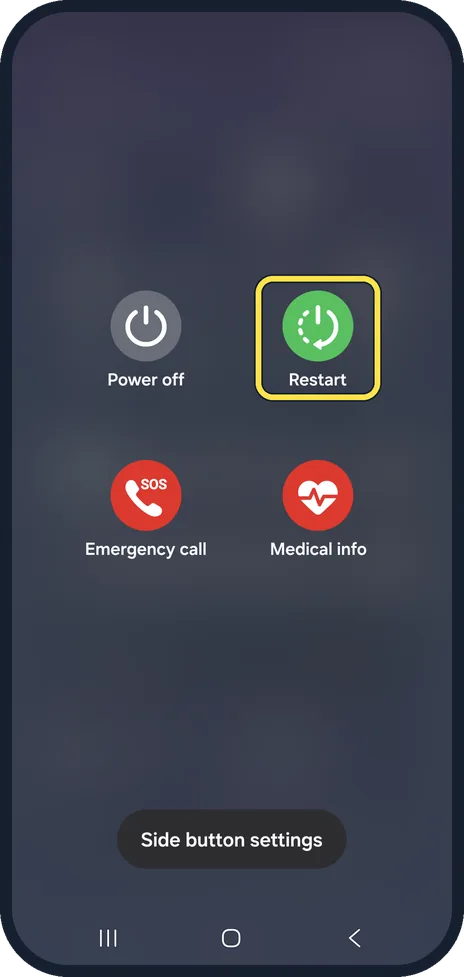
Restart both devices
Switch the accessory off and on, and restart the phone.
Forget the device and pair again
Settings, Connections, Bluetooth: tap the gear next to the device, Forget device, then pair it again from Available devices.
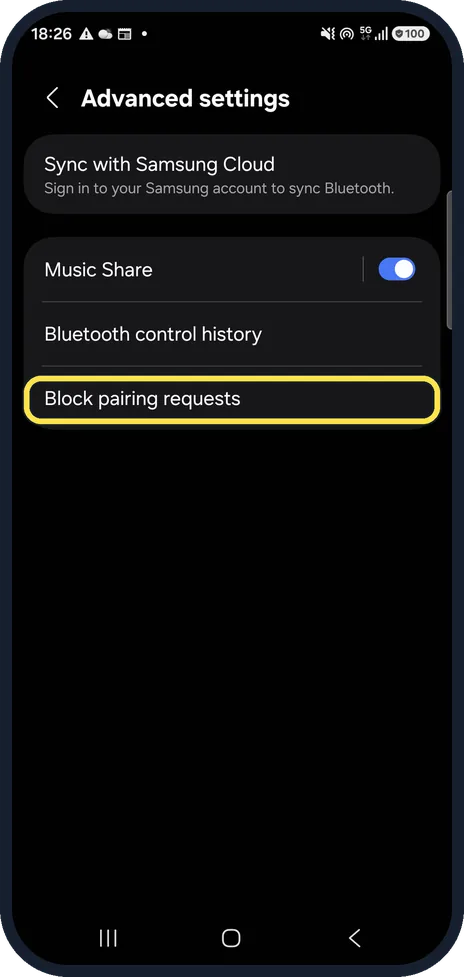
Check Block pairing requests
Three dots, Advanced settings. Block pairing requests is the last row on that page. Make sure pairing requests are not blocked, or new devices cannot pair.
Install the accessory's app
Some devices, such as Galaxy Watch and Buds, need their own app, for example Galaxy Wearable.
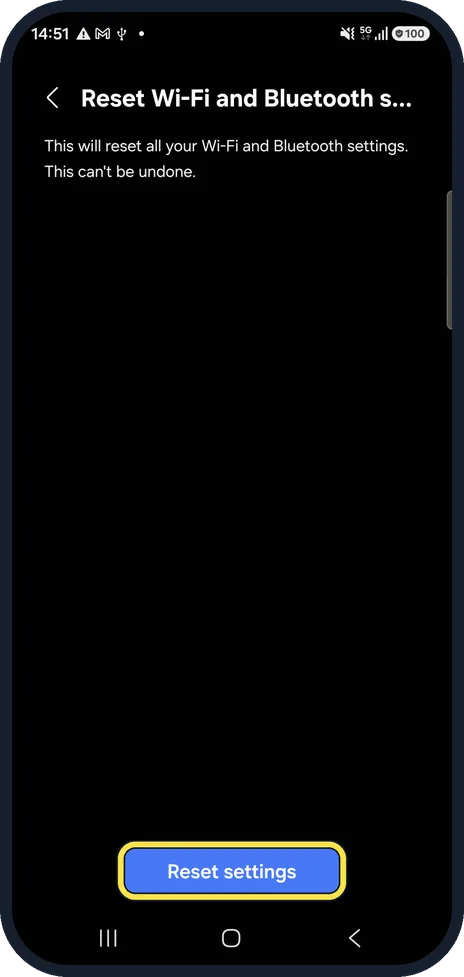
Reset Wi-Fi and Bluetooth settings
Settings, General management, Reset. Every paired device has to be paired again afterwards. Steps: how to reset network settings on a Samsung Galaxy phone.
If you do not see this option
- Your accessory needs an app to pair Samsung says some devices, such as Samsung earbuds and watches, connect through the Galaxy Wearable app. For other brands, check with the maker whether a support app is needed. Source: Galaxy phone or tablet fails to connect to Bluetooth devices
- The gear next to the device is missing Samsung says to tap the Settings icon next to the device under Settings, Connections, Bluetooth. Only paired devices have it; a device that was never paired is under Available devices. Source: Galaxy phone or tablet fails to connect to Bluetooth devices
If this does not work
- It still will not connect Samsung suggests charging both devices, since a low battery can affect the connection, and checking both for software or firmware updates. Source: Galaxy phone or tablet fails to connect to Bluetooth devices
- The device keeps dropping Samsung says most Bluetooth devices need to be within about 9 metres (30 feet), with no walls or other electronics in the way. Source: Galaxy phone or tablet fails to connect to Bluetooth devices
About this guide
Most failed connections come from the accessory, not the phone: it is not in pairing mode, it is still connected to another phone, or its battery is low.
Good to know
Bluetooth control history, on the same Advanced settings page, shows which apps switched Bluetooth on or off.
In short: Pairing mode, restart both, forget and re-pair, Block pairing requests off, the accessory's app, reset Wi-Fi and Bluetooth settings.
Links checked in October 2026. Menus and features can change after software updates. These steps match the version named at the top.
📷 See real photos from the Galaxy A57 in our Camera Lab, next to 10 other phones.
Did this guide work for you?
Sorry about that. What happened?